

You want to become a YouTuber — but the advice out there is all over the place.
“Just start” sounds easy, until you realize you don’t know what to post, who it’s for, or why some channels grow while yours doesn’t.
Most people don’t fail because of content — they fail because there’s no strategy behind it.
This guide shows you how to build a YouTube channel that actually grows — with clear positioning, searchable content, and a system you can stick to.
Key Takeaways
- YouTube is a search engine: treat every video like SEO (keywords, titles, descriptions matter)
- Niche first: clear audience + problem beats broad content every time
- Consistency wins: a simple schedule you can sustain > perfection
- Let data guide you: focus on CTR, retention, and watch time
- Don’t chase views: prioritize traffic, authority, and long-term value
- Start before you’re ready: your first videos are for learning, not perfection
Step 1: Define Your Niche and Content Positioning
Before you start, get clear on one thing: what problem you solve, and for whom. Broad channels don’t grow—specific ones do. “Marketing tips” is vague; “YouTube growth for e-commerce brands” is more focused and searchable.
Many creators chase the most profitable YouTube niches, but profitability alone isn’t enough. The real opportunity is finding where high-value niches overlap with your expertise and audience demand—that’s where sustainable growth happens.
How to Find Your Niche as a Marketer
1. Map your brand's expertise to audience search behavior.
What does your brand know better than anyone else? What questions do your customers ask repeatedly? These are your content pillars. Use YouTube Studio's Research tab, Google Trends, and tools like TubeBuddy or vidIQ to validate that people are actually searching for these topics.
2. Analyze what's already ranking.
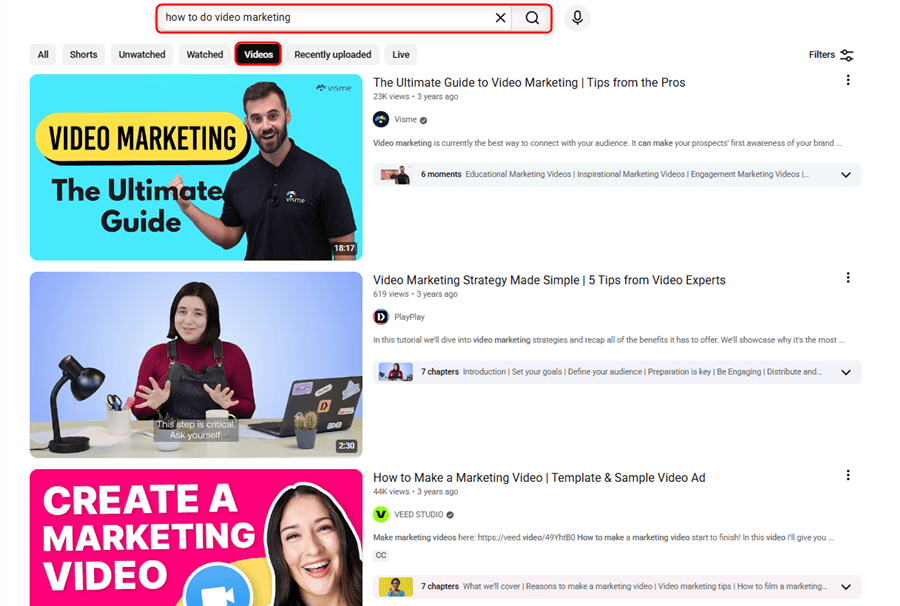
Search your target keywords on YouTube. Look at the top 10 results: What's the content format? How long are the videos? What are the view counts? You're not looking to copy — you're looking for the gap. What angle, depth, or audience segment is underserved?
3. Define your content positioning statement.
Complete this sentence: "My channel helps [specific audience] achieve [specific outcome] through [content format/approach]."
Example: "My channel helps e-commerce store owners increase conversion rates through product video tutorials and customer psychology breakdowns."
💡 Your niche sits where your expertise, audience demand, and competitor gaps overlap — that’s your advantage.
Step 2: Set Up Your Channel for Professional Credibility
First impressions on YouTube happen in under three seconds. A poorly branded channel signals to viewers — and to the algorithm — that you're not serious. Just follow this channel setup checklist:
1. Create a brand Google account.
Use a dedicated brand account (not a personal Gmail) so multiple team members can manage the channel and you retain ownership if personnel changes.
2. Optimize your channel name.
Your channel name should be your brand name or a clear descriptor of what you do. Keep it consistent with your other social handles for cross-platform recognition.
3. Write a keyword-rich channel description.
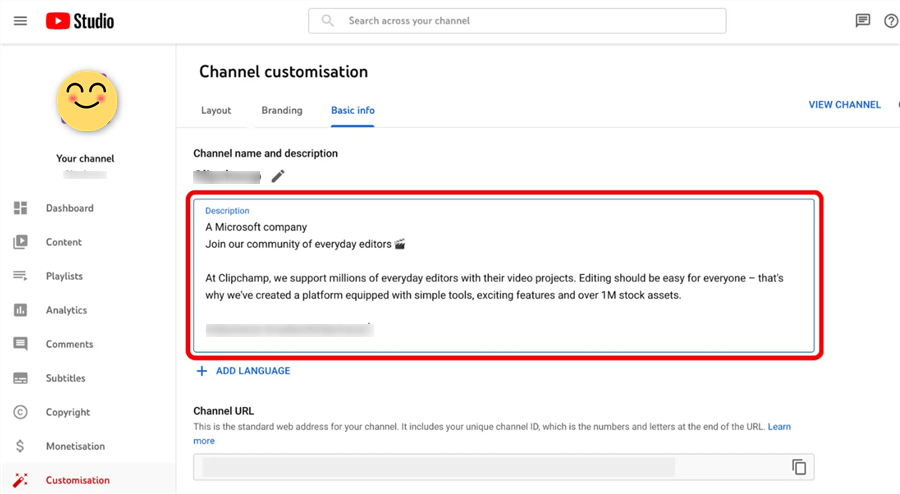
YouTube's search algorithm indexes your channel description. Include your primary keywords naturally in the first 100 characters. Describe who you help, what you cover, and how often you publish.
4. Design professional channel art.
- Profile picture: Your brand logo, minimum 800×800px
- Channel banner: 2560×1440px — include your publishing schedule and a clear value proposition
- Channel trailer: A 60–90 second video that answers "why should I subscribe?" — this is the first thing non-subscribers see
5. Set up channel sections.
Organize your homepage with sections: Featured Video, Popular Uploads, Playlists by topic. This improves watch time and helps new visitors navigate your content library.
📌 Note: YouTube allows you to add up to 12 channel sections. Use them to create a structured content experience — especially important for brand channels with multiple content series.
Step 3: Build a Content Strategy That Serves the Algorithm and Your Audience
The YouTube algorithm has one job: keep people watching. Your content strategy needs to align with that goal while also serving your marketing objectives. The three-tier content framework for marketers:
Tier 1. Search Content (60% of your output)
These are keyword-driven videos targeting specific search queries. They have long shelf lives, compound in views over time, and drive consistent organic traffic. Examples: "how to write a YouTube video script," "best tools for YouTube keyword research," "YouTube SEO checklist 2026."
Tier 2. Browse Content (30% of your output)
These are high-interest, high-shareability videos designed to appear in YouTube's Browse and Suggested feeds. They have broader appeal and drive subscriber growth. Examples: "We analyzed 100 top YouTube channels — here's what they have in common," "The YouTube strategy that grew our channel 10x in 6 months."
Tier 3. Community Content (10% of your output)
These are engagement-first videos: Q&As, behind-the-scenes, polls, community posts. They deepen loyalty with existing subscribers and signal strong engagement to the algorithm.
Building Your Content Calendar
- Start with 12 video ideas — enough for three months at one video per week.
- Map each idea to a keyword — use TubeBuddy, vidIQ, or Ahrefs to validate search volume.
- Assign each video to a tier — ensure your calendar has the right mix.
- Set a realistic publishing cadence — one video per week is the industry standard for growth. Two per week accelerates it. One per month is survivable but slow.
⚠️ Warning: Don't launch a channel with fewer than 4–6 videos ready to publish. New visitors who find one video and see an empty channel won't subscribe. Build a content buffer before going live.
Step 4: Master YouTube SEO Before You Hit Publish
YouTube SEO is not optional — it's the difference between a video that gets 200 views and one that gets 20,000. Every video you publish is a searchable asset. Treat it like a blog post.
The YouTube SEO Checklist for Every Video
1. Keyword research (before filming)
Identify your primary keyword and 2–3 secondary keywords before you write your script. Your keyword should appear naturally in your spoken content — YouTube's AI transcribes audio and uses it for ranking. Tools to use:
- TubeBuddy — keyword explorer with competition scores
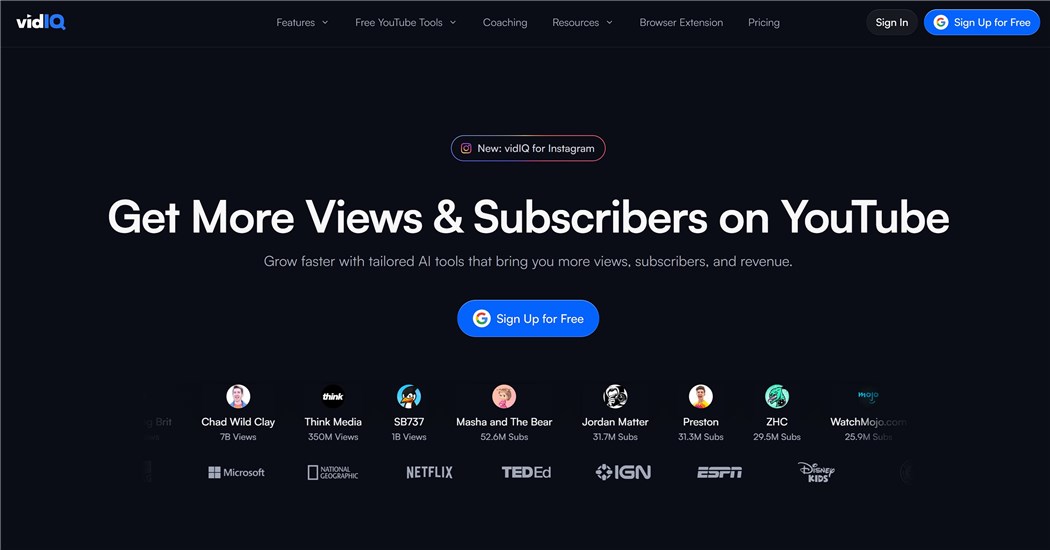
- vidIQ — keyword research + competitor analysis
- Ahrefs — YouTube keyword data with search volume
- YouTube Studio Research tab — shows what your existing audience is searching for
2. Optimize your video title
- Include your primary keyword, ideally near the beginning
- Keep it under 60 characters to avoid truncation in search results
- Make it compelling — your title competes with every other result on the page
- Format: [Primary Keyword]: [Compelling Benefit or Hook]
Example: "How to Become a YouTuber: The Marketer's Playbook for 2026"
3. Write a keyword-rich description
- First 150 characters are shown in search results — make them count
- Include your primary keyword in the first sentence
- Add secondary keywords naturally throughout
- Include timestamps, links to related content, and a CTA
- Minimum 200 words; 300–500 is ideal
4. Use tags strategically
Tags are less important than they used to be, but still useful. Include: your exact primary keyword, close variants, broader topic tags, and your brand name.
5. Create custom thumbnails
90% of top-performing YouTube videos use custom thumbnails. Your thumbnail is your video's billboard — it determines whether someone clicks or scrolls past.
Thumbnail best practices:
- High contrast, readable text (max 3–5 words)
- A human face with clear emotion performs consistently well
- Consistent visual style across all thumbnails builds brand recognition
- Test different thumbnail styles using YouTube's A/B testing feature (available to channels with 1,000+ subscribers)
6. Add closed captions
Upload an SRT file or use YouTube's auto-captions (then edit for accuracy). Captions improve accessibility and give YouTube's algorithm more text to index.
7. Use cards and end screens
- Cards: Link to related videos or playlists at relevant moments in the video
- End screens: Promote your next video, a playlist, and your subscribe button in the final 20 seconds
Step 5: Produce Videos That Hold Attention
Production quality matters — but not in the way most people think. Viewers will forgive imperfect lighting. They will not forgive bad audio or a rambling, unstructured video.
The Minimum Viable Production Setup
You don't need a studio. You need:
Equipment | Minimum | Upgrade Path |
Camera | Smartphone (iPhone 13+ or equivalent) | Sony ZV-E10, Canon M50 |
Microphone | Rode VideoMicro (on-camera) |
The Video Script Framework
Every video should follow this structure:
- Hook (0–30 seconds): State the problem or promise. "By the end of this video, you'll know exactly how to [outcome]."
- Credibility bridge (30–60 seconds): Why should they trust you? One sentence on your experience or results.
- Content delivery (bulk of the video): Numbered steps or clear sections. Use pattern interrupts (B-roll, graphics, cuts) every 60–90 seconds to maintain attention.
- CTA (final 30 seconds): Tell viewers exactly what to do next — subscribe, watch the next video, download a resource.
Step 6: Grow Your Channel with Proven Distribution Tactics
Publishing isn’t enough — especially early on, you need to actively push your videos before the algorithm picks them up.
What works:
- Turn videos into blog posts: embed your video, add 500–800 words, and target the same keyword to drive Google + YouTube traffic
- Share across owned channels: email, LinkedIn (native video), X, and short clips on Instagram/TikTok
- Collaborate with creators: partner with similar-sized channels in adjacent niches to tap into new audiences
- Win the first 60 minutes: reply to comments, share immediately, and drive early engagement signals
- Leverage Shorts: repurpose highlights, test hooks, and bring new viewers into your main content
Step 7: Use Analytics to Improve Every Video
The marketers who grow fastest on YouTube are the ones who treat their channel like a data product. YouTube Studio gives you more audience intelligence than most paid analytics tools.
The Four Metrics That Actually Matter
Metric | What It Tells You | Target Benchmark |
Click-Through Rate (CTR) | How compelling your title + thumbnail combination is | 4–10% is healthy; below 2% means your thumbnail/title needs work |
Average View Duration | How well your content holds attention |
Simple monthly review process:
- Study your top 3 videos — find patterns (topic, format, titles, thumbnails)
- Fix your worst 3 — check where viewers drop and how low the CTR is
- Take one insight — apply it to your next few videos
- Check traffic sources — search, browse, or external tells you if SEO or distribution is working
💡 Pro tip: Use the “Research” tab to see what your audience is actively searching for — it’s one of the easiest ways to find proven content ideas.
Beyond YouTube Creation: How Marketers Scale Their YouTube Intelligence
Learning how to become a YouTuber is the first step. But for marketers, the real competitive advantage comes from what you do around your content — the research, the competitive intelligence, and the data workflows that inform every video you make.
Most marketers spend hours manually checking competitor channels, tracking trending topics, extracting comment insights, and compiling performance data across multiple sources. That's the work that doesn't show up in the video — but it's what separates channels that grow from channels that plateau.
This is where AllyHub changes the equation. AllyHub is an AI agent platform built for exactly this kind of research-heavy, repetitive marketing work. Instead of manually scraping YouTube comments or spending an afternoon pulling comment sentiment from a rival's top videos, you can automate the entire workflow — and AllyHub gets faster and more accurate every time it runs.
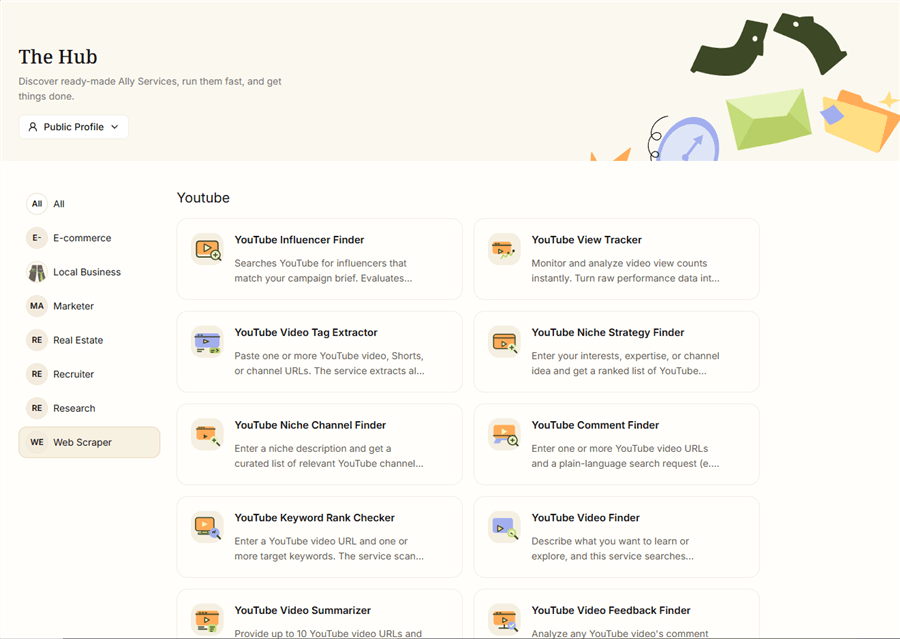
Here's what that looks like in practice for YouTube marketers:
- Competitor channel analysis: Extract the top 50 videos from any competitor's channel — titles, view counts, publish dates, engagement rates — and export to a structured report. Identify their best-performing content formats and topic clusters in minutes, not hours.
- Comment intelligence: Pull the top comments from any YouTube video and run sentiment analysis to surface recurring pain points, feature requests, and audience vocabulary. This is the fastest way to find content gaps your competitors are missing.
- Trend monitoring: Set up automated weekly pulls of trending videos in your niche. AllyHub tracks what's gaining traction before it peaks — so you can publish on a topic while it's rising, not after it's saturated.
- Content research workflows: Extract subtitles from competitor videos, summarize key arguments, and identify angles you haven't covered. What used to take a full afternoon takes under five minutes.
The compounding effect is what makes this different from a one-off tool. The first time AllyHub runs a YouTube competitor analysis, it learns the structure of the site. The second time, it skips the exploration entirely and goes straight to execution — faster, with lower cost per run. By the tenth run, your YouTube research workflow is essentially automated.
✅ For marketers building a YouTube presence: The content strategy is the visible work. The research infrastructure behind it is what makes the strategy defensible. Try AllyHub to see how much of your YouTube research workflow can be automated.
YouTube Growth Strategies by Marketer Goal
Goal | Best Strategy | Key Metric | Timeline |
Brand awareness | Tier 2 Browse content + YouTube Shorts | Impressions, Views | 3–6 months |
Frequently Asked Questions
How long does it take to grow a YouTube channel?
Most brand channels see traction in 6–12 months. The first 3 months are for testing, months 4–6 bring algorithm exposure, and growth often accelerates after that with consistency.
How do I start with zero audience?
Focus on search-driven content targeting low-competition keywords. Create videos answering specific questions—discoverability drives early growth, not subscribers.
How many videos should I launch with?
Start with 4–6 videos so new viewers can binge your content and boost engagement signals from day one.
Do I need expensive equipment?
No. A smartphone + basic mic + natural light is enough. Prioritize audio quality—poor sound drives viewers away faster than average video.
What’s the best posting frequency?
Aim for 1 video per week. If that’s not sustainable, post less often—but stay consistent and don’t sacrifice quality.
How should I use analytics?
Track CTR, Average View Duration, and Traffic Sources. Review monthly, identify patterns in top videos, and apply them to future content.
Can AllyHub help with research?
Yes. It automates competitor analysis, trend tracking, and data extraction, making your content research faster and more scalable over time.
What to Do Next
You now have the complete framework for how to become a YouTuber as a marketer — from niche definition and channel setup through SEO, production, distribution, and analytics.
The most important thing you can do right now is start. Pick your niche, write your first three video scripts, and publish. The marketers who win on YouTube aren't the ones who waited until everything was perfect — they're the ones who started, learned from the data, and improved with every video.
If you want to accelerate the research side of your YouTube strategy — competitor analysis, comment intelligence, trend monitoring — AllyHub is built for exactly that. Every workflow you run makes the next one faster. That's the compounding advantage most YouTube marketers never build.




