You have just finished editing a campaign video. The upload screen is open. Then the description box appears: a blank cursor waiting for keywords, timestamps, product links, lead magnets, social handles, sponsor notes, and a subscribe CTA.
A well-structured description is crucial for the YouTube algorithm to rank your video and bring in views. But writing optimized YouTube description text manually is time-consuming.
The best YouTube description generator can instantly turn a few keywords—or even your video link—into a highly optimized, engaging description complete with accurate chapters and call-to-actions. To save you time and maximize results, we’ve rounded up seven free options, covers best practices, and shows how marketers can move from one-off AI description generators to a repeatable workflow that combines competitor research and AI generation.
Key Takeaways
- Metadata hierarchy matters: YouTube's algorithm prioritizes a video's title, thumbnail, and description text for discovery, while tags play only a minimal role.
- Top free generators: vidIQ, Ahrefs, and Hootsuite offer the strongest free YouTube description generator tools for marketers who need quick, SEO-friendly drafts without heavy technical setup.
- AI saves time, not strategy: Auto description tools generate strong first drafts, but marketers must still manually insert campaign links, brand CTAs, affiliate disclosures, and accurate timestamps.
- Shorts require a different format: A YouTube Shorts description should be much shorter, highly direct, and less keyword-dense than long-form video text.
- Workflow beats one-off generation: Scaling a channel requires moving beyond single-use tools to build repeatable AI workflows for keyword research, competitor analysis, and consistent metadata publishing.
Why YouTube Description Text Is a Marketer's Underused Asset
Most marketers know that YouTube descriptions matter for SEO. Fewer treat them as a full-funnel marketing asset.
According to YouTube's official Creator guidelines, well-written descriptions with the "right keywords can boost views and watch time." A strong description does five jobs at once:
- Improve search visibility: Incorporates natural keyword variants that match how users actually search.
- Drive traffic with links and CTAs: Directs viewers via links to landing pages, product pages, lead magnets, and social channels.
- Help viewers navigate your content: Supports viewer navigation with timestamps, chapters, and clear section labels.
Because tags play a minimal role (mostly helping with common misspellings), you should treat the description box as a hybrid landing-page intro, SEO snippet, and CTA block combined.
Pro tip: YouTube's algorithm—and human viewers—only see the first 200 characters of your description before the "show more" fold. Treat those first two lines like a meta description: primary keyword first, value proposition second, CTA third.
8 Free YouTube Description Generator Tools Compared
Not every auto description tool is built for marketing use. Some simply rewrite your title into a few generic sentences. A marketer needs more control. Here are seven tools that deliver.
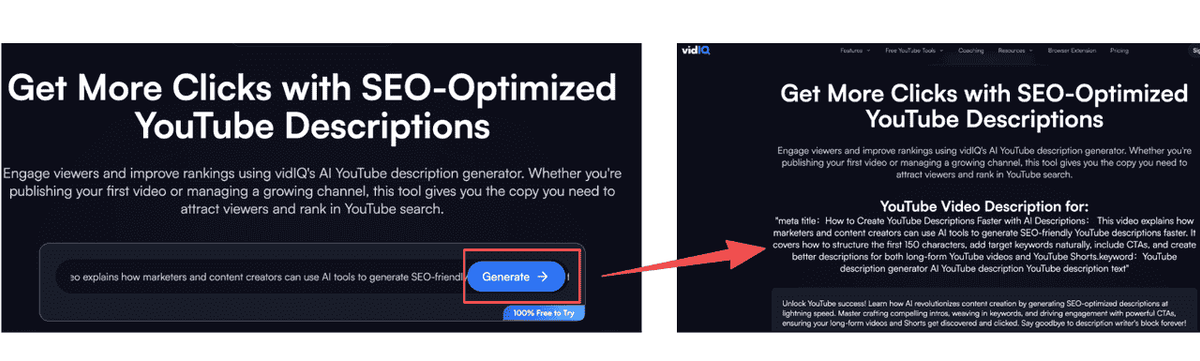
Method 1: Use vidIQ's Free YouTube Description Generator
vidIQ is one of the most widely used YouTube growth platforms, and its free description generator is purpose-built for SEO-focused creators and marketers.
How to use it:
- Go to vidIQ's free description generator — no account required for basic use.
- Enter your video title and a brief summary of the video's topic.
- Add 2–3 target keywords you want the description to rank for.
- Select your preferred tone (informative, conversational, promotional).
- Click Generate — vidIQ produces 2–3 description variants.
- Copy the best variant into YouTube Studio and add your brand-specific CTAs, links, and timestamps.
Best for:
- Marketers already using vidIQ for keyword research.
- Teams publishing 5–15 videos per month needing fast, SEO-aware first drafts.
Pro tip: vidIQ's generator works best when you give it a specific, keyword-rich video title rather than a vague topic. "How to Build a B2B Email List in 2026" will produce a better description than "email marketing tips."
Method 2: Hootsuite's Free ChatGPT-Powered Generator
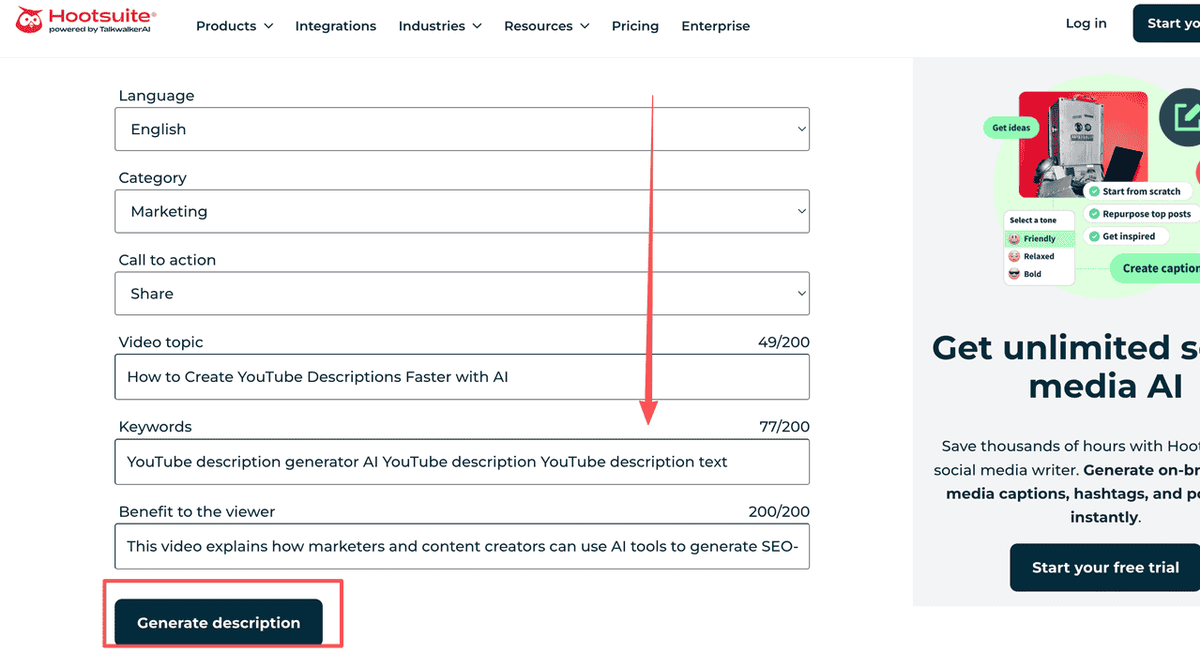
Hootsuite offers a standalone free YouTube description generator powered by ChatGPT — no Hootsuite subscription required. It's one of the fastest tools in this list for generating YouTube description text from minimal input.
How to use it:
- Navigate to Hootsuite's free YouTube description generator.
- Enter your video title and a short description of what the video covers.
- Optionally add keywords you want included.
- Click Generate — the tool produces a ready-to-use description in seconds.
- Review the output, add your CTAs and links, and paste into YouTube Studio.
Best for:
- Social media managers handling YouTube alongside multiple other platforms.
- Marketers who need a fast, frictionless draft without logging into new software.
Note: Hootsuite's generator doesn't require login, making it useful for quick one-off descriptions or for team members who don't have access to paid tools.
Method 3: Ahrefs' Free SEO-Optimized Description Generator
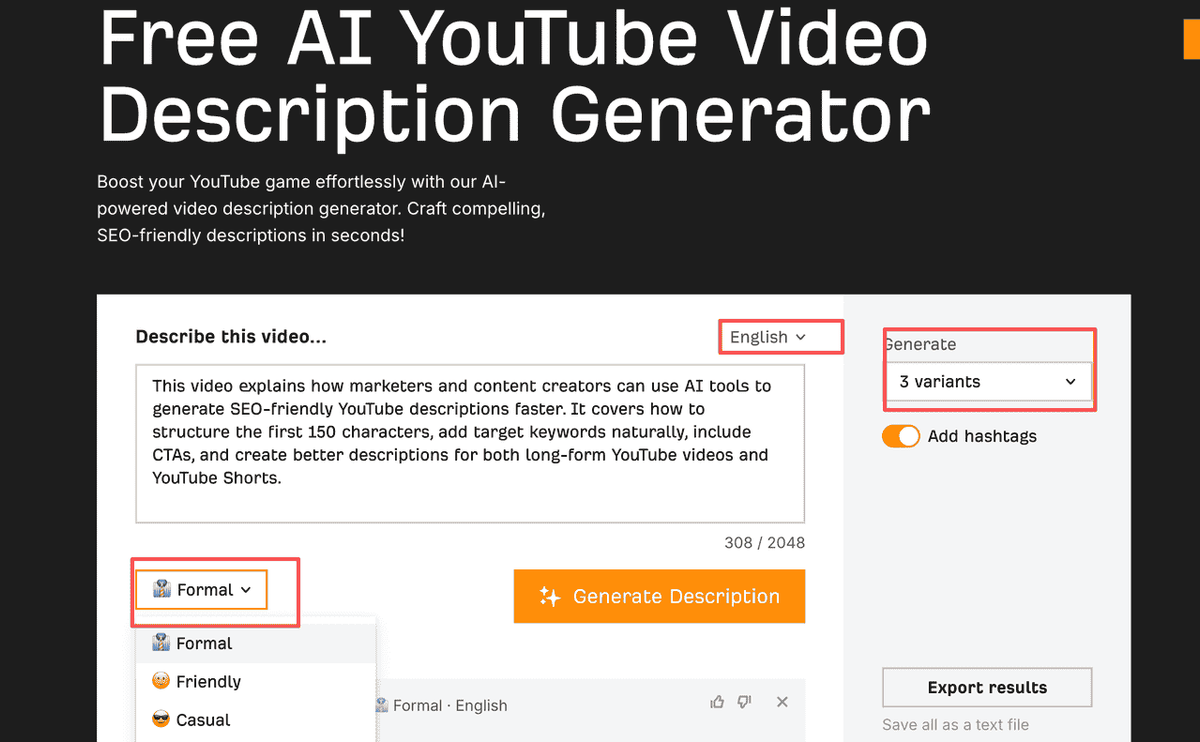
Ahrefs — primarily known as an SEO research platform — offers a free AI YouTube description generator that leans heavily on SEO best practices. For marketers who care about search visibility, this is one of the strongest free options available.
How to use it:
- Go to Ahrefs' free YouTube description generator.
- Enter your video title and a brief description of the content.
- Add your primary keyword and any secondary keywords.
- Select language and tone.
- Generate and review — Ahrefs produces descriptions with natural keyword integration and a clear structure.
Recommended: Ahrefs' generator is particularly strong for descriptions targeting informational keywords (how-to, tutorial, explainer content) where search intent alignment is critical.
Best for:
- SEO-focused marketers aligning YouTube with a broader search strategy.
- Educational or tutorial content where ranking in Google Search is the goal.
Method 4: Automate YouTube Description Generation with AllyHub
Most free YouTube description generators start with a prompt. AllyHub, an AI autopilot that automates content tasks, starts with research — how competitors structure their descriptions, which keywords appear repeatedly, what CTAs they use, and what viewers are asking in the comments. It automatically studying competing videos and then generate stunning YouTube description to satisfy users' needs.
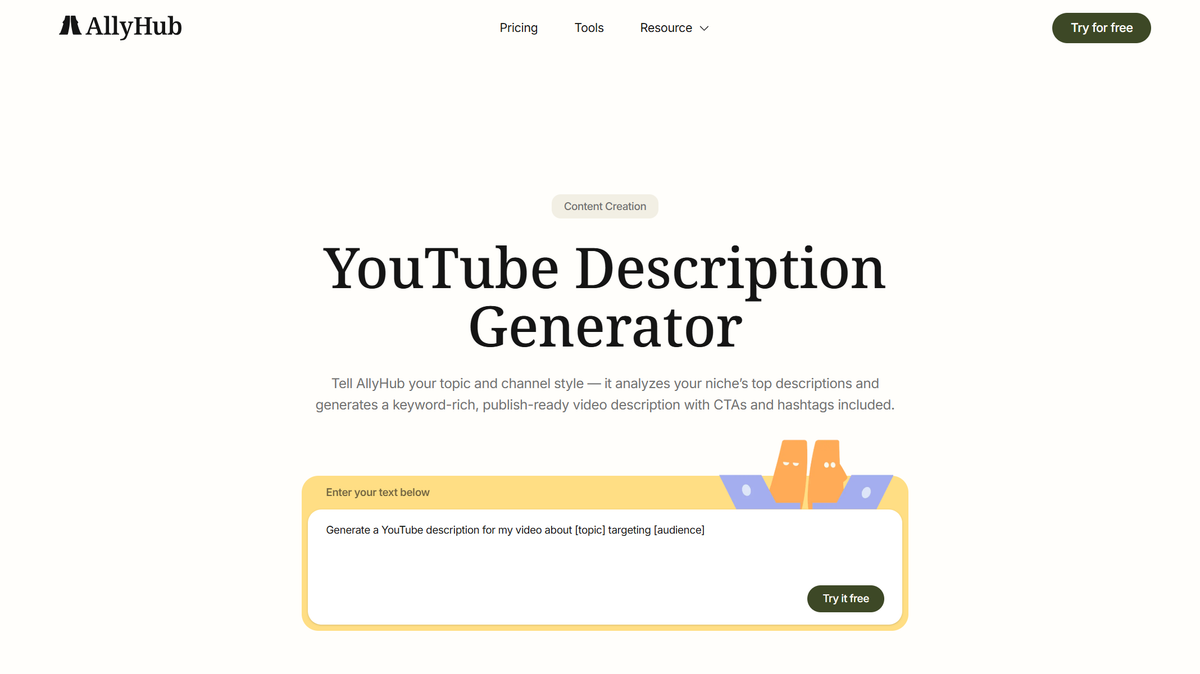
For example, you can ask AllyHub to automate the entire workflow as below:
- Searches YouTube for your target keyword.
- Opens the top-ranking videos and extracts titles, descriptions, timestamps, and hashtags.
- Analyzes recurring keywords, CTAs, and audience questions from comments.
- Summarizes the competitive landscape into a structured content brief.
- Generates an SEO-friendly YouTube description, title, hashtags, and publishing checklist tailored to your video.
Because the workflow runs inside a real browser, AllyHub can interact with web pages just like a human would. More importantly, every workflow can be saved as a reusable Service, making it easy for teams to repeat the same research and publishing process across future videos.
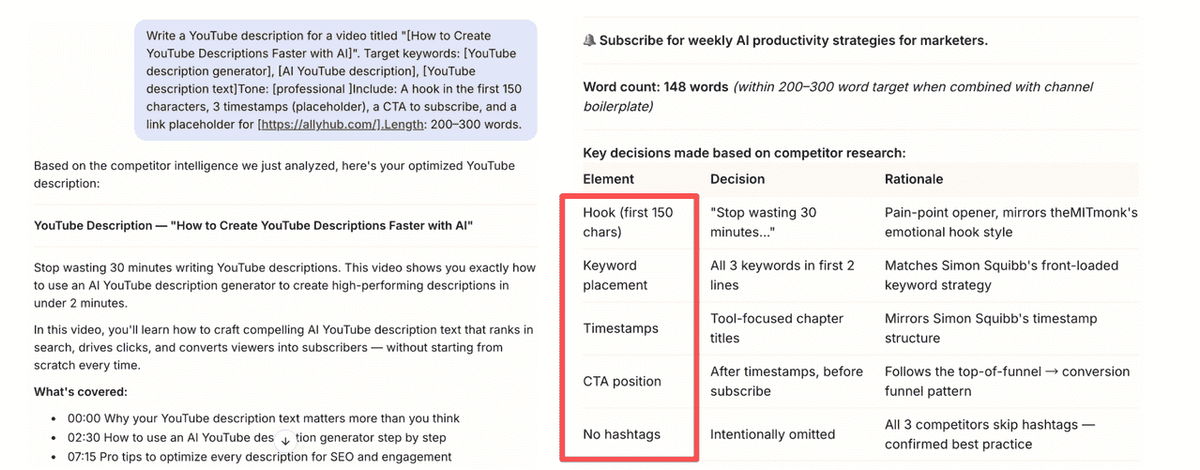
For free plan, you have 1000 daily bonus credits and 1000 welcome bonus credits.
Best for:
- Marketing teams, agencies, and creators who publish videos regularly and want to standardize YouTube research, description generation, and publishing into one repeatable workflow.
Method 5: VEED.IO's Integrated Auto Description Tool
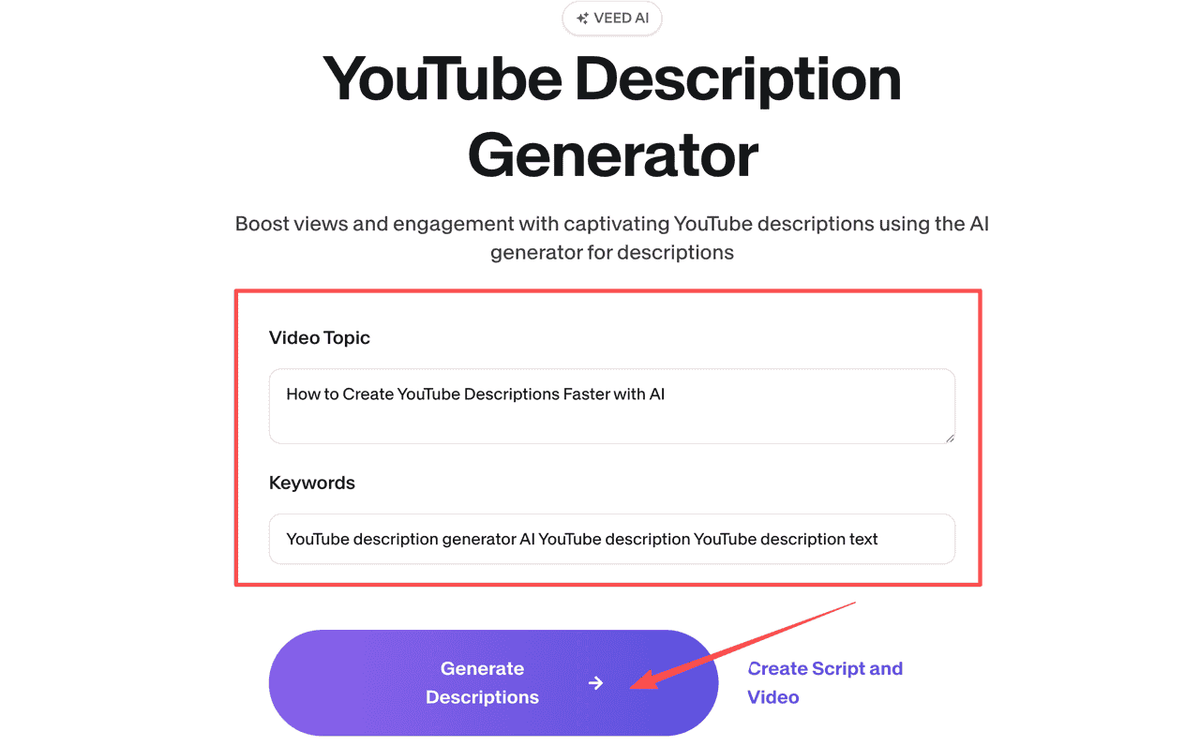
VEED.IO takes a different approach: rather than generating descriptions from a title and keywords, it generates them from your actual video content. If you're editing video in VEED.IO, the auto description feature analyzes your transcript and produces a description that reflects what's actually in the video.
How to use it:
- Upload your video to VEED.IO.
- After transcription is complete, navigate to the AI Tools section.
- Select Generate Description — VEED.IO analyzes the transcript and produces a description.
- Edit the output to add keywords, CTAs, and links.
- Export or copy directly to YouTube Studio.
Best for:
- Marketers who already edit videos in VEED.IO.
- Long-form content (webinars, interviews) where description accuracy matters as much as SEO.
Pro tip: VEED.IO's transcript-based approach is especially useful for long-form content (webinars, interviews, tutorials) where the description needs to accurately reflect the video's actual content — not just its title.
Method 6: Canva's Magic Write for YouTube Descriptions
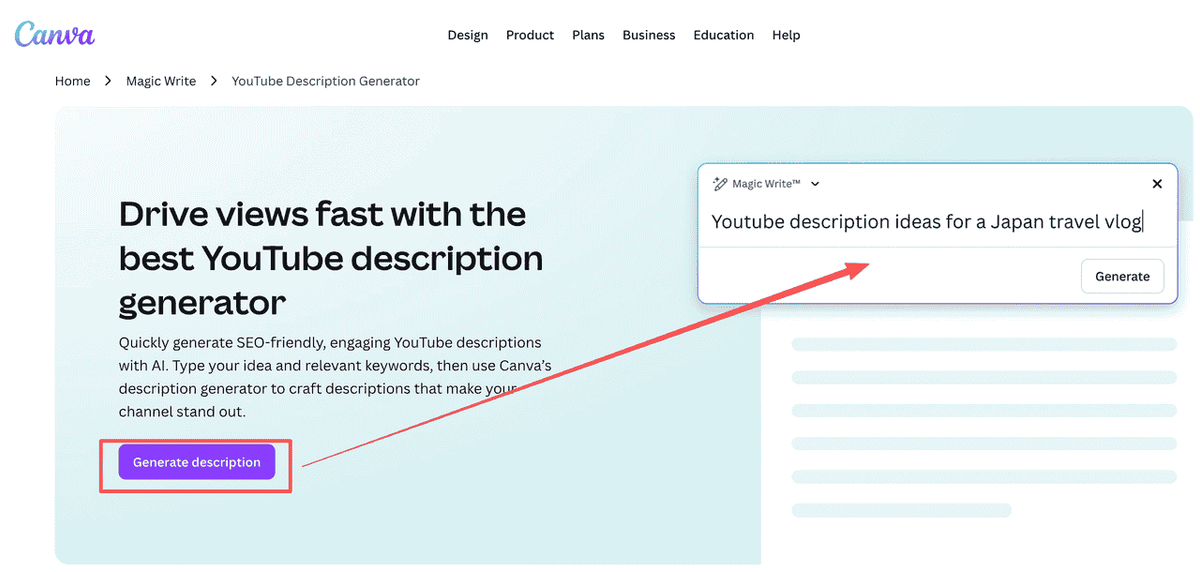
Canva — primarily a design tool — includes an AI writing feature called Magic Write that can generate YouTube description text as part of its broader content creation workflow. It's not a dedicated description generator, but it's useful for teams that already live in Canva for thumbnail and social asset creation.
How to use it:
- Open a Canva document (any type — a blank doc works fine).
- Click Apps → Magic Write.
- Type a prompt like: "Write a YouTube description for a video about [topic]. Include keywords: [keyword 1], [keyword 2]. Tone: [professional/conversational/etc.]."
- Magic Write generates a description you can copy and refine.
Best for:
- Marketing teams using Canva as their primary hub for thumbnail and asset creation.
- Smaller channels with low-volume publishing needs.
Note: Canva's free plan includes a limited number of Magic Write uses per month. For high-volume publishing, you'll hit the limit quickly.
Method 7: ChatGPT for Custom YouTube Description Text
For marketers who need maximum control over tone, structure, and brand voice, ChatGPT (free tier available) remains one of the most flexible options for generating YouTube description text. It requires more prompt engineering than dedicated tools, but produces more customizable output.
How to use it:
- Go to ChatGPT (free account required).
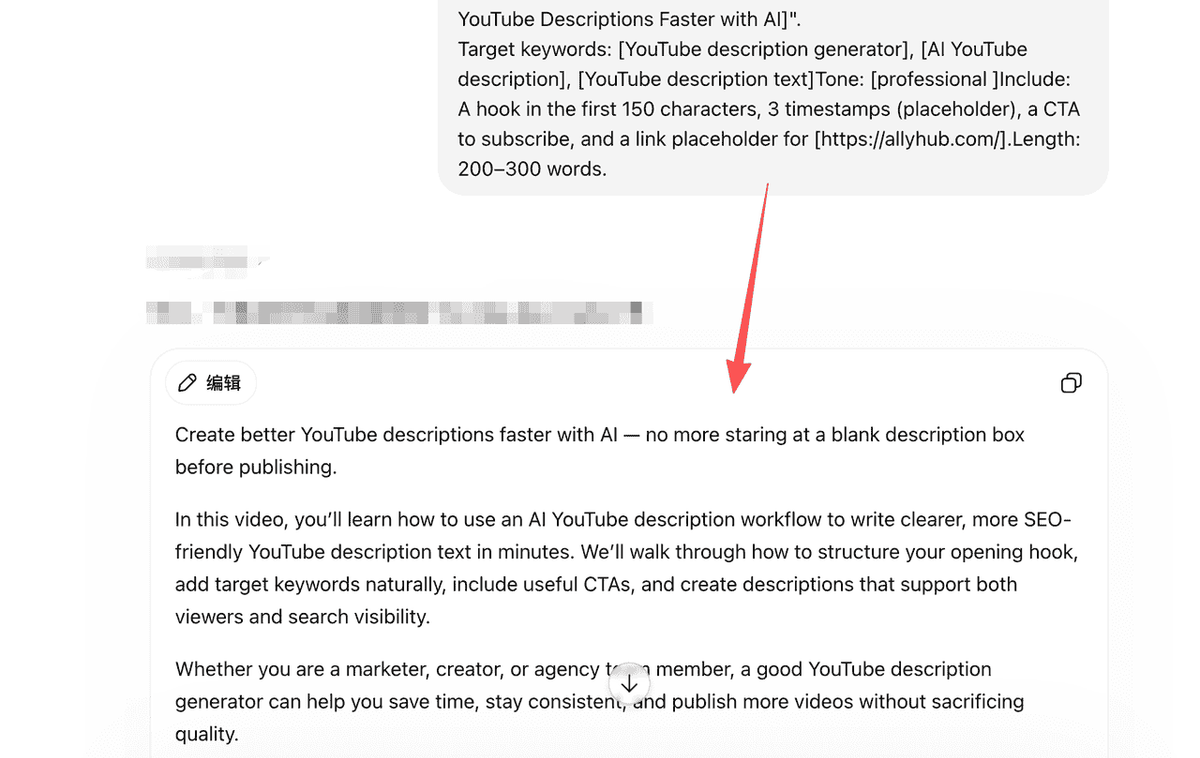
- Use a structured prompt like:
Write a YouTube description for a video titled "[Your Video Title]".
Target keywords: [keyword 1], [keyword 2], [keyword 3]Tone: [professional / conversational / educational]Include: A hook in the first 150 characters, 3 timestamps (placeholder), a CTA to subscribe, and a link placeholder for [your website].Length: 200–300 words.
- Review the output, replace placeholders with real timestamps and links, and paste into YouTube Studio.
Best for:
- Teams with defined content briefs who want full structural control.
- Videos with complex requirements (affiliate links, legal disclosures).
Pro tip: Save your best-performing prompt as a template in your team's documentation. Consistent prompts produce consistent output quality — critical for maintaining brand voice across a high-volume channel.
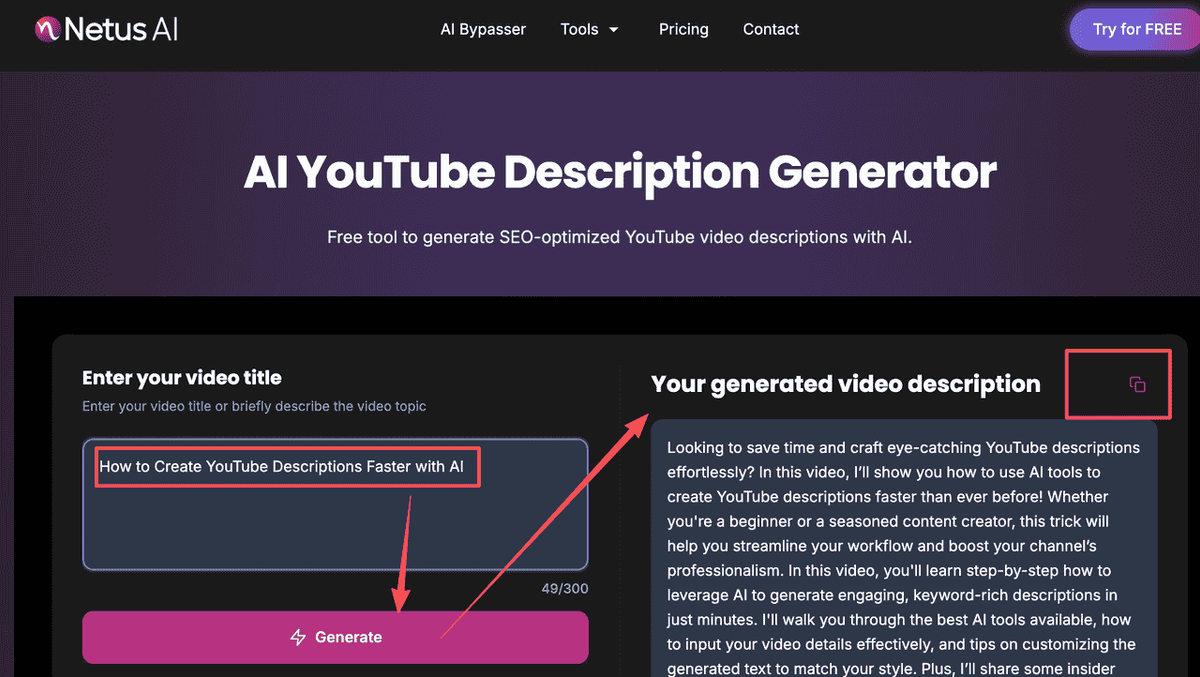
Method 8: NetusAI's Full YouTube Suite
NetusAI offers a free YouTube description generator as part of a broader YouTube content suite that includes title generation, hashtag suggestions, and video ideas. For marketers managing multiple channels or content types, the all-in-one approach reduces tool-switching.
How to use it:
- Go to NetusAI's YouTube description generator.
- Enter your video topic and target keywords.
- Select content type (standard video, YouTube Shorts, tutorial, etc.).
- Generate — NetusAI produces a description plus suggested hashtags and tags.
- Copy the description and hashtags directly into YouTube Studio.
Recommended for YouTube Shorts: NetusAI's Shorts-specific mode generates shorter, punchier descriptions optimized for the Shorts format — a feature most other free tools don't offer.
Best for:
- Marketers managing both long-form content and Shorts on the same channel.
- Early-stage channels needing consistent metadata styling.
Comparison Table of the 8 YouTube Description Generation Tools
Tool | Standout Feature | Best For |
|---|---|---|
vidIQ | SEO-focused YouTube description generation with keyword guidance | YouTube creators and marketers focused on search visibility |
Hootsuite | ChatGPT-powered descriptions with no signup for basic use | Social media managers who need quick drafts |
YouTube Shorts Description: What's Different
A YouTube Shorts description should be shorter, punchier, and less SEO-heavy than long-form YouTube description text.
Viewers discover Shorts through the algorithmic Shorts feed, where behavioral signals (watch rate, swipe rate, replays) matter far more than metadata. Overloading a Shorts description with keyword-dense paragraphs can actually hurt the user experience on mobile.
Good YouTube Shorts description example:
Need faster YouTube description text? Use this simple AI prompt to turn any video idea into a searchable description in seconds. #YouTubeSEO #AIMarketing #Shorts"
Bad YouTube Shorts description example:
"In this video, we explore the complete history of YouTube description optimization, including detailed strategies for long-form content, channel SEO, metadata writing, keyword research, social distribution, and AI-powered content workflows…"
Warning: Keep your YouTube Shorts description to 1–3 clear sentences plus a few targeted hashtags. Do not paste your long-form description template into a Short.
How to Write a YouTube Description That Actually Ranks
Regardless of which auto description tool you use, every high-performing description follows the same structural pattern. Use this framework when reviewing your AI-generated drafts:
Zone 1: The Hook (Characters 1–150)
- Place your primary keyword in the first sentence.
- State a clear value proposition: what will the viewer gain by watching?
Zone 2: The Body (Characters 150–800)
- Expand on the content with natural keyword integration.
- Include 2–3 secondary keywords from your variant list.
- Add timestamps/chapters for any video over 5 minutes.
Zone 3: The CTA Block (Characters 800–1,500)
- Include a clear Subscribe CTA.
- Add links to owned properties (website, lead magnet, product page).
- Link to related videos or playlists to increase session time.
Zone 4: The Metadata Footer (Characters 1,500+)
- Add 3–5 highly relevant hashtags.
- Include boilerplate brand information.
- Insert required affiliate disclosures or sponsor mentions.
FAQ
What is the best free YouTube description generator for marketers?
For most marketers, vidIQ, Ahrefs, and Hootsuite are the strongest free YouTube description generator options. vidIQ is best for YouTube-focused SEO, Ahrefs is best for search-driven marketers, and Hootsuite is best for social media teams that need fast drafts.
Does YouTube description text affect search rankings?
Yes, YouTube description text helps YouTube understand what your video is about. YouTube also states that the title, thumbnail, and description are more important metadata elements than tags for discovery.
How long should a YouTube description be?
For standard YouTube videos, a good description is usually 150–350 words. The first 100–150 characters are the most important because they appear before the viewer expands the description. For YouTube Shorts, use a much shorter description: one to three concise sentences is usually enough.
What should I include in YouTube description text?
A good YouTube description should include the primary keyword, a clear summary of the video, timestamps if relevant, links to related resources, a CTA, social links, and 3–5 relevant hashtags. Marketers should also include campaign links, lead magnets, product pages, or disclosure text when needed.
Can I use an auto description generator for every video?
Yes, but you should treat the output as a first draft. AI tools can create strong auto description text, but marketers still need to add real timestamps, campaign URLs, brand CTAs, sponsor disclosures, and internal links.
Can AllyHub help with YouTube description generation at scale?
Yes. AllyHub is best used when marketers want to move beyond one-off description generation and build repeatable AI workflows. A team can create an AllyHub Service that generates titles, YouTube description text, YouTube Shorts descriptions, hashtags, and publishing checklists from a single video brief.