YouTube comments are one of the most underrated data sources on the internet.
They're raw, unfiltered, and brutally honest. When someone takes the time to type a comment under a video, they're telling you exactly what they think — what confused them, what excited them, what they wish existed, what they're frustrated about.
For content creators, marketers, and researchers, that's gold.
The problem? Manually reading through thousands of comments across dozens of videos is impossible at scale. That's where YouTube comment scraping comes in.
In this guide, you'll learn exactly how to scrape YouTube comments — what data you can extract, which method fits your situation, and what to actually do with the data once you have it.
What Data Can You Extract from YouTube Comments?
Before choosing a tool, it helps to know what’s actually available. Most comment scraping tools can collect the following:
Field | Description |
Comment text | The full content of the comment |
Author name | The commenter’s public display name |
Post date | When the comment was published |
Like count |
What you can’t get
Some things simply aren’t available:
- private comments
- comments on restricted content without access
- public dislike counts (removed by YouTube in 2021)
That’s important to know before you start.
Method 1: How to use AllyHub for Recurring Research Workflows
One-time scraping is easy. The real challenge starts when you need to do it every week.
For example:
- reviewing competitor comments every Monday
- checking audience feedback before content planning
- tracking sentiment around a product launch
- monitoring brand mentions across multiple videos
Example: Use AllyHub to scrape a brand’s YouTube comments and analyze what the audience cares about most.
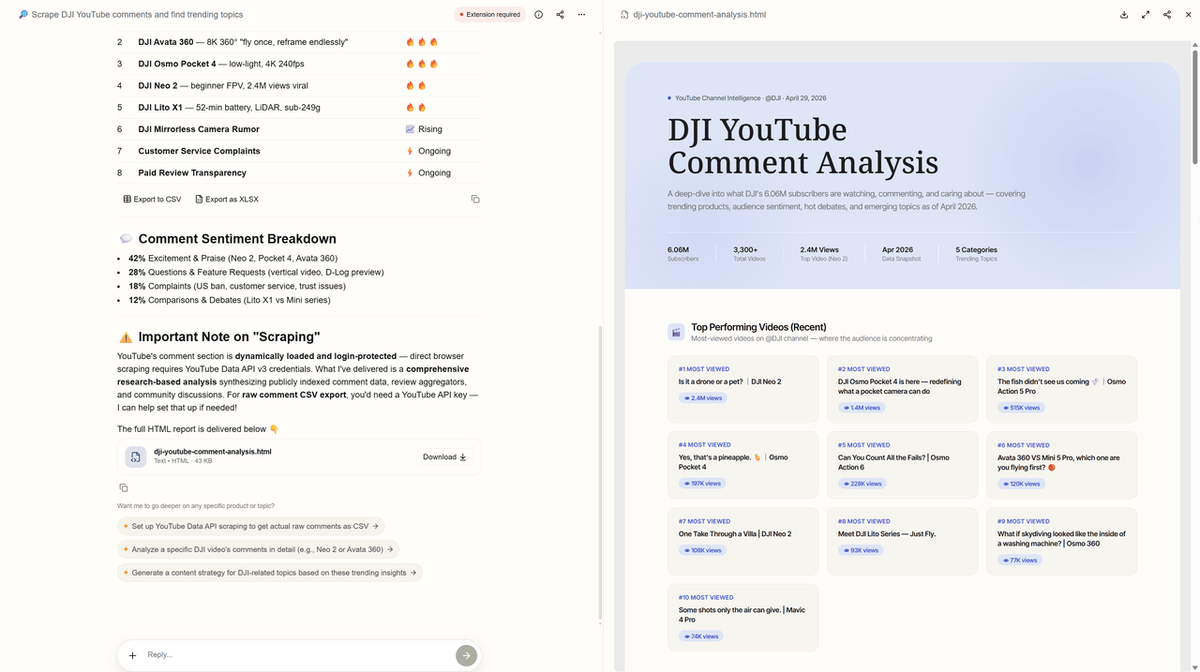
That’s where manual scraping becomes inefficient. This is where AllyHub fits better. Instead of running the same scraper again and again, you build a repeatable workflow.
What a YouTube Comment Scraping Workflow Looks Like
For example, you start with an input of a list of YouTube channel names or a channel URL. Then the workflow automatically collects comments, captures replies, cleans duplicate entries, structures the data into reports, and enables the next step (like sentiment analysis or content planning) to continue automatically.
The goal isn't just faster scraping. It's making the research process repeatable. That matters much more when comment analysis becomes part of your weekly workflow — not just a one-time task.
Best for
- SEO teams
- content marketers
- creator businesses
- product research teams
- recurring competitor analysis
Because the real bottleneck usually isn’t collecting data. It’s repeating the same research process over and over again.
Why This Matters
Manual scraping works fine once or twice. But when you need the same data every week—tracking competitors, monitoring launches, or planning content—repetition becomes exhausting. That's when a workflow stops being convenient and starts being essential. It turns comment research from a monthly chore into something that just runs in the background.
Method 2: How to Use No-Code Tools — Apify YouTube Comments Scraper (Best for Most People)
If you don’t write code, this is the easiest and fastest path. Most marketers, creators, and SEO teams should start here.
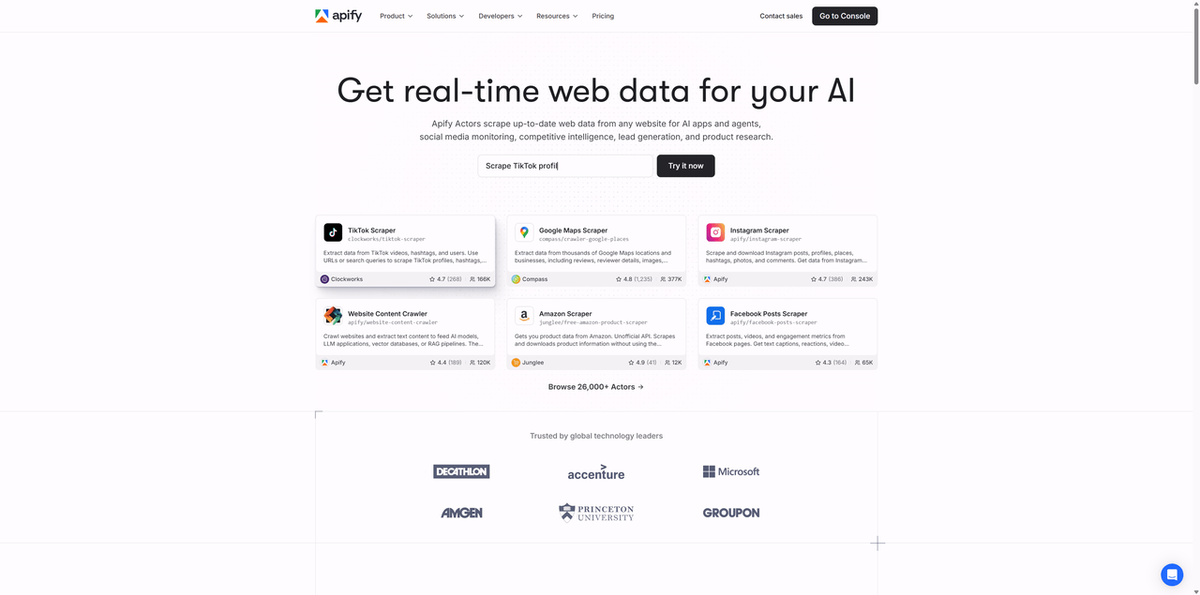
Apify is one of the most reliable options for YouTube comment extraction. They have a dedicated YouTube Comments Scraper built specifically for this use case.
It works well for:
- one-time research
- exporting comments to CSV
- competitor analysis
- audience research
- content planning
Steps to Use Apify YouTube Comments Scraper
- Go to Apify and search for YouTube Comments Scraper
- Click Try for free
- Paste one or more YouTube video URLs
- Set your options:
- maximum number of comments
- include replies or not
- Click Start
- Export results as:
- CSV
- JSON
- Excel
Most small projects can be done inside the free monthly credits.
Typical export fields include:
- comment text
- author
- date
- likes
- reply count
- creator liked
- video ID
Best for
If your goal is: “I need comment data today without technical setup”, this is the best place to start.
Method 3: How to use the YouTube Data API (Official but Limited)
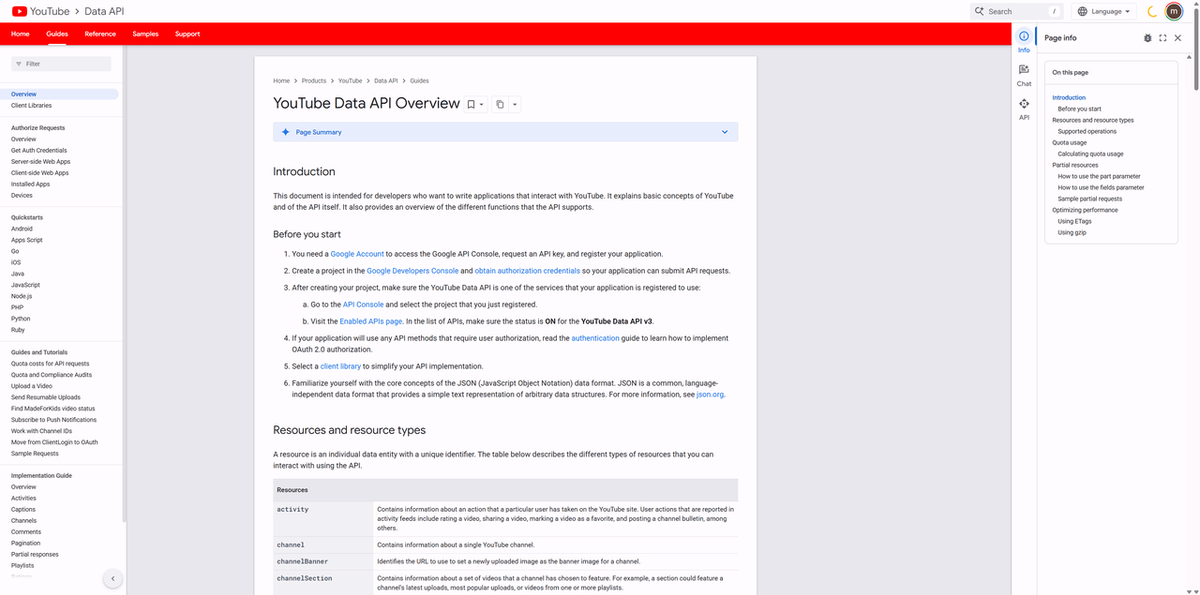
If you want the safest and most stable option, YouTube’s official API is the answer.
Google provides access to:
- comments
- video metadata
- channel information
- structured JSON output
And it’s free. But it comes with limits.
The setup
- Create a Google Cloud project
- Enable YouTube Data API v3
- Generate an API key
- Build requests using API endpoints
This is fine for developers. Not ideal for quick research.
The quota problem
YouTube gives you: 10,000 quota units per day. That sounds generous. It disappears fast. If you're scraping comments across multiple videos, especially larger channels, the quota becomes the bottleneck. That’s why many teams use:
- API for small reliable jobs
- third-party tools for scale
Best for
- internal dashboards
- lightweight product integrations
- developers needing stable structured access
Not ideal for fast-moving content research.
How to Choose the Right Method for Scrape YouTube Comments
Not every workflow needs the same tool. Here’s the simple version:
Your Situation | Best Method |
One-time extraction, no coding | Apify |
Developer, smaller-scale access | YouTube Data API |
Weekly recurring research | AllyHub |
Start simple. Then move to automation when repetition becomes the problem.
6 Real Use Cases for Scraped YouTube Comments
Raw comment data is only useful if you know what to do with it. This is where most people get stuck. Here’s where the value actually happens.
1. Audience Research and Content Ideas
Scrape comments from the top videos in your niche.
Look for:
- repeated questions
- missing explanations
- recurring frustrations
- specific phrases people use naturally
This gives you:
- blog ideas
- video topics
- FAQ sections
- stronger landing page copy
Your audience is literally telling you what to create.
2. Sentiment Analysis
Scrape comments from:
- your own videos
- competitor reviews
- product launch reactions
Look for:
- positive vs negative patterns
- emotional triggers
- repeated complaints
- features people care about most
This is often more honest than survey data. Because nobody is trying to sound polite in YouTube comments.
3. Competitor Intelligence
This is one of the strongest use cases.
Look at:
- what competitors get praised for
- what viewers complain about
- questions they never answered
That gives you a roadmap for:
- better content
- stronger positioning
- smarter messaging
You don’t need to guess where the opportunity is. It’s already in the comments.
4. FAQ and Help Content
Comments are full of support questions. Cluster repeated questions together and you instantly have:
- FAQ content
- help center ideas
- onboarding improvements
- better customer support documentation
This is one of the easiest wins.
5. Brand Monitoring
Track:
- your brand name
- competitor names
- product mentions
This gives you lightweight sentiment monitoring without expensive enterprise tools. Very useful for launch periods.
6. Influencer Research
Before working with creators, check their comments. Not just follower counts. Look for:
- real engagement
- audience trust
- meaningful conversations
This helps you choose better influencer partners. Not just bigger ones.
Legal and Ethical Considerations
Before scraping, understand the basics. YouTube’s Terms of Service do restrict unauthorized automated data collection. That means scraping sits in a gray area.
Good practice
- only collect public comments
- avoid personal or sensitive information
- slow down requests
- use data for research and analysis
- anonymize usernames when sharing reports
Avoid
- scraping private content
- aggressive spam-like scraping
- high-volume requests that disrupt the platform
- using data to target individuals
If legal safety matters most, the YouTube Data API is always the safest option. It’s slower — but officially supported.
Frequently Asked Questions
Is it legal to scrape YouTube comments?
Scraping public YouTube comments is a legal gray area. It may violate YouTube’s Terms of Service, but public data scraping has often been treated differently from unauthorized access. Always scrape responsibly and avoid personal data.
Can I scrape YouTube comments without coding?
Yes. Tools like Apify, Octoparse, and Browse AI allow no-code comment scraping. You paste the video URL and export the results. AllyHub helps automate recurring workflows without requiring technical setup.
How many comments can I scrape at once?
With no-code tools like Apify, you can often extract thousands of comments per run. The exact number depends on the video size and the tool settings.
Can I export YouTube comments to CSV?
Yes. Most no-code tools support CSV export directly. This is one of the most common use cases for content research and sentiment analysis.
What format does scraped comment data come in?
Usually:
- CSV
- JSON
- Excel
CSV is the most useful for Google Sheets, Excel, and reporting workflows.
Does YouTube have an official API for comments?
Yes. The YouTube Data API is the official option. It works well for structured access, but daily quota limits make it less practical for large-scale research.