Make a thread for X
Ask your agent for a post or a thread for X. It opens beside your chat in an editor built for X, where every post is counted the way X counts, checked against X's rules, and shown as X's timeline will show it.
Ask for a thread and it opens beside your chat, in an editor built for X. Every post is counted the way X counts and checked against X’s rules, and next to it is the thread as X’s timeline will show it. Then mark up what’s wrong and your agent fixes it, or type in a post yourself. Writing for X is free, and you don’t need an account.
This page makes a thread. A single post or a long post is asked for the same way. An article has its own page.
Start from one line
Section titled “Start from one line”Say what it’s about, how many posts, and how it should open and end. Attach what your agent should work from: a blog post, a launch brief, your notes.
Turn my blog post into a thread for X: six posts at most, in my voice. Open on something that stops the scroll, make a card for the first post and a chart of where a $12 bottle goes, and end with the link.Back came six posts on a hot sauce maker’s first year: the bottle, the shipping, where a $12 bottle goes, three lessons, and the link. The first post has a card and the fourth a chart. Your agent drew both in code from the post’s own numbers, so the figures are right and the two pictures match.
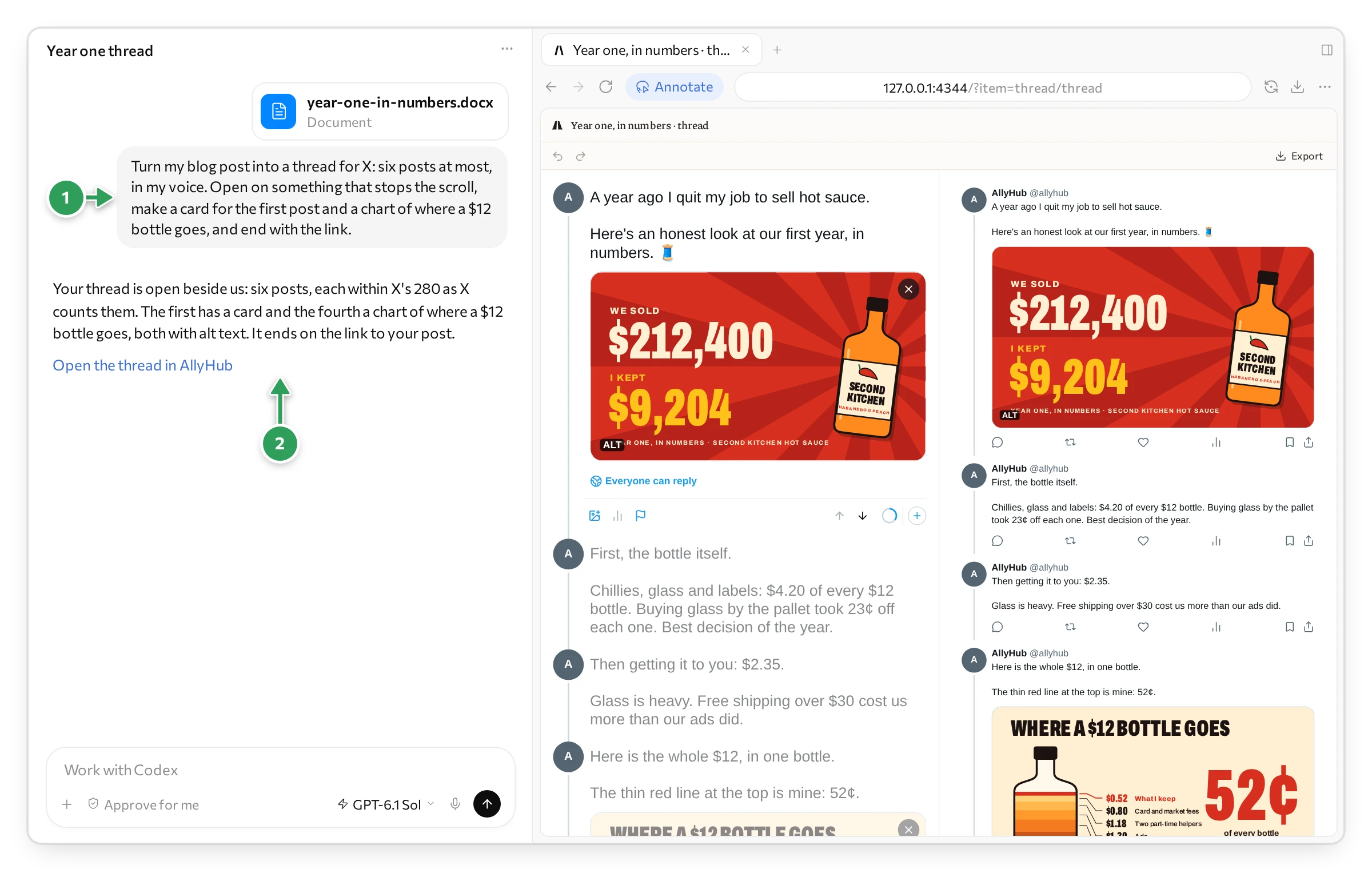
1 What we asked, with the post it works from. 2 The link that opens the thread again.
Held to X’s rules
Section titled “Held to X’s rules”This is what sets it apart from a text box with a preview. The editor and your agent both know X’s rules, and measure every post the way X does. What X would refuse or cut off, you see before you post.
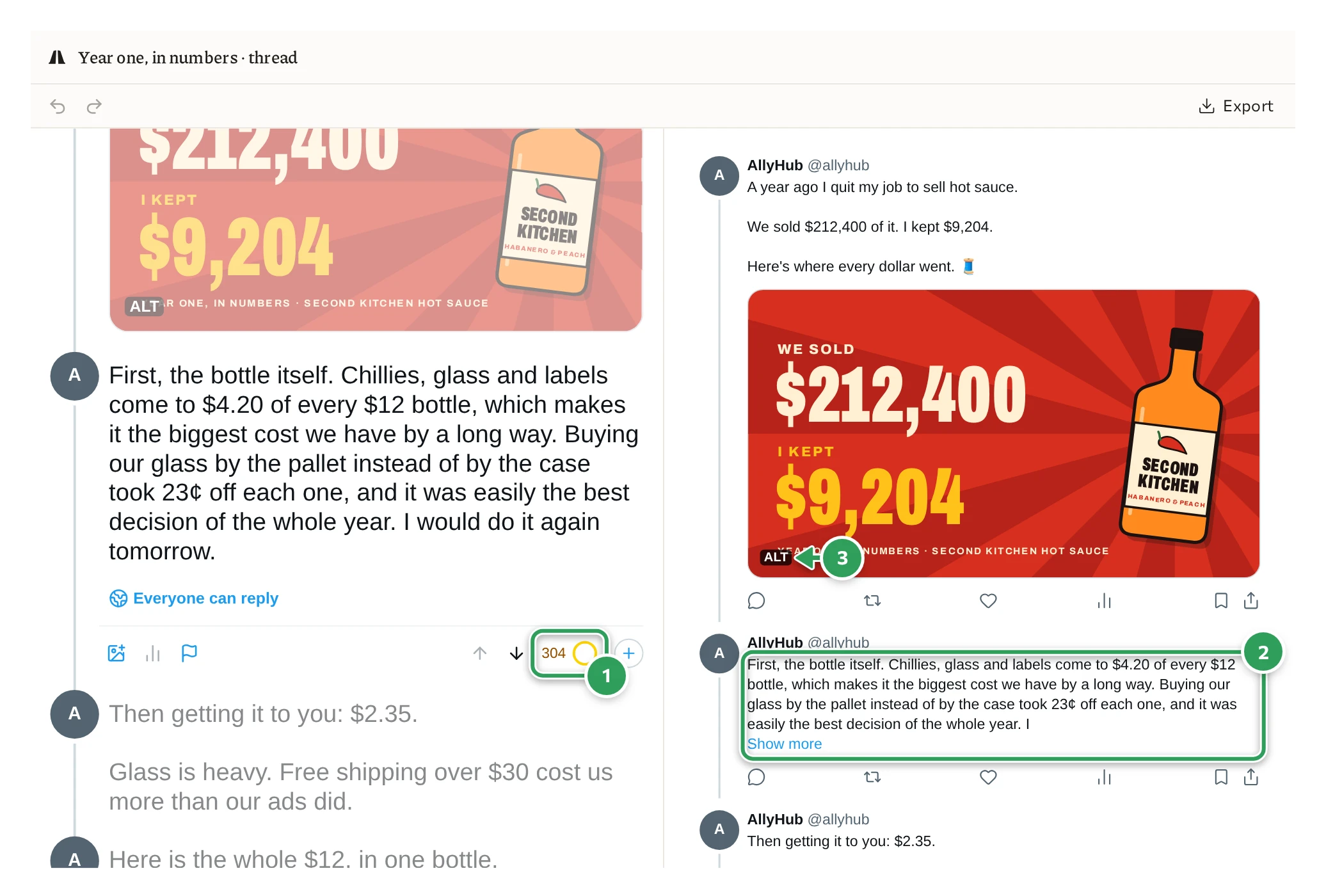
1 The count, as X counts. 2 Where X’s timeline folds the post. 3 Alt text, written.
- The count is X’s. A post takes 280, but not 280 letters: a link is always 23, an emoji 2, and a Chinese, Japanese or Korean character 2. The ring under the post fills as you write. Near the limit it shows how many are left. Past it, the count turns amber: here, 304.
- The fold is X’s. X’s timeline shows the start of a long post and hides the rest behind Show more. The right side cuts the post where X would, so you see what people read before they decide to open it.
- What X finds, it colours. Links, @mentions, #hashtags and $cashtags turn X’s blue as you type. On the right, a long link is shortened as X shortens it.
- Pictures as X lays them out. Up to four sit in X’s grid, each with its ALT label once its alt text is written. Alt text is the description X reads out to people who can’t see the picture, and your agent writes it for every one.
Your agent hears the same rules in words. A post that breaks one is named, with how far off it is, and your agent fixes it before you see the thread:
Post 2 is 304 as X counts it, over its 280 by 24.| What is checked | X’s rule |
|---|---|
| A post’s length | 280 as X counts it, or 25,000 with X Premium |
| What goes on a post | Up to 4 pictures, or 1 GIF, or 1 video, never mixed |
| A picture | JPEG, PNG, GIF or WebP, up to 5 MB; a GIF up to 15 MB |
| A video | MP4 or MOV, its length, size and shape within what X takes |
| A poll | 2 to 4 options of up to 25 characters, running 5 minutes to 7 days |
| Alt text | Up to 1,000 characters |
| An empty post | Not allowed: a post needs words or media |
The same goes for what you type yourself. Give a poll an option X won’t take, and the editor says by how much:
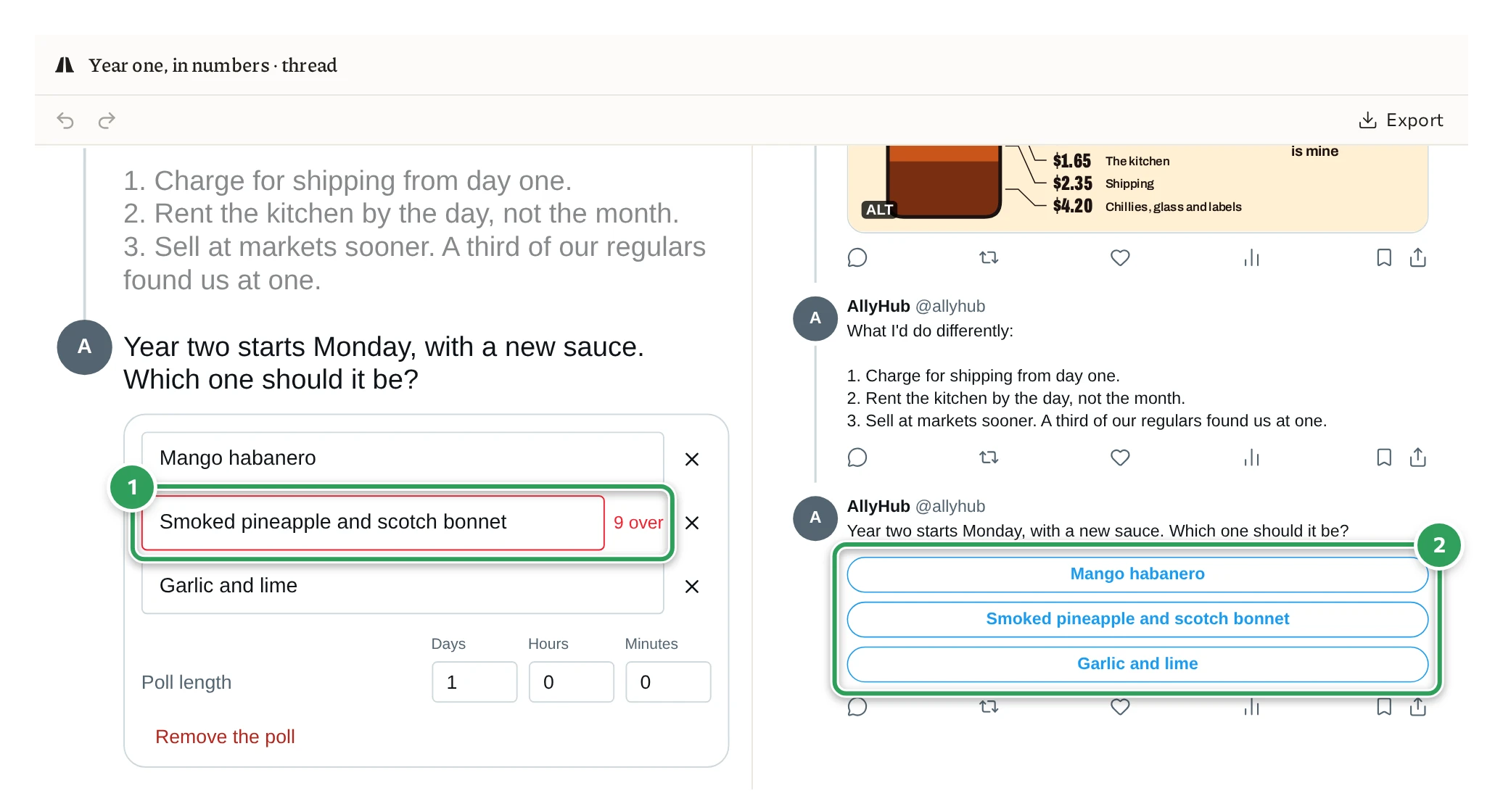
1 An option 9 characters over X’s 25. 2 The poll as X will show it.
Get a better first version
Section titled “Get a better first version”A few words in your request go a long way:
- How many posts: “one post”, “six posts at most”, “a long post”.
- The first post: it decides whether anyone reads the second. Ask for an opening that stops the scroll, or give the fact you’d lead with.
- Your voice: “in my voice”, with a post or two of yours attached. Or “dry”, “no hashtags”, “no emoji”.
- What to show: “a card for the first post”, “a chart of where the money went”. Your agent draws them in code. A post takes up to four pictures, or one video.
- How it ends: a link, a question, or a poll: “end with a poll: which sauce next?”
- Who can reply: “only people I follow can reply”.
- What to start from: attach the post, the brief or the numbers, and your agent takes its facts from there.
Mark it up
Section titled “Mark it up”Point at what’s wrong, and your agent fixes it. Mark a post on the right side, where it looks as it will on X.
In ChatGPT, you mark up with its Annotate button:
- Press Annotate at the top of the browser pane.
- Drag a box round the part: a post, a line, a picture.
- Write what to change, and press the tick.
- Press Send. Your note goes to the chat, and your agent gets to work.
In Claude’s app, press the pointer button at the right end of the pane’s address bar, mark what you mean with its pen, box or text, then press Add to chat.
Or just say it in the chat: “a stronger opening”, “cut it to four posts”, “less salesy”.
Watch it work
Section titled “Watch it work”You never wonder what your agent is doing. Its name comes up at the top of the editor, and a box in its colour goes round the post it is changing, on both sides. Here it rewrites the opening. The old words go, and the new ones are typed where the post is written and on the timeline at once:
The new opening is 119 of X’s 280.
Edit it yourself
Section titled “Edit it yourself”A typo, a word, a different order? Click a post on the left and type. The right side follows as you type. What you change is saved, and your agent sees it next time you ask.
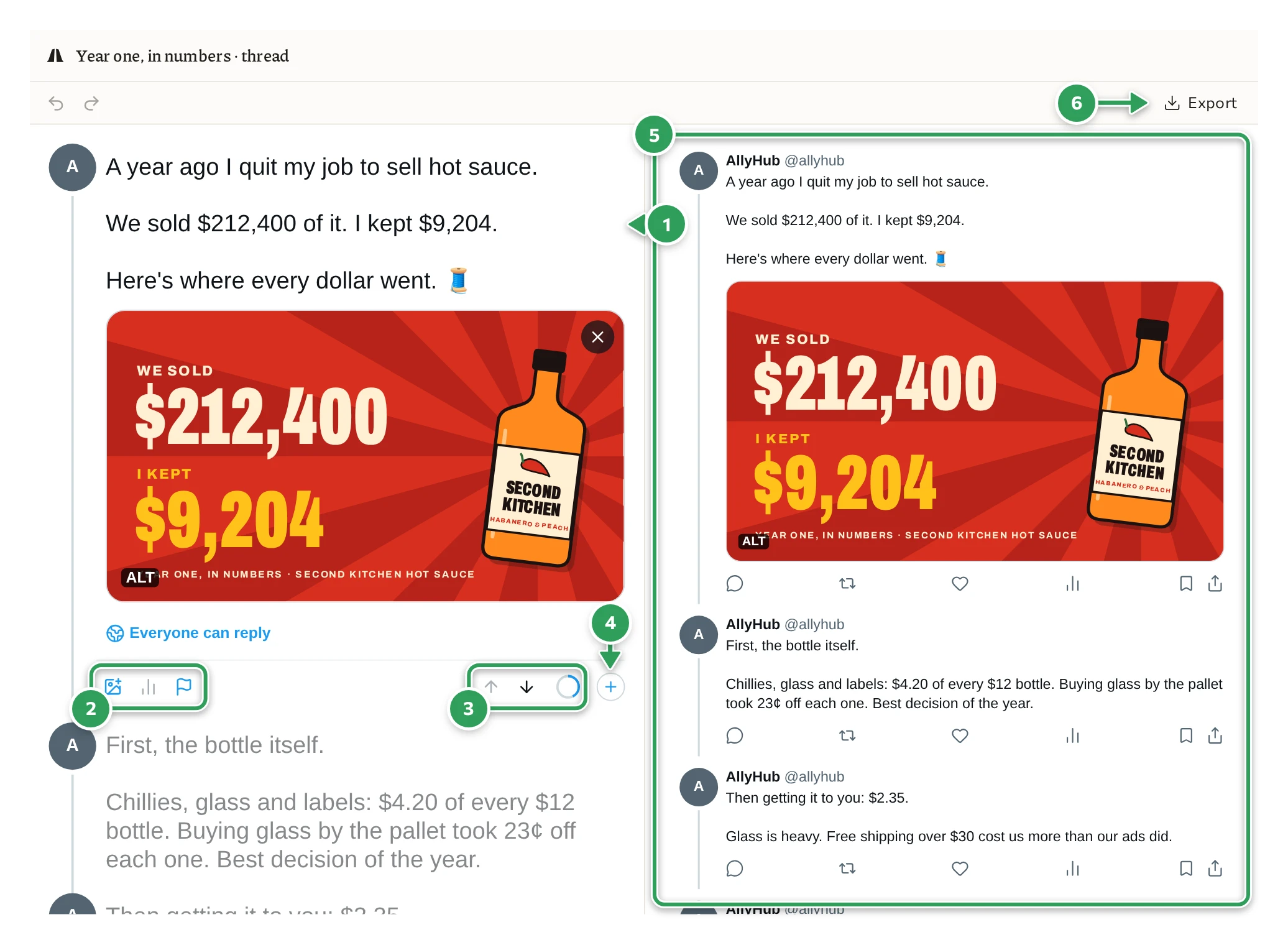
1 The post you’re writing. 2 A picture or a video, a poll, a disclosure. 3 Move the post, and X’s count. 4 Add a post. 5 The thread as X will show it. 6 Export.
- Click a post to write in it. The others dim, as in X’s own composer.
- The ring counts the post as X does, and shows how many are left near the limit.
- The plus adds a post under the one you’re writing, and the arrows move a post up or down. ⌘↩ splits a post in two where the cursor is.
- The picture button adds a picture or a video from your project. Press ALT on a picture to write its alt text.
- The chart button adds a poll: its options, and how long it runs.
- The flag marks a post as made with AI, or as a paid partnership.
- Everyone can reply sets who can: everyone, accounts you follow, only accounts you mention, your subscribers, or verified accounts.
A long post
Section titled “A long post”With X Premium a post can run to 25,000 characters. Ask for “a long post” and say your account has Premium. X’s timeline folds a long post at Show more, about 280 characters in. The right side of the editor shows that fold, so you see what people read before they decide to open it.
For a page of its own on X, with a title, a cover and headings, see Write an article for X.
Get it onto X
Section titled “Get it onto X”AllyHub doesn’t post for you yet. Connecting your X account is still to come, so the editor shows the thread under AllyHub’s name, and you post it yourself. Copy each post from the editor into X, or export it.
Press Export at the top right of the editor, pick a Format, and press Export. Ours took four seconds.
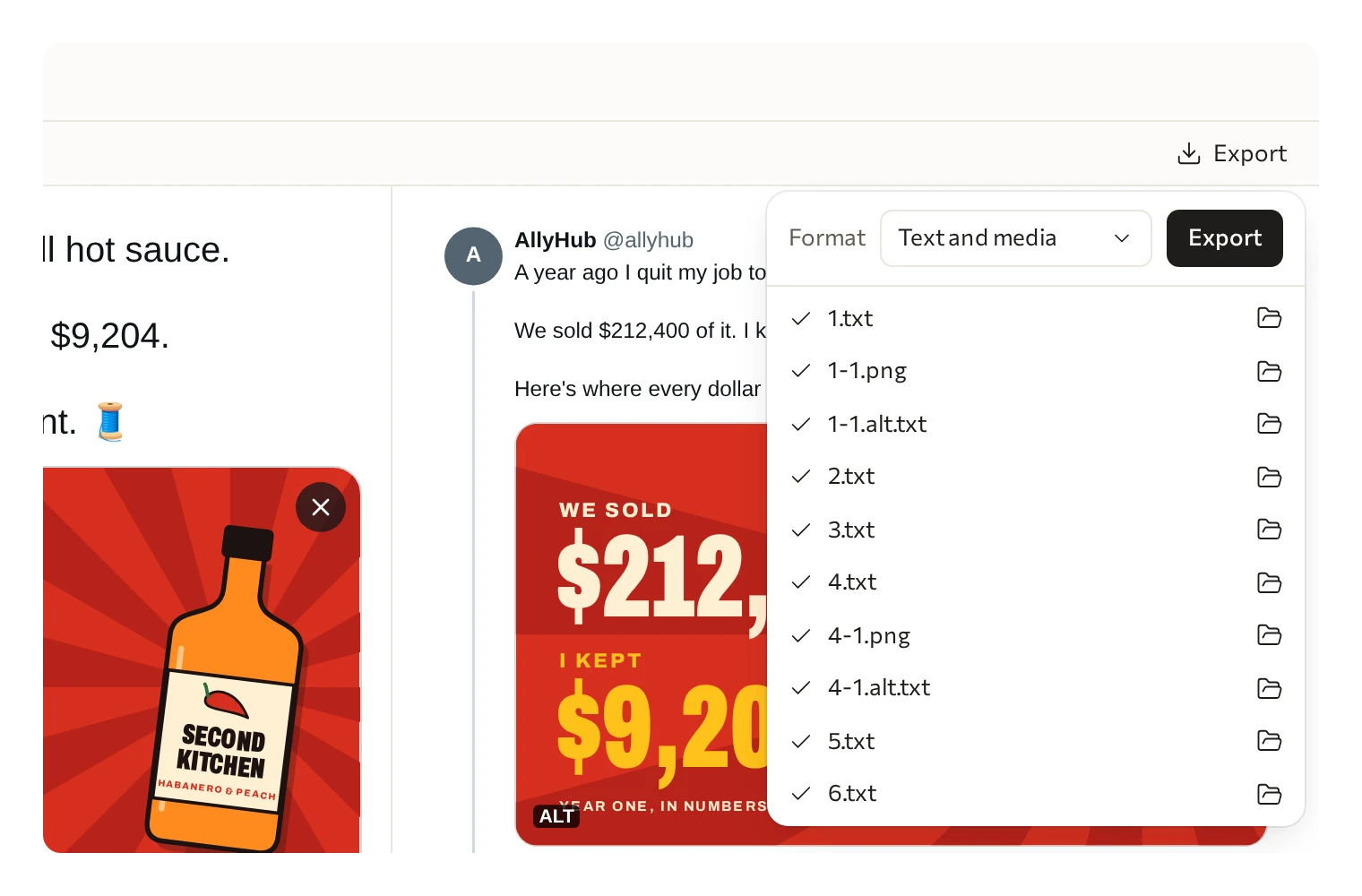
| Format | Good for |
|---|---|
| Text and media | Posting by hand: a text file for each post, in order, with its pictures and their alt text beside it |
| PNG | Showing the thread to someone before it goes out: a picture of each post as X will show it |
Text and media gives you the pictures as files too. Ours were 1-1.png, the card, and 4-1.png, the chart, ready to attach to their posts.
Or just ask your agent for the files.
What’s free
Section titled “What’s free”Writing, changing and exporting posts and threads is free, with no account. So are the pictures your agent draws in code. AI pictures and AI video cost credits; see Pricing.