You watch a YouTube video for insights — then realize the real value is in the transcript. But instead of clean text, you’re stuck copying auto-captions, fixing broken sentences, or worse… There are no subtitles at all.
What should take seconds turns into 20+ minutes of manual cleanup. That’s exactly why YouTube transcript extractors exist — getting YouTube transcript, and turning any video into clean, usable text instantly, ready for analysis, repurposing, or translation.
This guide covers the 10 best YouTube transcript extractors available — including genuinely free options, AI-powered tools, and bulk extraction platforms built for marketers who work at scale. We've tested each one against real marketing workflows so you know exactly what you're getting.
Key Takeaways
- Best overall: AllyHub — full workflow (extract → analyze → output) with bilingual support
- Best free option: NoteGPT — playlists + AI summaries
- Best for multilingual: Kome — 120+ languages
- Best for bulk: Energent.ai — channel-level + multi-format export
- Best for teams: Tactiq — integrates with Notion, Slack, HubSpot
- What matters: Accuracy, exports, batch support, multilingual, caption flexibility
- Bottom line: Use AllyHub for end-to-end workflows; NoteGPT for a solid free tool
Why YouTube Transcript Extractors Matter for Marketers
Video is the dominant content format on the internet — but text is still how search engines index content, how writers repurpose ideas, and how analysts extract competitive intelligence.
For marketers specifically, YouTube transcripts unlock five high-value workflows:
- Content repurposing: Turn a 20-minute video into a blog post, email newsletter, or social thread in minutes — not hours.
- SEO keyword mining: Extract the exact language your audience and competitors use, then build content around it.
- Competitor intelligence: Pull scripts from competitor product demos, sales webinars, or influencer partnerships to analyze messaging and positioning.
- Influencer research: Quickly scan what a creator actually says (not just their title) before committing to a partnership.
- Ad copy sourcing: The best ad copy often comes directly from how customers describe their problems — and YouTube transcripts are a goldmine.
The challenge: not all transcript tools are created equal. Some only work when YouTube's auto-captions exist. Others are slow, inaccurate, or bury the useful features behind expensive paywalls. This list cuts through the noise.
How We Selected These Tools
We evaluated 20+ YouTube transcript extractors based on the following criteria:
- Accuracy: Does the transcript reflect what was actually said, including for non-native English speakers and technical vocabulary?
- Caption independence: Can the tool generate a transcript even when YouTube's auto-captions are disabled or unavailable?
- Export formats: Does it support the formats marketers actually use — TXT, SRT, CSV, JSON?
- Batch processing: Can it download playlists, channels, or multiple URLs at once?
- Multilingual support: Does it handle non-English content reliably?
- Free tier usability: Is the free version genuinely useful, or just a teaser?
- Marketer-specific features: AI summarization, keyword extraction, timestamp navigation, and content repurposing integrations.
Only tools that delivered reliable transcripts on real marketing use cases made this list.
Quick Comparison Table
Tool | Best For | Pricing | Batch Support | AI Summarization | Multilingual | Export Formats |
|---|---|---|---|---|---|---|
AllyHub | Full workflow automation | Free plan available (usage-limited) | ✅ |
10 Best YouTube Transcript Extractors
1. AllyHub — Best YouTube Transcript Extractor for Marketers
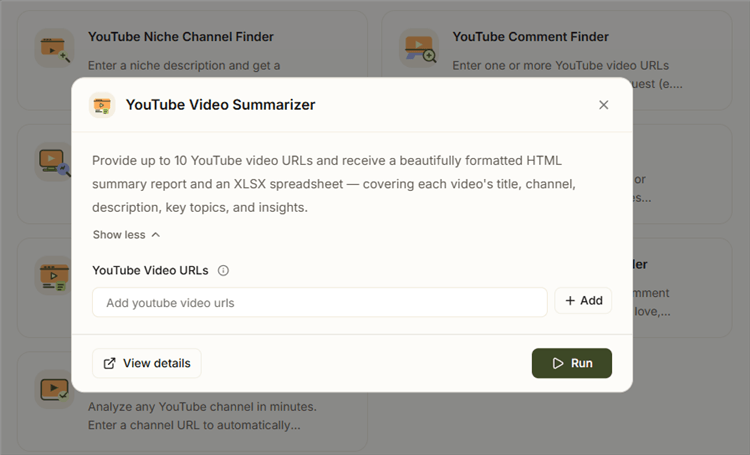
AllyHub is an AI agent platform with a built-in YouTube Video Summarizer designed for marketing workflows. Instead of handling one video at a time, you can input up to 10 YouTube URLs and get a structured output instantly — including a formatted HTML summary and an XLSX file with key data and insights.
Unlike basic transcript tools, AllyHub turns video content into analysis-ready outputs. It also supports bilingual transcripts, delivering original + translated text side by side when the target language isn’t available.
Key features:
- Batch processing: analyze up to 10 videos at once
- HTML report + XLSX export with key insights
- Supports manual and auto-generated captions
- Bilingual output (original + translated)
- End-to-end workflow: extraction → analysis → structured output
Pricing: Free plan available
Best for: Marketers and SEO teams doing competitor research, content analysis, or multi-video audits
Limitations: More advanced than basic tools — slight learning curve, not ideal for one-off use
✅ Recommended: Best for scalable YouTube research workflows, not just transcript extraction.
2. NoteGPT — Best Free YouTube Transcript Extractor
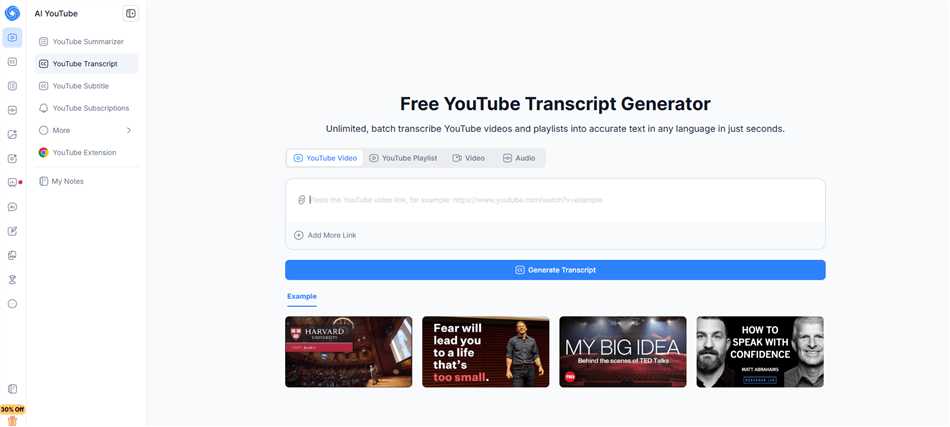
NoteGPT is the most complete free option for marketers who need more than a raw transcript dump. Paste a YouTube URL, get a timestamped transcript, and optionally trigger an AI summary — all without creating an account for basic use.
What sets it apart from other free tools is playlist support: you can batch-process an entire YouTube playlist and get transcripts for every video in one run. For marketers building content calendars from a creator's back catalog or analyzing a competitor's full video library, this is a significant time saver.
Key features:
- Batch transcription for full playlists
- AI-powered summarization and key point extraction
- Timestamped transcripts for easy navigation
- Chrome and Firefox browser extensions
- Supports multiple languages
Pricing: Pro $9.99/month, Unlimited $29/month, Max $99/month.
Best for: Marketers who need a reliable free YouTube transcript extractor for regular content repurposing and competitor research without committing to a paid tool.
Limitations: The 15 free credits per month runs out quickly for high-volume users. AI summarization quality can vary for technical or niche content. No CSV or JSON export on the free tier.
3. YouTube's Built-in Transcript Feature — Best Zero-Effort Free Option
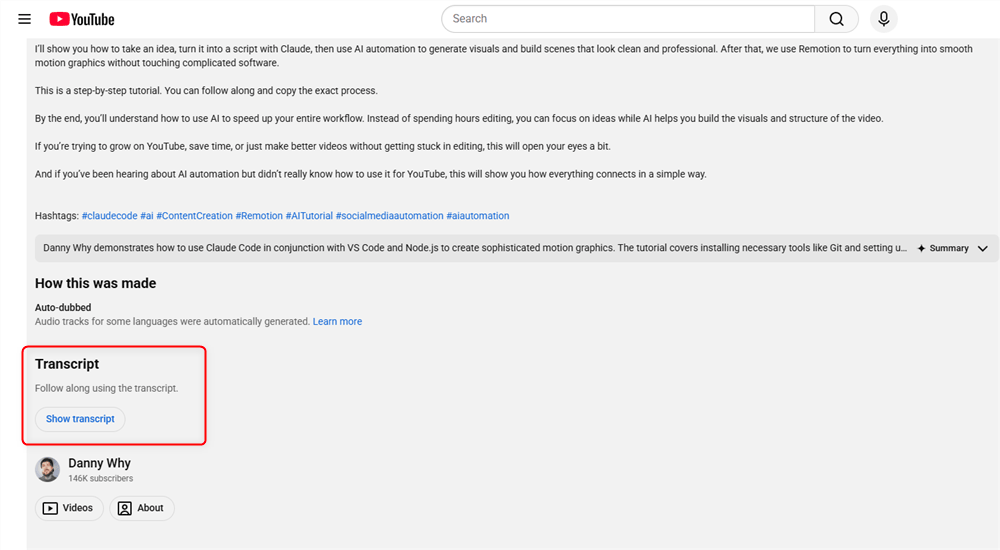
Before using third-party tools, check YouTube’s native transcript feature. For videos with auto-generated or manual captions, you can view the full transcript directly on the video page — no signup, extensions, or cost required.
Open the video options or description panel and select “Show transcript” to access a timestamped, scrollable text panel. It’s basic, but reliable for quick reference and copy-pasting.
Key features:
- Completely free, no account required (for most videos)
- Instant access for captioned videos
- Timestamped segments for easy navigation
- Limited support for YouTube Shorts (varies by video/device)
Pricing: Free — no limits
Best for: Quick, one-off lookups when you need to grab a quote, verify information, or copy short sections without installing tools
Limitations:
- No export — manual copy-paste required
- Auto captions may have poor punctuation and formatting
- Not available for videos without captions
- Limited or inconsistent Shorts support
- No AI features, batch processing, or structured formatting
4. Kome — Best for Multilingual Transcript Extraction
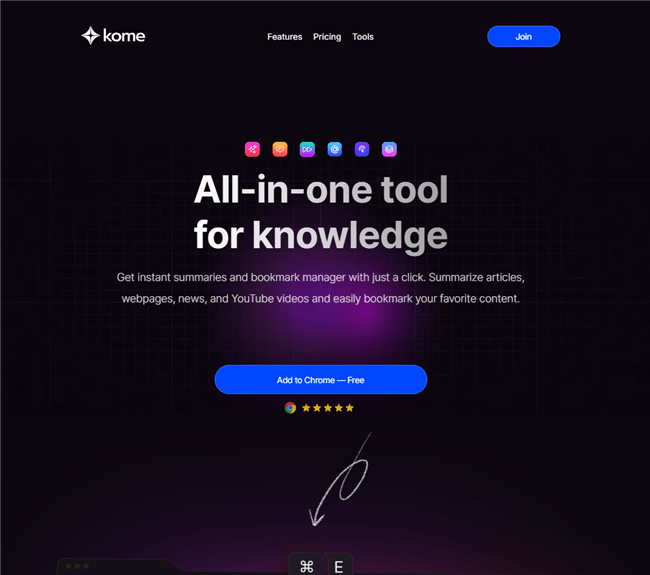
Kome (also known as Kome AI) is a free Chrome extension and web tool that supports 120+ languages — the widest language coverage of any free tool on this list. For marketers doing international competitor research, analyzing non-English influencer content, or working with global brand campaigns, Kome is the practical choice.
The extension lets you extract transcripts directly from the YouTube page without leaving the browser, and the AI summarization feature condenses long videos into digestible key points.
Key features:
- 120+ language support — widest free coverage available
- Chrome extension for in-browser one-click extraction
- AI-powered video summarization
- Fast processing even for long-form content
- No signup required for basic use
Pricing: Free with rate limits on the free tier. Paid plan from 5.99/month.
Best for: Marketers researching international markets, analyzing non-English YouTube content, or tracking global competitor campaigns across multiple languages.
Limitations: Rate limits on the free tier can slow down bulk research sessions. No playlist or batch processing. Export options are limited compared to paid tools. No bilingual output for unavailable languages — unlike AllyHub, it won't translate when the requested language is missing.
5. Energent.ai — Best for Bulk Channel and Playlist Extraction
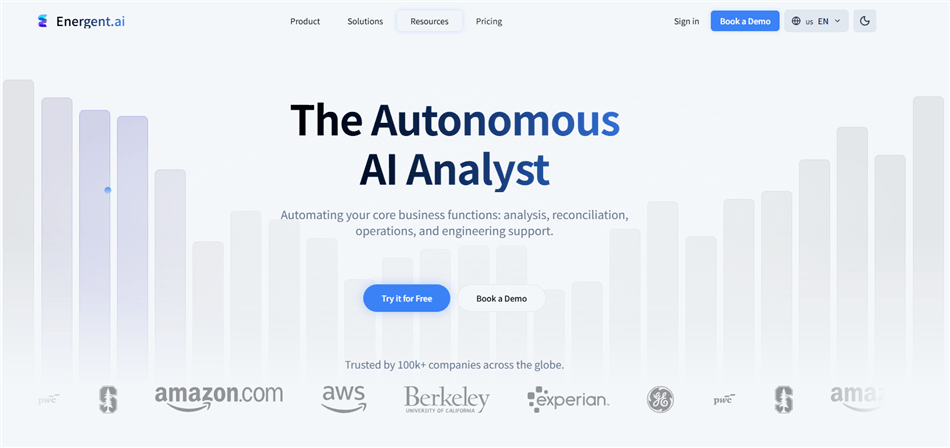
If you're extracting transcripts at scale — entire YouTube channels, full playlists, or dozens of videos at once — Energent.ai is built for exactly that workflow. It's the most capable bulk extraction tool on this list, with export options that cover every format a marketer or developer might need: SRT, VTT, TXT, CSV, and JSON.
For SEO teams building keyword databases from video content, or content strategists auditing a competitor's entire video library, Energent.ai eliminates the manual bottleneck.
Key features:
- Bulk extraction for entire channels and playlists
- Multi-format export: SRT, VTT, TXT, CSV, JSON
- SEO-focused features including keyword extraction
- Subtitle workflow support for video production teams
- AI summarization available
Pricing: Free trial available. Paid plans from $30/month.
Best for: SEO teams, content strategists, and agencies that need to process large volumes of YouTube content regularly and export structured data for analysis.
Limitations: Free tier is limited — bulk features require a paid plan. Overkill for occasional single-video use. Interface is more technical than consumer-friendly tools.
✅ Recommended: If you're running a YouTube competitor audit or building a keyword database from video content, Energent.ai's CSV/JSON export makes it the most analysis-ready standalone tool on this list.
6. Tactiq — Best for Team Collaboration
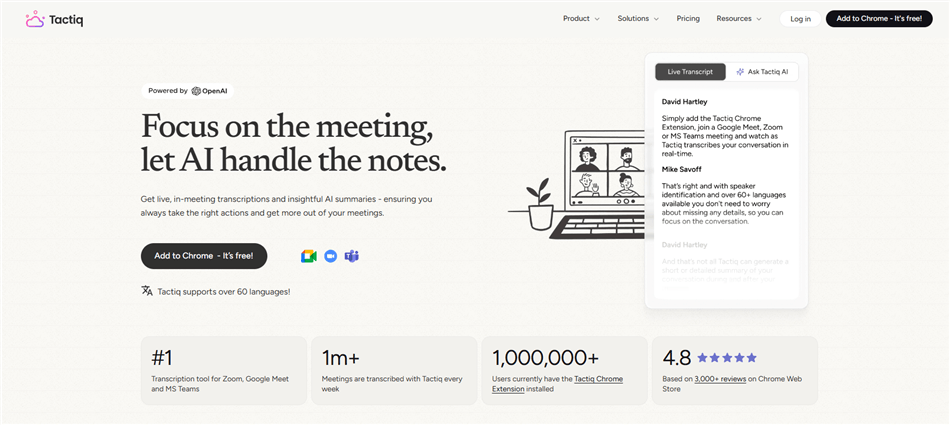
Tactiq started as a meeting transcription tool (Google Meet, Zoom, Teams) and expanded to YouTube. What makes it stand out for marketing teams is its collaboration layer: transcripts can be shared, annotated, and organized within a team workspace — not just downloaded as a file.
For marketing teams that regularly review competitor webinars, sales calls, or influencer content together, Tactiq's shared workspace reduces the friction of distributing and discussing transcript findings.
Key features:
- YouTube transcript extraction plus live meeting transcription
- Team workspace for shared transcript libraries
- AI-powered summaries and action item extraction
- Integrations with Notion, Slack, Google Docs, and HubSpot
- Chrome extension for in-browser use
Pricing: Free tier includes 5 transcripts per month. Paid plans start at $12/month for unlimited transcripts.
Best for: Marketing teams that need a shared transcript library and want to connect YouTube research directly to their existing tools (Notion, Slack, HubSpot).
Limitations: Free tier is restrictive at 5 transcripts per month. YouTube extraction is secondary to its meeting transcription core — some features are meeting-first. No bulk/playlist processing.
7. YouTube-Transcript.io — Best for Fast Single-Video Export
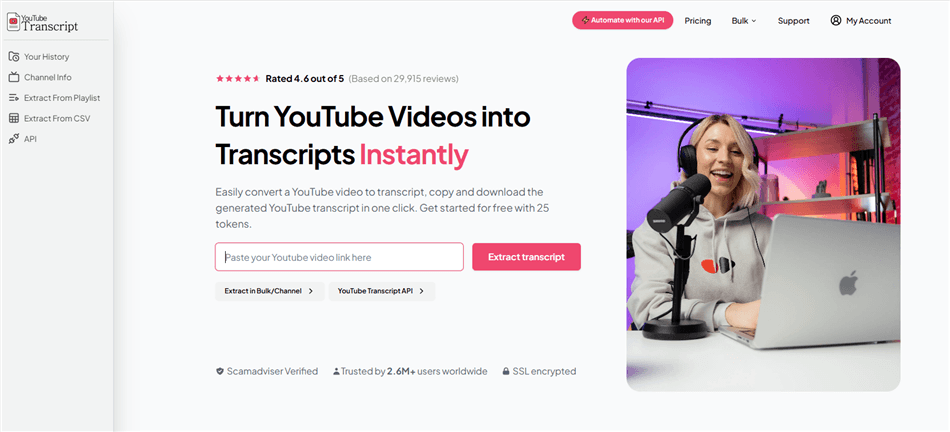
YouTube-Transcript.io is a minimalist web tool that does one thing well: paste a URL, get a transcript, and download it in your preferred format. No extension required, no account needed, and the interface is clean enough that you can be in and out in under 30 seconds.
The export format variety is its strongest feature for marketers — TXT, SRT, VTT, and CSV are all available, making it easy to feed transcripts into whatever downstream tool you're using.
Key features:
- No signup, no extension required
- Export in TXT, SRT, VTT, and CSV formats
- Fast processing for single videos
- Clean, distraction-free interface
Pricing: Free tier includes 25 tokens per day. Paid plans from $9.99 per month.
Best for: Marketers who need a quick, no-friction transcript export in a specific format (especially CSV for data analysis) without installing anything.
Limitations: 25 free tokens per day is a hard limit — heavy users will hit it quickly. No AI summarization. No batch processing. Relies on YouTube's existing captions; limited capability for videos without captions.
8. SocialKit — Best for Developer and API-Driven Workflows
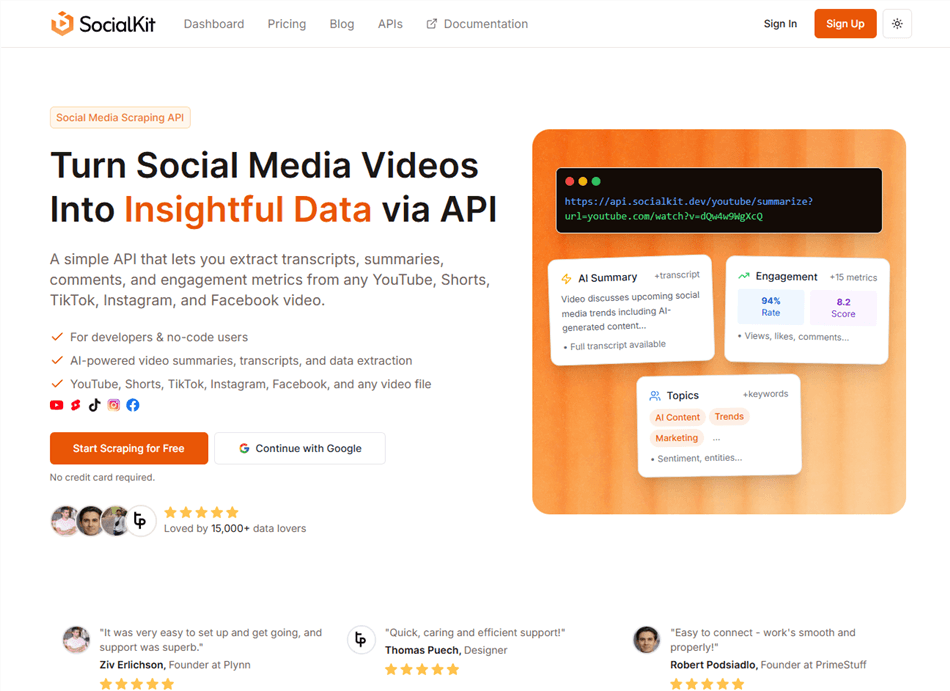
SocialKit is the tool for marketing teams with technical resources who want to build YouTube transcript extraction into automated pipelines. Its clean API returns timestamped transcript segments in JSON format, making it straightforward to integrate into content automation workflows, CRM enrichment, or custom analytics dashboards.
It also supports YouTube Shorts extraction — useful for marketers tracking short-form content trends.
Key features:
- Developer-friendly REST API with JSON output
- Timestamped transcript segments
- YouTube Shorts support
- Privacy-focused architecture
- 20 free API credits upon signup
Pricing: Free tier includes 20 API credits. Paid API plans from $19/month.
Best for: Marketing ops teams and developers building automated content pipelines that need structured transcript data at scale.
Limitations: Not a consumer-friendly tool — requires API knowledge to use effectively. No AI summarization. Limited free credits. Not suitable for non-technical marketers who need a point-and-click interface.
⚠️ Warning: SocialKit's free credits are consumed quickly in testing. Plan your API usage before building a production workflow on the free tier.
9. Glasp — Best for Research Annotation and Highlighting
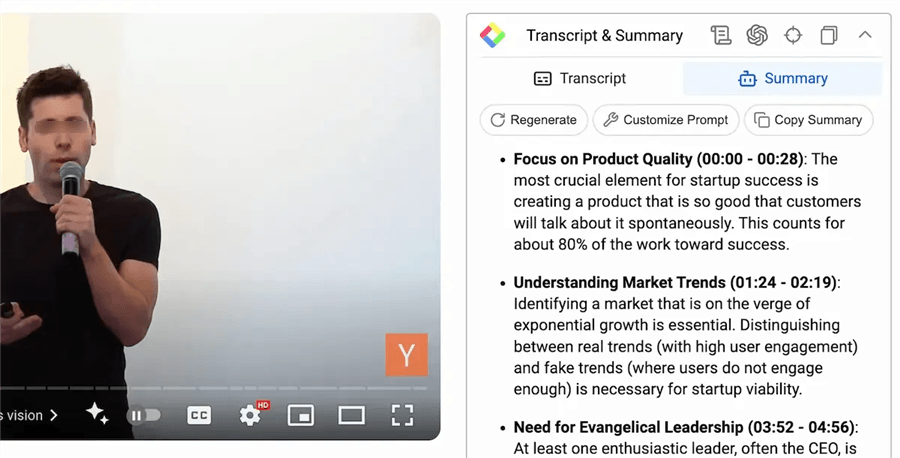
Glasp is a social web highlighter that added YouTube transcript extraction as a core feature. What makes it different from pure extraction tools is its annotation layer: you can highlight specific transcript passages, add notes, and organize clips into a personal research library — all within the browser.
For marketers who use YouTube as a research source (competitor analysis, trend spotting, influencer vetting), Glasp turns transcript extraction into a structured knowledge-building workflow.
Key features:
- Highlight and annotate transcript passages directly
- AI-powered video summarization
- Personal research library for organizing clips
- Chrome extension for in-browser use
- Free to use
Pricing: Free. Pro $15/month, Unlimited $36/month.
Best for: Marketers who use YouTube for research and want to build an annotated knowledge base from video content — not just extract raw text.
Limitations: No batch processing or playlist support. Export options are limited compared to dedicated extraction tools. The social/sharing features may not be relevant for all marketing workflows.
10. Otter AI — Best for Speaker-Labeled Transcripts
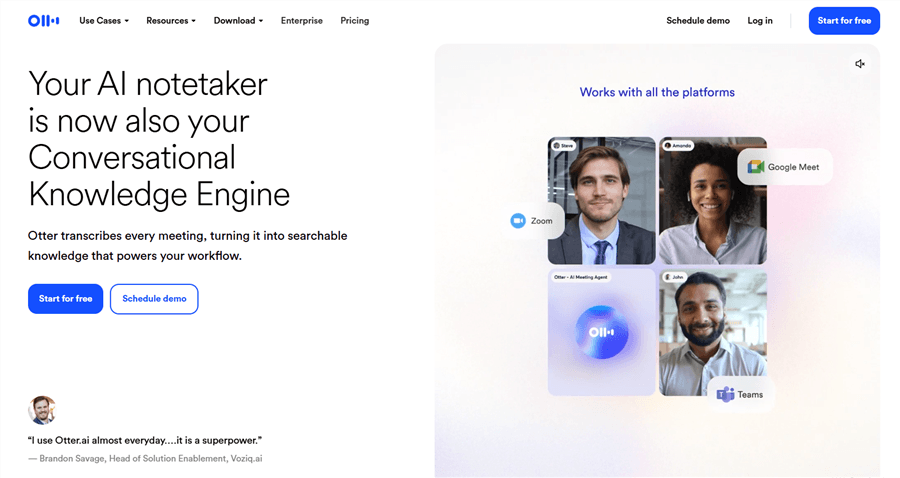
Otter.ai is primarily a meeting transcription platform, but its YouTube processing capability is genuinely useful for a specific marketer use case: multi-speaker content. Panel discussions, interview-format videos, podcast recordings uploaded to YouTube — Otter identifies and labels each speaker separately, which most transcript tools don't do.
For marketers analyzing interview-format competitor content or extracting quotes from multi-speaker webinars, speaker-labeled transcripts save significant cleanup time.
Key features:
- Speaker identification and labeling
- Timestamps and searchable transcript interface
- AI summaries and action item extraction
- Export in TXT, DOCX, and PDF
- Integrations with Zoom, Google Meet, and calendar apps
Pricing: Free version is avaible. Paid plans start at $16.99/month.
Best for: Marketers who regularly analyze interview-format YouTube content, panel discussions, or multi-speaker webinars where knowing who said what matters.
Limitations: The free 300-minute monthly limit is consumed quickly for long-form content. YouTube processing is secondary to its meeting transcription core. More expensive than dedicated transcript tools for pure YouTube use cases.
How to Choose the Right YouTube Transcript Extractor for Your Needs
The Decision Framework:
Your Situation | Recommended Tool |
Full research-to-output workflow | AllyHub |
Quick single-video, no signup | YouTube Built-in |
Regular free use + AI summary | NoteGPT |
FAQ: Best YouTube Transcript Extractors
Is there a free YouTube transcript extractor that actually works without signing up?
Yes — YouTube’s built-in tool, Glasp, and YouTube-Transcript.io work without accounts. NoteGPT also offers limited no-signup use.
How accurate are YouTube transcript extractors?
~85–90% with YouTube captions; 90–97% with AI transcription. Accuracy drops with noise, accents, or multiple speakers.
Can I extract a YouTube transcript if the video has no captions?
Only some tools can. Caption-based tools fail; others (like AllyHub) can still process or translate.
What's the best YouTube transcript extractor for marketers doing competitor research?
NoteGPT for quick insights, Energent.ai for bulk analysis, AllyHub for full workflow.
Can YouTube transcript extractors handle YouTube Shorts?
Some do (e.g., SocialKit, YouTube built-in), but not all.
Are free YouTube transcript extractors good enough for professional marketing use?
Yes for most tasks, but limited by usage caps and fewer advanced features.
How do I turn a YouTube transcript into a blog post?
Clean, structure, rewrite, and add context — or use tools like AllyHub to automate.
What makes AllyHub different from other YouTube transcript extractors?
It goes beyond transcripts with analysis, insights, and structured outputs, plus bilingual support.