Users download YouTube playlists to watch or listen to multiple videos offline, and also to analyze competitor's YouTube data without checking each one individually.
This guide covers five working methods that you can download whole playlists in formats such as MP4, MKV, or MP3. You can also get a bonus tip for downloading and analyzing a YouTube playlist as a competitor analysis report.
Warning: Downloading YouTube content for personal offline use is generally tolerated, but distributing, monetizing, or publicly sharing downloaded videos violates YouTube's Terms of Service. Always check the video's license before using it in any commercial or public context.
Key Takeaways
- Bulk download accessibility: Downloading an entire YouTube playlist is fully possible using free third-party utilities without needing a paid premium account.
- Top desktop choice: 4K Video Downloader+ handles multi-video playlist downloads in a single click, supporting both clean MP4 video and high-quality MP3 setups.
- Advanced audio extraction: Utilizing yt-dlp via the command line remains the most efficient, ad-free method to convert full playlists to MP3 format for batch storage.
- YouTube Premium has limits: With YouTube Premium, you can save an entire playlist for offline viewing on desktop or mobile, but the videos remain inside YouTube as protected offline files rather than downloadable MP4 or MP3 files.
- Research does not always require downloading: Marketers can use a YouTube scraper to collect structured playlist and video data without manually storing every video.
Is It Possible to Download an Entire YouTube Playlist?
Yes — and it is much simpler than most users expect. While YouTube lacks a native, one-click "export playlist" option for external files, specialized external tools effortlessly bypass this. By feeding a playlist link into a dedicated downloader, the software parses the data structure and serializes every single video file into an automated download queue.
The fundamental distinction lies in YouTube Premium’s offline ecosystem. Premium lets you download within the interface, caching encrypted data on a mobile device or browser. It does not yield raw, physical .mp4 or .mp3 files that you can edit, archive, or move. For absolute file control, local deployment tools are required.
Feature | YouTube Premium Offline | Local Deployment Tools (e.g., yt-dlp) |
File Type | Encrypted App Cache | Raw .mp4 / .mp3 files |
Storage Location | Locked within YouTube App | Any external hard drive or folder |
On desktop, third-party tools such as 4K Video Downloader+ or yt-dlp can download whole playlists in formats such as MP4, MKV, or MP3, with options for video quality, audio extraction, and playlist-based file naming.
On mobile, the simplest official option is YouTube Premium: open the playlist in the YouTube app, tap the download button, and choose a quality setting. Online converters and browser extensions can also download videos, but they often handle playlist items one by one and may involve ads, redirects, limited format support, or security risks.
Method 1: Download a Playlist with 4K Video Downloader+
4K Video Downloader+ is the most intuitive, desktop graphical interface for multi-video extraction. Compatible across Windows, macOS, and Linux, it smoothly processes extensive playlist lengths.
Step-by-Step Instructions
- Copy the target link: Go to YouTube, load your target playlist overview, and pull the complete URL from the address bar. Ensure the string contains the list= parameter.
- Launch the software: Open 4K Video Downloader+ on your desktop computer.
- Execute link import: Click the prominent green Paste Link button located in the upper-left corner of the interface.
- Select batch processing: The app automatically identifies the URL signature. When prompted, click Download Playlist instead of pulling just a single clip.
- Set output constraints: Select your preferred resolution parameters (e.g., 1080p or 4K) and file formats (MP4 or MKV).
- Finalize file creation: Click the confirmation button. The platform will sequentially pull and package the playlist files into your designated directory.
Pro tip: Activate Smart Mode in the tool settings to lock in permanent quality presets, letting you download future playlists instantly without repetitive configurations.
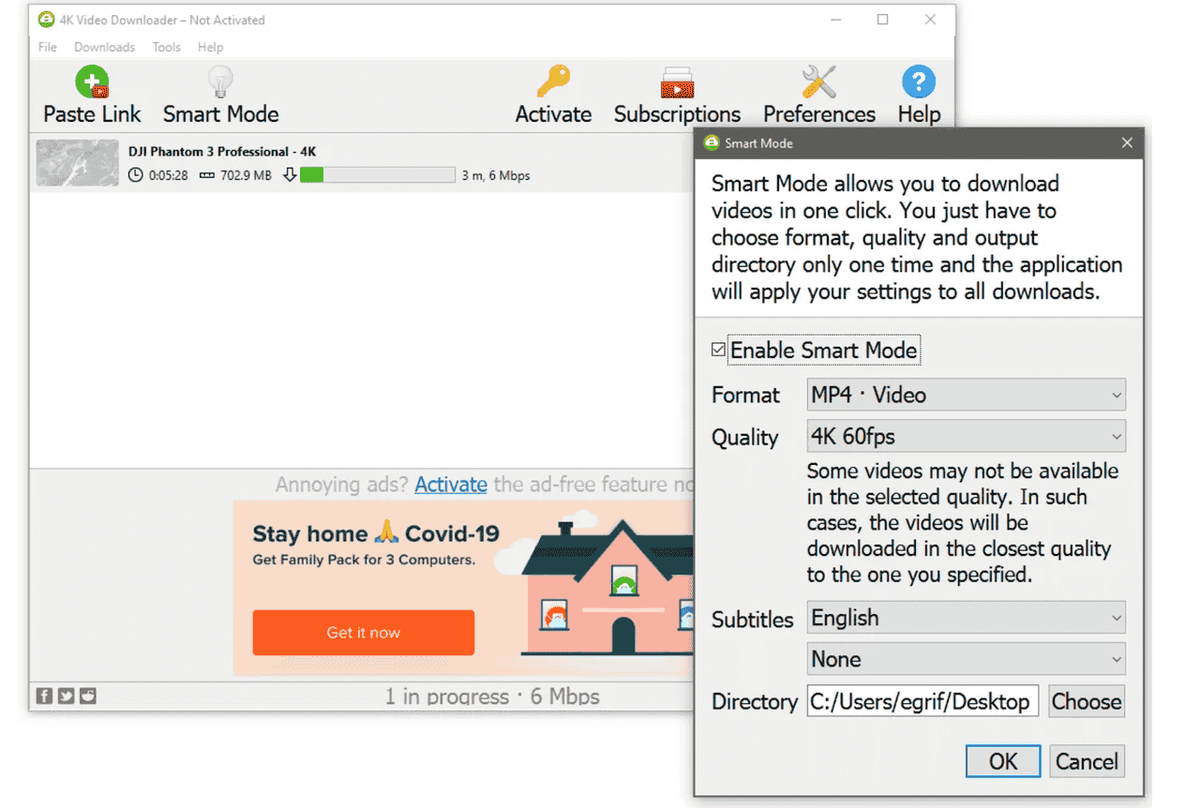
Best for: Content teams looking for a clean, zero-code layout to archive massive competitor video libraries or organize baseline training tutorials.
Method 2: Use yt-dlp for Advanced Batch & MP3 Extraction
For scale, automation, and pure conversion performance, yt-dlp stands unchallenged. It is a free, open-source, command-line framework built to process complex video scrapings. It represents the primary tool endorsed across technical communities for eliminating ad bottlenecks and processing files directly.
Note: This method requires working inside a command-line environment (Terminal on macOS or Command Prompt/PowerShell on Windows). If you require a purely visual workflow, default to Method 1.
Step-by-Step Instructions for Video (MP4)
- Deploy the environment: Install the framework according to the official yt-dlp installation guide. Mac users can deploy via Homebrew with brew install yt-dlp.
- Open the command interface: Launch your operating system's terminal screen.
- Run the download command: Input the following string, ensuring you switch out the placeholder placeholder with your true string:
yt-dlp
Verify conversion completion: The engine automatically downloads the underlying streams and processes them into standardized audio tracks named after the video titles.
Pro tip: Append --output "%(playlist_index)s - %(title)s.%(ext)s" to your command. This keeps your files automatically numbered in sequential order, matching the native layout on YouTube.
Best for: Quantitative research analysts extracting long-tail podcast content or programmatic workflows looking to monitor a channel's new uploads.
Method 3: YouTube Premium App Caching (Official Framework)
If structural file control is secondary to zero-risk compliance, the native offline pathway provided by YouTube Premium is the ideal channel.
Step-by-Step Instructions
- Verify subscription status: Ensure you are actively logged into an account subscribed via youtube.com/premium.
- Access target assets: Open the native YouTube mobile app on iOS or Android.
- Initialize download pipeline: Navigate to the dedicated hub page of the curated playlist.
- Trigger batch saving: Tap the Download symbol (represented by a crisp downward-pointing arrow) beneath the playlist overview details.
- Configure local quality: Select your ideal viewing settings (ranging from 360p up to 1080p HD based on mobile space).
Warning: These downloads are not actual external video files. They exist purely as encrypted cache files hidden within the application sandbox. They cannot be ported to an editing tool or stored indefinitely on an external hard drive.
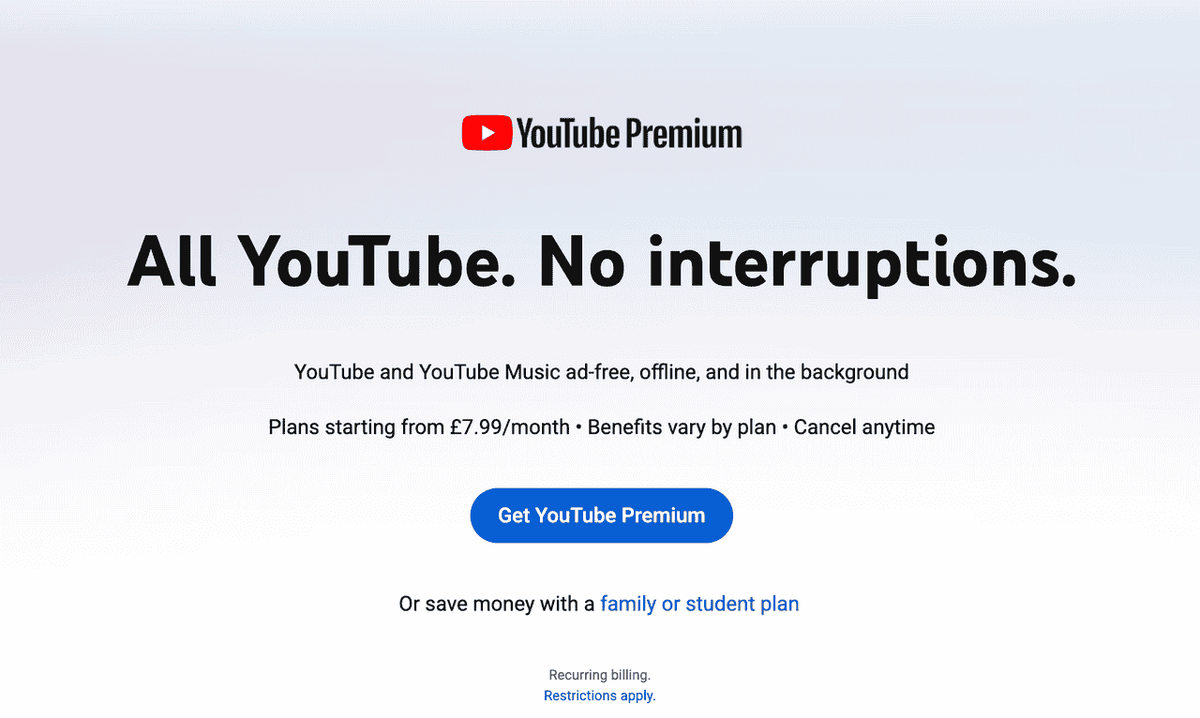
Best for: Mobile professionals needing easy travel accessibility or personal reference loops while commuting.
Method 4: Online Web Converters (Zero Installation Required)
Web-based utility sites allow you to process audio or video conversions entirely within a browser window, discarding any local app setup requirements entirely.
Step-by-Step Instructions
- Copy source location: Save the precise playlist parameters from your browser address tab.
- Identify safe platforms: Open a web-based converter like Y2Mate.
- Feed string entry: Drop the playlist link directly inside the prominent target entry box.
- Trigger file parsing: Allow the cloud application to map out the individual clips embedded within the collection link.
- Execute individual downloads: Because cloud conversions tax web hosts, free web systems typically demand downloading each file sequentially rather than letting you grab a zip package of the whole asset list.
Warning: Free web-based download sites are notoriously saturated with high-frequency pop-up ads and hidden domain redirects. Ensure your local browser protection and security setups are active before accessing them.
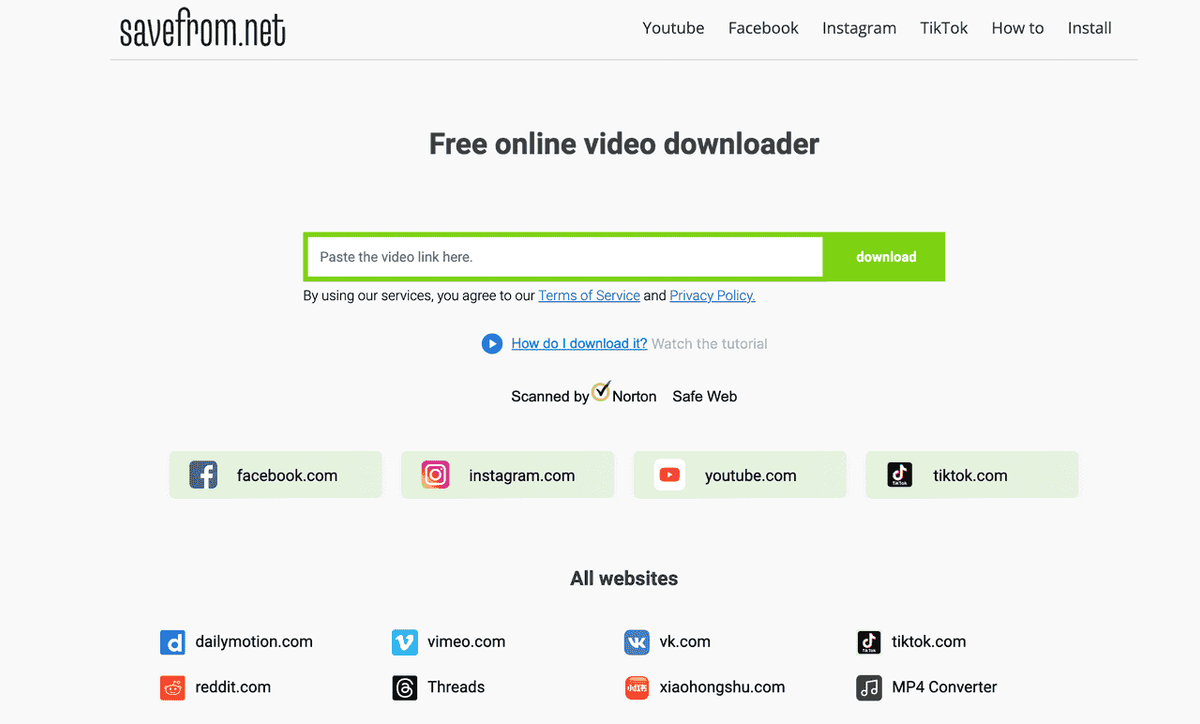
Best for: Immediate single-instance needs or computing hardware with absolute administrative bans on software installations.
Method 5: Native Browser Extension Scripts
Browser script configurations dynamically overlay explicit media saving options directly into the stock YouTube code platform.
Step-by-Step Instructions
- Deploy framework: Add the Tampermonkey script manager or download Video DownloadHelper from the verified Firefox Add-ons Store.
- Load destination: Open the YouTube web player interface inside your configured browser.
- Engage script parsing: Click the illuminated extension icon resting in your app menu bar once it registers live media blocks.
- Trigger local storage: Manually route each mapped video clip down to local storage.
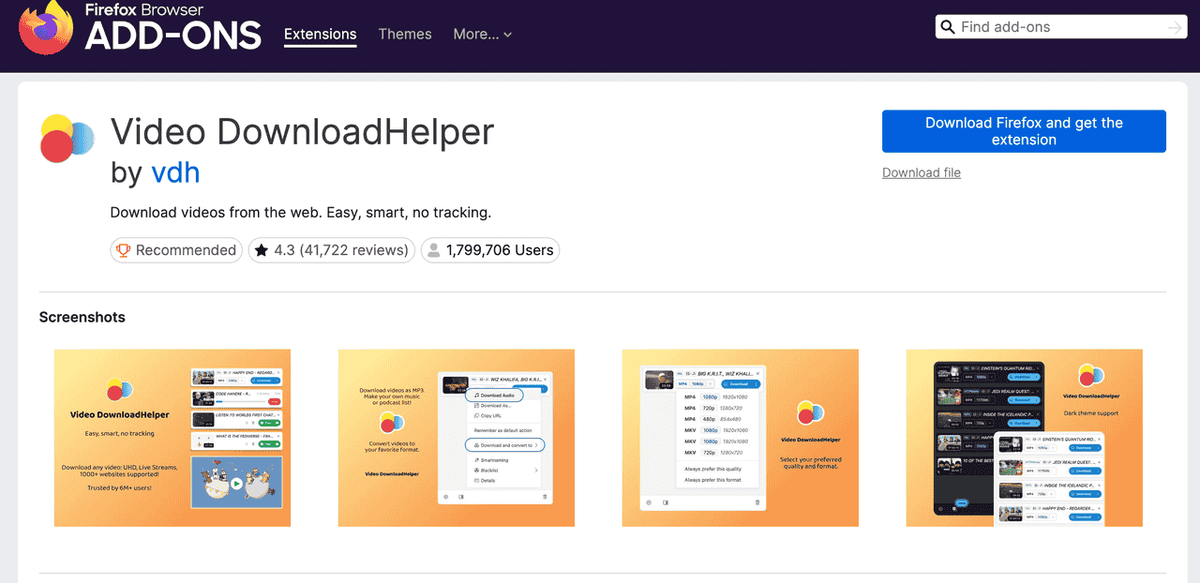
Best for: Single-clip pulls while actively browsing across standard curation hubs.
Which YouTube Playlist Download Method Should You Choose?
Review the feature comparison below to select the right download framework based on your budget, batch processing requirements, and technical expertise.
Comparison Table
Method | Pricing Model | Batch Processing | MP3 Audio Extract | Ease of Use |
4K Video Downloader+ | Free Tier / Paid Plans | ✅ Complete | ✅ Complete |
Recommended Method by Use Case
Use case | Recommended method | Main advantage |
Downloading a large visual reference library | 4K Video Downloader+ | Graphical batch-processing workflow |
Converting webinars or podcasts to audio | yt-dlp Terminal Script | Flexible MP3 extraction and file naming |
How to Organize Downloaded YouTube Playlist Files
Acquiring your asset files is merely half the battle. Organizing your media warehouse into clean semantic groups is what transforms raw video into true knowledge.
Clean Directory Architecture
/YouTube Downloads/
/[Channel Name]/
/[Playlist Name]/
01 - Video Title.mp4
Automation via yt-dlp Formatting Strings
To instantly construct this entire file-path hierarchy during your actual download runtime, issue the following automated structure parameter:
yt-dlp --output "%(channel)s/%(playlist_title)s/%(playlist_index)s - %(title)s.%(ext)s"
Bonus: How to Download YouTube Playlist Data for Competitor Intelligence
Downloading a YouTube playlist solves the asset preservation problem, but what if you need to do data conservation and competitor analysis from a playlist?
Instead of wasting hours manually scrubbing through downloaded footage, you can use AllyHub to automate and turn playlist into a structured research workflow. Teams that need to monitor performance over time can also use the AllyHub's YouTube View Tracker to track changes in public view counts instead of repeatedly checking videos by hand.
What can Allyhub extract from a open YouTube playlist:
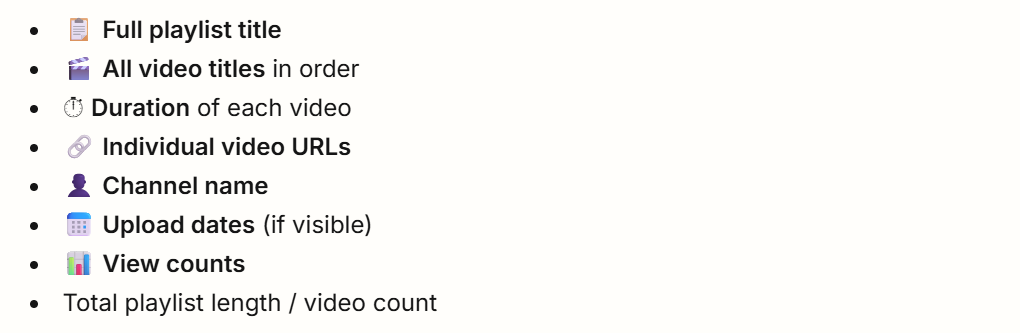
Depending on the available public information, AllyHub can help with:
- Automated Text Extraction: Instantly pulls clean transcripts across the entire video batch.
- Content Gap Discovery: Flags recurring themes, overlooked topics, and narrative hooks used by competitors.
- Structured Strategy Reports: Generates data-driven summaries of competitor tactics without requiring you to watch a single video frame.
Example:
Here I enter the prompt like: [URL] Download the entire playlist from this URL, and also give me everything that you can get from it. And you will get the complete playlist, including data like title, duration, views, and a HTML report
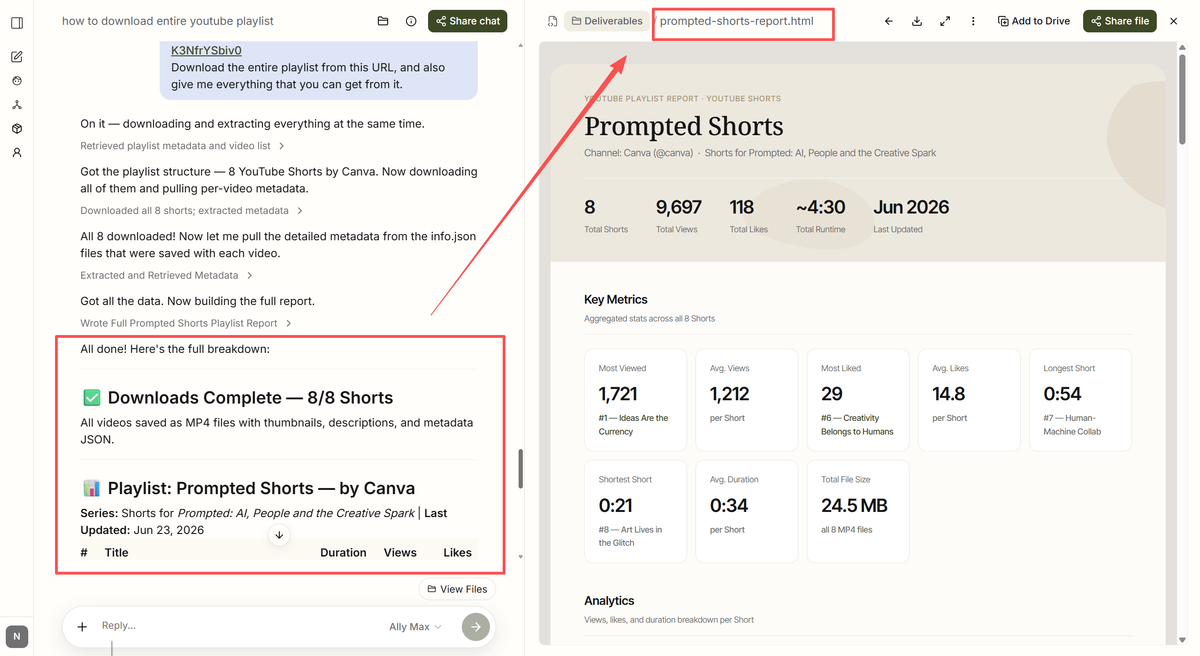
Tips: Download the actual files when you need offline viewing, editing, archiving, or evidence preservation. Use structured extraction and analysis tools when the goal is competitor research, content strategy, or performance monitoring.
Frequently Asked Questions
Is it possible to download a YouTube playlist for free?
Yes. Both 4K Video Downloader+ (via its free functional tier) and yt-dlp (open-source, public domain code) support full-length playlist asset acquisition without charging fees.
Can I convert an entire playlist to MP3 format in one action?
Yes. In 4K Video Downloader+, swap the master target format toggle from "Video" over to "Extract Audio" before starting. For terminal users, running yt-dlp -x --audio-format mp3 [Playlist URL] strips away video elements and outputs clean audio files in bulk.
Why is my playlist download failing?
Failures usually point to three common bottlenecks: the playlist visibility state is toggled to "Private" rather than "Public," your terminal software requires an environment update (run yt-dlp -U), or your import string is picking up a specific single-video watch code rather than a true list= query parameters block.
Can I analyze a YouTube playlist without downloading it?
Yes. If your ultimate goal is marketing research, tools like AllyHub process target video links on the fly. They extract transcripts, structure topic groups, and parse competitor strategies in the cloud, completely eliminating the need to manage massive local media folders.
What's Next
If you're preserving content files for structural teardowns, user research, or compliance logging, pick the mechanism that best matches your resource configuration:
- For straightforward graphical operations: Launch 4K Video Downloader+.
- For programmatic scale: Deploy a custom yt-dlp argument.
- For analytical optimization: Shift past the download phase entirely and let an AI intelligence layer map the content landscape for you.