

YouTube content creation often feels like a guessing game—what to post, what will click, and why some videos take off while others don’t.
Making videos isn’t the hard part anymore. Even with AI speeding up production, many videos still stall at low views, weak retention, and little to no traction. The issue isn’t effort—it’s that most content isn’t designed to perform in the first place.
Viral videos aren’t random. They follow patterns—especially in finding ideas, how ideas are framed, hooks are written, and scripts are structured.
This guide breaks that down into 20+ copy-paste AI prompts you can use to create videos that earn clicks, keep viewers watching, and consistently drive views.
Key Takeaways
- Viral YouTube videos are engineered, not accidental — the right AI prompt at each stage (hook, title, script, thumbnail, description) dramatically increases your odds.
- Specificity is the #1 prompt variable — vague prompts produce generic output; prompts with audience, tone, format, and goal constraints produce usable content.
- Hooks decide everything — 70% of viewer retention is determined in the first 15 seconds; use AI to generate and A/B test 5–10 hook variants before filming.
- E-commerce marketers have a distinct prompt stack — product demo hooks, UGC-style testimonials, and comparison scripts require different prompt structures than general content.
- AI prompts are a starting point, not a finish line — the best-performing YouTube content layers AI efficiency with human brand voice and real audience data.
- Research before prompting — knowing what's already trending on YouTube for your niche makes every prompt 10× more targeted and effective.
Why AI Prompts for YouTube Are a Marketer's Competitive Edge
Every marketer knows the YouTube content grind: brainstorm ideas, write scripts, test hooks, optimize titles, design thumbnails, craft descriptions — and then do it all again next week.
AI doesn't eliminate that work. But the right AI prompts compress it dramatically.
The marketers winning on YouTube aren't the ones with the biggest production budgets. They're the ones who've built a systematic prompt workflow — one that generates 10 hook variants in 5 minutes, produces SEO-optimized titles before the video is even filmed, and turns a single video into a repurposed content engine across Shorts, ads, and email.
This guide gives you that workflow. You'll get 20+ copy-paste-ready AI prompts organized by the five stages of YouTube video creation, plus a research-first framework that makes every prompt more targeted and every video more likely to perform.
The 5-Stage YouTube Viral Video Framework
Before diving into the prompts, understand the framework they're built around. Viral YouTube videos — whether organic content or paid ads — succeed because they nail five sequential stages:
Stage | What It Controls | Viral Metric |
1. Hook | First 3–15 seconds | Viewer retention rate |
2. Title | Click-through rate from search/browse | CTR (%) |
Miss any one of these, and the others can't compensate. Use the prompts below in sequence for each video you produce.
Stage 1: AI Prompts for YouTube Hooks That Stop the Scroll
The hook is the single highest-leverage element of any YouTube video. YouTube's algorithm rewards retention — and retention starts in the first 15 seconds. If viewers click away early, the algorithm stops distributing your video. If they stay, it amplifies it.
What makes a hook work:
- Creates an immediate curiosity gap or emotional trigger
- Signals relevance to the viewer's specific situation
- Promises a payoff worth staying for
- Works as both spoken audio AND on-screen text
Hook Prompt 1 — Multi-Format Hook Generator
You are a YouTube content strategist specializing in high-retention hooks for [your niche] content. I'm creating a YouTube video about: [topic]. My target audience is: [audience description — e.g., "e-commerce store owners selling on Amazon"]. The main outcome my video delivers: [e.g., "how to increase product page conversion rate by 30%"]. Generate 8 different hook options using these formats: (1) Curiosity gap ("Most people don't know that..."), (2) Shocking statistic or counterintuitive fact, (3) Problem-agitation ("If you're still doing X, you're leaving money on the table"), (4) Bold claim + proof promise ("I tested 50 product pages. Here's what actually works."), (5) Story opener — a 30-word micro-story that creates tension, (6) Direct question that makes the viewer self-identify, (7) Pattern interrupt — start mid-action or mid-sentence, (8) Social proof hook ("After helping 200 brands optimize their YouTube ads..."). For each hook: write the spoken script (under 20 words), suggest the on-screen visual, and rate its estimated retention power from 1 to 10.
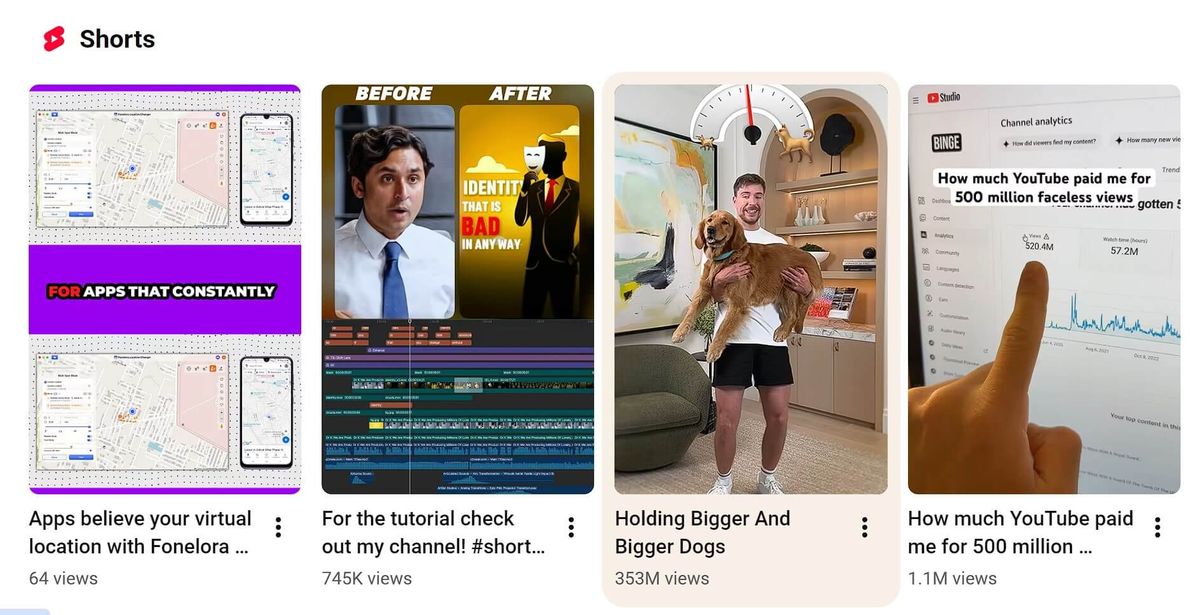
Hook Prompt 2 — YouTube Shorts Hook (Under 12 Words)
I'm making a YouTube Short about [topic] for [specific audience]. Write 10 hooks under 12 words each using these formats: fear-based (2 hooks), curiosity gap (2 hooks), controversial opinion (2 hooks), pattern interrupt (2 hooks), and social proof (2 hooks). Each hook must work as both a spoken opening line and an on-screen text caption. Flag the top 3 you'd recommend for highest swipe-stop rate.
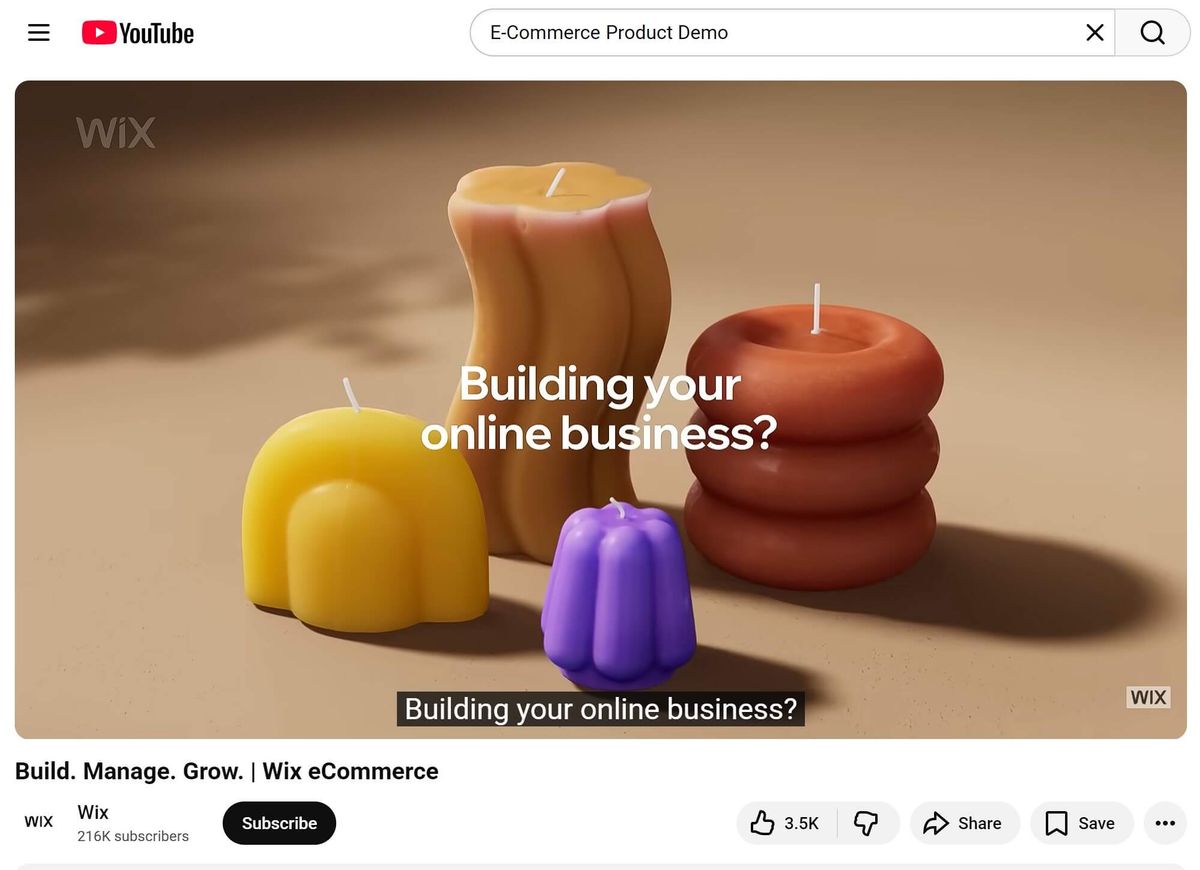
Hook Prompt 3 — E-Commerce Product Demo Hook
You are a direct-response video copywriter for e-commerce brands. I'm creating a YouTube video demonstrating [product name/type] for [target customer — e.g., "women aged 25–40 who shop for sustainable fashion"]. The product's #1 benefit is: [benefit]. The viewer's biggest skepticism is: [objection]. Write 5 product demo hooks that: open with the product in action (not a talking head), address the skepticism within the first 10 seconds, create urgency without being pushy, and are under 25 words each. Also, suggest the exact visual shot for each hook.
Hook Prompt 4 — Trend-Jacking Hook
I want to create a YouTube video that rides the current trend of [trending topic/format — e.g., "AI tools replacing traditional jobs"]. My niche is: [niche]. My audience is: [audience]. Write 5 hooks that: reference the trend immediately to signal relevance, pivot to my specific angle within 2 sentences, and create a reason to watch beyond just the trend itself. Format each as: hook script + transition line to main content.
Stage 2: AI Prompts for YouTube Titles That Drive Clicks
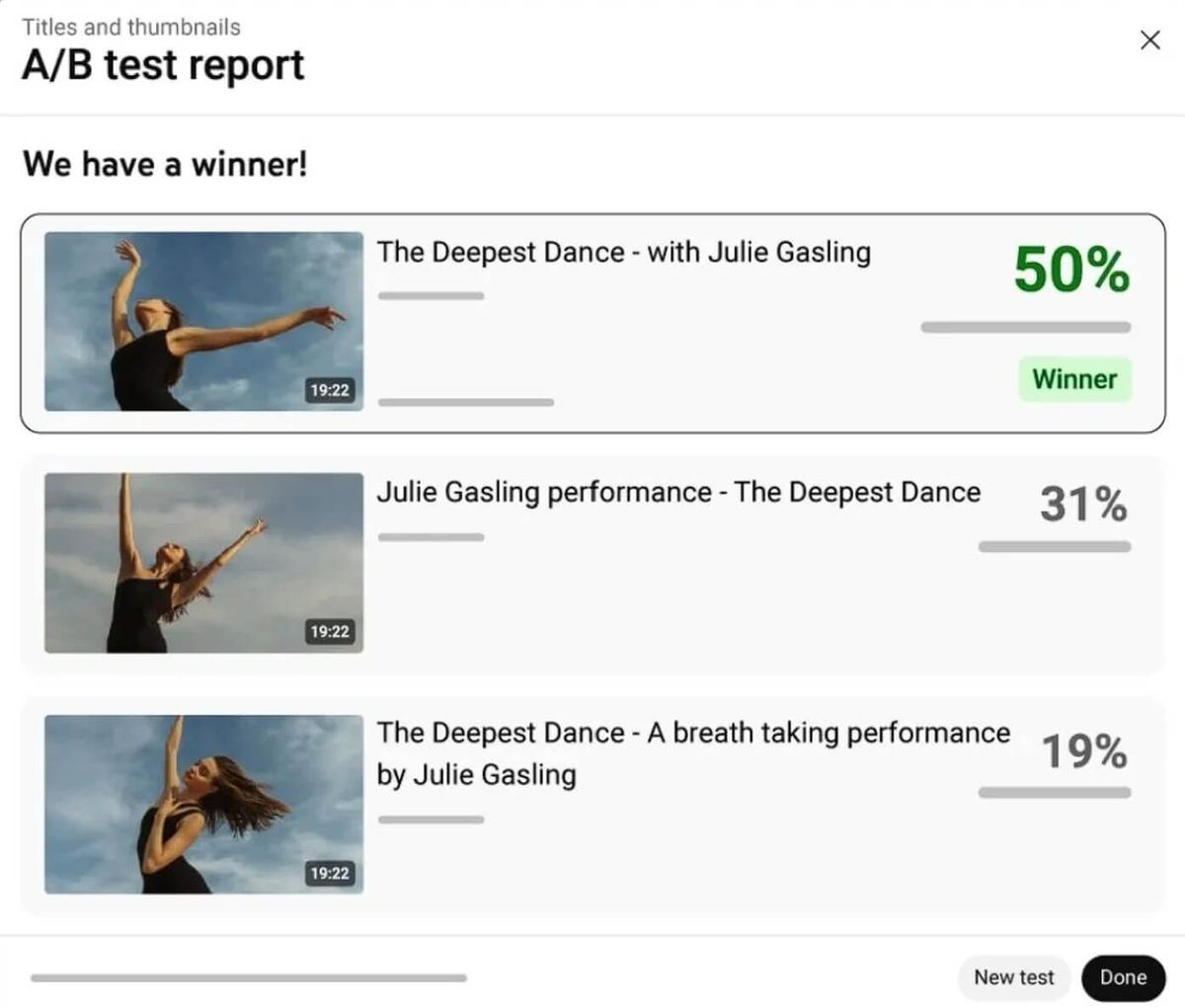
Your title is your ad. It runs 24/7 in search results, browse feeds, and suggested video panels. A 1% improvement in CTR compounds into thousands of additional views over a video's lifetime.
Title formula that works:
- Specific outcome > vague topic
- Numbers and specificity outperform adjectives
- 50–60 characters for full visibility on mobile
- Primary keyword in the first 40 characters
Title Prompt 1 — 15-Title Generator with Rationale
I'm creating a YouTube video about [topic]. Target keywords: [keyword 1], [keyword 2]. Target audience: [audience]. Video style: [informative/entertaining /tutorial/case study]. Main outcome the viewer gets: [specific outcome]. Generate 15 YouTube title options: 5 outcome-first titles ("How I [achieved result] in [timeframe]"), 5 curiosity-based titles (curiosity gap without clickbait), and 5 comparison/versus titles ("[Option A] vs [Option B]: Which Actually Works?"). Requirements: under 60 characters, no clickbait, include primary keyword naturally. For each title, explain in one sentence why it would perform well.
Title Prompt 2 — SEO-First Title for Search Traffic
You are a YouTube SEO specialist. My video is about: [topic]. Primary keyword I want to rank for: [keyword]. Secondary keywords: [keyword 2], [keyword 3]. Video length: [X minutes]. Write 8 YouTube titles optimized for search discovery that: place the primary keyword within the first 40 characters, promise a specific measurable outcome, are between 45–60 characters, and sound natural when read aloud (not keyword-stuffed). Also suggest 3 alternative title formats if the video underperforms in the first 48 hours.
Title Prompt 3 — E-Commerce Ad Title Generator
I'm running a YouTube ad for [product/brand]. Target customer: [description]. Main pain point the product solves: [pain point]. Offer or hook: [e.g., "free trial", "50% off", "results in 7 days"]. Write 10 YouTube ad titles that: lead with the customer's pain point or desired outcome, include the offer naturally, are under 30 characters (for in-stream ad display), and create urgency without false scarcity. Flag the top 3 for A/B testing.
Title Prompt 4 — Viral Format Title Rewriter
Here is my current YouTube title: [your existing title]. Rewrite it in 5 different viral formats: (1) "I [did X] for [timeframe] — here's what happened", (2) "[Number] [things] that [outcome] (most people miss #[number])", (3) "Why [common belief] is wrong (and what to do instead)", (4) "The [adjective] way to [achieve outcome] in [timeframe]", (5) a question format that makes the viewer self-identify. For each rewrite: keep the primary keyword, stay under 60 characters, and explain the psychological trigger it uses.
Stage 3: AI Prompts for YouTube Scripts That Hold Attention
Script quality determines watch time. Watch time determines algorithmic distribution. This is the longest stage — and the one where AI provides the most leverage for marketers who need to produce content at scale.
Script structure that maximizes watch time:
- Hook (0–15 sec): Retention trigger
- Context bridge (15–45 sec): Why this matters to the viewer right now
- Value delivery (bulk of video): Structured, skimmable, with pattern interrupts every 60–90 seconds
- CTA (final 30 sec): One clear action
Script Prompt 1 — Full Script Outline Generator
Create a YouTube script outline for a [X-minute] video about [topic]. Target audience: [audience description]. Goal: [teach/entertain/convert/build authority]. Main outcome the viewer gets: [specific outcome]. My brand voice: [e.g., "direct, data-driven, no fluff — like a senior marketing consultant talking to a peer"]. Include: a hook with 3 alternative options, a context bridge explaining why this matters now, 3–5 main sections with timestamps, 2–3 pattern interrupt suggestions (story, statistic, visual change), transition lines between sections, CTA options (soft, medium, hard), and suggested B-roll or visual notes for each section.
Script Prompt 2 — Full Script Writer (After Outline Approval)
Using this outline: [paste outline]. Write the full video script. Requirements: match this voice/tone: [describe or paste example]; use conversational language — short sentences, "you" language, no jargon; include the hook, all pattern interrupts, section transitions, and CTA; add [VISUAL CUE] notes in brackets throughout; after the script, flag 3 lines that feel generic or off-brand so I can rewrite them. Target length: [X words / X minutes at 150 words per minute].
Script Prompt 3 — E-Commerce Product Video Script
You are a direct-response video copywriter with expertise in e-commerce product videos. Product: [product name]. Target customer: [description — include demographics, pain points, and purchase triggers]. Video goal: [awareness/consideration / conversion]. Platform: [YouTube long-form / YouTube Shorts / YouTube ad]. Key differentiator vs. competitors: [what makes this product different]. Write a [X-minute] product video script that: opens with the customer's problem (not the product), demonstrates the product solving the problem visually, includes 3 social proof moments (testimonial quotes, stats, or before/after), ends with a clear low-friction CTA, and uses the PAS framework (Problem → Agitation → Solution) for the first 60 seconds. Include shot suggestions and on-screen text recommendations throughout.
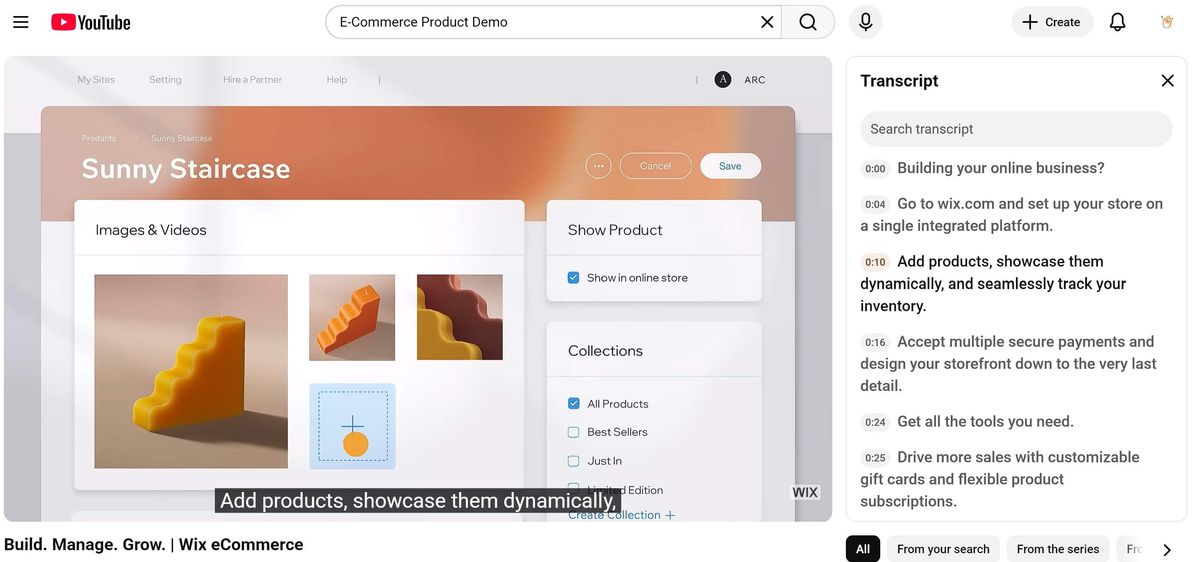
Script Prompt 4 — Tutorial /How-To Script for Marketers
Write a YouTube tutorial script for [topic]. Audience: [digital marketers/e-commerce marketers / specific segment]. Skill level: [beginner/intermediate / advanced]. Video length: [X minutes]. Main takeaway: [the one thing viewers should be able to do after watching]. Structure the script as follows: (1) Hook — why this skill matters right now, with a specific stat or trend; (2) What you'll learn — a 30-second preview; (3) Step-by-step walkthrough with [N] steps, each with a clear action; (4) Common mistakes to avoid — builds trust and watch time; (5) Quick win CTA — something they can implement in the next 10 minutes. Use numbered steps, clear transitions, and include [SCREEN RECORDING] or [DEMO] cues where relevant.
Script Prompt 5 — Repurpose Blog Post into Video Script
I have a blog post I want to turn into a YouTube video script. Blog post content: [paste or summarize]. Target audience for the video: [audience]. Video length target: [X minutes]. Tone shift needed: [e.g., "the blog is formal — make the script conversational and energetic"]. Convert this into a video script that: rewrites the intro as a strong hook (not "In this video, I'm going to..."), restructures the content for audio-first consumption (no bullet points, no headers), adds 2–3 pattern interrupts not in the original post, and ends with a CTA that drives viewers to the full blog post or a related resource. Flag any sections that work better as on-screen graphics than spoken content.
Stage 4: AI Prompts for YouTube Thumbnails That Get Clicked
Thumbnails are your video's billboard. On mobile — where 70%+ of YouTube views happen — your thumbnail competes in a 150×84 pixel space. The difference between a 3% CTR and a 7% CTR on the same video can mean 2× the views.
Thumbnail principles that drive clicks:
- One dominant focal point (face with expression, or bold number/text)
- Maximum 4 words of on-screen text
- High contrast colors (avoid blending into YouTube's red/white interface)
- Emotion > information
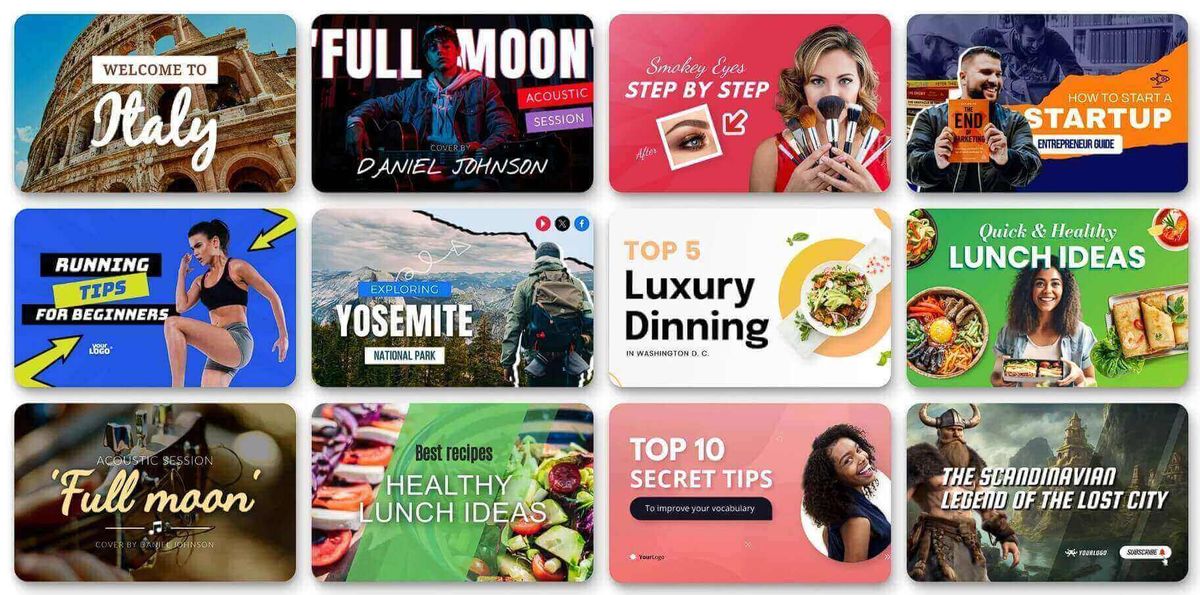
Thumbnail Prompt 1 — Thumbnail Concept Generator
You are a YouTube thumbnail designer specializing in high-CTR designs for [niche] content. Video title: [title]. Target audience: [audience]. Video's main promise: [what the viewer gets]. My channel's visual style: [e.g., "clean, minimal, blue/white palette, no face shots"]. Generate 5 thumbnail concepts. For each, describe: the focal point (what dominates the frame), the text overlay (max 4 words — what it says and where it's placed), the color palette (3 colors max), the emotional trigger (curiosity/fear/excitement/aspiration), and why this concept would outperform a generic thumbnail for this audience. Also suggest which concept to A/B test first and why.
Thumbnail Prompt 2 — AI Image Generation Prompt for Thumbnails
Generate a YouTube thumbnail image prompt for an AI image generator (Midjourney / DALL-E / Ideogram). Video topic: [topic]. Desired emotion: [e.g., "shock and curiosity"]. Style: [photorealistic / illustrated / bold graphic]. Color palette: [colors]. Text overlay idea: [max 4 words]. Write a detailed image generation prompt that specifies: composition and framing, subject and expression (if person), background and lighting, color treatment, text placement zone (leave space for text overlay), and style references. Format the prompt ready for direct use in an AI image generator.
Thumbnail Prompt 3 — Reverse-Engineer a Competitor Thumbnail
Describe this YouTube thumbnail in detail as a prompt for an AI image generator: [paste thumbnail description or URL]. Focus on: composition and layout, subject matter and expression, color palette and contrast, text overlay (words, font weight, placement), emotional trigger being used, and what makes it click-worthy. Then suggest 3 variations I could create that use the same psychological trigger but with my own brand identity.
Stage 5: AI Prompts for YouTube Descriptions That Rank
YouTube descriptions are underused by most marketers. A well-crafted description does three things: (1) tells YouTube's algorithm what your video is about, (2) gives viewers context and resources, and (3) drives traffic to your website, product, or email list.
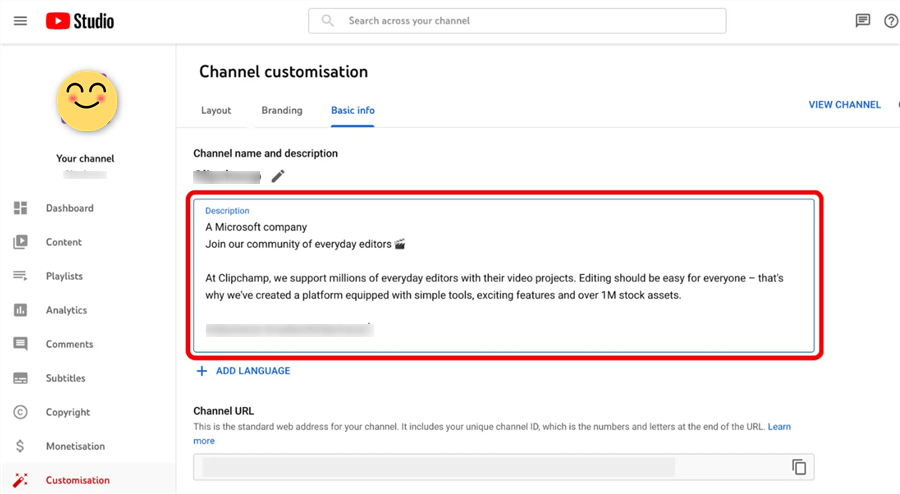
Description Prompt 1 — Full SEO Description Generator
Write a YouTube video description for the following: Video title: [title]. Topic: [topic]. Primary keyword: [keyword]. Secondary keywords: [keyword 2], [keyword 3]. Target audience: [audience]. Key resources mentioned in the video: [links, tools, downloads]. CTA goal: [subscribe / visit website / download / buy]. Requirements: the first 2–3 lines (visible before "Show More") should be attention-grabbing and include the primary keyword naturally; lines 4–10 should provide a comprehensive summary with secondary keywords woven in; include timestamped chapters for each major section; add 3–5 relevant hashtags; include a CTA with link; total length 200–300 words. Do not keyword-stuff. Write for the viewer first, algorithm second.
Description Prompt 2 — E-Commerce Product Video Description
Write a YouTube description for an e-commerce product video. Product: [product name]. Brand: [brand name]. Video goal: [awareness/conversion]. Primary keyword: [keyword]. Product page URL: [URL]. Offer or promotion: [if any]. Include: a hook line as the first sentence (make it a benefit statement, not a product description), a 3-sentence product summary with the primary keyword, a bullet list of 3–5 key product benefits, a social proof line (e.g., "Trusted by 10,000+ customers"), a CTA with product link, 5 relevant hashtags, and suggested pinned comment text for an engagement boost.
Description Prompt 3 — Tutorial / How-To Video
Write a YouTube description for a tutorial video. Topic: [topic]. Primary keyword: [keyword]. Skill level: [beginner/intermediate]. Tools mentioned: [tools]. Begin with a clear “what you’ll learn” hook, then summarize the steps in a logical flow. Include timestamped sections, mention common mistakes to avoid, and add a CTA such as subscribing or downloading a related resource. Finish with 3–5 relevant hashtags.
Description Prompt 4 — List / Top 10 Video
Write a YouTube description for a list-style video. Title: [title]. Primary keyword: [keyword]. Items covered: [list]. Start with a curiosity-driven hook, then introduce the topic briefly. Provide a preview of the items and include timestamps for each section. Close with a CTA and a few relevant hashtags.
Description Prompt 5 — Affiliate / Review Video
Write a YouTube description for a product review video. Product: [product]. Primary keyword: [keyword]. Affiliate link: [link]. Open with an honest hook explaining who the product is for (and not for), then summarize key pros and cons. Highlight important features, include a short affiliate disclaimer, and end with a clear CTA using the link. Add relevant hashtags.
Description Prompt 6 — Shorts Description (High CTR)
Write a YouTube Shorts description. Topic: [topic]. Primary keyword: [keyword]. Keep it short and punchy with one or two hook-style lines, include a curiosity trigger, and add 2–3 hashtags. Optionally include a quick CTA. Keep the total length under 100 words.
How to Use These Prompts More Effectively: 5 Pro Tips
Getting good output from AI prompts isn't just about the prompt itself. Here's what separates marketers who get mediocre AI output from those who get publish-ready content:
Tip 1: Assign a role: Start with “You are a [specific expert]” to get more focused, higher-quality output.
Tip 2: Add constraints: Don’t just give a topic — include audience, tone, format, length, and goals.
Tip 3: Use chain prompting: Break it into steps: hooks → outline → full script. Each stage improves quality.
Tip 4: Feed proven content: Paste your best-performing scripts and ask AI to match the tone and structure.
Tip 5: Research first: Look at top videos, hooks, comments, and trends — better input = better output.
Bonus: Research-First YouTube Strategy with AllyHub
The prompts above will get you strong output. But the marketers who consistently produce viral content don't just prompt well — they research before they prompt.
Before writing a single hook or title, the highest-performing YouTube marketers know:
- Which competitor videos are getting the most traction right now
- What viewers are actually saying in comments (unfiltered audience intelligence)
- Which topics are trending in their niche this week
- What questions is their audience asking that no one has answered yet
Gathering this data manually — scraping competitor video comments, extracting subtitles from top-performing videos, tracking trending topics across channels — takes hours. That's time most marketing teams don't have.
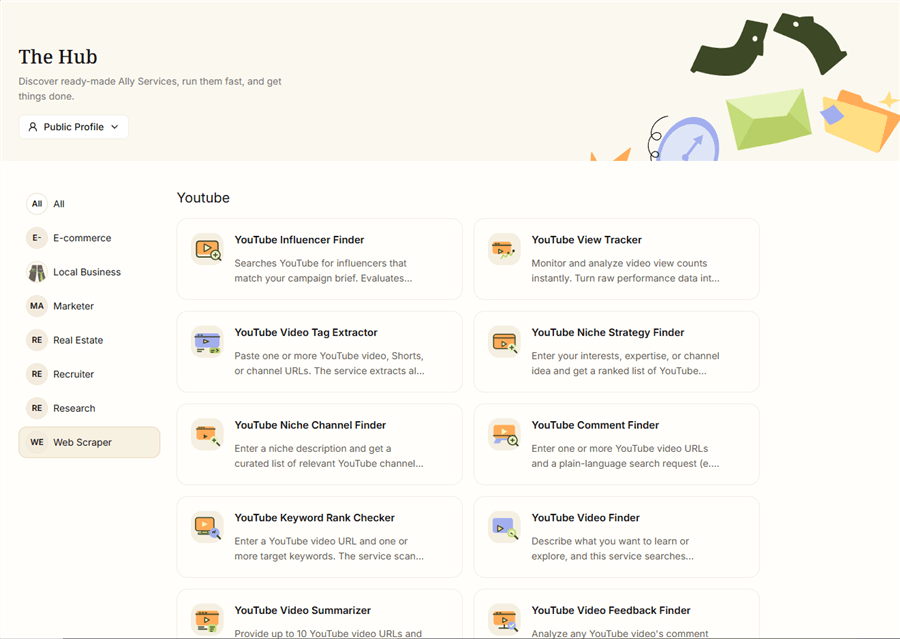
AllyHub is an AI agent platform that automates exactly this kind of YouTube research. Instead of manually browsing competitor channels, you can instruct AllyHub to:
- Extract subtitles and comments from any YouTube video or channel — surface the exact language your audience uses, the pain points they express, and the questions they keep asking
- Scrape trending video data across your niche — identify which formats, topics, and hooks are gaining traction before you invest in production
- Analyze competitor channels — pull structured data on top-performing videos, view counts, engagement rates, and content patterns
- Build a research brief automatically — turn raw YouTube data into a structured content brief you can feed directly into your AI prompts
The result: your AI prompts go from generic to hyper-targeted, because they're built on real audience data instead of assumptions.
AllyHub's compounding advantage: the first time you research a YouTube niche, AllyHub explores and learns the structure. Every subsequent research run reuses that knowledge — going faster, extracting more, and costing less. Your research capability compounds over time.
Best for: Digital marketers and e-commerce teams who produce YouTube content regularly and want to build a systematic, data-driven content workflow — not just one-off videos.
How to Choose the Right Prompt for Your Situation
Not every prompt in this library applies to every video. Use this decision guide:
Your Situation | Start With |
You have a topic but no hook | Stage 1, Prompt 1 (Multi-Format Hook Generator) |
You have a hook but need a title | Stage 2, Prompt 1 (15-Title Generator) |
You're creating a product demo video | Stage 1 Prompt 3 + Stage 3 Prompt 3 |
FAQ: AI Prompts for YouTube Viral Videos
Can AI prompts guarantee a video goes viral?
No — they improve your chances by optimizing hooks, titles, and scripts, but virality also depends on timing, audience fit, and distribution.
Which AI tool works best with these prompts?
They work across ChatGPT, Claude, and Gemini. Claude is strong for scripts, while ChatGPT and Gemini perform well for hooks and titles — test and choose what fits your style.
How specific should I be in my prompts?
As specific as possible. Clearly define your audience, goal, and format — more context leads to more targeted and usable output.
How do I use AI video prompts for YouTube Shorts specifically?
Focus on hooks that grab attention within 3 seconds, skip buildup, keep videos under 60 seconds, and scripts around 150 words in vertical (9:16) format.
How often should I update my prompt library?
Review every quarter or whenever you notice drops in CTR or retention. Keep the structure, but refresh formats and trends.
Can AllyHub help with YouTube content research?
Yes. It extracts real data like comments, subtitles, and trends, helping you create more accurate and targeted prompts.
What's the biggest mistake marketers make with AI video prompts?
Treating AI output as final. It’s a strong first draft — but you still need to refine it with your brand voice and real audience insights.
Wrapping Up
The marketers who win on YouTube in 2026 aren't the ones who spend the most time writing scripts or brainstorming hooks. They're the ones who've built a systematic, AI-assisted workflow that produces better content faster — and improves with every video they publish.
The 20+ prompts in this guide give you that workflow. Start with Stage 1 (hooks) for your next video. Test 5 variants. Pick the strongest. Then work through the remaining stages in sequence.
And if you want to take it further — if you want your AI prompts to be built on real audience data instead of assumptions — explore what AllyHub can do for your YouTube research workflow. The difference between a good prompt and a great one is almost always the quality of the intelligence behind it.




