You launch a YouTube ad, check the numbers after a few days, and the results are too mixed to scale with confidence. Then you see a competitor’s ad again and again in the same niche. The hook is sharper, the offer is clearer, and the landing page seems built for conversion.
That is usually when marketers start looking for a YouTube ads spy tool. Not to copy another brand word for word, but to understand what competitors are testing, which creatives stay live, what landing pages they use, and which angles are worth studying before spending more budget.
This guide compares 7 YouTube ads spy tools, including free options, YouTube-first tools, and broader ad intelligence platforms.
Key Takeaways
- Start with free data: Google Ads Transparency Center and VidTao can help marketers run a first-pass YouTube ad audit before paying for deeper tools.
- Look beyond the creative: A useful YouTube ads spy tool should help you study the hook, offer, landing page, format, and how long the ad appears to stay active.
- Treat longevity as a signal: A long-running ad is worth studying, but it does not prove profitability on its own.
- Match the tool to your workflow: VidTao and Video Ad Vault are stronger for YouTube-first research, while BigSpy, PowerAdSpy, AdPlexity, and SocialPeta fit broader competitive intelligence needs.
- Use AllyHub after discovery: Once you find competitor ads, AllyHub can help organize public landing pages, hooks, CTAs, offers, and notes into a reusable research sheet.
What Is a YouTube Ads Spy Tool?
A YouTube ads spy tool helps marketers find and analyze YouTube ads from competitors, brands, or advertisers in a specific niche.
Instead of waiting for YouTube to serve you a competitor’s ad, these tools let you search by advertiser, keyword, domain, country, format, landing page, or campaign signal. Some tools focus only on YouTube ads. Others cover YouTube alongside Meta, TikTok, Google Display, native ads, and mobile ad networks.
For marketers, the goal is not to copy a competitor’s campaign. The goal is to reduce guesswork before writing scripts, building landing pages, testing hooks, or choosing offers.
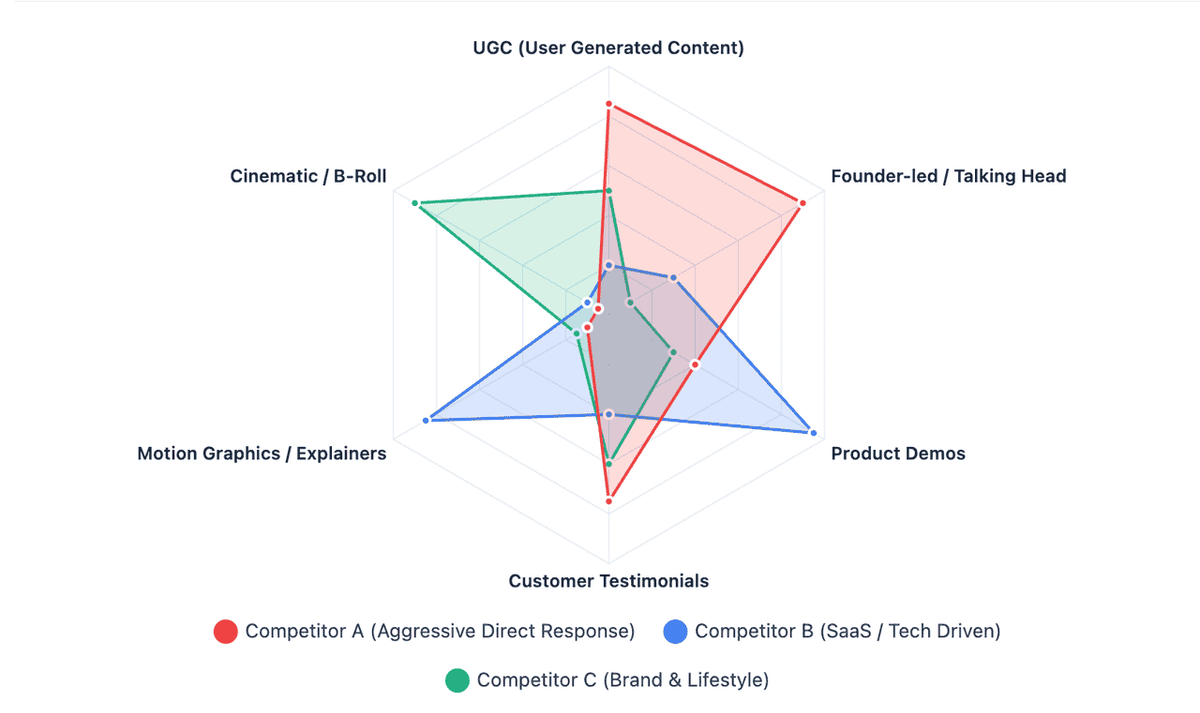
Note: YouTube ads spy tools surface public, observed, or indexed ad data. They do not show private Google Ads dashboards, exact ROAS, exact targeting settings, or internal campaign metrics.
7 Best YouTube Ads Spy Tools
VidTao — Best Free Starting Point for YouTube Ad Research
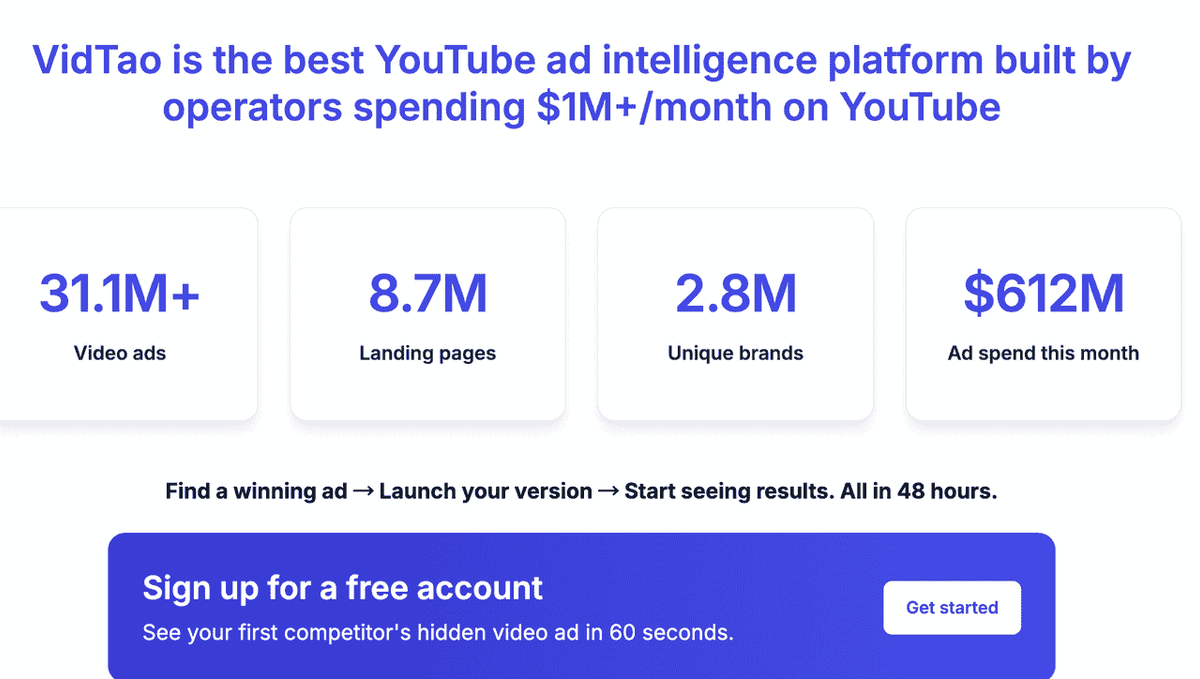
VidTao is one of the most practical starting points for YouTube ad research, especially for marketers who want to study YouTube-first campaigns without committing to an expensive platform immediately. It is designed specifically around YouTube ad intelligence, making it much more focused than general ad libraries.
Pros & Cons for Marketers:
- Pros: Focuses exclusively on YouTube ad intelligence; links ad creatives directly to their landing pages for full-funnel visibility; offers a highly practical free tier for quick creative audits.
- Cons: Run durations and campaign metrics are estimated, not exact; deeper historical data and advanced export features typically require a premium plan.
Best for:
- Marketers entering a new niche who need a fast creative audit.
- Solo media buyers who want free YouTube ad intelligence before committing to a paid tool.
- Anyone building a swipe file of proven hooks and scripts.
Quick Discovery Workflow:
Instead of browsing randomly, use the search bar to look up a competitor's specific domain (e.g., competitor.com rather than just their brand name) to catch ads published under different display names. Filter the results by "longest running"—if an ad has been active for months, it is likely profitable. Save these high-performing creatives and their linked landing pages directly to your swipe file for reference.
Video Ad Vault — Best for Performance-Focused YouTube Ad Research
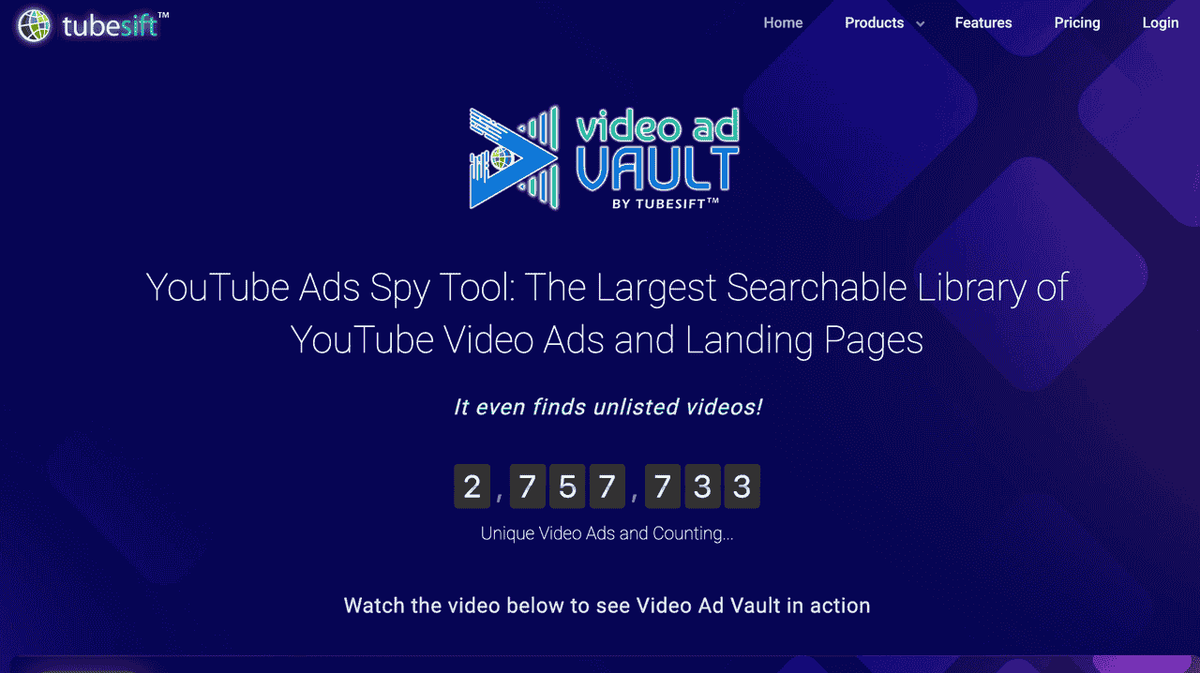
Video Ad Vault is built specifically for YouTube ad research. Its main value is helping marketers search a large library of YouTube video ads and landing pages, including many ads that may not be easy to find through normal YouTube browsing.
For direct response marketers, this matters because the strongest insights often come from the full funnel: ad creative, hook, CTA, landing page, and offer.
How to Use Video Ad Vault
- Search by niche, keyword, advertiser, or URL.
- Filter for relevant ads based on your market or offer type.
- Review the ad creative and identify the first hook, claim, and CTA.
- Open the landing page to study the funnel.
- Prioritize long-running ads as research candidates, not guaranteed winners.
- Save examples into a swipe file or competitor research sheet.
Best For
- Direct response marketers
- YouTube media buyers
- Agencies managing YouTube ad accounts
- Teams that need landing page research alongside creative research
Google Ads Transparency Center — Best Free Official Tool for Brand-Level Checks
Google Ads Transparency Center is Google’s official searchable ad transparency database. It lets marketers check public advertiser activity across Google surfaces, including YouTube. It is a useful free starting point for brand-level checks, but it is not designed to replace a dedicated YouTube ad research database with deeper filtering, landing page research, or saved search workflows.
How to Use Google Ads Transparency Center
- Go to Google Ads Transparency Center.
- Search by advertiser name or URL.
- Filter by region, format, or date range where available.
- Look for video ads connected to the advertiser.
- Note the ad format and last shown date.
- Add relevant ads to your competitor research file.
Limitations: It does not provide the same depth as YouTube-first spy platforms, especially for landing page research, saved searches, and marketer-focused campaign analysis.
Best For
- Free competitor checks
- Brand-level ad audits
- Verifying whether a competitor is running Google or YouTube ads
- Early research before paying for a dedicated YouTube ads spy tool
BigSpy — Best Budget-Friendly Multi-Platform Ad Spy Tool
BigSpy is a multi-platform ad spy tool that covers several ad networks and social platforms. For marketers who need YouTube research alongside Meta, TikTok, and other channels, it can be a practical budget-friendly option.
It is not always the deepest YouTube-specific option, but it is useful when you want a broad view of ad creatives across platforms.
BigSpy for Cross-Platform Creative Checks
- Choose YouTube as the platform filter if available.
- Search by keyword, brand, domain, or category.
- Apply country, language, or format filters where relevant.
- Compare YouTube creatives with ads from other channels.
- Save useful examples into a cross-platform swipe file.
Best For
- Budget-conscious marketers
- Teams running ads across multiple platforms
- Agencies preparing cross-platform competitor snapshots
- Marketers who want broader creative inspiration, not only YouTube data
PowerAdSpy — Best for Cross-Platform Ad Research With YouTube Coverage
PowerAdSpy is another multi-network ad spy platform with YouTube coverage. Its value is broader ad research, especially when you want to study how a competitor’s offer appears across multiple channels.
For marketers, this is useful because strong offers rarely live on one platform only. If the same landing page, claim, or CTA appears across YouTube, Meta, and other ad networks, that may signal a campaign worth studying more closely.
PowerAdSpy for Offer Research Across Channels
- Select YouTube or the relevant ad network.
- Search by keyword, advertiser, niche, or domain.
- Review the creative and CTA.
- Compare the same advertiser across platforms.
- Check whether the offer, claim, and landing page are consistent.
- Save examples that show repeated patterns across channels.
Best For
- Performance marketers studying offers across channels
- Affiliate marketers comparing funnel angles
- Agencies building multi-platform competitive reports
- Marketers who want YouTube research bundled with broader ad intelligence
AdPlexity YouTube — Best for Full-Funnel Intelligence
AdPlexity YouTube is built for marketers who care about the full path from ad to landing page. It is especially relevant for affiliates, performance marketers, and media buyers who want to study not only the creative but the entire conversion flow.
The value here is funnel depth. If you are trying to understand how an offer is positioned, where traffic is sent, and how the landing page converts interest into action, full-funnel visibility matters.
How to Use AdPlexity YouTube
- Search by keyword, advertiser, campaign type, or niche.
- Open relevant ad examples.
- Study the creative sequence — hook, problem, proof, offer, and CTA.
- Click through to the landing page.
- Document the funnel structure — opt-in, webinar, checkout, demo, or lead form.
- Compare multiple advertisers to identify repeated funnel patterns.
Best For
- Affiliate marketers
- Performance agencies
- High-spend YouTube advertisers
- Teams that need deep landing page and funnel research
SocialPeta — Best Enterprise Ad Intelligence Platform
SocialPeta is better positioned as an enterprise advertising intelligence platform than a simple YouTube-only ad spy tool. It is useful for larger teams that need creative intelligence, market signals, regional research, and broader ad network visibility.
If you only need to find a few competitor YouTube ads, SocialPeta may be more than you need. But if your team manages multiple brands, regions, or product categories, an enterprise platform can help centralize research.
SocialPeta for Enterprise Ad Monitoring
- Filter for YouTube or video ad formats where available.
- Search by advertiser, keyword, app, category, or region.
- Review creative patterns across markets.
- Compare regional messaging differences.
- Save findings for team reporting and creative planning.

Best For
- Enterprise marketing teams
- Global brands
- Agencies handling multi-region accounts
- Teams that need broader creative and market intelligence
YouTube Ads Spy Tool Comparison Table
Tool | Best For | Free Option | YouTube Focus | Landing Page Research | Best Fit |
VidTao | YouTube creative research | Yes / trial-style options may vary |
Note: Pricing, free access, and feature availability can change. Check each tool’s official pricing page before choosing a plan.
Bonus Tip: How to Spy on YouTube Ads Without a Paid Tool
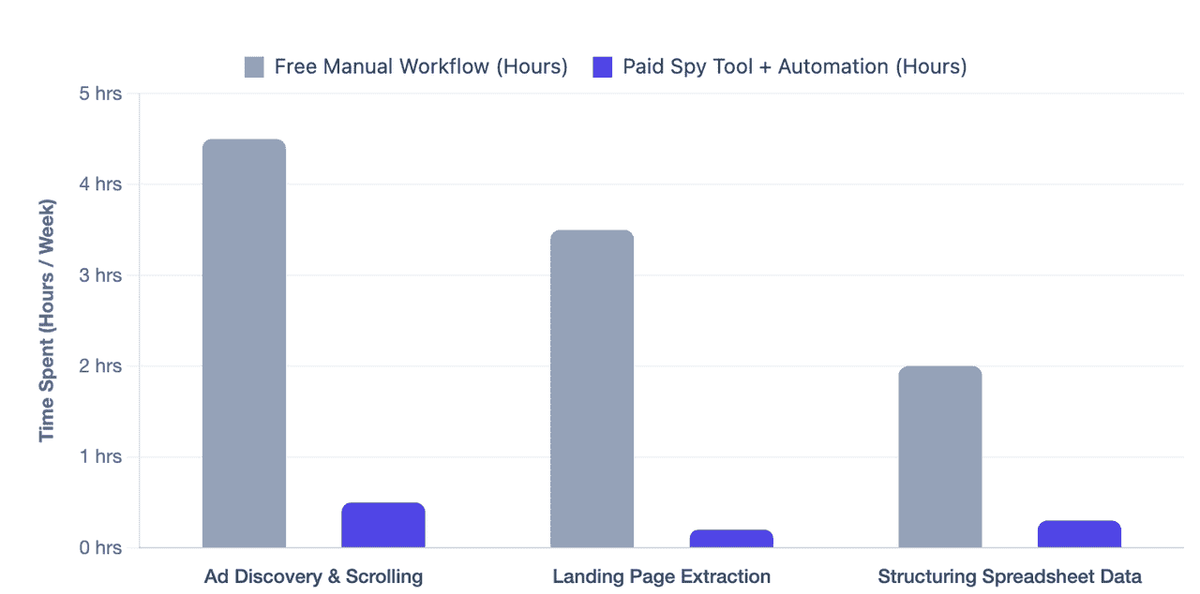
You can still run a useful first-pass audit without paying for a dedicated YouTube ads spy tool. The free workflow below will not give you the same depth as VidTao, Video Ad Vault, or AdPlexity, but it is enough to collect competitor ad examples, landing pages, hooks, and offer ideas.
Step 1: Check Google Ads Transparency Center
Search for your top 3 competitors by brand name or domain. Note which video ads are visible, which formats they use, and when they were last shown where that data is available.
Step 2: Use VidTao’s Free or Trial Access
Search by keyword, competitor name, or competitor domain to find YouTube ad examples and landing pages. Focus on ads that are relevant to your niche and have clear hooks, offers, and CTAs.
Step 3: Watch YouTube Like Your Target Audience
Use a separate browser profile or an incognito window. Search for niche keywords, watch videos your target customers would watch, and note which ads appear before or during those videos.
This method is not complete competitor coverage, but it can help you see real ads being served in your category.
Step 4: Check “Why This Ad?” When Available
When you see a relevant YouTube ad, click the three-dot menu and look for “Why this ad?” or related ad information.
This may show why the ad was served to you, but it will not reveal the advertiser’s full targeting setup, campaign structure, or budget.
Step 5: Build a Manual Swipe File
Save competitor ads you encounter and record the hook, offer, CTA, landing page, creative format, and notes.
A swipe file is useful only when your team can understand why each ad was saved and what it might inspire in your next test.
Pro tip: Set up a dedicated YouTube account for competitive research. Watch content in your niche, interact with competitor ads, this can help you see real ads being served in your category, but it should not be treated as complete competitor coverage.
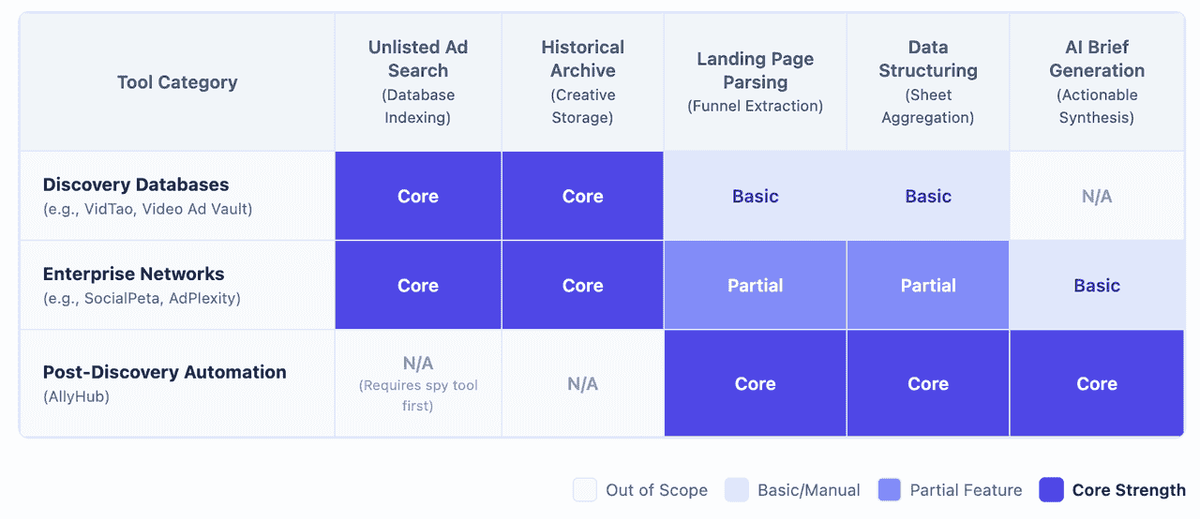
After You Find Competitor Ads, Turn Them Into a Usable Brief
A YouTube ads spy tool can show you the ads. But after 20 minutes of research, most marketers end up with the same mess: five open tabs, a few saved videos, three landing pages, and notes scattered across Slack, Notion, and a spreadsheet.
The useful work starts after discovery. You need to record the hook, offer, CTA, landing page, proof points, creative format, and anything worth testing in your own campaign.
That is where AllyHub can help. AllyHub is not a YouTube ad library. Use VidTao, Video Ad Vault, or Google Ads Transparency Center to find the ads first. Then use AllyHub to review the public pages you care about, pull out the fields you need, and organize the findings into a cleaner research sheet.
A practical setup could look like this:
- Start with 10–20 competitor ads from your spy tool.
- Add the ad pages, landing pages, and competitor URLs into AllyHub.
- Ask AllyHub to review the public pages you provide and organize the basics: brand, offer, CTA, hook, landing page URL, proof points, and notes.
- Review the output before using it in a brief or client report.
- Run the same workflow again next month to see what changed.
FAQ
What is the best free YouTube ads spy tool?
For most marketers, Google Ads Transparency Center is the best free official starting point. VidTao can also be useful for YouTube-first research, depending on its current free or trial access. Use both if you want a stronger first-pass audit without paying.
Can YouTube ads spy tools find unlisted ads?
Some dedicated YouTube ad intelligence tools market unlisted ad discovery as a key feature. This matters because many YouTube ads do not appear on a brand’s public channel page. Always check the specific tool’s current feature list before buying.
How do I know if a competitor’s YouTube ad is performing well?
You usually cannot know for sure. A long-running ad is a useful signal because advertisers often stop ads that clearly fail, but it does not prove profitability. Study the ad, landing page, offer, market, and brand context before drawing conclusions.
How often should marketers run YouTube ad competitor research?
For active paid campaigns, a weekly light check and monthly deeper review is a practical rhythm. If your market changes quickly or competitors launch often, create a recurring workflow so you are not starting from scratch each time.
Should I use a YouTube-only spy tool or a multi-platform ad spy tool?
Use a YouTube-only tool if your main goal is YouTube creative and funnel research. Use a multi-platform tool if you also need to compare Meta, TikTok, display, native, or mobile ad campaigns. Many marketers start with a YouTube-first tool, then add broader platforms as their research needs grow.