

Finding a YouTube channel lets users track down something you've already seen. Sometimes you're a marketer trying to identify creators in a specific niche. Sometimes you're a researcher mapping out who's covering a topic. Sometimes you just hear a name in passing and want to check it out. The situation changes what "finding a channel" actually means — and which approach is going to get you there fastest.
This guide covers every method that works, from the simplest one-step searches to the more powerful video finder for when the basics fall short. So you can easily locate channels, creators, brands, or specific content niches.
Method 1: How to Search a Channel Directly on YouTube
The fastest starting point for a quick lookup. Go to YouTube, type the channel name or handle into the search bar, and hit enter.
If you know the exact name or handle, the channel usually appears at the top of the results. YouTube handles (the @username format) are unique identifiers — searching for one will take you straight to the right channel.
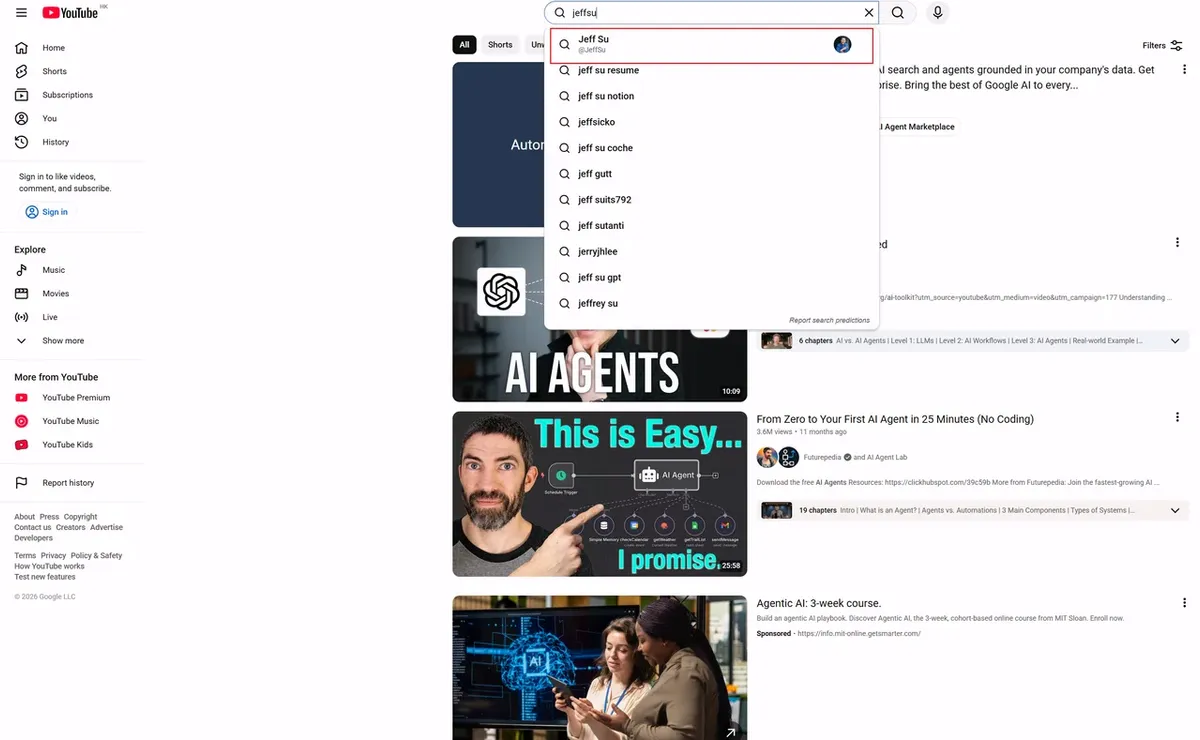
If the name is common or you're not sure of the exact spelling, the results will mix videos and channels together. That's where the next step helps.
How to filter results to channels only:
- Run your search on YouTube
- Click the Filters button (top right of the results page)
- Under Type, select Channel
- Results will now show only channel profiles, not individual videos
This filter makes a significant difference when you're searching by topic or keyword rather than an exact name.
Method 2: How to Search Channel by Topic or Keyword
If you're looking for channels in a specific niche — cooking, personal finance, tech reviews, language learning — you don't need to know a channel name to find them. Search for the topic itself, then filter by Channel.
A few tips that help here:
- Be specific with your keywords. "Investing" returns thousands of results. "Dividend investing for beginners" narrows it down to channels that actually cover that angle.
- Use YouTube's autocomplete. As you type, YouTube suggests popular search queries. These suggestions reflect what people are actually searching for — they're a useful signal for finding active, relevant channels.
- Try different phrasings. The same niche can be described in multiple ways. A channel about productivity might use "time management," "deep work," or "getting things done" in their content — try a few variations.
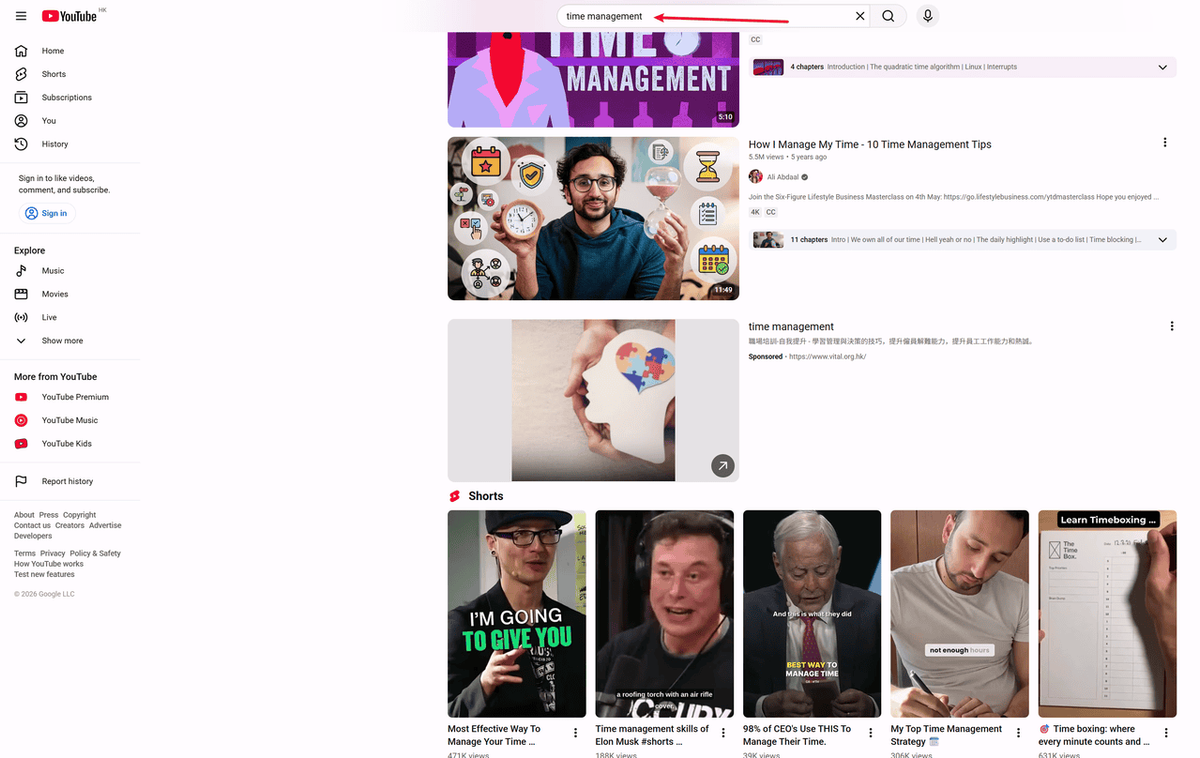
Manual search is great for finding one or two channels. But if you need to find 50 channels in the 'investing' niche and extract their contact emails, doing it manually will take hours. For that, skip Method 3 to see how AllyHub automates this.
Method 3: Use AI Agent Tool for Bulk YouTube Channels Discovery and Custom Research
If you're doing serious channel research — finding dozens of channels in a niche, pulling their metrics, comparing performance, or building a list for outreach — manual search gets slow fast no matter which method you use.
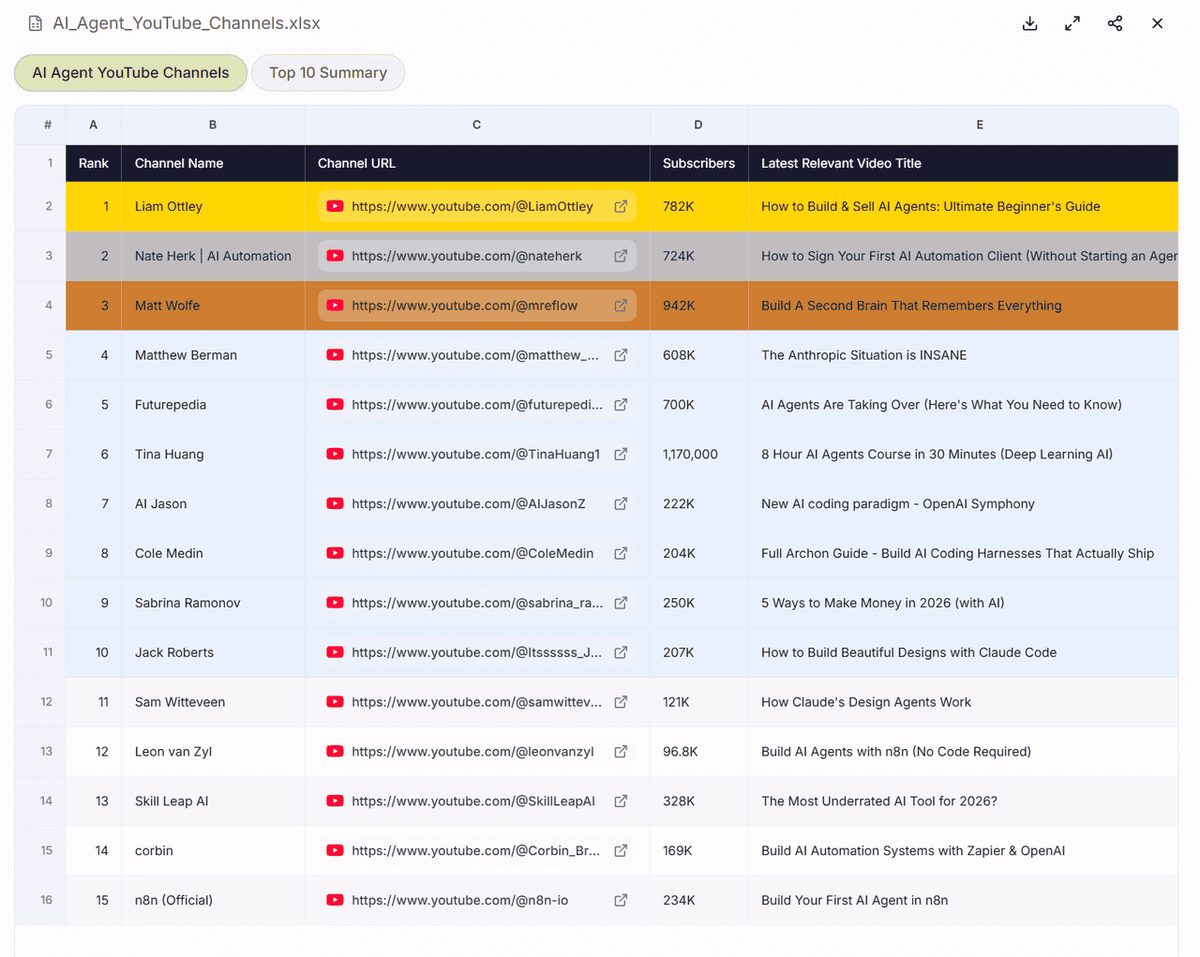
AllyHub allows you to find YouTube channels covering a specific topic, pull their subscriber counts and recent video performance, filter by criteria you define, and export everything to a spreadsheet — without writing a single line of code or clicking through hundreds of search results manually.
What makes this useful for ongoing research is AllyHub's compounding model. The first time you run a channel discovery task, AllyHub learns the structure of the pages it's working with and saves that as a reusable Recipe. Every subsequent run — whether you're searching for a different niche or updating a list you built last month — executes faster and more reliably. The research workflow gets more efficient the more you use it.
Take “AI agent” as an example. If you want to find YouTubers actively covering this topic, AllyHub can search across related keywords, identify relevant channels, pull recent performance data, and return a ranked list you can use for outreach, research, or competitive analysis.
Method 4: Use Google Search
Google indexes YouTube channels, and sometimes it surfaces results that YouTube's own search misses — especially for smaller or older channels.
Try these search formats:
- "[channel name] YouTube channel" — straightforward, works well for named creators
- "site:youtube.com/@ [keyword]" — searches YouTube handles directly
- "[topic] YouTube channel" — finds channels by niche, often with editorial recommendations from blogs and listicles
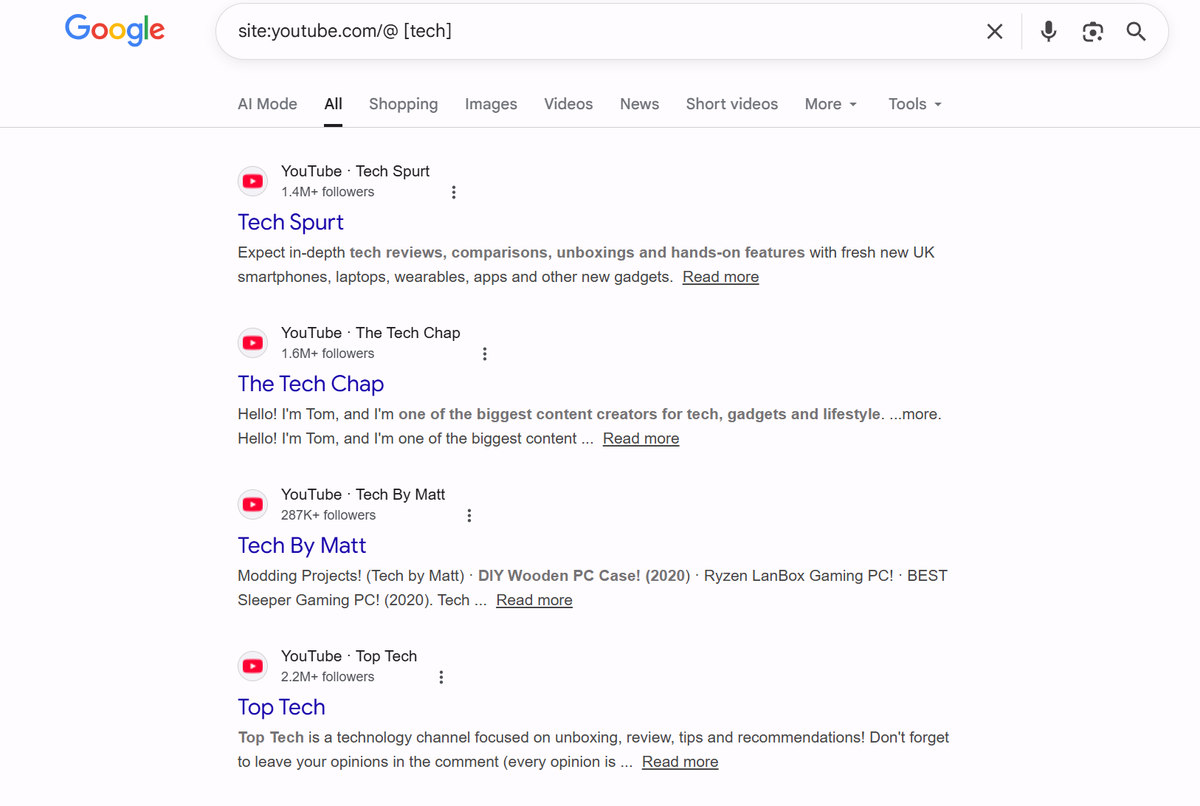
The site:youtube.com operator is particularly useful. It restricts Google's results to YouTube URLs only, which cuts through the noise when you're searching by topic.
Method 5: Check your Watch History
If you've watched a video from the channel before and just can't remember the name, your YouTube watch history is the fastest way to find it.
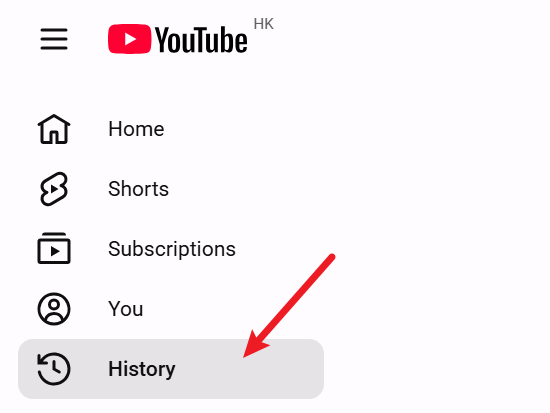
On desktop:
- Go to youtube.com and sign in
- Click the menu icon (top left) and select History
- Scroll through your history, or use the search bar within History to filter by keyword or topic
On mobile:
- Tap your profile picture
- Select Your data in YouTube, then YouTube Watch History
- Search or scroll to find the video
Once you find a video you remember watching, click through to the channel from there.
Method 6: Find a Channel Through Related Content
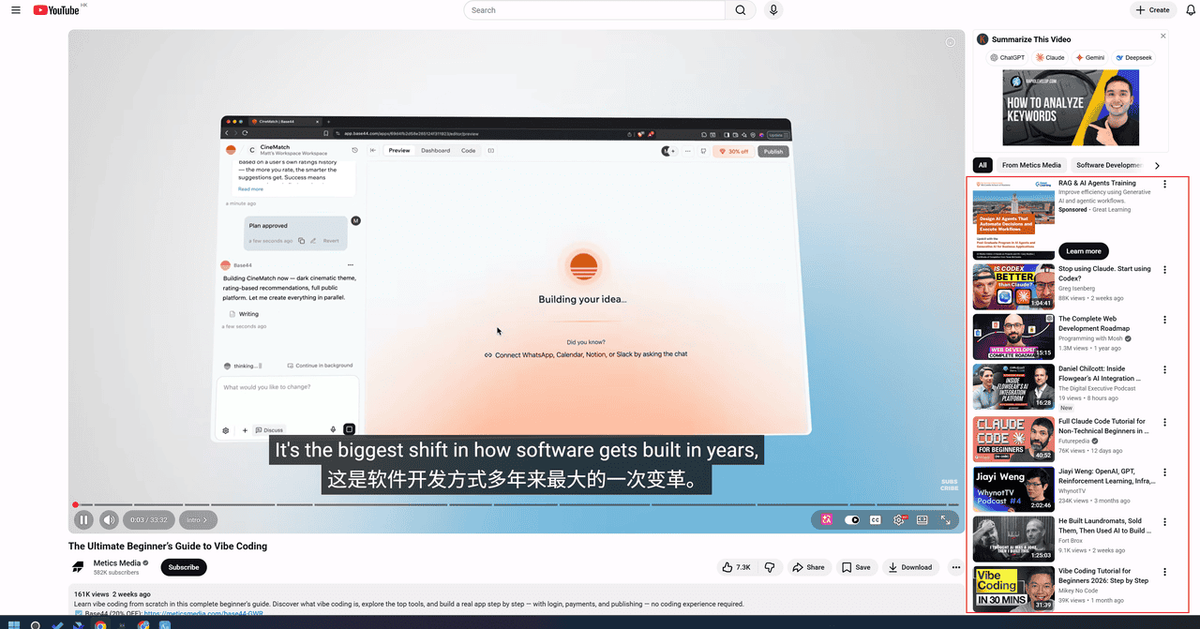
YouTube's recommendation system is actually useful for channel discovery. If you know one channel in a niche, you can often find others through:
- The "More from this channel" section on any video page
- The Channels tab on a creator's profile — some creators list channels they recommend
- Video descriptions — creators frequently mention or link to collaborators
- Comments sections — other creators often comment on videos in their niche, and their channel links are right there
This works especially well for finding channels adjacent to ones you already follow.
Method 7: Use a YouTube Channel ID or URL
Every YouTube channel has a unique ID — a string of letters and numbers that appears in the channel's URL. If someone shares a channel ID or a direct URL, you can navigate to it directly.
Channel URLs follow these formats:
- youtube.com/@handle (the most common modern format)
- youtube.com/channel/[channel ID]
- youtube.com/c/[custom name] (older format, still works)
If you have any of these, paste it directly into your browser's address bar. No search required.
Method 8: Use Third-party YouTube Channel Finders
When YouTube's native search isn't enough — especially for marketers, researchers, and creators doing competitive analysis — third-party tools offer filters and data that YouTube doesn't expose.
ChannelCrawler lets you search by keyword, subscriber range, category, and country. It's particularly useful for influencer research because it surfaces contact information alongside channel data.
TubeDigest is a free tool built for marketers and researchers. You can filter by subscriber count, verification status, topic, and keywords — useful when you need to find channels that meet specific criteria rather than just searching by name.
HypeAuditor's Influencer Discovery goes further, letting you filter by audience demographics, engagement rate, and authenticity score — not just channel size. Useful when you need to vet channels, not just find them.
Influencers.club offers a free YouTube channel search with filters for topic, location, and audience size, plus contact details for outreach.
These tools are overkill for casual channel discovery, but they're the right choice when you need to find channels at scale or with specific criteria.
FAQ
How do I find a YouTube channel if I don't know the exact name?
Search by topic or keyword on YouTube, then filter results by Channel. If that doesn't surface what you're looking for, try Google with "site:youtube.com [topic]" — it often finds channels that YouTube's own search misses.
How do I find a channel I watched before but can't remember?
Check your YouTube watch history. On desktop, go to the History section from the main menu. On mobile, find it under Your data in YouTube. You can search within your history by keyword if you remember anything about the video.
How do I find YouTube channels for influencer marketing?
Start with tools like HypeAuditor or ChannelCrawler, which let you filter by niche, audience size, engagement rate, and location. For deeper research — pulling metrics across many channels, comparing performance, or building outreach lists — AllyHub can automate the extraction and export the data to a spreadsheet.
Is there a way to find YouTube channels by location or country?
YouTube's native search doesn't filter by country. Third-party tools like ChannelCrawler, YTubeTool, and TubePilot offer country filters. For custom location-based research at scale, AllyHub can extract channel data filtered by the criteria you define.
How do I find a YouTube channel's contact information?
Check the channel's About tab — many creators list a business email there. For larger-scale outreach, tools like ChannelCrawler and Influencers.club surface contact details alongside channel data.
Finally, Let's Search for Channels on YouTube More Effectively
After testing different approaches, a few small habits can make the results much better.
Use quotes for exact phrases — it cuts through irrelevant results immediately. Search inside a channel using the Videos tab once you've found it. On third-party tools, sort by subscriber count to quickly size up a niche. Check the About tab first if you need contact info — most creators list a business email there.
And if you're doing this regularly — tracking channels, building lists, monitoring a niche over time — AllyHub handles the repetitive work for you. Describe what you need, get structured data back, and every repeat run gets faster than the last.




