Amazon gives sellers plenty of raw data through Seller Central, Brand Analytics, advertising reports, and business reports. But piecing those reports together into something actionable takes hours of spreadsheet work. Even then, sellers may still lack timely profitability views, competitor context, or clear PPC and inventory insights.
This is what Amazon seller analytics tools solve. Some tools consolidate your sales, advertising, inventory, and profitability data. Others focus on keyword research, market intelligence, or competitor research.
Below are six best Amazon Seller Analytics tools, each with a different analytics strength for product research. Choosing one depends on which decision you are trying to improve.
Key Takeaways
- Amazon Seller Analytics and Amazon Brand Analytics are not the same thing. Brand Analytics (ABA) is a free Amazon tool for Brand Registry sellers focused on customer behavior and search data. Seller analytics tools provide financial, operational, and competitive intelligence across your entire business.
- Helium 10 is the best all-in-one choice: with keyword research, market tracking, profit analysis, and listing optimization in one suite — it covers more ground than any single competitor.
- Sellerboard is the best pure profit tracker: if you only need to know which products are actually making money after all fees, Sellerboard does one thing exceptionally well.
- Nova Analytics is the best for multi-channel P&L: get detailed fee tracking, multi-account reporting, and frequent data refreshes.
- AllyHub is the best for automating competitive research: it operates in your browser to help collect listing details, reviews, pricing, and research notes — handling the manual research that no dashboard can automate.
Amazon Seller Analytics vs. Amazon Brand Analytics
Amazon Seller Analytics and Amazon Brand Analytics (ABA) sound similar but serve completely different purposes. Below are the differences between them that actually drive decisions.
Amazon Brand Analytics (ABA) | Amazon Seller Analytics Tools | |
What it is | A free reporting suite inside Seller Central | Third-party software platforms |
Who can use it | Only Brand Registry sellers | Any Amazon seller |
Amazon also offers native profitability reporting such as Profit Analytics, but third-party tools may still be useful when sellers need cross-account views, custom COGS logic, PPC allocation, competitor tracking, or more flexible reporting.
How We Selected These Tools
We compared Amazon seller analytics platforms across five practical criteria:
- Data accuracy: Does the tool calculate profit correctly after all Amazon fees? We prioritized tools with hourly data refresh and comprehensive fee tracking.
- Feature depth: Does it cover the full seller workflow — keyword research, listing optimization, PPC analysis, competitor tracking, and financial reporting? Or is it a point solution?
- Usability: Can sellers find the metric they need quickly, without digging through cluttered dashboards? We penalized tools with cluttered interfaces and steep learning curves.
- Scalability: Does the tool work for both solo sellers and agencies or teams managing multiple accounts? We prioritized platforms that scale.
- Value for price: Not the cheapest — the best capability-to-cost ratio for the type of seller the tool serves best.
Quick Comparison Table of the 6 Amazon Brands Analytic Tools
Tool | Best For | Starting Price | Key Strength |
Helium 10 | All-in-one seller suite | $129/month | Keyword research + market tracking |
1. Helium 10 — Best All-in-One Seller Suite
Helium 10 provides one of the broadest all-in-one Amazon seller suites. It covers the full seller workflow: product discovery (Black Box), keyword research (Cerebro, Magnet), listing optimization (Scribbles), market and competitor tracking (Market Tracker), PPC management (Adtomic), and profit analysis (Profits). If you're going to pay for one tool, this is the one that covers the most ground.
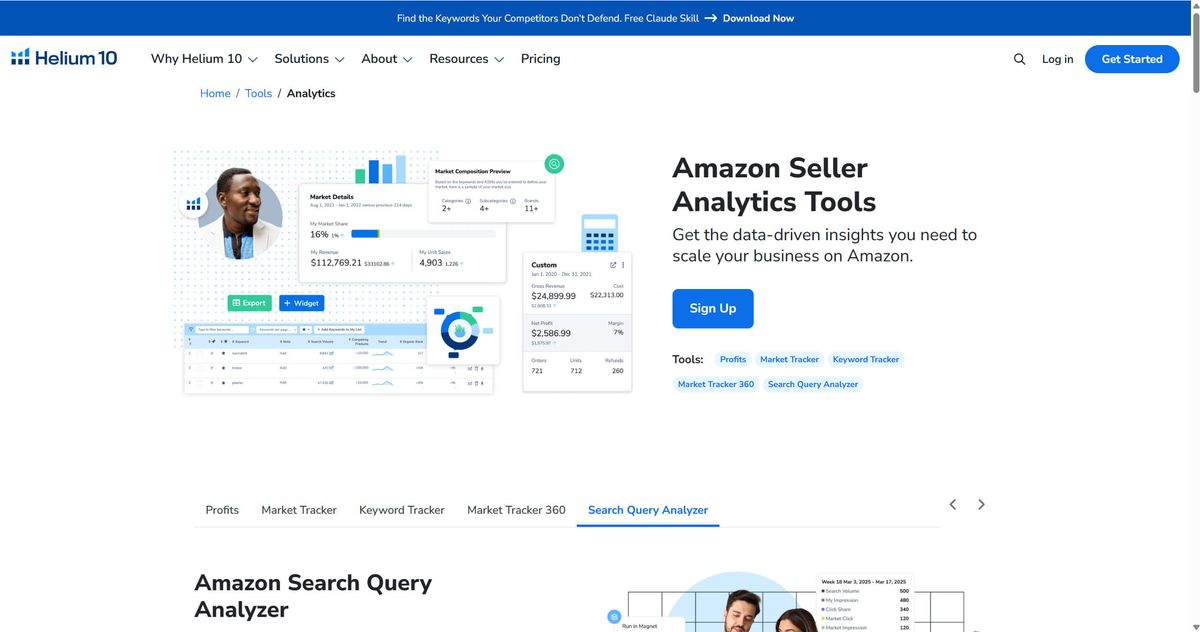
Key features:
- Cerebro: Reverse ASIN lookup — enter a competitor's ASIN and see every keyword they rank for
- Magnet: Keyword research with search volume and organic ranking difficulty
- Market Tracker: Monitor competitor sales, pricing, and inventory across an entire market
- Profits: Profit dashboard that factors in all Amazon fees, COGS, and PPC spend
- Adtomic: AI-powered PPC campaign management and optimization
Pricing: Platinum $129/month, Diamond $359/month.
Best for: Sellers who want one platform rather than stitching together three or four point solutions.
Limitations: The interface is dense — there's a real learning curve. New users will need a few weeks to feel comfortable navigating Cerebro, Magnet, and Market Tracker efficiently. The lower-tier plans restrict access to the most powerful features (Cerebro keyword limits, Profits dashboard depth).
2. Jungle Scout — Best for Sales Analytics with AI-Powered Insights
Jungle Scout started as a product research tool and now includes sales analytics, product discovery, supplier research, and AI-assisted workflows. Its standout feature is Sales Analytics — a dashboard that tracks revenue, profit margins, ROI, and cost of goods sold with AI-generated financial reports. If Helium 10 is breadth-first, Jungle Scout is depth-first: their financial analytics are more sophisticated, and their AI Assist feature can actually surface insights you'd miss in a manual review.
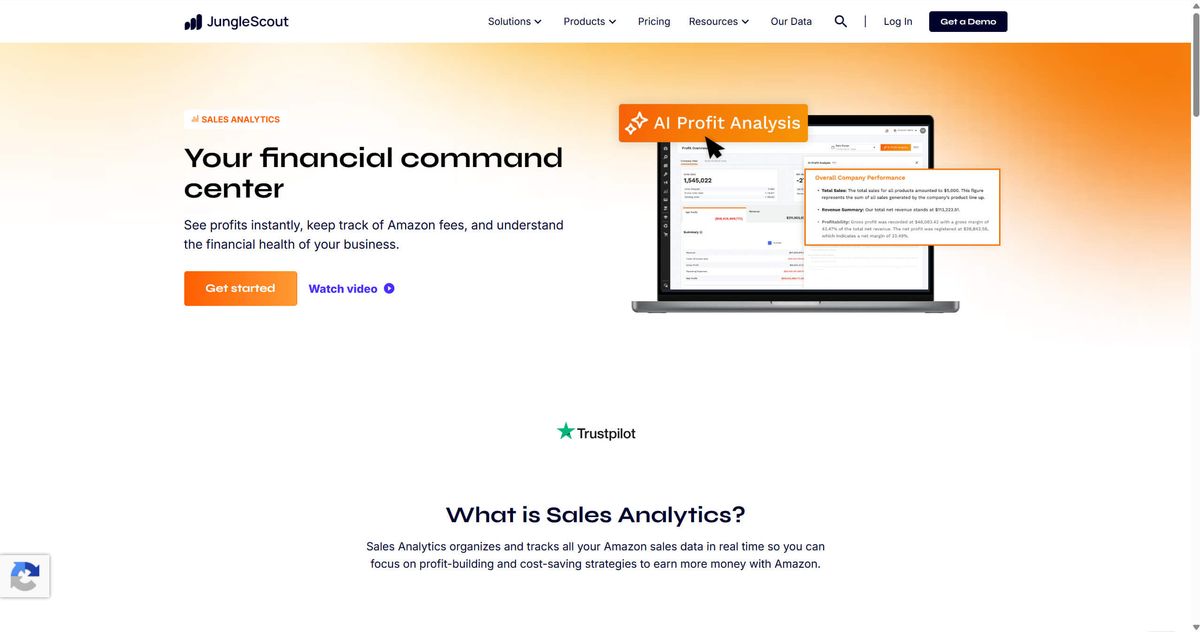
Key features:
- Sales Analytics: Track revenue, units, profit, margins, and ROI with trend visualization
- AI Assist: Automatically generates financial reports and flags anomalies (revenue dips, margin erosion, inventory risks)
- Product Database: Filter Amazon's entire catalog by sales estimates, review count, and category
- Opportunity Finder: AI-powered niche discovery using sales data and competition analysis
- Supplier Database: Search verified global suppliers by product category
Pricing: (Catalyst) Starter $49/month, Growth Accelerator $79/month, Brand Owner $149/month. 7-day money back guarantee.
Best for: Sellers who want AI-driven financial oversight — not just raw data. Jungle Scout's AI Assist is genuinely useful for sellers who don't have time to manually scan for margin anomalies or inventory risks.
Limitations: Keyword research is less comprehensive than Helium 10. PPC management features are lighter. Jungle Scout is stronger on product research and financial analytics than on competitive keyword intelligence — pairing it with a dedicated keyword tool is common.
💡 Pro tip: Use Jungle Scout's Opportunity Finder to identify high-demand, low-competition niches, then use their Supplier Database to find manufacturers. The product discovery-to-sourcing workflow is unusually well-integrated.
3. Sellerboard — Best for Profit Tracking per ASIN
Sellerboard does one thing — profit tracking — and does it very well. If your primary question is "which of my products are actually making money after all fees?" Sellerboard gives you the cleanest answer in the market. It calculates true net profit per ASIN, accounting for FBA fees, referral fees, storage, PPC, returns, promotions, and custom cost inputs — then visualizes it in dashboards that make the winners and losers immediately obvious.
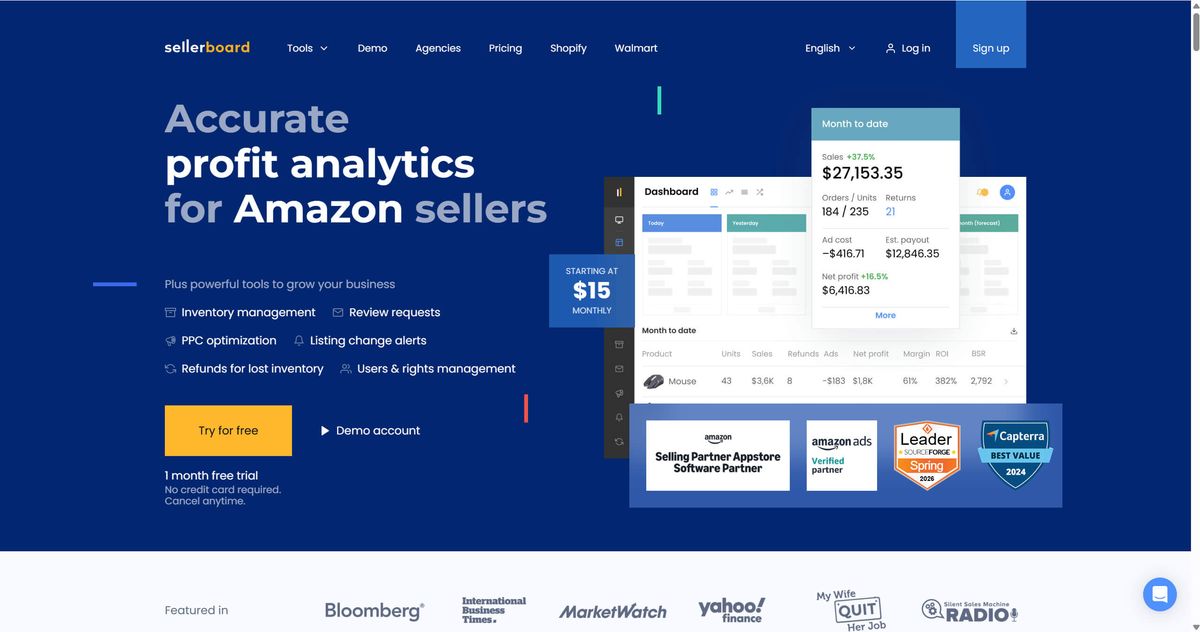
Key features:
- Profit dashboard with per-ASIN breakdown including all Amazon fee types
- Automatic COGS tracking with SKU-level cost inputs
- PPC cost allocation to individual ASINs (not just campaigns)
- Inventory health dashboard with stockout risk alerts
- Historical data with month-over-month and year-over-year comparisons
Pricing: Standard $19/month, Professional $29/month, Business $39/month, Enterprise $79/month. 30-day free trial — the most generous trial on this list.
Best for: Sellers who need to know exactly which ASINs are profitable and which are silently bleeding margin. Also the best choice for sellers who find Helium 10 and Jungle Scout overwhelming — Sellerboard's focused feature set means a much shorter learning curve.
Limitations: No keyword research, no listing optimization, no competitor intelligence. Sellerboard is a financial tool, not an all-in-one platform. You'll need separate tools for keyword tracking and market research.
⚠️ Warning: Sellerboard's accuracy depends entirely on your COGS inputs. If you estimate your landed cost at $5 per unit but it's actually $5.80, your profit calculations will be misleading. Audit your cost inputs monthly.
4. Nova Analytics — Best for Financial P&L and Multi-Account Management
Nova Analytics is built for sellers who need frequent financial visibility — particularly agencies and multi-brand operators. It tracks Amazon fee types with hourly data refresh, and it can consolidate profit-and-loss statements across multiple seller accounts into a single view. If your Amazon business has crossed the threshold where "approximate profit" isn't good enough anymore, Nova is the tool you graduate to.
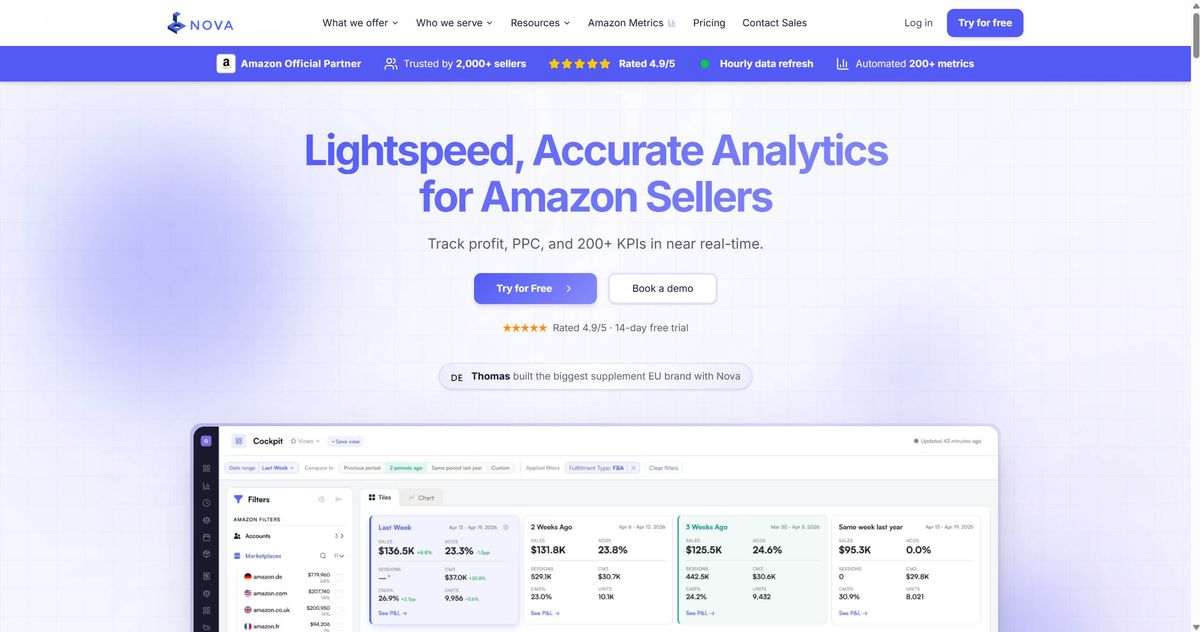
Key features:
- Tracks 40+ Amazon fee types with categorization granularity that other tools lack
- Hourly data refreshes — near-real-time P&L visibility, depending on data sync and account setup
- Multi-account P&L consolidation in a single dashboard
- Customizable chart of accounts for mapping Amazon fees to your accounting system
- COGS allocation by shipment batch
Pricing: Starter $29/month, Enterprise custom. 14-day free trial.
Best for: Sellers managing multiple Amazon accounts, agencies reporting to clients, and any seller who needs profit data precise enough to feed into an accounting system. Also ideal for sellers in high-SKU-count categories where per-unit margin tracking at scale is essential.
Limitations: No keyword research, listing optimization, or product discovery features. This is a financial tool, not a growth tool.
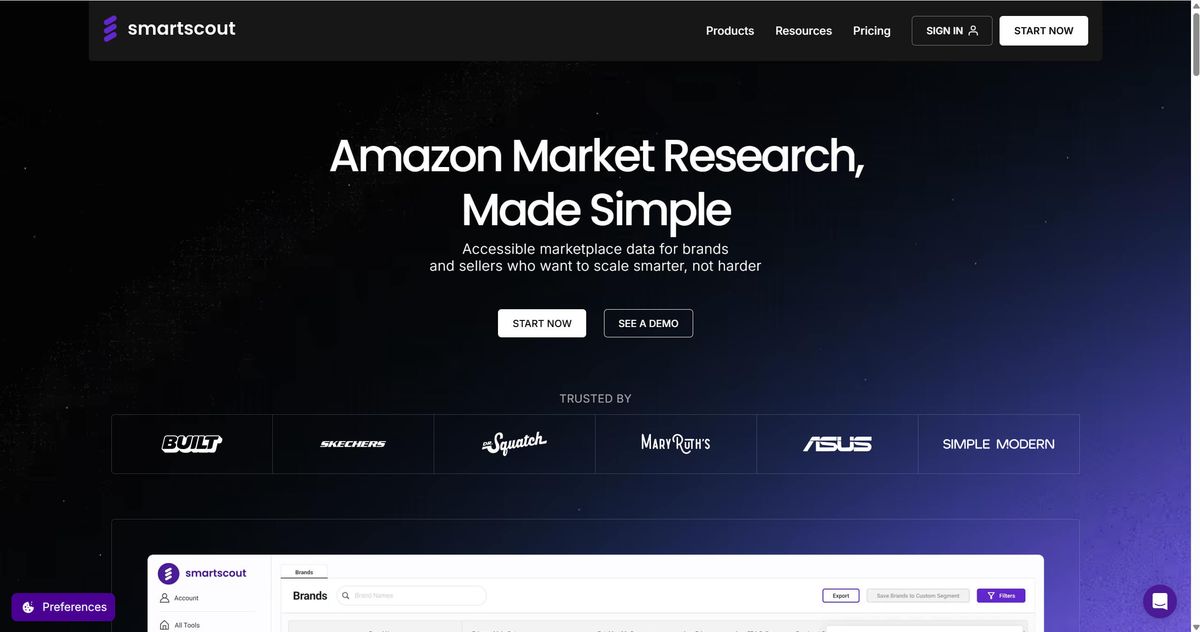
5. SmartScout — Best for Brand and Category Research
SmartScout takes a different approach from the rest of this list. Instead of focusing on your own business metrics, it focuses on mapping the competitive landscape — who sells what, in which brands, through which sellers, in which categories. Its core value is market structure intelligence: understanding the architecture of a category before you enter it.
Key features:
- Brand-level market share mapping across Amazon categories
- Seller identification — see who's selling which brands
- Category structure visualization showing subcategories and competitive density
- Traffic and sales estimates by brand and by seller
- Reverse ASIN lookup for competitive keyword intelligence
Pricing: Basic $25/month, Essentials $75/month, Business $158/month, Enterprise custom pricing. 7-day money back guarantee.
Best for: Sellers entering a new category who need to understand the competitive landscape before committing to inventory. Also strong for brand owners who want to monitor unauthorized resellers across their distribution network.
Limitations: No profit tracking, no PPC analytics, no inventory management. SmartScout is a market intelligence tool, not a business management tool. It answers "what's happening in this market?" not "how is my business performing?" Most users pair SmartScout with a profit-tracking tool from this list.
💡 Pro tip: Before launching a new product, use SmartScout to map the category's brand concentration. If a small number of brands appear to control most of the category’s estimated revenue, you may be entering a consolidated market.
6. AllyHub — Best for Browser-Based Competitive Research Automation
Most analytics dashboards are strongest when the data is structured: sales reports, ad metrics, keyword databases, fee reports, and market estimates. Some of the most useful competitive context still lives on web pages, listings, reviews, screenshots, and manual notes — places that traditional dashboards do not always capture cleanly.
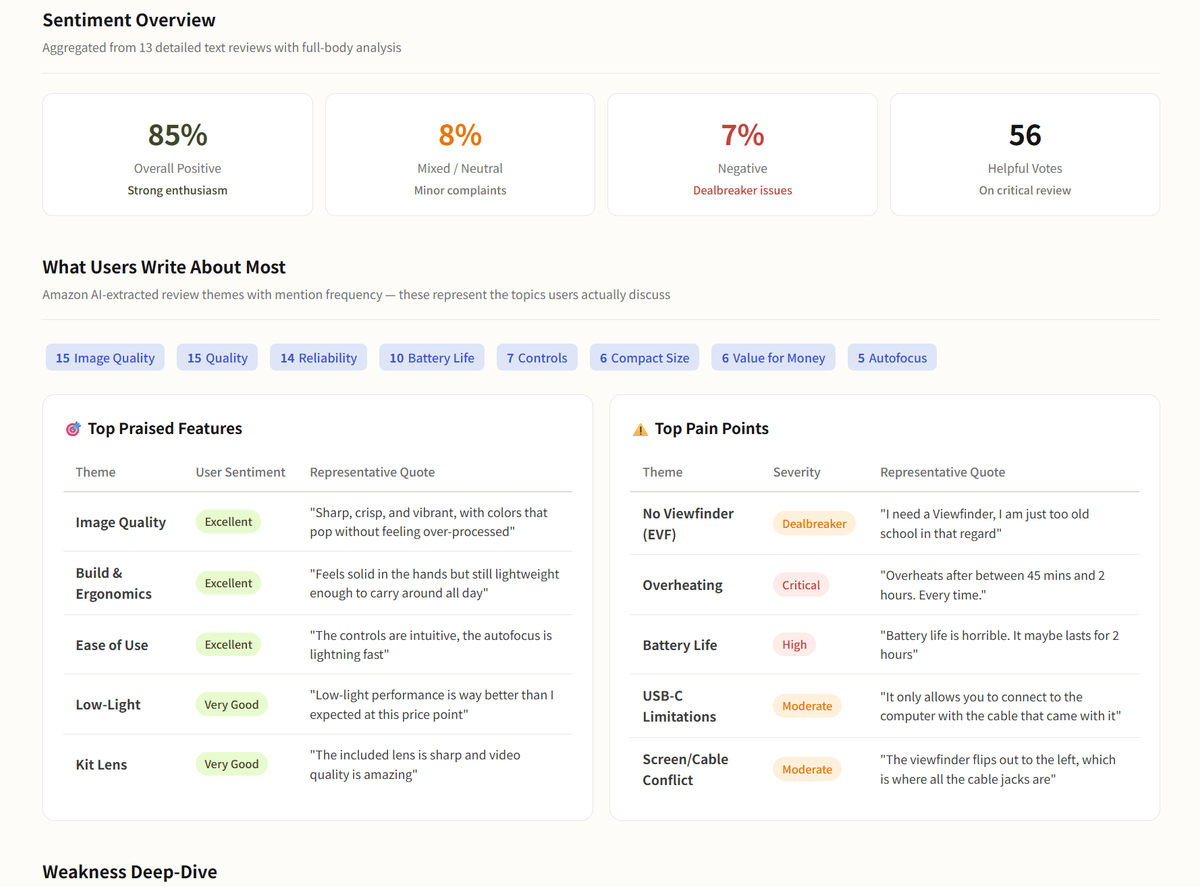
What are customers actually saying in competitor reviews? What pricing patterns are emerging across a category? Answering questions like that still requires hours of manual browser work.
AllyHub is a browser-native AI copilot that helps operate your browser, collect publicly visible research inputs, summarize patterns, and structure findings into repeatable reports.
Key features:
- Extract and analyze competitor reviews — surface recurring complaints, sizing issues, and product gaps
- Help monitor listing details such as titles, bullets, images, A+ Content, and price tracking
- Compile structured competitive intelligence reports from multiple data sources
- Automate repeat research workflows and save them as one-click reusable services
- Operates directly in your browser — no API integrations required, works on any website
Pricing: Free tier available; paid plans unlock higher usage limits and advanced automation.
Best for: Marketers and sellers who spend hours manually researching competitors, analyzing reviews, and compiling competitive reports. Also strong for agencies doing competitive audits across multiple client accounts — the reusable workflow feature means each research project builds an asset that accelerates the next one.
Limitations: AllyHub is not a traditional analytics dashboard, so it should not replace a profit tracker, PPC tool, or keyword database. It works best alongside those tools by helping with the manual browser research around them. The key is choosing repeatable workflows with clear value — for example, weekly competitor listing audits or recurring review-theme analysis — so AllyHub can turn that work into reusable assets over time.
✅ Try it: Start with AllyHub for free, run one repeatable competitor research task, and turn the steps into a reusable Service asset.
Which Amazon Seller Analytics Tool Should You Choose?
The right tool depends on what problem you're solving right now:
If You Need… | Start With |
One tool that does everything | Helium 10 |
AI-driven financial insights and product discovery | Jungle Scout |
Clear profit-per-ASIN data, nothing else | Sellerboard |
The realistic answer for most serious sellers: Many growing sellers eventually use a small stack rather than one tool. A practical stack might be Helium 10 for keyword and market research, Sellerboard or Nova for profit tracking, and AllyHub for repeat competitive research workflows. You can take it as an example to try.
Frequently Asked Questions
What is Amazon Seller Analytics?
Amazon Seller Analytics refers to the tools and practices sellers use to collect, organize, and interpret their Amazon business data — sales, profitability, PPC performance, inventory, and competitive intelligence.
What's the difference between Amazon Brand Analytics and Seller Analytics?
Amazon Brand Analytics (ABA) is a free tool inside Seller Central for brand-registered sellers. It shows customer behavior data. Seller analytics tools are third-party platforms that pull your business data — sales, fees, PPC, inventory — into unified dashboards and layer competitive intelligence on top.
Is Amazon Brand Analytics free?
Yes. ABA is completely free for sellers enrolled in Amazon Brand Registry.
What metrics should Amazon sellers track?
At minimum, every seller should track: (1) net profit per ASIN, (2) ACoS (Advertising Cost of Sale) and TACoS (Total Advertising Cost of Sale), (3) inventory turnover rate and stockout risk, (4) organic vs. paid conversion rate by keyword, (5) return rate by ASIN, and (6) competitor pricing and listing changes. The six tools in this guide cover different subsets of these metrics — most sellers need two or three to track all six.
Which Amazon seller analytics tool is best for beginners?
Sellerboard is the most beginner-friendly tool on this list — it focuses on profit tracking with a clean interface and generous 30-day trial. If you're a new seller with fewer than 20 SKUs, start with Sellerboard to understand your unit economics, then add Helium 10 or Jungle Scout when you're ready for keyword research and competitive intelligence.
Can I use free tools for Amazon seller analytics?
Yes, to a point. Amazon's native reports (Business Reports, Payments, Inventory Health) are free but require manual consolidation. Free third-party tools like Keepa (price history) and CamelCamelCamel (price alerts) provide narrow but useful data. Google Trends helps with keyword seasonality. The paid tools on this list exist because Amazon's free data isn't actionable without the processing layer.
How do I automate Amazon competitor research?
Automating Amazon competitor research usually starts with identifying the repeatable parts of the workflow: checking the same competitor ASINs, reviewing public customer feedback, comparing pricing and variants, and summarizing listing changes since the last audit. AllyHub fits this workflow because it operates in the browser and helps turn repetitive research steps into reusable Service assets.