

You've spotted a competitor running a flash sale. Their pricing page just changed. Their product listings shifted. You want that data — fast, clean, and ready to act on — but manually copying it row by row isn't an option.
That's exactly where web scraping comes in. And no, you don't need to be a developer to do it.
This guide is written specifically for digital marketers and e-commerce marketers who want to collect web data for competitor analysis, price monitoring, lead generation, and market research — without drowning in code. We'll cover the most practical methods, walk through a beginner-friendly web scraping tutorial, address the legal and ethical questions you should know, and show you how AI tools are making the whole process dramatically faster.
Key Takeaways
- What web scraping is: Automated extraction of publicly available data from websites — no manual copy-pasting required.
- No-code starting point: Browser extensions like Instant Data Scraper or platforms like Octoparse are good beginner-friendly options for simple scraping tasks.
- Best for coders: Python with requests + BeautifulSoup is the go-to stack for static pages; Selenium handles JavaScript-heavy sites.
- Is it legal? Scraping publicly available, non-personal data is generally legal — but always check the site's robots.txt and Terms of Service first.
- Marketer use cases: Competitor pricing, product catalog monitoring, review aggregation, lead list building, SERP tracking.
- Bottom line: Start with a no-code tool for quick wins. Graduate to Python or an AI-powered agent when you need scale or automation.
What Is Web Scraping (and Why Marketers Should Care)?
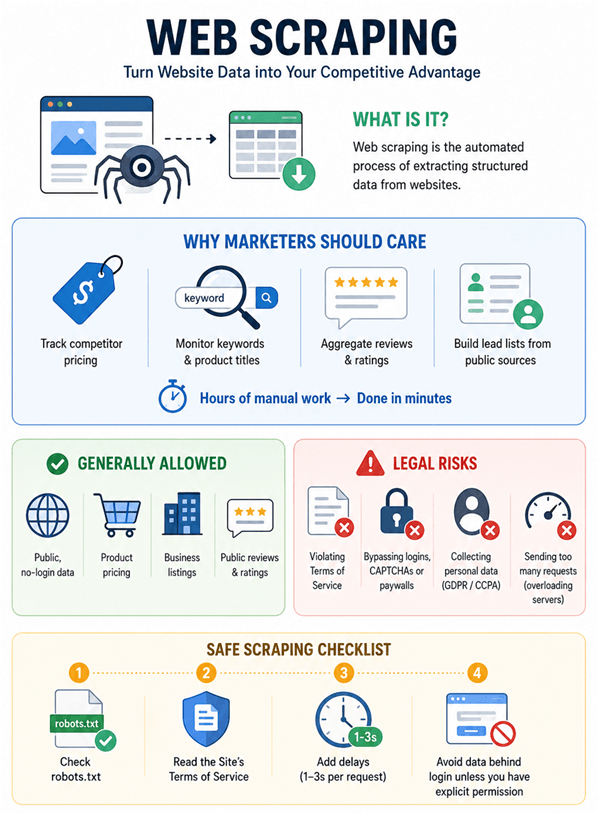
Web scraping is the automated process of extracting structured data from websites. Instead of manually visiting a page and copying information, a scraper does it programmatically — visiting the URL, reading the HTML, and pulling out exactly the data you need.
For marketers, this translates directly into competitive intelligence. You can monitor how a competitor's pricing changes week over week, track which keywords they're targeting in their product titles, aggregate customer reviews across platforms, or build a lead list from a public business directory — all without lifting a finger after the initial setup.
The data that used to take a team hours to compile can now be collected in minutes.
Is Web Scraping Legal and Ethical?
This is the question every marketer should ask before running their first scraper. The short answer: scraping publicly available, non-personal data is generally legal in most jurisdictions — but the details matter.
Lower-Risk Examples
- Collecting publicly visible, non-sensitive data that does not require a login is usually lower risk, especially when done at a reasonable rate and in line with the site’s terms
- Price monitoring from public product pages
- Collecting publicly listed business information (names, addresses, phone numbers)
- Aggregating publicly posted reviews and ratings
What Creates Legal Risk
- Violating Terms of Service: Many websites explicitly prohibit automated scraping in their ToS. Breaching these terms can result in IP bans, cease-and-desist letters, or contract claims — even if the data is technically public.
- Bypassing access controls: Circumventing logins, CAPTCHAs, or paywalls may violate laws like the Computer Fraud and Abuse Act (CFAA) in the US.
- Scraping personal data: GDPR (EU) and CCPA (California) protect personal information. Collecting names, emails, or other personal data without consent carries significant legal risk.
- Overloading servers: Sending too many requests too quickly can be considered a denial-of-service attack.
Practical Rules to Follow
⚠️ Before you scrape any site:
Check robots.txt (e.g., example.com/robots.txt) — this file tells you which pages the site owner allows crawlers to access.
Read the site's Terms of Service for any mention of automated access or data collection.
Add delays between requests (1–3 seconds) to avoid hammering the server.
Never scrape behind a login unless you have explicit permission.
The landmark hiQ v. LinkedIn case (2022) established that scraping public pages doesn't automatically violate the CFAA — but contract claims from ToS violations can still apply. When in doubt, consult a legal professional.
How to Scrape Data from a Website: 4 Practical Methods
Method 1: No-Code Web Scraping with Browser Extensions
Best for: Marketers who want quick data extraction without any coding.
Browser extensions are the fastest way to get started. They work directly in your browser, let you point and click on the data you want, and export results to CSV or Excel.
Top No-Code Tools for Marketers
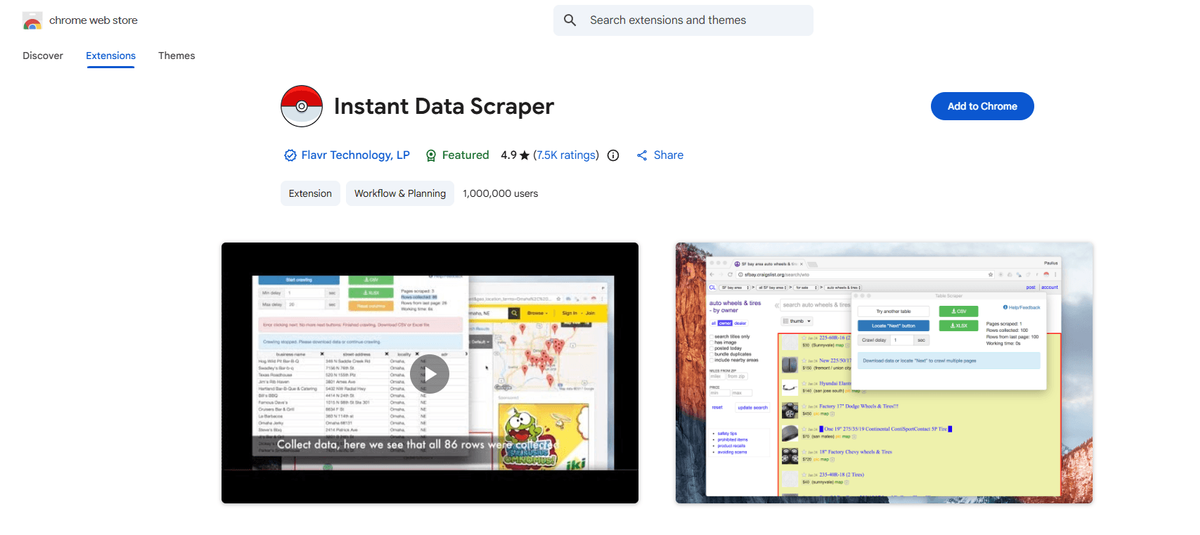
Instant Data Scraper (Chrome Extension)
A free Chrome extension that automatically detects tables and lists on any page. Click the extension, it highlights the data it found, and you export with one click. Works well for product listings, directories, and review pages.
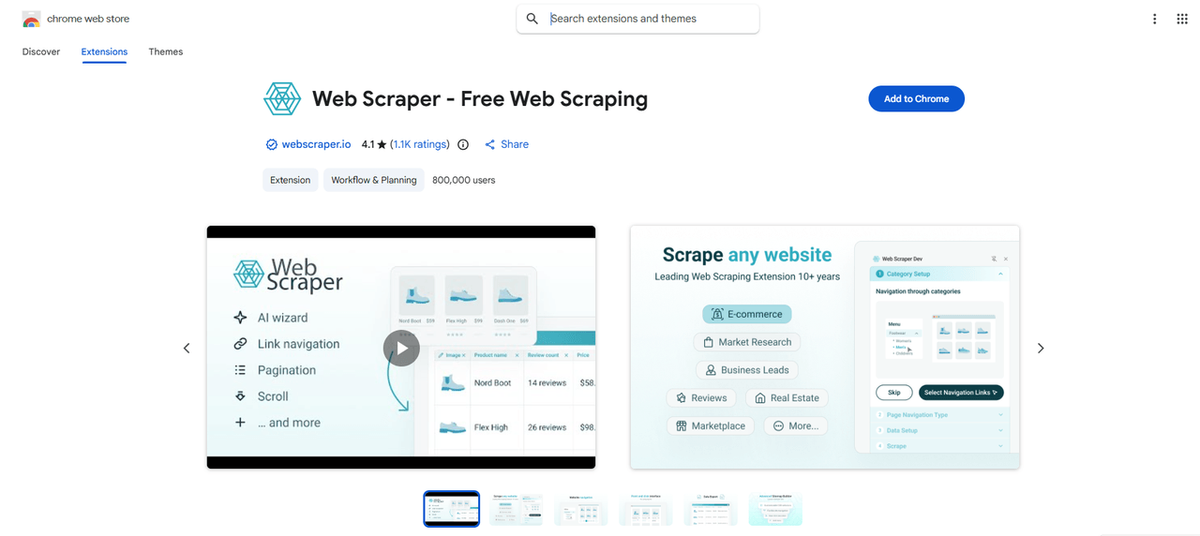
Web Scraper (Chrome Extension)
More powerful than Instant Data Scraper. You define a "sitemap" — essentially telling the tool which elements to extract and how to navigate pagination. Has a free tier and a cloud version for larger jobs.
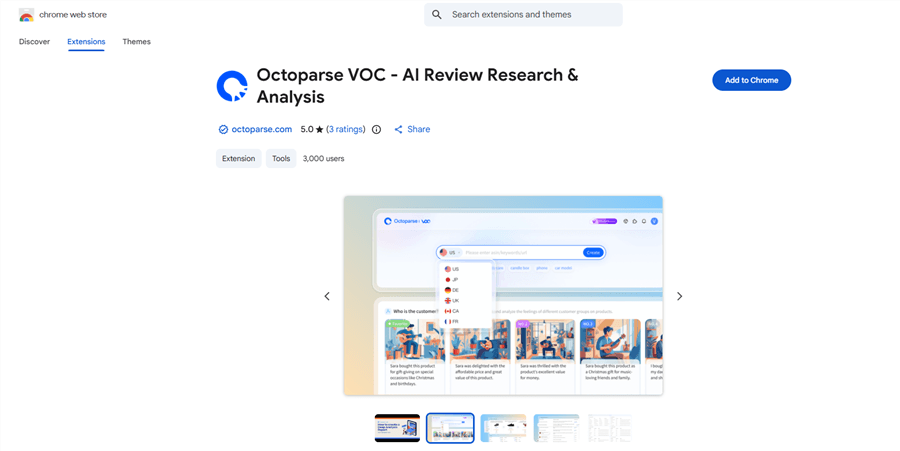
Octoparse
A desktop application with a visual point-and-click interface. Handles pagination, infinite scroll, and JavaScript-rendered content. Free tier available; paid plans for cloud scraping and scheduling.
Step-by-Step: Scraping a Competitor's Product Prices with Instant Data Scraper
- Install Instant Data Scraper from the Chrome Web Store.
- Navigate to the competitor's product listing page.
- Click the Instant Data Scraper icon in your browser toolbar.
- The extension will highlight the data table it detected. If it's not right, click "Try another table."
- If the extension detects pagination, click “Start crawling” to collect data across multiple pages.
- Click "Download CSV" when done.
💡 Pro tip: For e-commerce sites with infinite scroll, use Octoparse instead — it handles scroll-based pagination that Instant Data Scraper can miss.
Method 2: Web Scraping Tutorial for Beginners — Python Basics
Best for: Marketers comfortable with basic scripting who need more control and scale.
Python is the most popular language for web scraping. The core workflow involves two libraries: requests (to fetch the page's HTML) and BeautifulSoup (to parse that HTML and pull out the data you need). Once extracted, pandas lets you save everything neatly to a CSV file.
The basic process works like this: you point Python at a URL, it downloads the page's source code, and then you tell it which HTML elements contain the data you want — product names, prices, review counts, whatever. To find those elements, open the page in Chrome, right-click on the data, and select Inspect. The browser's developer tools will show you the exact HTML tag and class name to target.
For most static pages (standard product listings, directories, blog posts), this approach works reliably. The one exception is JavaScript-rendered pages — sites that load content dynamically after the initial page load. For those, you'd use Selenium or Playwright instead, which control a real browser and wait for the JavaScript to finish executing before extracting data.
💡 Pro tip: Not sure if a page is JavaScript-rendered? Press Ctrl+U to view the raw page source. If your target data isn't visible there, the page is dynamic and you'll need Selenium.
⚠️ Warning: Always include a User-Agent header in your requests — without it, many sites will block you automatically. And add a short delay (1–2 seconds) between requests to avoid triggering rate limits.
Also Read: Best Amazon Scrapers: Top Tools for Extracting Amazon Data >
Method 3: AI-Powered Web Scraping (No Code, No Setup)
Best for: Marketers who want to scrape data as part of a larger workflow — without writing code or managing tools.
This is where AI browser agents can be useful. AllyHub, for example, is a browser-native AI copilot that can help operate web pages directly: navigating, scrolling, clicking, extracting visible data, and organizing the results into a structured file or report.
Instead of manually configuring a scraper, you can describe the workflow in plain English, such as:
"Go to [competitor URL], extract all product names, prices, and ratings from the first three pages, and save them to an Excel file."
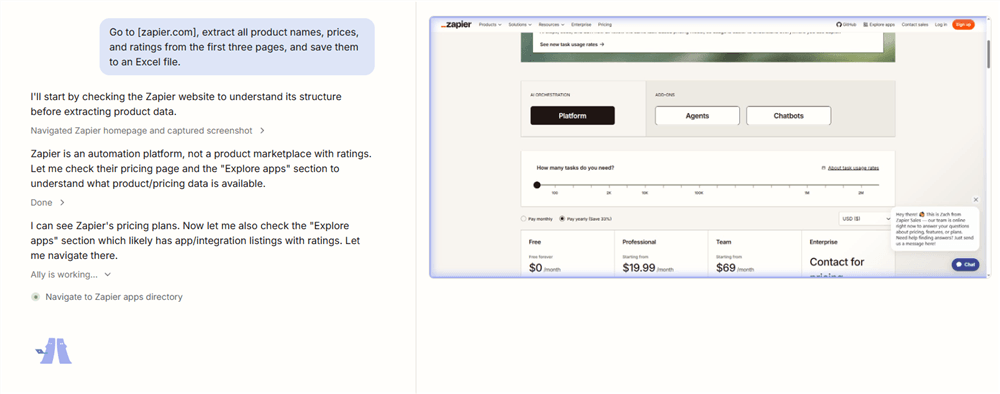
The bigger advantage is repeatability. If competitor price checks or review collection are recurring tasks, AllyHub can turn the workflow into a reusable Service asset, so the next run starts from an existing process instead of a blank prompt.
💡 Best for: E-commerce marketers who run recurring competitive intelligence tasks — price monitoring, review aggregation, product catalog tracking — and want those workflows to compound in value over time rather than starting from scratch each run.
Method 4: Dedicated Scraping APIs and Platforms
Best for: High-volume scraping, rotating proxies, and enterprise-scale data collection.
If you're scraping at scale — thousands of pages, multiple sites, daily refreshes — dedicated scraping infrastructure makes sense.
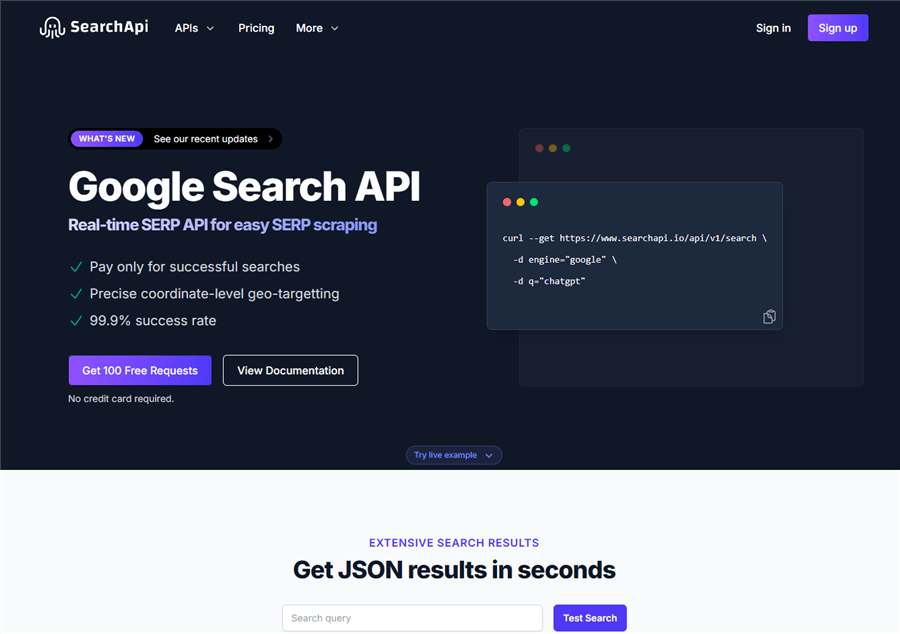
SerpAPI: Structured API for Google search results, including organic rankings, PAA questions, and featured snippets. Ideal for SERP tracking and keyword research automation.
Apify: Cloud-based scraping platform with pre-built "Actors" (scrapers) for popular sites like Amazon, LinkedIn, and Google Maps. No-code interface plus full API access.
Bright Data: Enterprise-grade proxy network and scraping tools. Used by large e-commerce teams for price intelligence and market research at scale.
ScraperAPI: Handles proxy rotation, CAPTCHAs, and JavaScript rendering automatically. You send a URL; it returns the HTML. Integrates easily with Python.
How to Choose the Right Web Scraping Method for Your Needs
Your Situation | Recommended Method |
One-time data pull, no coding | Browser extension (Instant Data Scraper, Octoparse) |
Recurring scraping, want control and have technical comfort | Python (requests + BeautifulSoup) |
JavaScript-heavy sites | Python + Selenium or Playwright |
Real Marketer Use Cases for Web Scraping
Competitor Price Monitoring
Track competitor pricing across product categories on a weekly or daily basis. For Amazon sellers, a dedicated tool Amazon price tracker makes it easy to monitor competitor price changes automatically and act on them before the window closes.
Product Catalog Intelligence
Scrape competitor product listings to track new launches, discontinued items, and catalog changes. Useful for e-commerce teams managing assortment strategy.
Review Aggregation
Pull customer reviews from Amazon, G2, Trustpilot, or Google Maps to understand what customers love and hate about competitor products. You can also extract Reddit data to surface unfiltered community conversations around a product category — often the most honest signal you'll find. Feed all of this into your positioning and messaging.
Lead Generation
Extract publicly listed business information from directories, LinkedIn company pages, or industry databases to build targeted prospect lists for outbound campaigns.
SERP Tracking
Monitor which pages rank for your target keywords, track featured snippet ownership, and identify content gaps. A Google search results extractor — lets you automate rank checks across multiple keywords without paying for a full SEO platform subscription.
Social Proof Mining
Aggregate mentions, hashtags, and engagement data from public social media pages to benchmark your brand's share of voice against competitors.
FAQ: How to Scrape Data from a Website
Is web scraping legal for marketers?
Web scraping can be legal when it involves publicly accessible, non-sensitive data and is done in a way that respects site terms, robots.txt guidance, privacy laws, and access controls. The risk increases when you collect personal data, bypass logins or paywalls, ignore a site’s Terms of Service, or send high-volume requests that strain the website. When in doubt, get legal advice before scraping.
Do I need to know how to code to scrape data from a website?
No. Browser extensions like Instant Data Scraper and platforms like Octoparse offer point-and-click interfaces that require zero coding. AI agents like AllyHub let you describe what you want in plain English and handle the extraction automatically. Python is useful when you need more control or scale, but it's not a prerequisite.
What is the best free web scraping tool for beginners?
For absolute beginners, Instant Data Scraper (Chrome extension) is the fastest way to get started — it's free and requires no setup. For more complex tasks, Web Scraper (Chrome extension) or Octoparse (free tier) offer more control without requiring code.
How do I scrape data from a website without getting blocked?
Use responsible request behavior: scrape only pages you are allowed to access, follow robots.txt where applicable, add delays between requests, avoid peak traffic windows, and keep volumes reasonable. For larger projects, use reputable data providers or scraping APIs.
Can I scrape Amazon, Google, or LinkedIn?
Be careful. Amazon, Google, and LinkedIn all have strict platform rules and technical protections around automated access. For Google SERP data, a dedicated SERP API is usually safer than building your own scraper. For Amazon, use approved tools or vendors and avoid collecting account-restricted data. For LinkedIn, scraping personal profile data carries significant platform and privacy risk, so it should be treated as high-risk unless you have clear permission and a compliant workflow.
What's the difference between web scraping and web crawling?
Web scraping extracts specific data from specific pages. Web crawling systematically browses the web to index pages (like Google's crawler does). For marketing use cases, you're almost always scraping — targeting specific data from specific sites — not crawling.
How do I handle websites that use JavaScript to load content?
Use Selenium or Playwright instead of requests. These tools control a real browser, so they execute JavaScript and render the full page before extracting data. Alternatively, AI agents like AllyHub handle JavaScript-rendered pages natively since they operate a real browser.


