

You're publishing a new YouTube Short and need hashtags that actually drive views. But hashtags trend daily, and what are the trending hashtags on YouTube today?
Manually checking hashtag popularity across YouTube takes hours, may lead to false optimization and the use of outdated hashtags. You need tools and methods that show what's trending right now, not what was trending last week.
This guide covers 5 ways to find trending YouTube hashtags today — from YouTube's built-in features to specialized tools. All of them help achieve instant visibility and maximize potential traffic by researching YouTube trends and real-time algorithmic favorites. Check and find a way that fits your needs.
Key Takeaways
- YouTube Trends shows real-time data: YouTube's native Trending tab displays currently surging topics and hashtags a video used. This is your most accurate free source.
- Best for discovery: Hashtag generators like TubeRanker and OneUpApp provide instant hashtag suggestions with search volume metrics.
- YouTube Shorts hashtags differ: Adding hashtags to YouTube Shorts is more important than long videos for marketers looking to quickly generate massive views. But trends for Shorts have faster velocity than regular videos.
- Historical tracking: Most tools show current trends only. For marketers planning content calendars, you need tools that show historical hashtag performance over time.
- Marketer's workflow: Check YouTube Trends hourly, use hashtag generators for batch research, and validate with search results before publishing.
- Don't over-hashtag: The optimal hashtag count is 3–5 tags per video. More tags dilutes your focus; fewer tags limits discoverability.
- Hashtag velocity varies by niche: Gaming hashtags trend differently than B2B marketing hashtags. Always test trending tags in your specific category before building entire content around them.
Method 1: How to Use YouTube's Built-in Trending Tab (Free)
YouTube's Trending is the most accurate free source for discovering what hashtags and topics are surging right now. It shows real-time data directly from YouTube's algorithm.
Step to Use YouTube's Trending by Categories
- Open YouTube.
- Click "Explore" from the left navigation menu (the compass icon).
- Browse trending topics organized by category — Music, Gaming, News, Movies, Sports, Learning, Fashion & Beauty.
- Click on any topic to see related trending hashtags and videos.
- Note the hashtags appearing in top trending videos for your niche.
Pro tip: The Trending tab shows both topics and hashtags. For marketers, focus on the hashtag patterns within trending videos — note which specific tags appear in the top-performing content in your category.
What the Trending Tab Shows You
Data Point | What It Means | Limitations |
|---|---|---|
Trending topics | High-velocity categories currently surging | Shows topics, specific videos, not individual hashtags |
Top videos | Most-viewed content in each category | Doesn't reveal all hashtags in use |
Marketer insight: Trending topics reveal what YouTube's algorithm is boosting right now. If you see a topic aligned with your niche, drill into the videos and extract the hashtags they're using. This combines algorithmic data with real-world examples.
Best For
- Daily content planners needing real-time trend data
- Reactive marketers responding to breaking topics in their niche
- Creators across multiple niches who need to spot cross-category opportunities
Method 2: YouTube Hashtag Generator Tools (Free + Paid)
Dedicated hashtag generators provide trending tags, search volume data, competition metrics, and instant suggestions — going beyond what YouTube's Trending tab displays.
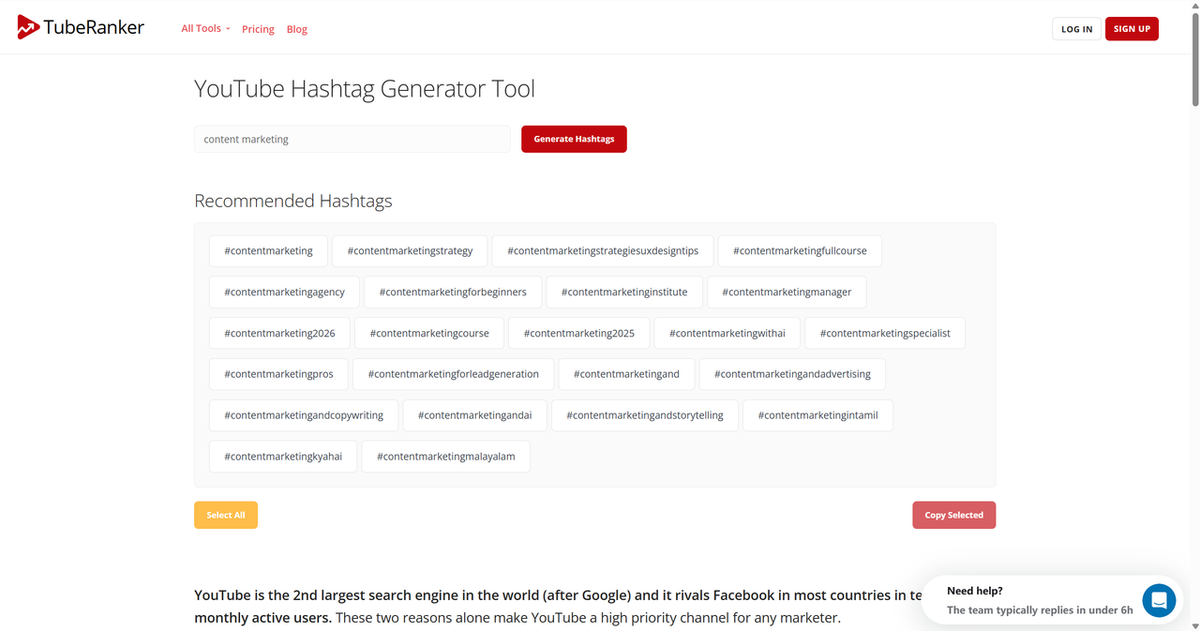
Here we take TubeRanker and OneUpApp as examples. Both of them offer a specialized YouTube hashtag generator. You can search, copy and paste directly.
Find Trending tags via TubeRanker Hashtag Generator
- Visit TubeRanker's YouTube hashtag generator.
- Enter your main keyword or topic — for example, "content marketing" or "productivity tips".
- Click "Generate" to get hashtag suggestions.
- Review metrics — search volume, competition level, and relevance score for each tag.
- Copy hashtags individually or Select All.
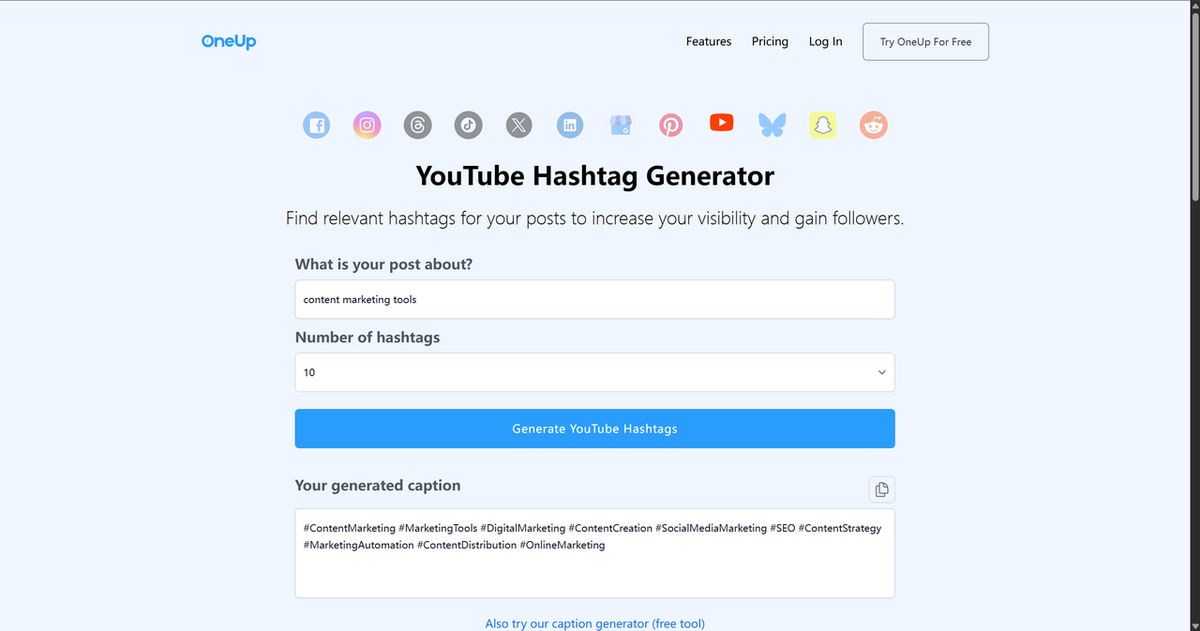
Find Trending tags via OneUpApp Hashtag Generator
OneUpApp provides a free hashtag generator with no signup required — ideal for quick research sessions.
- Go to oneupapp.io/youtube-hashtag-generator.
- Type your keyword or video topic and select the number of hashtags.
- Click "Generate YouTube Hashtags" to receive instant hashtag suggestions.
- Copy your selection directly to clipboard.
Best For
- Keyword researchers needing volume and competition data
- Bulk hashtag generation for content calendars
- Competitive analysis — understanding hashtag difficulty in your niche
Method 4: How to Use Google Trends for YouTube (Free Research)
Google Trends provides historical and geographical hashtag data source that you can use for YouTube — useful for planning content around seasonal trends or specific regions.
Steps to Use Google Trends to Find Hashtags
- Go to trends.google.com.
- Enter your hashtag or topic — for example, "#productivity" or "content marketing".
- Change search type to "YouTube Search" using the dropdown menu.
- Set time range — Past 7 days for recent trends, or the past 12 months for seasonal patterns.
- Choose the location of "United States" or your target market for regional trend accuracy.
- Review the Interest over time for the topic you search for.
- Switch to the "Top queries" or "Rising queries" to see what people search for and get more inspiration alongside your hashtag.
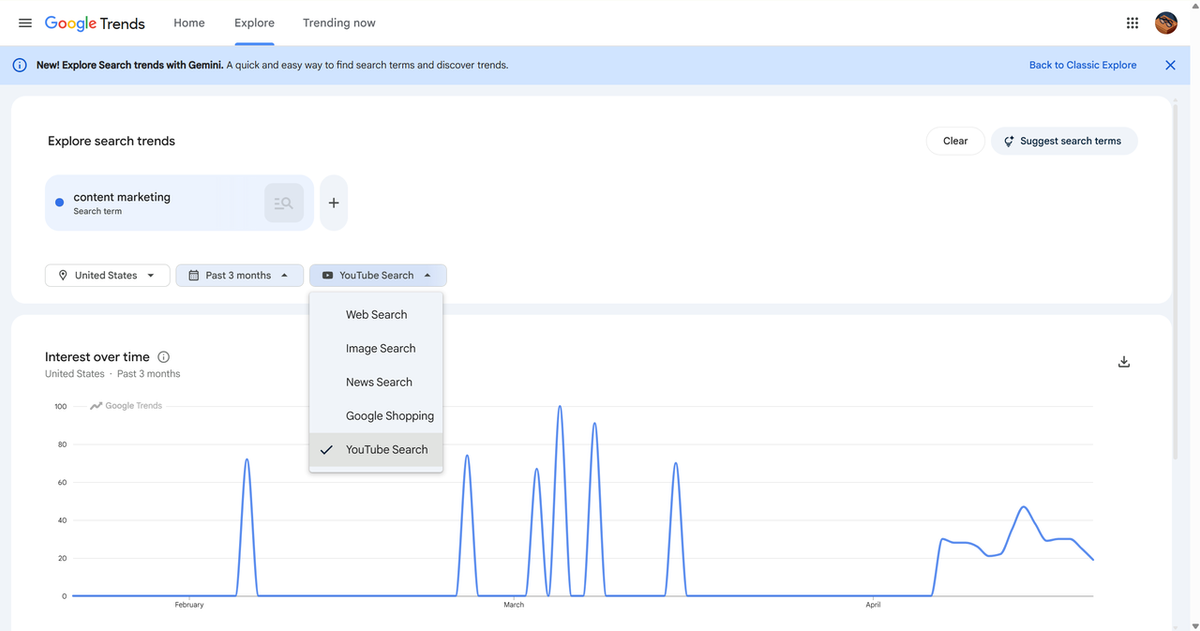
Pro tip: Google Trends shows "Interest by region" — the same hashtag can be trending in the US but flat in the UK. For global campaigns, compare multiple regions to identify truly worldwide trends versus local spikes.
What Google Trends Reveals
Metric | What It Tells You | How Marketers Use It |
Interest over time | Historical trend line — rising, stable, or falling | Identify seasonal opportunities, avoid declining hashtags |
Regional comparison | Interest levels by country |
Warning: Google Trends shows search interest, not YouTube-specific hashtag data. A hashtag might have high Google interest but low YouTube discoverability if the competition is concentrated on YouTube rather than general web search.
Best For
- Strategic planners building quarterly content calendars
- International marketers targeting multiple regions
- Campaign managers planning around seasonal trends (holidays, events)
Method 5: Social Media Hashtag Aggregators (Cross-Platform Insights)
Some hashtags trend across platforms — starting on TikTok or Instagram, then migrating to YouTube. Cross-platform hashtag tools help you spot these rising trends before they saturate on YouTube.
Best-Hashtags.com and Similar Tools
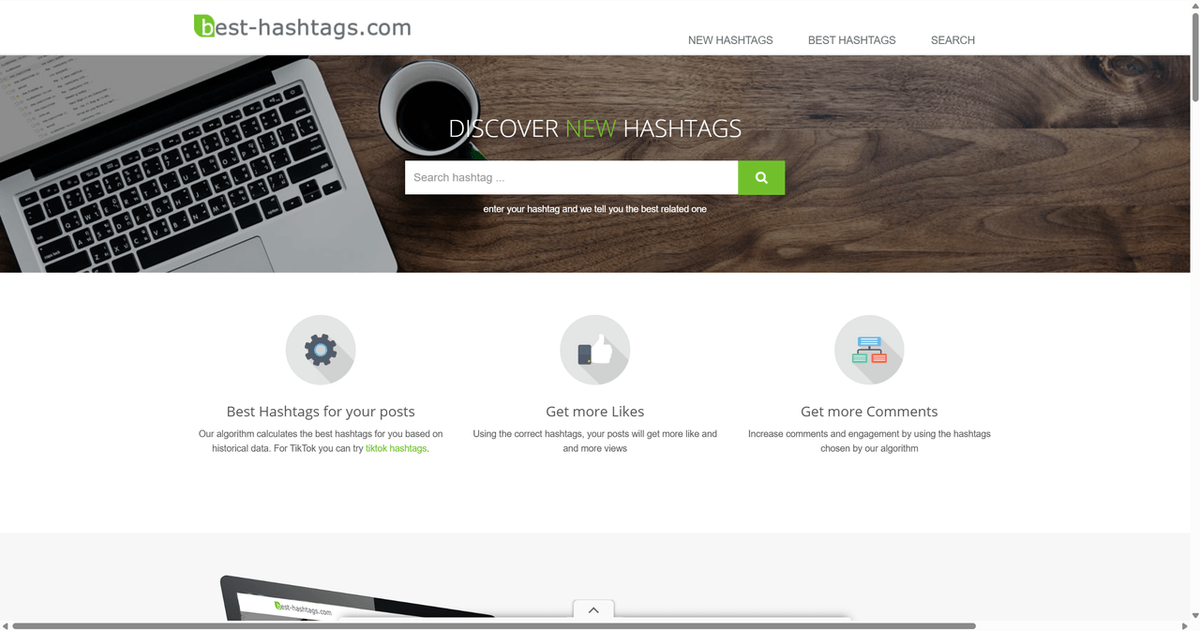
Platforms like best-hashtags.com aggregate hashtag data from multiple sources.
- Visit best-hashtags.com.
- Click SEARCH and enter your target hashtag or topic.
- Adapt and test — modify the hashtag format and timing for YouTube's algorithm before committing to full content
Pro tip: Cross-platform trends often emerge on TikTok first (shorter content cycle), then reach Instagram, then YouTube. Monitoring TikTok and Instagram hashtag performance gives you 1–3 days of early awareness before a trend arrives on YouTube.
Cross-Platform Strategy Table
Platform | Content Cycle | Trend Prediction Value |
TikTok | Fastest (hours to days) | Highest — early trend signal |
Moderate (days to weeks) |
Marketer insight: When you spot a hashtag trending on TikTok but not yet on YouTube, ask: "Is my niche ready for this trend?" If you have existing content or expertise, you can capture the trend early on YouTube before competitors adapt their content.
Best For
- Multi-platform marketers managing campaigns across Instagram, TikTok, and YouTube
- Trend spotters seeking first-mover advantage
- Content teams capable of adapting TikTok trends to YouTube formats
Method 6: Automate Hashtag Research with AllyHub (Advanced)
What if you can ask any questions about YouTube hashtag, and execute any tasks immediately? AllyHub is a personal AI partner that can browsing, research, analysis, and reporting, including scrape Instagram profile, Facebook group, find YouTube video by topic, performance, or keyword, research YouTube live trending hashtags, and more.
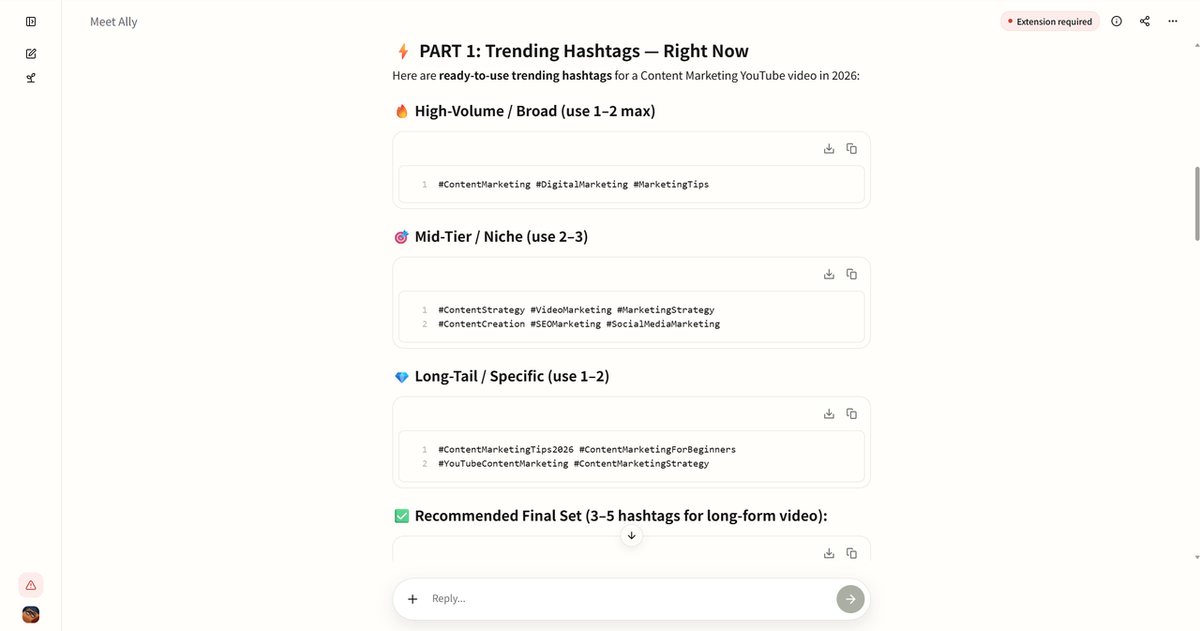
How to Generate Trending Hashtags first
- Enter your task in the dialog box.
- AllyHub will show hashtags to your video via different types.
- Or you can enter any video URL to extract its hashtags.
How AllyHub Solves the Underlying Problem
Marketers search for "trending YouTube hashtags today," but the real goal is data-driven hashtag strategy at scale. AllyHub doesn't display hashtags directly, but it integrates with your research workflow to:
- Automate hashtag discovery across YouTube Trends, Google Trends, and hashtag generators
- Validate hashtag performance by cross-referencing search volume and YouTube search results
- Build hashtag libraries — curated lists organized by niche, topic, or content type
- Schedule research sessions — run weekly hashtag scans without manual intervention
- Generate content-ready outputs — export hashtag lists in formats ready for upload or scheduling tools
How It Works (Marketer Workflow)
- Define your research scope — specify niches, content pillars, or target hashtags to monitor
- Set up data sources — AllyHub scrapes YouTube Trends, Google Trends, and generator sites automatically
- Configure extraction logic — specify what metrics matter: search volume, competition, velocity, cross-platform performance
- Schedule automated runs — daily, weekly, or monthly hashtag research cadence
- Receive structured outputs — hashtag lists with metrics, ready to import into your content calendar
Pro tip: AllyHub's browser automation can also extract hashtags from competitor videos across your niche. This gives you visibility into what's working for competitors right now — not just hashtags, but combinations, tag counts, and posting frequency. Reverse-engineer what's performing, then test similar patterns.
Why Automated Trending Matters for Marketers
Manual Process | AllyHub Automation |
Check 5+ websites for trends | One unified research dashboard |
Copy-paste hashtags to spreadsheets | Auto-generated, metric-rich lists |
Miss rising trends between checks | Hourly or daily automated scans |
ROTI Advantage: The first time AllyHub runs a hashtag research workflow, it learns your preferences — which niches matter, which metrics to prioritize, what "high opportunity" means for your brand. Every subsequent run is faster because AllyHub builds on what it already knows. Over months, the per-hashtag research cost compounds toward zero.
Best For
- Content teams producing 5+ videos weekly with consistent hashtag needs
- Agencies managing multiple client channels with hashtag strategy requirements
- Growth-focused marketers who want to spend time on content creation, not research
Getting started: Try a small pilot workflow — set up automated hashtag research for your primary niche, compare time saved versus your manual process.
Tool Comparison: Which Hashtag Method Fits Your Workflow?
Method | Cost | Data Source | Frequency | Best For |
YouTube Trending Tab | Free | YouTube native | Real-time |
Beyond Trending: How Marketers Build Sustainable Hashtag Strategy
Finding trending hashtags is the first step. Competitive advantage comes from how you use that data across multiple videos, campaigns, and channel development.
How to Put Trending Hashtags and Optimize Your Videos
- Discover: Use your chosen method to identify trending hashtags in your niche.
- Validate: Cross-reference with YouTube search results — does the hashtag actually show content similar to yours?
- Test: Publish with different hashtag combinations and measure performance.
- Iterate: Double down on what works, cut what doesn't — use performance data to inform the next discovery phase
Full Hashtag Strategy
Strategy | Description | When to Use |
Trend-jacking | Use rising hashtags immediately with rapid content | Breaking news, viral moments |
Niche-hybrid | Mix 1 trending + 2–3 niche-specific tags |
Common Questions About Trending YouTube Hashtags
How often do YouTube hashtags trend?
YouTube hashtag velocity varies by niche and content type. For general topics, trends can shift daily. For niche B2B content, trends may be stable for weeks. Check YouTube's Trending tab at least daily for active niches, or 2–3 times per week for slower categories.
Should I use the same hashtags for all my videos?
No. Overusing the same hashtags can trigger YouTube's spam filters, reducing your overall reach. Use different combinations from your niche to test which clusters perform best. Keep a core set of 5–10 niche tags and mix in 2–3 trending tags per video.
Do hashtags still matter for YouTube SEO in 2026?
Yes, but differently than before. YouTube now prioritizes watch time, engagement, and content relevance over keyword matching. Hashtags help discoverability and categorization, but they're not the primary ranking factor. What's always important is focus on creating high-quality content that earns watch time.
How do I know if a hashtag is actually driving views?
Check your YouTube Studio Analytics → "Reach" → "Traffic source" for your video. While YouTube doesn't directly attribute views to specific hashtags, high impression counts after publishing a video with a new hashtag cluster suggest the tags are driving discoverability. Also search your hashtag as a keyword on YouTube — if your video appears in the top results, the hashtag works.
Can I use hashtags from other platforms on YouTube?
Yes, but be strategic. Hashtags that trend on TikTok might not perform the same on YouTube due to audience and algorithm differences. Test cross-platform hashtags with a single video before building a content series around them.
What's the optimal number of hashtags per video?
The optimal count varies by video type and audience intent. For long-form videos: 5–15 hashtags works well. For YouTube Shorts: 3–5 hashtags is optimal because the algorithm penalizes hashtag stuffing in short-form content. More isn't better — use relevant tags that match your content, not every tag you can find.
Final Words
If you're publishing 1–3 videos per week, start with YouTube's built-in Trending tab. It's free, real-time, and shows exactly what YouTube's algorithm is boosting right now.
For marketers producing 5+ videos weekly or managing multiple channels, invest in a dedicated hashtag generator like TubeRanker.
And if you're ready to scale beyond manual research, see how AllyHub handles automated hashtag discovery end-to-end. Set up a pilot workflow for 10 hashtag research sessions, compare time investment to your manual process, and decide from there.
The goal isn't just to find trending hashtags — it's to build a repeatable system where hashtag strategy informs every content decision. Trends are signals; sustainable growth is the outcome.




