

Your best TikToks shouldn't stop at TikTok. Content repurposing turns one proven video into content for Reels, Shorts, YouTube, and paid ads—without starting from scratch.
But repurposing isn't as simple as downloading a TikTok and uploading it everywhere. Watermarks, platform-specific formats, and recycled-content signals can hurt how your content performs on other platforms. The goal is to reuse the idea and creative assets while making each version feel native to its destination.
The key is to repurpose strategically: start with a clean master, adapt the format and hook for each platform, and use performance data to decide what deserves a second life.
This guide covers 6 practical ways to repurpose TikTok videos, plus the platform rules, tools, and workflows that make the process faster.
Key Takeaways
- One video, multiple platforms: Turn a proven TikTok into Reels, Shorts, long-form videos, or ads.
- Keep a clean master: Export the original file before uploading to TikTok.
- Make every version native: Rework the hook, captions, audio, and framing instead of reposting the same file.
- Repurpose in reverse: Turn YouTube videos into multiple TikToks and Shorts.
- Automate repetitive work: Use editing, clipping, and distribution tools to speed up production.
- Protect content rights: Repurpose only content you own or have permission to use.
Why Repurpose TikTok Videos?
Repurposing gives proven content more opportunities to reach new audiences without repeating the entire production process.
Three benefits make it worth the effort:
- Reach new audiences: Reels, Shorts, and YouTube have different audiences and discovery systems.
- Build on proven ideas: Start with videos that already have strong views, retention, saves, or engagement.
- Publish more consistently: One production session can generate multiple pieces of platform-specific content.
💡 Pro tip: Save every clean export in a simple folder structure such as Masters / TikTok / Reels / Shorts / YouTube. It makes future repurposing much faster.
Before You Start: The Platform Rules That Decide If Your Repost Gets Seen
Repurposing is more than copy-pasting. Each platform has its own rules around original, reused, and low-value content, so the safest approach is to make every version feel native to the platform where it appears.
⚠️ Warning: Avoid visible TikTok watermarks and platform-native elements. More importantly, don't simply upload an identical copy everywhere. Rework the hook, captions, audio, framing, or context so each version fits its destination platform.
- Keep content original and meaningfully adapted. TikTok, Instagram, and YouTube all have policies that can limit the reach or monetization of unoriginal, duplicated, or minimally modified content. On TikTok Shop, duplicating other sellers' shoppable content with minor changes can also violate platform rules.
- Remove third-party watermarks and native elements. A TikTok watermark, username overlay, or TikTok-specific audio can make a repost look recycled on another platform. Start with a clean master whenever possible rather than downloading and reposting the TikTok version.
- Copyright still applies. If the clip isn't yours, adding captions, voiceover, or reaction footage doesn't automatically give you the right to reuse it. Get permission or a license before republishing or using someone else's content in ads.
✅ Recommended: Build every repurposing workflow around a clean master file. Then adapt the hook, captions, audio, and framing for each platform instead of treating one exported TikTok as the final version everywhere.
How to Repurpose TikTok Videos [6 Methods]
Method 1: Save a Clean, Watermark-Free Master File First
The single highest-leverage habit of repurposing: always keep an original export of everything before you publish. Here are some tips:
- Enable save-to-device before you post. In TikTok, turn on the save option in your post settings so the platform keeps a copy — but treat it as a backup, not your master.
- Export from your editing app, not from TikTok. In CapCut or your editor of choice, export the final cut at the highest available quality, with app watermarks turned off.
- Name files consistently. Use YYYY-MM-DD-topic-platform-format — e.g., 2026-08-20-espresso-tiktok-9x16.mp4 — so you can find any master in seconds.
- Store masters in the cloud. A synced folder beats a camera roll; it survives device changes and enables batch repurposing.
📌 Note: If the only copy you have is a TikTok download, Method 2 covers how to work with the watermark.
Method 2: How to Repurpose TikToks for Reels Without Losing Reach
Reels is a natural second destination for vertical TikTok content, but simply reposting the same file can make the video feel out of place. The goal is to make the clip feel like it was made for Instagram.
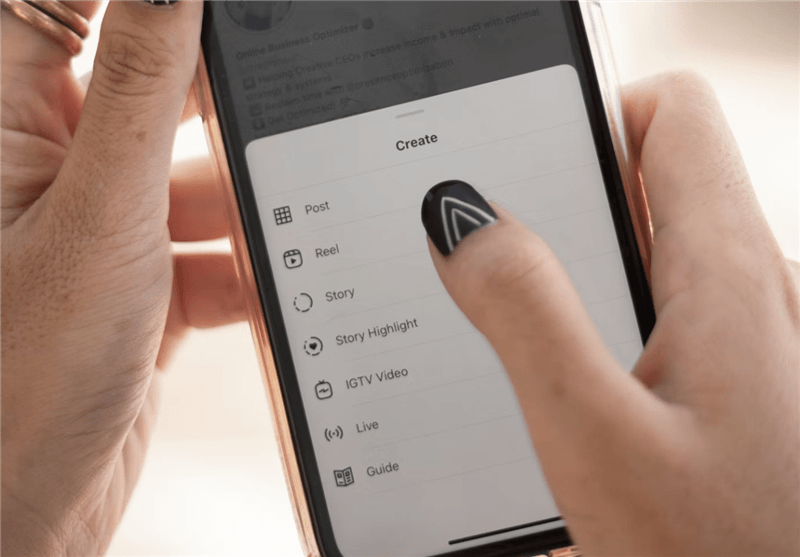
Step 1. Start from the clean master. If you only have a watermarked download, crop or blur the watermark region before anything else.
Step 2. Re-cut the hook. The first 1–3 seconds decide retention. Cut any intro that assumes the viewer is on TikTok.
Step 3. Reframe to 9:16 with safe zones. CapCut has an Instagram Reels preset — use it so captions and on-screen text don't get clipped by the UI.
Step 4. Replace TikTok-native elements. Swap text overlays that reference TikTok, and use Instagram's native audio library instead of the TikTok sound.
Step 5. Rewrite the caption and hashtags for Reels discovery. What works in TikTok hashtags rarely maps one-to-one to Instagram search.
Step 6. Post natively in the Instagram app. Native posting is safer for reach than third-party auto-posting, especially for brand-new Reels.
Visible TikTok watermarks can make a repost less suitable for Instagram recommendations. Re-export from your original edit when possible, rather than carrying the watermark over.
Method 3: Turn TikTok Videos into YouTube Shorts and Long-Form Videos
Turn your best TikToks into Shorts for discovery or combine related clips into longer YouTube videos that offer more depth.
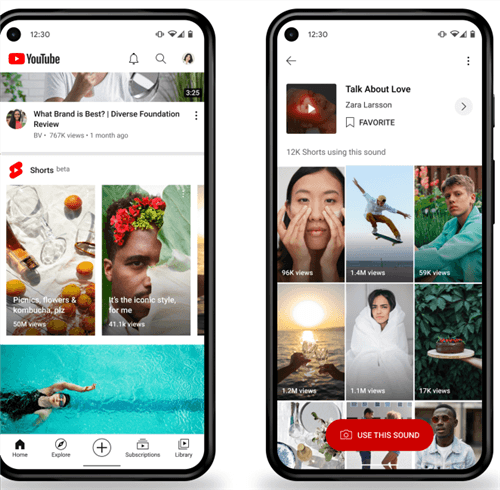
Shorts route:
- Start with your clean master and reframe it for YouTube.
- Keep clips within YouTube's current Shorts format. For clips over 1 minute, check music and copyright eligibility.
- Rewrite the title and description for YouTube search and viewer intent.
- Add platform-native captions or context instead of simply reposting the TikTok.
Long-form route:
- Combine 3–5 related TikToks around one clear topic or question.
- Add a new intro, transitions, commentary, or examples to create a cohesive video.
- Use a search-focused title, thumbnail, and chapters where useful.
- Build the video around what viewers want to learn—not just a collection of old clips.
Best for: Faceless creators, educators, and niche channels building a searchable YouTube content library.
💡 Pro tip: Your TikTok comments can reveal topics worth expanding into YouTube videos. Look for recurring questions, objections, and requests for more detail.
Method 4: How to Repurpose YouTube Videos for TikTok
Already have long-form YouTube content? Turn each video into several TikToks instead of creating short-form content from scratch.
Pull the transcript and identify the strongest tips, opinions, answers, or story moments. Then cut them into standalone clips, add captions, and reframe them vertically for TikTok. Tools like OpusClip can automate much of the clipping and reframing, while CapCut gives you more manual control.
One long-form video can become 5–10 short clips, giving you days of TikTok content from a single production.
Best for: YouTubers, podcasters, and creators with an existing library of long-form content.

Method 5: Automate Cross-Posting with Repurposing Tools
Once you have the workflow down, tools can take over the mechanical parts: resizing, captioning, and multi-platform publishing.
Step 1. Connect your accounts to Repurpose.io. It automates publishing workflows between TikTok, YouTube, Instagram, Facebook, and LinkedIn.
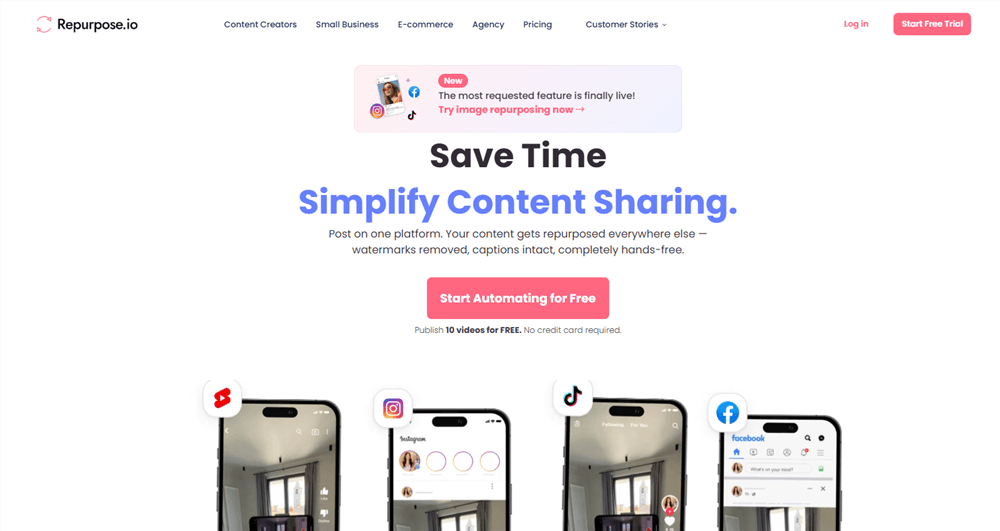
Step 2. Define a template per destination. Auto-adjust aspect ratio, captions, and hashtags so each platform gets a native-looking version.
Step 3. Set auto-publish rules — e.g., "new YouTube video → auto-generate Shorts and Reels."
Step 4. Keep a human pass. Scheduled and auto-posted content still benefits from a 2-minute review: swap the hook, check safe zones, confirm the caption doesn't reference the wrong platform.
Best for: MCNs and multi-platform teams publishing at volume, where manual cross-posting doesn't scale.
⚠️ Warning: Full automation can create quality-control problems. Let the tool handle distribution, but keep a human review step for hooks, captions, safe zones, and platform-specific context.
Method 6: Repurpose TikTok UGC for Ads and Product Pages
For e-commerce brands and UGC creators, the highest-value repurposing opportunity may be beyond social feeds—it can extend winning content across the entire sales funnel.
- Turn winning TikToks into Spark Ads. Promote your own organic posts or authorized creator posts to add paid reach while preserving the original TikTok identity.
- Reuse UGC in Meta ads. Reframe it for Reels, rewrite the hook for a colder audience, and add a clear CTA.
- Add clips to product pages. Unboxing, demo, and review videos can address purchase objections more effectively than static product copy.
- Build customer-proof compilations. Group UGC by themes such as fit, results, or product features and reuse the strongest clips across campaigns.
Best for: E-commerce brands scaling winning creative and UGC creators licensing content to brands.
⚠️ Warning: Don't repurpose other sellers' TikTok Shop content with minor edits. For customer or creator UGC, get the necessary permission or usage rights before using it in ads or on product pages.
Comparing the Methods: Which Repurposing Route Fits Your Workflow
Method | Tools needed | Effort per video | Main destination | Best for |
Clean master archive | Any editor, cloud storage | Low, one-time habit | All platforms |
Beyond Editing: Automate the Research Half of Repurposing
Repurposing isn't just about moving clips between platforms. The bigger question is what's worth repurposing in the first place—which videos performed well, which hooks resonate, and what viewers keep asking about. That research can take as much time as the editing itself.
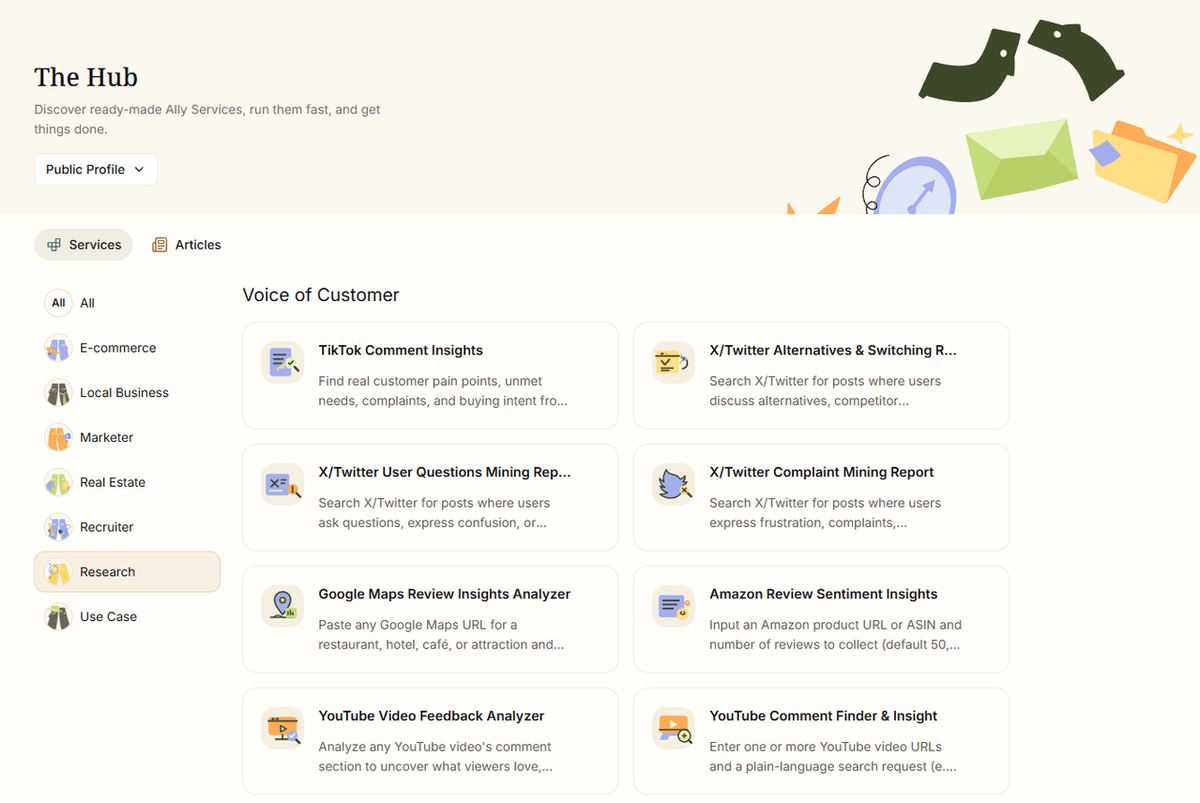
AllyHub is useful on the research side of this workflow. It's a browser-native AI copilot for repetitive research, data extraction, and browser workflows. For repurposing, that means you can use it to research what competitors are publishing, mine audience feedback, and turn recurring research tasks into reusable Services.
- Competitor content research. Collect competitor TikTok, Instagram, or YouTube content through browser workflows, and analyze recurring topics, hooks, formats, and engagement patterns to find ideas worth adapting.
- Comment mining. Pull comments from TikToks and identify recurring questions, objections, and audience interests that can become new clips or videos.
- Transcript analysis. Extract and analyze YouTube transcripts to find strong answers, insights, and quotable moments worth turning into short-form content.
The advantage over doing this manually is repeatability. Turn a workflow such as a weekly competitor content report into a reusable Service, so future runs can reuse the work and knowledge from previous tasks.
Pricing: Free access with daily credits; paid plans start at $19.99/month with annual billing.
FAQ
Is it legal to repurpose someone else's TikTok video?
You need permission or a license to reuse someone else's TikTok commercially. Copyright exceptions can vary by country and use case, so don't assume that adding captions, voiceover, or reactions gives you the right to republish it. If you want to feature others' clips, use TikTok's duet/stitch features or get written permission first.
Can I remove the TikTok watermark from my own videos?
Yes — for videos you own. The cleanest way is to never let TikTok add one: export from your editor and keep that master. If all you have is a TikTok download, crop the watermark region, blur it, or re-cut the frame — but be aware that heavy cropping can hurt composition and quality.
Does reposting my TikTok on Reels or Shorts hurt my reach?
Reposting the same watermarked file can make the content less suitable for recommendations or monetization, depending on the platform's policies. Starting from a clean master and adapting the video for each platform is the safer approach.
Will posting similar videos on multiple platforms get me flagged for duplicate content?
Posting your own video across TikTok, Instagram, and YouTube is generally fine. The bigger risk is uploading identical or low-value reused content, especially content you don't own.
How do I know which TikToks are worth repurposing?
Start with your analytics: sort by views, retention, and saves, and repurpose your top 3–5 performers first. To go deeper — what competitors are reposting, what your comments keep asking for — you can automate the research with a tool like AllyHub, which compiles competitor content reports and comment themes in one run instead of hours of manual scrolling.
What's the best free tool for repurposing TikTok videos?
CapCut is one of the easiest free options for basic repurposing. It supports vertical reframing, captions, and platform-oriented editing workflows. Canva's Magic Resize is a good alternative if you're already a Canva user.
How often should I post repurposed content?
There's no universal ratio. Use repurposed content to fill gaps in your calendar, but keep adapting the format and topic to each platform rather than publishing the same clip repeatedly.
What's Next: Your First Repurposing Pilot
Don't build the whole system at once. This week:
- Pick your top 3 performing TikToks from the last 90 days.
- Export clean masters (or crop the watermarks) into your new folder structure.
- Repurpose one clip to Reels, one to Shorts, and one YouTube video into three new TikToks.
- Compare results against your baseline after two weeks.
If you're spending more than an hour a week deciding what to repurpose, revisit the research automation section above — that's where the biggest time savings hide.



