

You're comparing two AI agent platforms that look similar on the surface — both promise to do real work for you, not just chat — but they were built for fundamentally different operating models. AllyHub is built around browser-native workflows that can turn repeated work into reusable Services. Genspark is broader: it combines Super Agent, Claw, cloud computer, desktop apps, mobile apps, and creative/workspace tools. The real question is not just “local browser vs cloud VM,” but whether you need repeatable browser workflow assets or a broader always-on AI workspace.
This article compares them across deep research, task automation, use cases, pricing, mobile access, team features, and browser workflow reuse.
Key Takeaways
- Quick answer: AllyHub wins for solo operators who want a browser-native agent that compounds value via ROTI; Genspark wins for teams that need SOC2 compliance, mobile delegation, and always-on cloud execution.
- Pricing: AllyHub starts at $15.99/mo Pro (year-billed, daily credit top-up); Genspark starts at Team, $30/seat/mo. Genspark's Claw may consume a lot of credits when running long tasks in the background, and the actual cost of use may increase due to frequent recharges.
- Key difference: AllyHub operates your local browser, focusing on the execution of actions. As a browser-native AI agent, AllyHub automates webpage clicking, information finding, and data analysis; Genspark runs in the cloud for always-on work or locally through its desktop app, focusing on knowledge acquisition and generation, with the combination of research workspace, slides, docs, calls, mobile apps, and team use.
- Enterprise readiness: Genspark has SOC2 Type 2, ISO 27001, AES-256, and a real Team plan with SSO. AllyHub has none of these yet.
What Is AllyHub?
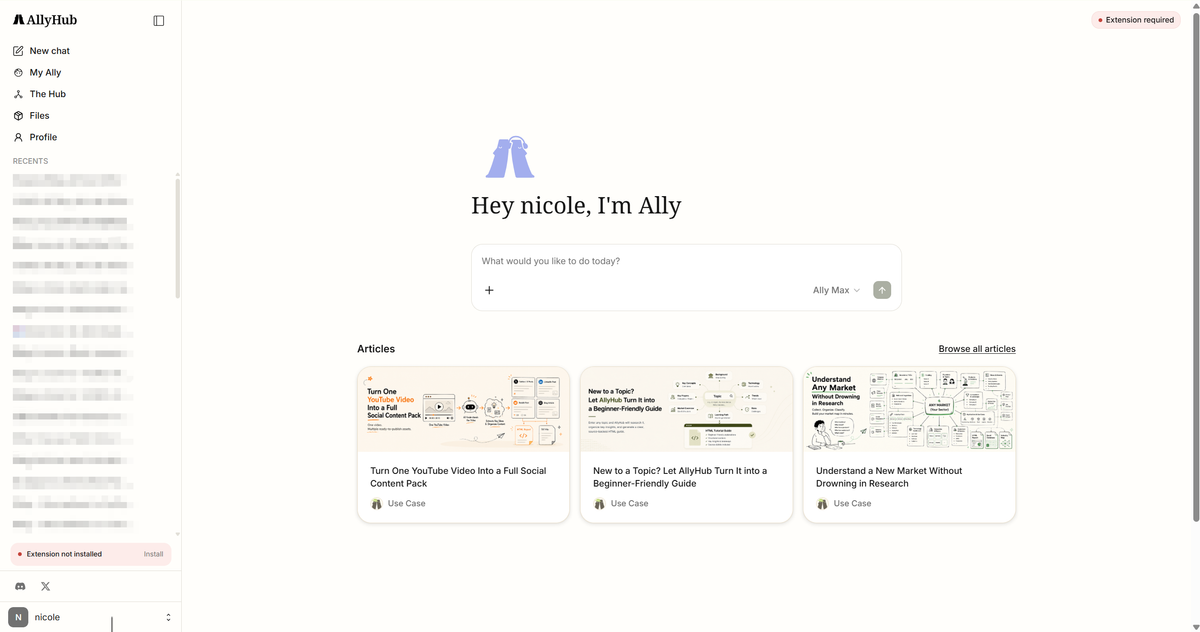
AllyHub is a browser-native AI agent platform distributed as a Chrome extension. It operates your real browser — meaning it inherits your Amazon session, your LinkedIn cookies, your paid Twitter account — and executes multi-step tasks: scraping, form filling, report generation, content production. Its core differentiator is ROTI (Return on Token Investment): completed workflows can become reusable Skills and Services, so future runs can build on previous structure, context, and process instead of starting from scratch.
What Is Genspark?
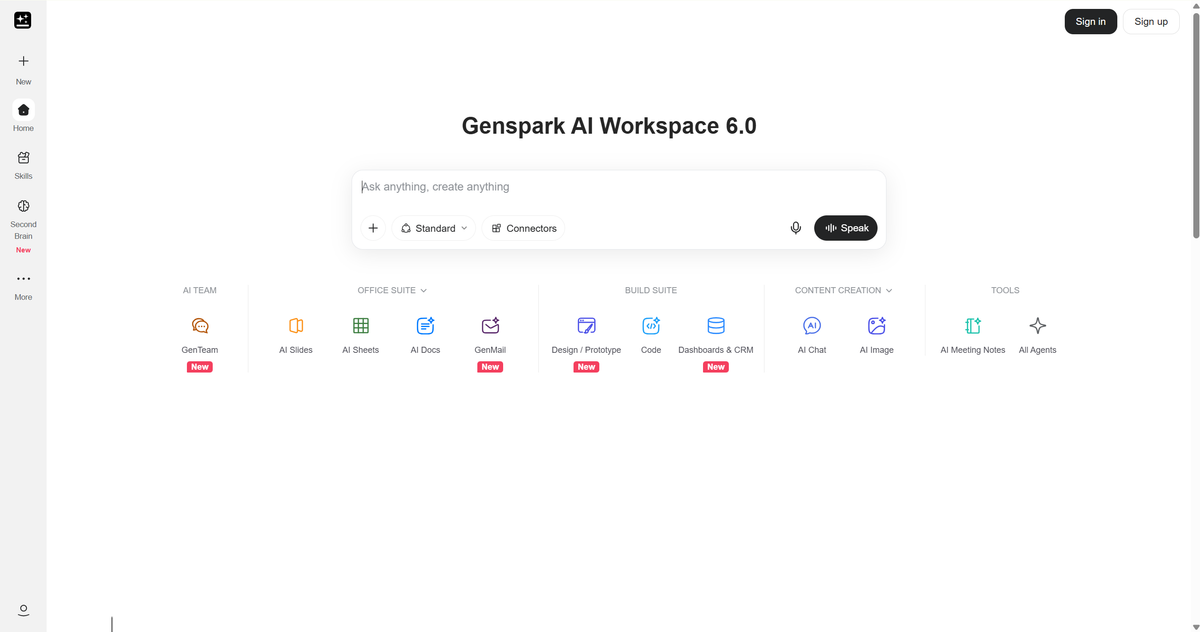
Genspark is an AI workspace and agent platform built around Super Agent and Genspark Claw. Claw can run on a dedicated cloud computer for always-on execution, or locally through the desktop app. It also connects with messaging apps, remembers user context, and supports skills, memory, schedules, files, terminal access, and service connections. It holds SOC2 Type 2 + ISO 27001 certifications with AES-256 encryption and a zero-data-training policy.
AllyHub vs Genspark: Feature-by-Feature Breakdown
The feature table below tells you what each tool can do.
Feature | AllyHub | Genspark | Winner |
Execution model | Local browser, inherits login state | Cloud-persistent VM ("Claw"), survives disconnects | Genspark (resilience) / AllyHub (login-state) |
Self-improvement / ROTI |
Login-state browser access: AllyHub naturally uses your existing Chrome session. Genspark can also work with authenticated services, but cloud mode usually requires setting up or logging into those services inside the cloud computer, while local mode depends on the desktop app.
AllyHub vs Genspark: Deep Research
Both AllyHub and Genspark can support research work, but they are better for different research patterns.
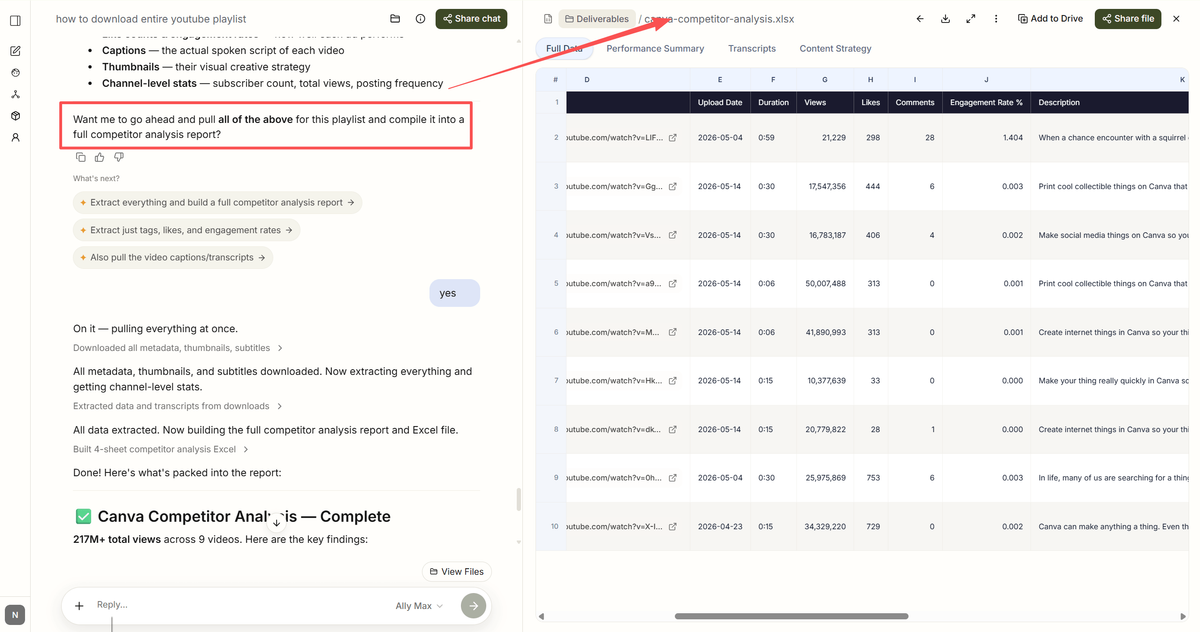
AllyHub is stronger for repeated research workflows. If you run the same type of market research, competitor tracking, product research, or lead research every week, AllyHub is more aligned with that pattern. Its browser-native workflow lets you operate inside the websites and tools you already use, while its Service model helps repeated research processes build on previous work instead of starting from scratch every time.
Genspark is stronger for one-off deep research, especially when the task is broad, multi-source, and time-consuming. If you want an AI workspace to collect information, synthesize findings, create slides, draft documents, or keep working in the cloud while you step away, Genspark is usually the better fit. Its broader workspace, mobile apps, and cloud-based execution make it useful for long research tasks that do not depend heavily on your existing browser session.
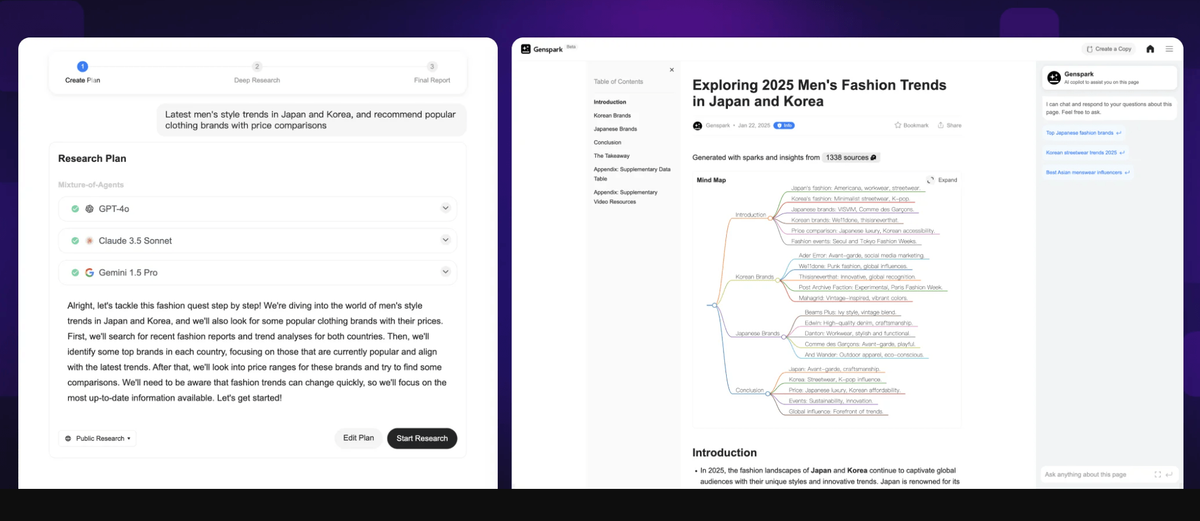
So the simple distinction is this: choose Genspark for broad, one-off research projects; choose AllyHub for recurring research workflows that should become faster, more structured, and easier to reuse over time.
AllyHub vs Genspark: Task Automation
Task automation is where the difference becomes clearer.
AllyHub is better for browser-native workflow automation. It runs inside your real browser environment, which makes it especially useful for tasks that involve logged-in tools, familiar web apps, repeated browsing patterns, data extraction, form filling, and content workflows. Instead of treating each task as a one-time action, AllyHub focuses on turning repeated processes into reusable Services.
Genspark is better for cloud-based, cross-device automation. It is a stronger choice when you want to start a task, let it continue in the background, receive updates on mobile, or connect work across a broader AI workspace. It is especially useful for teams that need long-running tasks, scheduled work, mobile delegation, and enterprise controls.
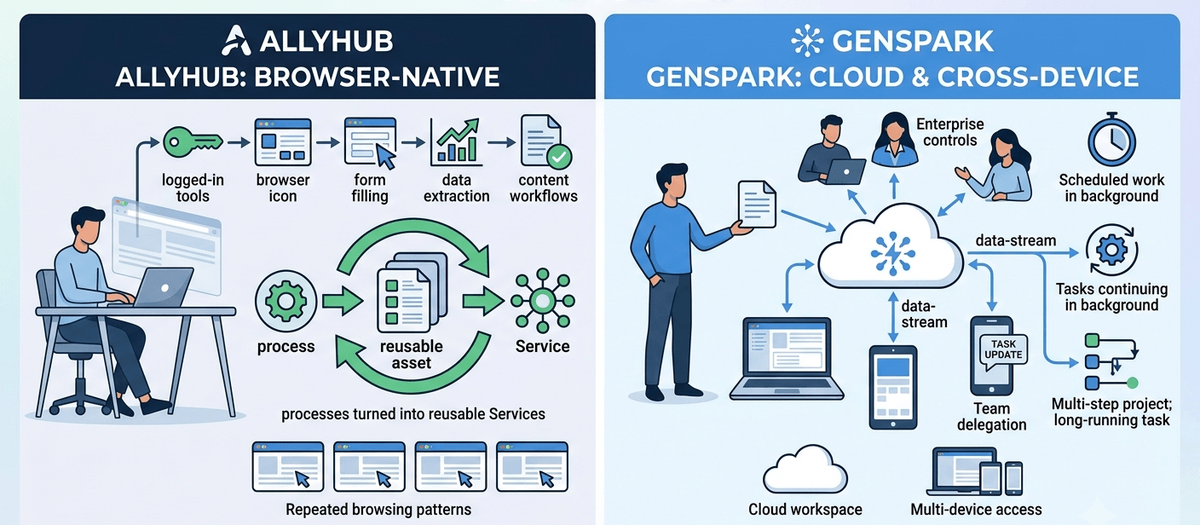
This means Genspark is stronger when automation needs to run across cloud, mobile, and team workflows. AllyHub is stronger when automation happens inside the browser and repeats often enough to become a workflow asset.
AllyHub vs Genspark: Pricing Compared
Plan | AllyHub | Genspark | Best For |
Free | Daily credit top-up | Free tier available | Trying either tool |
Entry paid |
Value judgment: AllyHub is nearly half the price of Genspark at entry ($15.99 vs $30/mo), and its ROTI model means the gap widens for high-volume repeat workflows. But Genspark's $30/mo buys capabilities AllyHub simply doesn't offer today — cloud persistence, mobile apps, scheduling, multi-task concurrency, and enterprise compliance. If you need any of those, Genspark's higher price is justified. If you don't, AllyHub is the better value.
AllyHub vs. Genspark: The Ultimate Buyer's Guide
The best choice depends less on which tool has more features, and more on what kind of work you repeat.
When to Choose AllyHub
Choose AllyHub if you,
- Are a solo operator: Perfect for solo founders, indie marketers, freelance researchers, and consultants who aren't buying for a team.
- Run repeat, browser-heavy workflows: Your daily work involves recurring tasks like weekly competitor scans, product data collection, daily lead enrichment, social research, or review analysis.
- Need to operate web apps behind a login: You need an agent that works inside your CRM, Stripe dashboard, or paid social accounts using your real Chrome session.
- Value ROTI (Return on Token Investment): You want your repeated content or research workflows to compound in speed and lower cost over time, rather than rebuilding them from scratch.
- Want ready-made templates: You prefer a curated Service marketplace to execute tasks instantly instead of building every automation yourself.
AllyHub is NOT the right choice if (1) you need SOC2, HIPAA, or GDPR compliance — not available yet; (2) you need to delegate tasks from mobile or run work unattended in the cloud — AllyHub requires your laptop online; (3) you're buying for a team that needs SSO and shared workspace — no Team plan yet.
When to Choose Genspark
Choose Genspark if you,
- Need an all-in-one workspace for content: Your workflows go beyond the browser and involve generating long-form deep research, AI slides, document drafting, and processing meeting notes.
- Are buying for a team: You are an executive or manager who needs centralized billing, SSO, shared workspaces, and team collaboration features.
- Depend on mobile or unattended cloud execution: You need to delegate tasks from your phone, receive push notifications, or run 30+ minute background research that survives laptop disconnects.
- Work in a regulated industry: You require enterprise-grade security, including SOC2 / ISO 27001 compliance (e.g., healthcare, finance, legal).
- Want voice and native app integrations: You need voice agent capabilities ("Call for Me") for sales/support outreach, or deep native connections to Gmail, Google Drive, and Calendar.
Genspark is NOT the right choice if (1) your primary work requires operating logged-in web apps at scale — Genspark's cloud VM can't inherit your session the way AllyHub does; (2) you're price-sensitive at the entry tier — $30/mo vs AllyHub's $15.99/mo; (3) you want repeat workflows whose cost compounds down over time — Genspark doesn't have AllyHub's ROTI mechanism.
FAQ: AllyHub vs Genspark
Is there anything better than Genspark?
If your work is mainly browser-based and repetitive, AllyHub may be a better fit than Genspark. AllyHub is built for repeat workflows that can turn into reusable Services, so it works especially well for recurring research, scraping, content workflows, and tasks that happen inside your browser.
Can I use AllyHub and Genspark simultaneously?
Yes. AllyHub and Genspark can work well together because they are built for different strengths. You can use Genspark for broad deep research, cloud-based tasks, slides, documents, and mobile work. Then you can use AllyHub for repeat browser workflows, logged-in web tasks, data collection, and processes you want to reuse over time. For many users, the best setup is not choosing one forever, but using each tool where it fits best.
Conclusion
Genspark is the better fit if your work spans research, slides, documents, mobile, meetings, team workflows, and cloud execution. AllyHub is the better fit if your work is browser-heavy, repeated often, and valuable enough to turn into reusable Services. Genspark gives you a broader AI workspace. AllyHub gives you a more focused browser-native system where repeated work compounds over time.



