Amazon reviews are a goldmine of unfiltered customer feedback. They show what buyers love, what frustrates them, and what they wish a product did better. Review data can support market research, competitor analysis, voice-of-customer analysis, and sentiment analysis.
However, a product with 2,000 reviews isn't something you can read manually and synthesize into actionable insights. You need the data in bulk, structured, and ready to analyze. That's where Amazon review scraping comes in.
This guide covers three practical methods to extract Amazon reviews — from browser extensions you can use in five minutes to AI-powered workflows that run automatically on a schedule. No coding required for any of them. By the end, you'll know exactly which method fits your use case, and what to do with the data once you have it.
⚠️ Legal note: Amazon reviews are publicly visible, but Amazon’s terms restrict automated data collection. Legal and contractual risk can vary by jurisdiction, use case, scale, and how the data is used. For commercial use, resale, republication, or high-volume scraping, review Amazon’s terms and seek legal advice. This article is for informational purposes only.
Key Takeaways
- Amazon reviews are structured market research: Scraped review data reveals customer pain points, competitor weaknesses, and the exact language buyers use — all inputs that directly improve product strategy, keyword research, and optimization.
- No-code tools are the fastest starting point: Browser extensions and visual scraping tools can extract hundreds of reviews in minutes without writing a single line of code.
- The real value is in analysis, not collection: Raw review data is only useful once it's been processed — sentiment analysis, theme clustering, and competitor comparison are where the insights live.
- Manual reading doesn't scale: A product with 1,000+ reviews requires automated extraction and AI-powered summarization to be actionable within a reasonable timeframe.
- For marketers, the biggest gap is not extraction but analysis: review data becomes useful only after it is clustered into themes, sentiment, complaints, and product opportunities.
Why Scrape Amazon Reviews
Extracting review data allows you to instantly discover the strengths and weaknesses of competitors' products, get what are user needs, pain points and how they express with keywords. Here's what insights you can generate from reviews:
- Competitor product intelligence
Reading a competitor's 3-star reviews tells you exactly what their customers wish were different. Those complaints are your product's next bullet points — if you've solved what they haven't. - Sentiment analysis at scale
Tracking whether customer sentiment for a product is improving or declining over time requires data, not impressions. Scraped reviews, analyzed by star rating and date, give you a trend line. - Voice of customer (VoC) for copywriting
The phrases customers use in reviews — "finally a bottle that doesn't leak," "my kids actually use it" — are more persuasive in ad copy than anything a copywriter invents. Scraped reviews surface this language systematically. - Product development signals
Recurring complaints in reviews (packaging, sizing, battery life, instructions) are product improvement roadmaps. Scraping reviews across a category reveals what the market wants that nobody is delivering yet. - Market research and category analysis
For agencies and brand managers entering a new category, scraping the top 20 products' reviews gives a rapid overview of what customers value, what they complain about, and where the white space is.
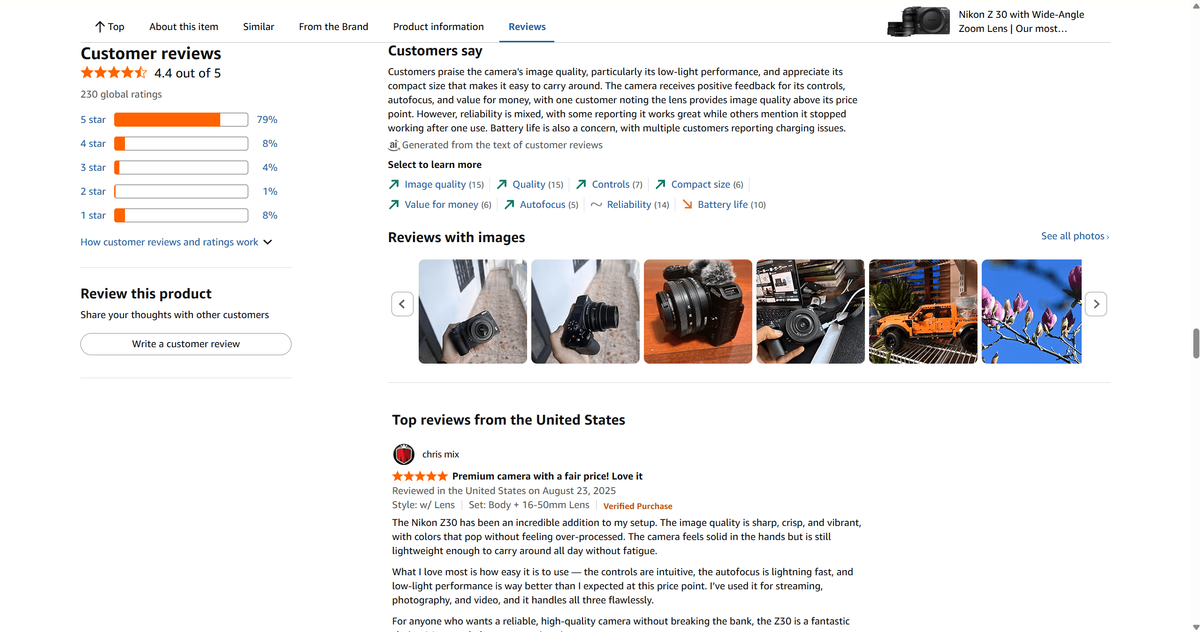
How to Scrape Amazon Reviews
Method 1: Scrape Amazon Reviews with Scraper Tools (The No-Code Way)
Best for: Agencies and brand managers who need to extract reviews from multiple ASINs regularly, at volume.
If you don't know how to code and just want a downloadable Excel spreadsheet or CSV file, use a pre-built cloud scraper. Dedicated Amazon review scrapers are purpose-built for this task. They handle pagination automatically, manage Amazon's anti-bot measures, and output clean structured data. The leading options in 2026 include:
Tool | Best For | Pricing Model | Output |
High-volume extraction, API access | Pay-per-use | JSON, CSV, Excel | |
Bulk ASIN lists, no-code interface | Pay-per-record | CSV, Excel, JSON | |
Visual workflow builder, scheduled runs | Subscription | API output / CSV | |
Enterprise scale, managed infrastructure | Enterprise pricing | API / structured formats |
How to use a dedicated scraper (using Apify as an example):
- Create a free Apify account at apify.com.
- Search for "Amazon Reviews Scraper" in the Apify Store.
- Click "Try for free" and enter your target ASIN(s) in the input field.
- Set your parameters: maximum reviews to collect, star rating filter, sort order (most recent vs. most helpful).
- Click "Start" and wait for the run to complete (typically 2–5 minutes for 500 reviews).
- Download the results as JSON, CSV, or Excel.
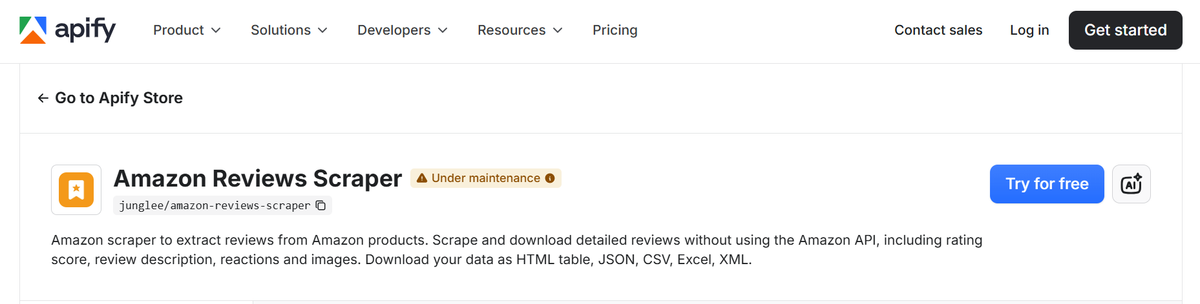
What you'll capture: All standard review fields plus additional metadata — ASIN, product title, marketplace, review ID, and in some cases, reviewer profile data.
📌 Note: Most dedicated scrapers offer a free tier with limited monthly credits. For agencies running regular competitive research across 20+ ASINs, a paid plan is typically necessary. Evaluate based on your monthly review volume, not just the per-ASIN cost.
Pros | Cons |
Handles pagination automatically | Paid plans required for volume |
Manages anti-bot measures | Requires account setup per tool |
Bulk ASIN input supported | Output is raw data — analysis is separate |
Scheduled/recurring runs available | Quality varies by tool and Amazon changes |
Method 2: Extract and Analyze Amazon Reviews with an AI Copilot
Best for: Marketers who need not just the raw reviews, but the insights — sentiment summaries, competitor comparisons, and structured reports — without switching between multiple tools.
AllyHub is a browser-native AI copilot built for marketers, researchers, and knowledge workers. Unlike traditional scraping tools that only collect data, Ally can operate your browser, navigate Amazon review pages, extract review data, analyze customer sentiment, and generate a structured report in a single workflow.
The goal isn't just to scrape reviews — it's to turn review data into decisions without manually managing spreadsheets, exports, or analysis steps.
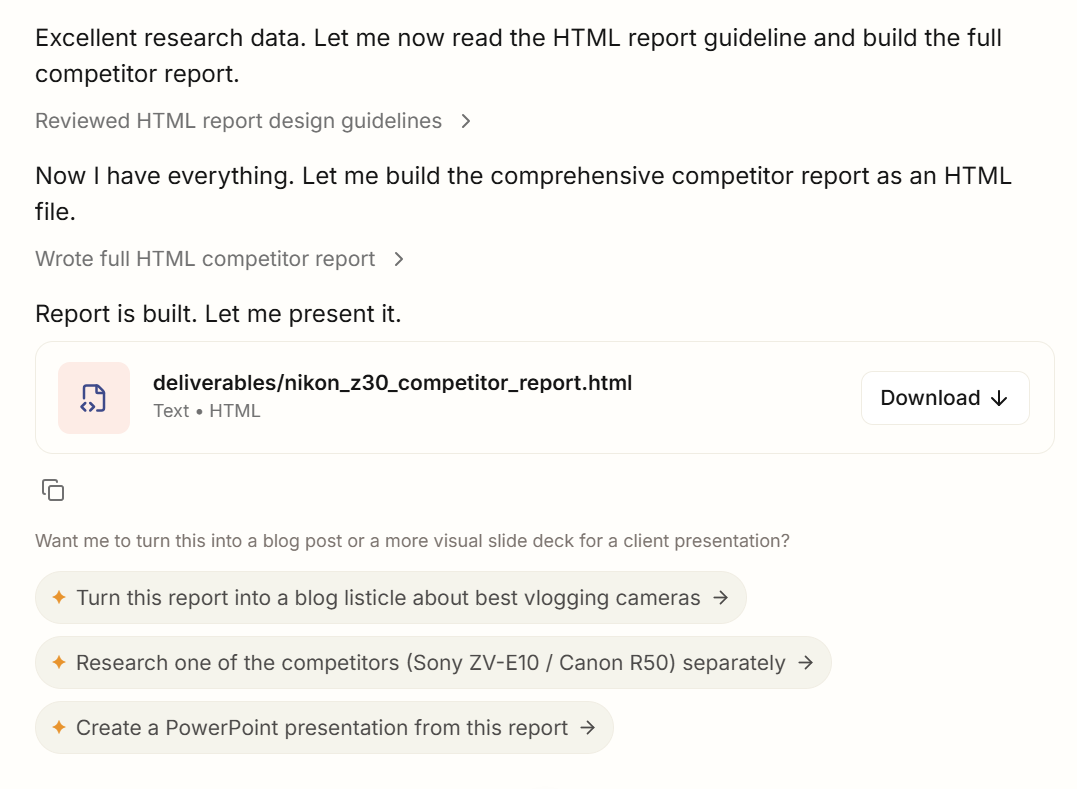
What an AllyHub Amazon Review Workflow Looks Like
Step 1: Define your target
Tell AllyHub which ASIN(s) you want to analyze and what you're looking for — competitor weaknesses, recurring complaints, feature requests, or overall sentiment trend. Make sure you're signed into an Amazon account.
Prompt examples:
- "Analyze [ASIN xxxx] for competitor weaknesses — I want to use the findings to improve my own listing in the same category."
- "Scrape reviews for [URL] and give me a full competitor analysis report."
- "Extract reviews from my product [ASIN xxxx], run sentiment analysis, and flag any recent rating drops."
Step 2: AllyHub extracts the reviews
AllyHub navigates to the product's review pages, scrolls through pagination, and extracts the full review dataset — star rating, date, title, body, and verified purchase status.
Step 3: AI sentiment analysis runs automatically
Rather than handing you a raw CSV, AllyHub processes the reviews through its AI layer and generates a structured summary:
- Top praised features (with example quotes)
- Most common complaints (with frequency count)
- Recurring themes by star rating tier
- Specific phrases customers use repeatedly
- Overall sentiment score and trend
Step 4: Export to a structured report
The output is a clean, shareable report — not a spreadsheet of raw text. For agencies, this is client-ready. For brand managers, it's presentation-ready.
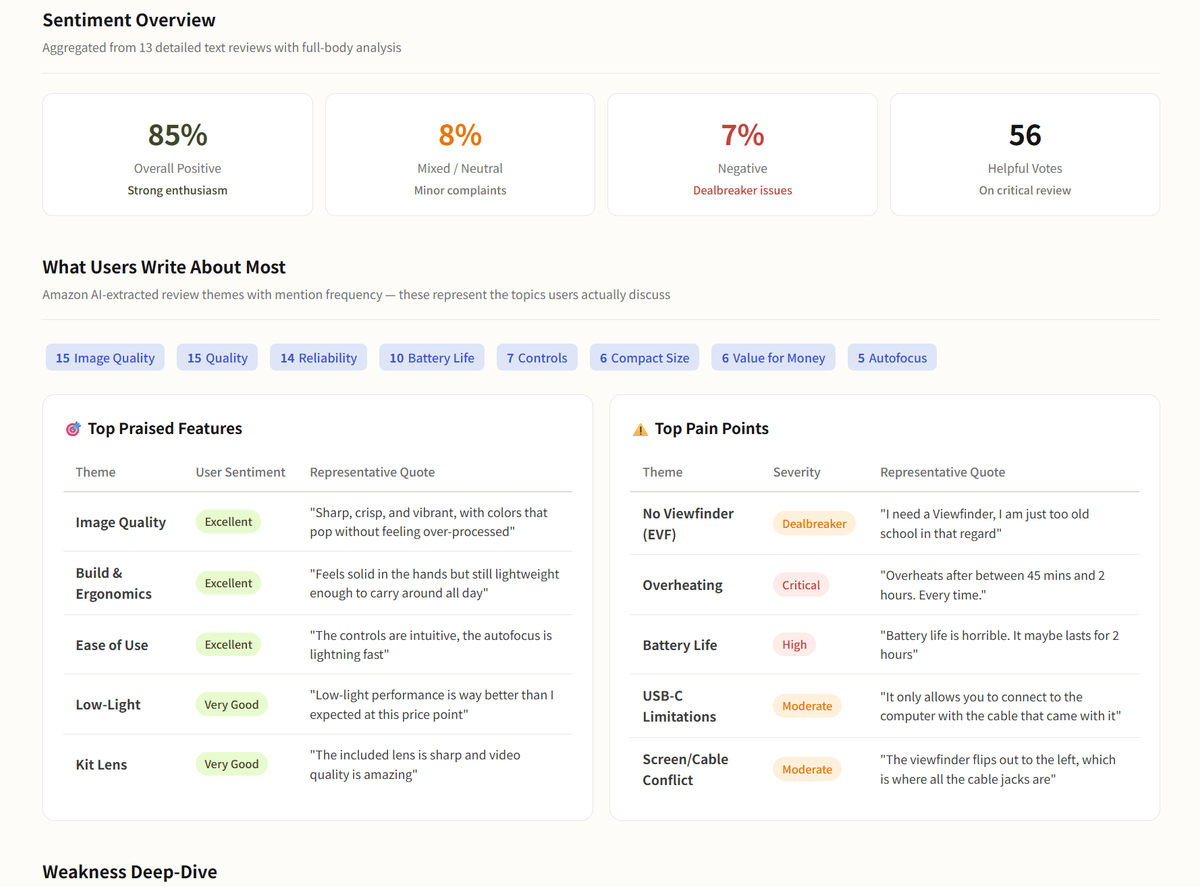
✅ What makes this different from running ChatGPT on a CSV: Because AllyHub retains context, reusable workflows, and accumulated knowledge, similar research tasks become easier to repeat over time. Instead of starting from scratch for every project, you can build reusable review-analysis workflows that evolve with your needs.
That's the kind of output that directly informs a listing optimization, a product development brief, or a competitive positioning document.
Pros | Cons |
Extraction + analysis in one workflow | Requires AllyHub account |
No-code, no CSV handling | Best for recurring workflows, not one-off spot checks |
Output is insight, not raw data | |
Workflow compounds — gets faster over time | |
Handles multiple ASINs in batch |
Method 3: Scrape Amazon Reviews with No-Code Browser Extensions
Best for: Marketers who need 100–500 reviews quickly, without any technical setup.
No-code browser extension is fast and beginner-friendly. They can work for small batches, but they are less reliable for high-volume or recurring review scraping. They are best for quick exports, not production workflows.
How to extract Amazon reviews with a browser extension:
- Install the extension from the Chrome Web Store.
- Navigate to the "All Reviews" page for your target ASIN (e.g., amazon.com/product-reviews/[ASIN]).
- Open the extension — it will auto-detect the review table on the page.
- Click "Export" or "Start Crawl" to capture the visible reviews.
- Click through to the next page and repeat, or use the extension's pagination feature if available.
- Export the full dataset to CSV.
What you'll capture: Reviewer name, star rating, review title, review body, date, verified purchase status, and helpful vote count.
Pros | Cons |
No coding required | Requires manual pagination on most tools |
Free or low-cost | Can be slow for large datasets |
Works on any Amazon marketplace | May break if Amazon updates its page structure |
Exports to CSV/Excel directly | Limited to what's visible on the page |
FAQ: Scraping Amazon Reviews
Is it legal to scrape Amazon reviews?
Amazon’s terms restrict automated data collection. Public review pages may be accessible, but large-scale or commercial scraping can create contractual, operational, and legal risk. Review Amazon’s terms and consult legal counsel for your use case.
What is the best Amazon review scraper tool?
Apify, Outscraper, Octoparse, and Bright Data are commonly used options, but the best choice depends on whether you need no-code export, API access, bulk volume, or analysis-ready reports.
How do I extract Amazon reviews without getting blocked?
Amazon uses IP-based rate limiting, browser fingerprinting, and behavioral analysis to detect scrapers. To reduce block risk: use a dedicated scraping tool that manages proxy rotation automatically, avoid scraping at high speed, and don't scrape the same ASIN repeatedly in a short window. Browser-based tools like AllyHub operate through your actual browser, which behaves more like a human user and is less likely to trigger bot detection.
How many Amazon reviews can I scrape at once?
For many marketing use cases, 200–500 recent reviews per ASIN is often enough to identify recurring themes, but the right sample size depends on review volume, product category, and the question you’re trying to answer.
What data fields can I extract from Amazon reviews?
Standard fields available from Amazon review pages include: star rating (1–5), review title, review body text, reviewer name, review date, verified purchase status, helpful vote count, and ASIN/product title.
Can I scrape Amazon reviews for competitor products?
Yes — competitor ASINs are publicly accessible and can be scraped using the same methods as your own products. This is one of the most valuable applications: extracting competitor reviews to identify their weaknesses, track their sentiment trends, and find product gaps your listing can address.
What to Do Next
You now have methods for extracting Amazon reviews. Start with the method that matches your immediate need.
If your goal is simply to export review data, a scraper may be enough. If your goal is to understand customer sentiment, identify recurring complaints, compare competitors, and generate research reports, you can try AllyHub that combines extraction and analysis together.