

Increasing TikTok engagement isn't about finding a single algorithm hack. It comes down to creating content that gets attention, holds it, gives viewers a reason to interact, and gives you useful data to improve the next video.
If your views are stuck, you don't need to post more videos first. You need to fix your engagement funnel. Here are the 7 proven tactics to improve watch time, comments, shares, and other engagement signals — plus benchmarks to help you evaluate performance and a way to automate the research behind your content strategy.
Key Takeaways
- Start with the hook: Capture attention in the first few seconds and make the video's value clear quickly.
- Optimize for attention: Use tight structure, clear pacing, captions, and strong payoffs to encourage viewers to keep watching.
- Give viewers a reason to interact: Ask specific questions and create content worth sharing, saving, or discussing.
- Use data, not generic rules: Test posting times, formats, topics, and creative approaches against your own TikTok analytics.
- Benchmark carefully: Engagement rates vary by account type and measurement method. Use comparable benchmarks and track your own trend over time.
- Repeat what works: Review your top and bottom performers regularly, identify patterns, and turn winning formats into new content.
- Automate the research: Use browser-based automation to study competitor content, recurring topics, hooks, and audience questions without spending hours scrolling.
How to Increase Engagement on TikTok: The Short Answer
To increase engagement on TikTok, create authentic videos with strong 3–6 second hooks, structure them for watch time and replays, post consistently at your audience's peak times, use trending sounds that fit your niche, and reply to comments — ideally with videos. Then review your analytics weekly and double down on formats that earn saves and shares.
What Counts as Engagement on TikTok
Engagement is not just likes. The signals that matter most today:
- Watch time and completion rate — how long people watch and whether they finish or replay
- Saves and shares — increasingly weighted above likes
- Comments — especially threads where you reply and others join in
- Likes — still counted, but now the weakest of the main signals
- Follows from a video — strong proof the video did its job
Method 1: Hook Viewers in the First 3–6 Seconds
The opening seconds strongly influence whether viewers keep watching. A 3–6 second opening is a useful starting point, but the right hook length depends on the format and how quickly the video delivers value. Here are general steps:
- Write the hook first. Before you film anything, write one line that makes the right viewer stop: a bold claim, a pointed question, or a "watch to the end" promise. If the line doesn't create curiosity on paper, it won't create it in video.
- Make the first frame do the work. Pair the hook with motion, a text overlay, or an unexpected visual — most viewers browse with sound off.
- Deliver on the promise fast. If your hook promises "three mistakes," get to mistake #1 within seconds. Broken promises kill watch time and train viewers to swipe past you.
- Test two hooks per idea. Re-cut the same video with a different opening line and first two seconds, post both, and keep the winner.
💡 Pro tip: Watch your first three seconds on mute. If you can't tell what the video is about without sound, rewrite the hook.
Best for: every account type — this is the highest-leverage fix per video, and it costs nothing.
Method 2: Structure Videos for Watch Time and Replays
Hooks get people in; structure keeps them there. Retention and replays are important signals to monitor because they show whether viewers stayed with the video or watched it again.
- Use open loops. Tease the payoff: "The third mistake is the one most creators never fix." Viewers stay to resolve the loop.
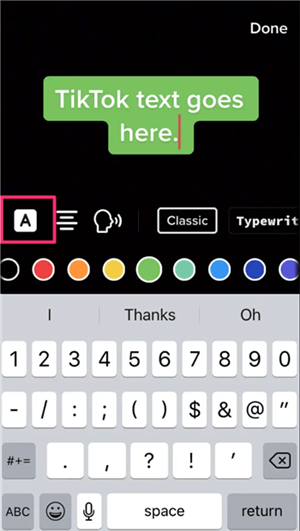
- Add captions and text overlays. Muted viewers who can follow along watch far longer.
- Cut every dead second. Silence, filler words, and slow intros all cost retention in the first test batch.
- Design for replays. Fast cuts, hidden details, or an ending that loops smoothly into the start all trigger rewatches.
Method 3: Encourage Meaningful Comments
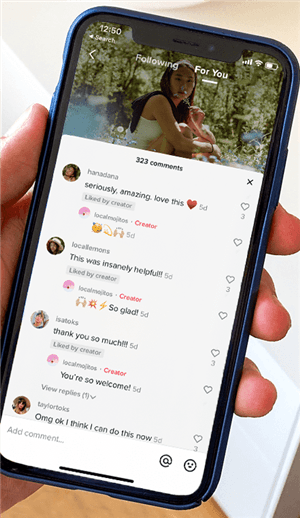
Comments are one of the engagement signals TikTok considers, but getting more comments starts with giving viewers a genuine reason to respond.
- Ask one specific question. “Which of these would you actually buy?” gives viewers something concrete to answer and is more useful than a generic “comment below.”
- Leave room for discussion. A surprising opinion, comparison, or unresolved question can naturally invite viewers to share their experience or disagree.
- Use a conversation-starting CTA. Ask viewers to choose, explain, recommend, or add to the discussion rather than simply asking them to comment.
- Pin a useful question. A pinned question can give viewers an easy starting point for the conversation.
What to Ask—and What to Avoid
Avoid fake controversy, misleading “wait for part 2” promises, or other tactics designed only to inflate comments. The goal is to start a conversation that adds value to the video.
Example: Instead of “Comment below!”, try “Which mistake do you see most often?” or “Which option would you choose—and why?”
Method 4: Reply to Comments with Videos, Stitches, and Duets
Replying to comments can deepen conversations and create additional content opportunities.
- Reply within the first hour. Prioritize comments that can lead to useful follow-up discussions.
- Turn top comments into videos. Record a video reply to the most-liked comment; it resurfaces the original video and gives the commenter a reason to share.
- Stitch and Duet strategically. React to creators in your niche — their audience is your audience.
- Keep threads alive. Reply to replies. A three-message thread is a much stronger signal than three scattered comments.
Best for: MCN-managed creators (easy to systematize across a roster) and any account with rising comment volume.
Method 5: Test When Your Audience Is Active
Posting time can affect who sees a video early on, but there is no universal “best time” that guarantees higher engagement. Use your audience data to find posting windows worth testing.
- Check your audience activity. Use TikTok Studio analytics to see when your audience is most active and identify potential posting windows.
- Test different time slots. Try 2–3 posting windows over several weeks, then compare similar videos by views, watch time, shares, comments, and other relevant metrics.
- Keep your posting schedule sustainable. There is no universal posting frequency that works for every account. Choose a cadence you can maintain without sacrificing content quality.
- Treat generic “best time to post” lists as a starting point. Industry-wide averages can help generate ideas, but your own audience data is more relevant to your account.
TikTok Engagement Tips: Timing and Consistency
📌 Note: For audiences across multiple time zones, test posting windows that overlap with the periods when your key audience segments are active. Compare results by audience and content type rather than assuming one time works for everyone.
Method 6: Use Trending Sounds Without Breaking Your Niche
Trending sounds buy discovery, but use trending sounds when they naturally fit the content.
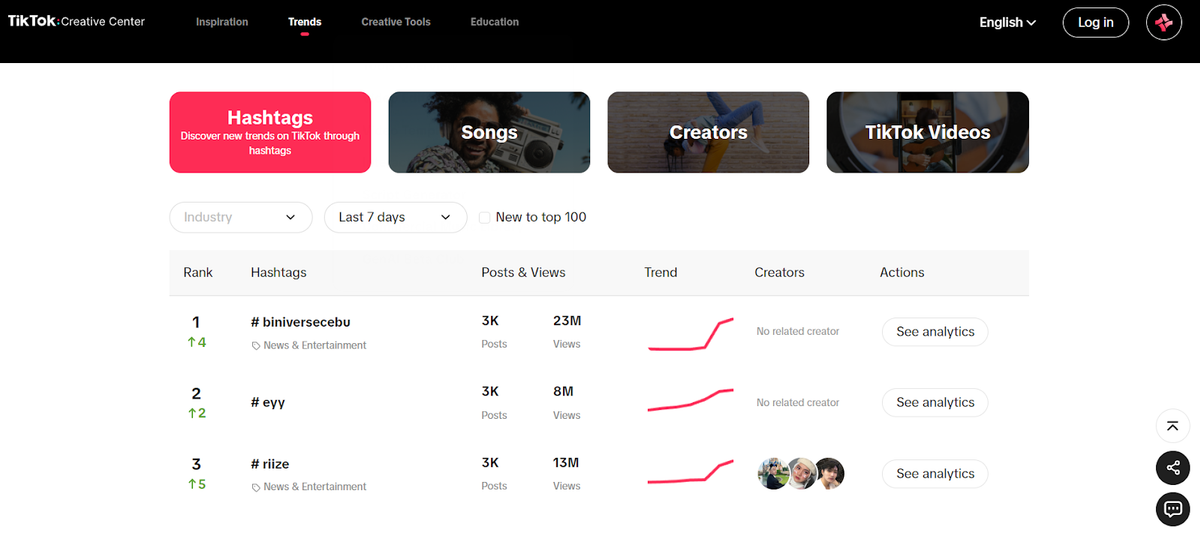
- Check trends daily. TikTok's Creative Center lists trending sounds by region and industry.
- Filter by relevance. Only use a trend when your niche content fits it naturally. Otherwise, the algorithm tests your video on viewers who will never engage.
- Use the sound as backing at low volume. Trends don't require lip-syncing; keep your voiceover and let the audio ride underneath.
- Act within 1–2 days. Trends decay fast — a sound that was hot Monday is background noise by Friday.
Best for: faceless creators (sounds carry the emotion), niche creators testing discovery, and accounts that post daily.
Method 7: Build a Weekly Analytics Ritual and Double Down
All the tactics above produce data. The creators who compound their growth are the ones who review that data on a schedule.
- Block 30 minutes every week. Same day, same time — treat it like a meeting with your account.
- Review the right metrics. Watch time, completion rate, shares, and saves — not just views and likes.
- Compare your top 5 and bottom 5 videos. List what differs: hook style, length, topic, sound, CTA.
- Write three "more like this" notes. Make them concrete: "Hooks that start with 'I was wrong about…' outperform," not "good videos did better."
- Cut what doesn't work. Stop making the bottom-5 format, even if it's comfortable.
💡 Pro tip: Keep a simple sheet — video, hook, completion %, shares, saves. Within a month you'll have your own engagement playbook, built from your own data.
Best for: MCNs benchmarking across a creator roster and anyone managing more than one account.
Automate TikTok Analytics with AllyHub
AllyHub can automate the repetitive work behind weekly TikTok analysis. As a browser-native AI agent, it can browse TikTok, collect video data, compare top and bottom performers, and generate a structured performance report.
Save the workflow as a reusable Skill, so recurring analysis takes less manual work over time.
TikTok Engagement Methods Compared: Which One Should You Use First?
Method | Effort | Expected impact | Best for |
3–6 second hooks | Low | Highest per-video leverage | Everyone |
Watch-time structure |
Which Methods Fit Your TikTok Strategy?
Start with the two lowest-effort, highest-impact methods, then add one per week:
Scenario | Start with | Why |
Solo creator starting out | Methods 1 + 3 | Maximum return for zero budget |
Faceless or niche creator | Methods 2 + 6 | Retention and discovery without showing your face |
Beyond Posting: Turn Market Intelligence into Winning Scripts and Direct Publishing
TikTok research often means collecting competitor videos, studying what performs, and then manually turning those findings into new content. AllyHub can automate these steps with its browser-native AI agent.
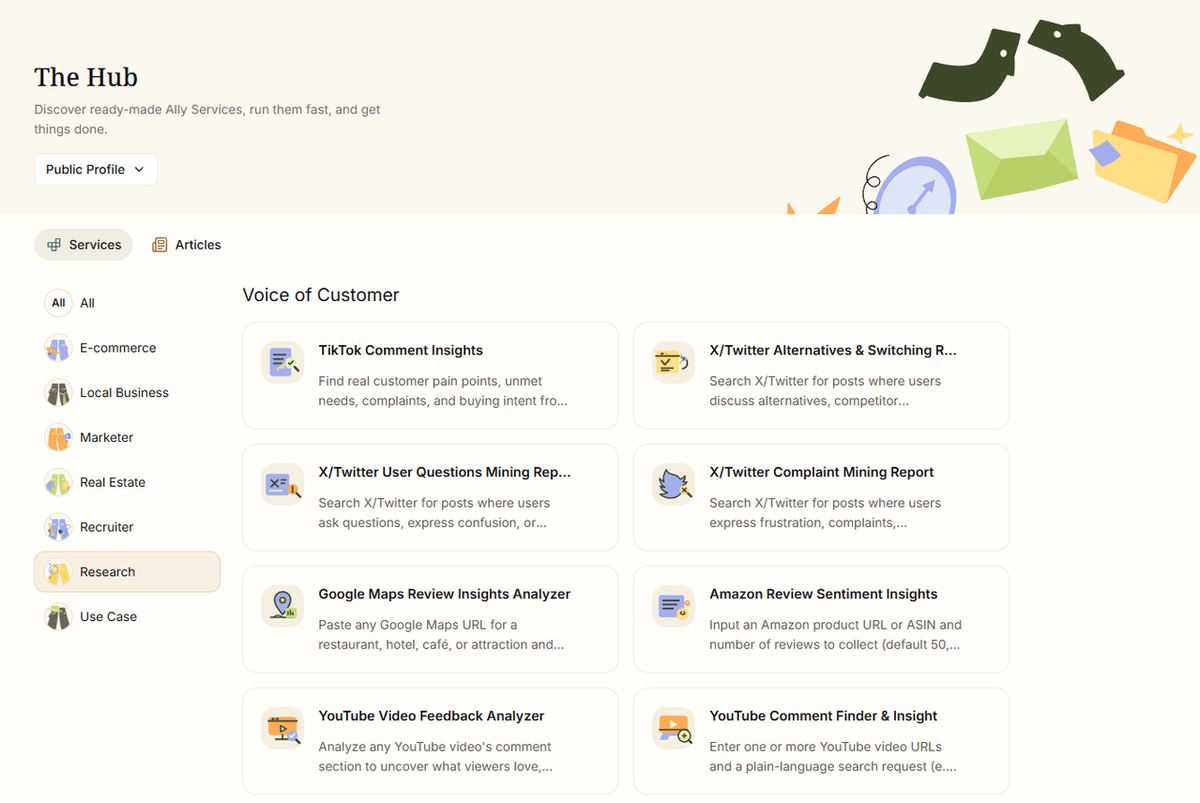
- One-Click Intelligence Gathering: Use the AllyHub browser extension while browsing TikTok to effortlessly collect high-performing competitor posts, viral video structures, and top creators into your custom Dataset.
- Deep AI Diagnostics: Generate structured analysis reports that break down viral videos into key building blocks — from 3–6 second hook formulas and pacing to audience sentiment in the comments.
- Script Production & Rewriting: Bring diagnostic insights straight into the AllyHub Editor to rewrite proven video scripts, hooks, and comment-bait CTAs tailored to your brand.
- Direct Multi-Channel Publishing: Move directly from script approval to scheduling and publishing across TikTok and other channels without changing tools.
By turning raw market data into executable scripts and instant posts, AllyHub eliminates research fatigue and helps you consistently publish content engineered for engagement.
FAQ
What is a good engagement rate on TikTok?
There is no universal benchmark because engagement rates vary by account type, industry, and measurement method. Rival IQ's 2025 benchmark report found a median TikTok engagement rate of about 1.34% per video by followers across the brands it analyzed. Use comparable benchmarks as a reference, but track your own performance over time.
Why Does Engagement Matter on TikTok?
Views show how many people watched a video, but engagement gives you more insight into how viewers responded. TikTok considers signals such as watch time, likes, comments, shares, and whether viewers finish or skip a video when recommending content. Focus on creating videos that attract attention, hold viewers, and give them a reason to interact—not just chasing higher view counts.
How do you get 1,000 views on TikTok?
There is no guaranteed formula for reaching 1,000 views. Start by making the video's value clear in the first few seconds, then focus on keeping viewers watching and giving them a reason to interact. Review your analytics to see which topics, formats, and hooks perform best for your audience.
How do you quickly increase engagement on TikTok?
Focus on the factors you can control: strengthen the opening, improve pacing, ask a specific question, and turn useful audience comments into follow-up content. Then compare the results with your recent videos rather than relying on a fixed engagement formula.
Do hashtags still matter for TikTok engagement?
Yes, but they are not a shortcut to reach. Use a small number of relevant hashtags that accurately describe your video's topic. TikTok considers hashtags as part of its content information alongside other factors such as sounds and user interactions.
How can I research what's working in my niche without scrolling for hours?
Browser automation can reduce the manual research involved. For example, AllyHub can be used to collect competitor content, organize hooks and CTAs, and summarize recurring themes in accessible comment sections. This can turn weekly competitor research into a repeatable workflow.
Does posting more often increase engagement?
Not necessarily. TikTok does not publish a universal posting frequency that guarantees better engagement. Choose a schedule you can maintain without sacrificing quality, then test different frequencies and use your analytics to see what works for your audience.



