# How to Find Trending Topics on YouTube: 6 Proven Ways to Spot Viral Trends Early
> Learn how to find trending topics on YouTube using 6 proven methods, from YouTube Explore and Google Trends to vidIQ, TubeBuddy, and AllyHub.
You've seen it happen: a creator posts a video on a trending topic and hits 500K views in 48 hours. Meanwhile, your carefully crafted video sits at 300 views after a week.
The difference? Timing + topic selection.
Finding trending topics and creating viral videos on YouTube isn't luck — it's a repeatable process. In this guide, you'll learn 6 methods to spot what's trending on YouTube today, how to filter by country, and how to find niche trends before they peak.
Let's get into it.
What Does “Trending” Mean on YouTube ?
Before we dive in, here’s one important update: YouTube removed its classic “Trending” tab and replaced it with the **Explore tab** — a more personalized, category-based discovery hub.
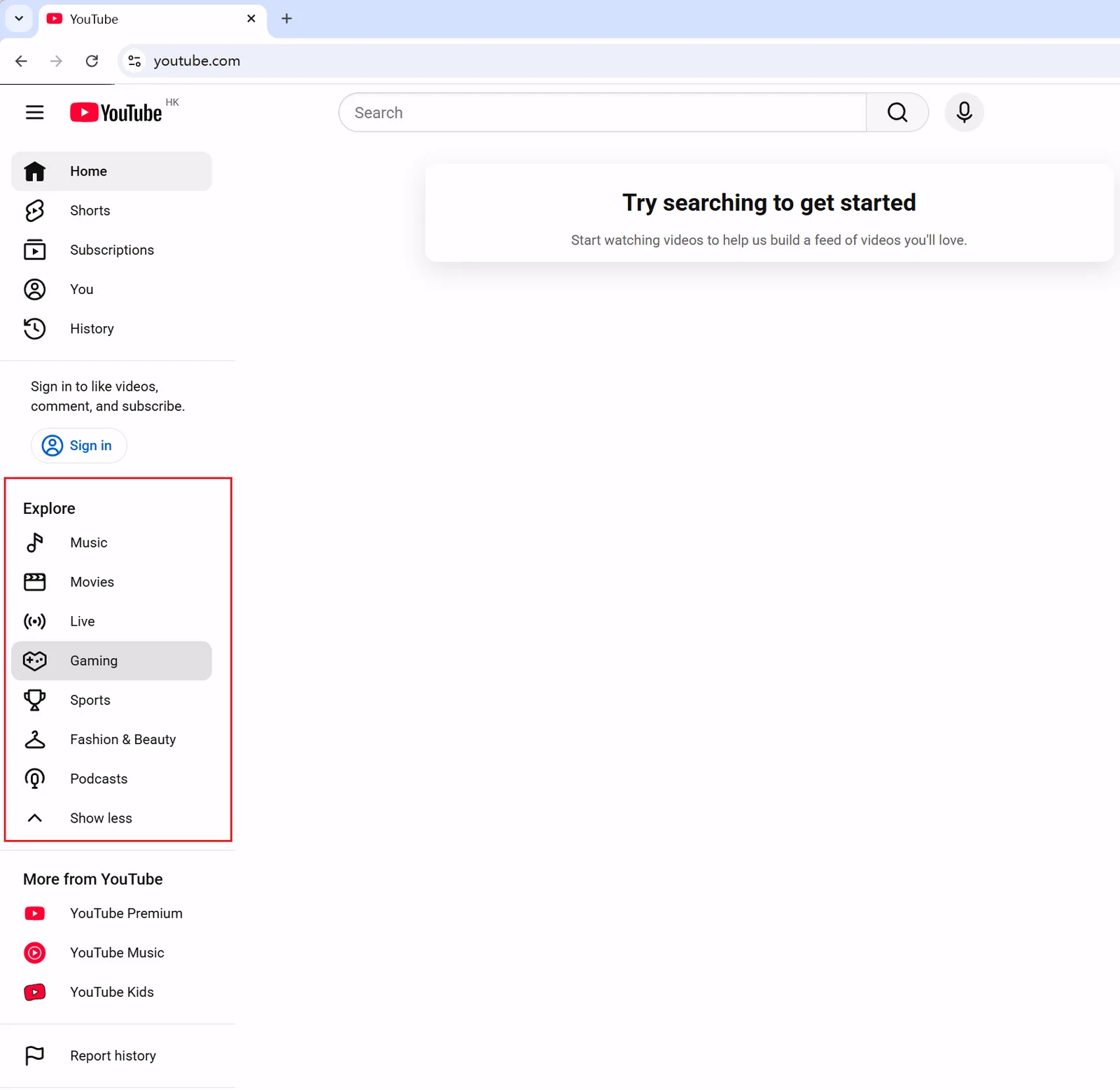
**The new Explore tab shows:**
- Category charts (Shopping, Music, Movie & TV, Live, Gaming, News, Sports, Courses, etc.)
- Creator on the Rise — emerging channels gaining momentum
- Artist on the Rise — breakout musicians
This is actually better for creators. Instead of one generic trending list, you now get micro-trends by niche — which means better opportunities for creators who want targeted traffic instead of broad viral luck.
## Method 1: How to use AI Tools to Automate Trend Monitoring
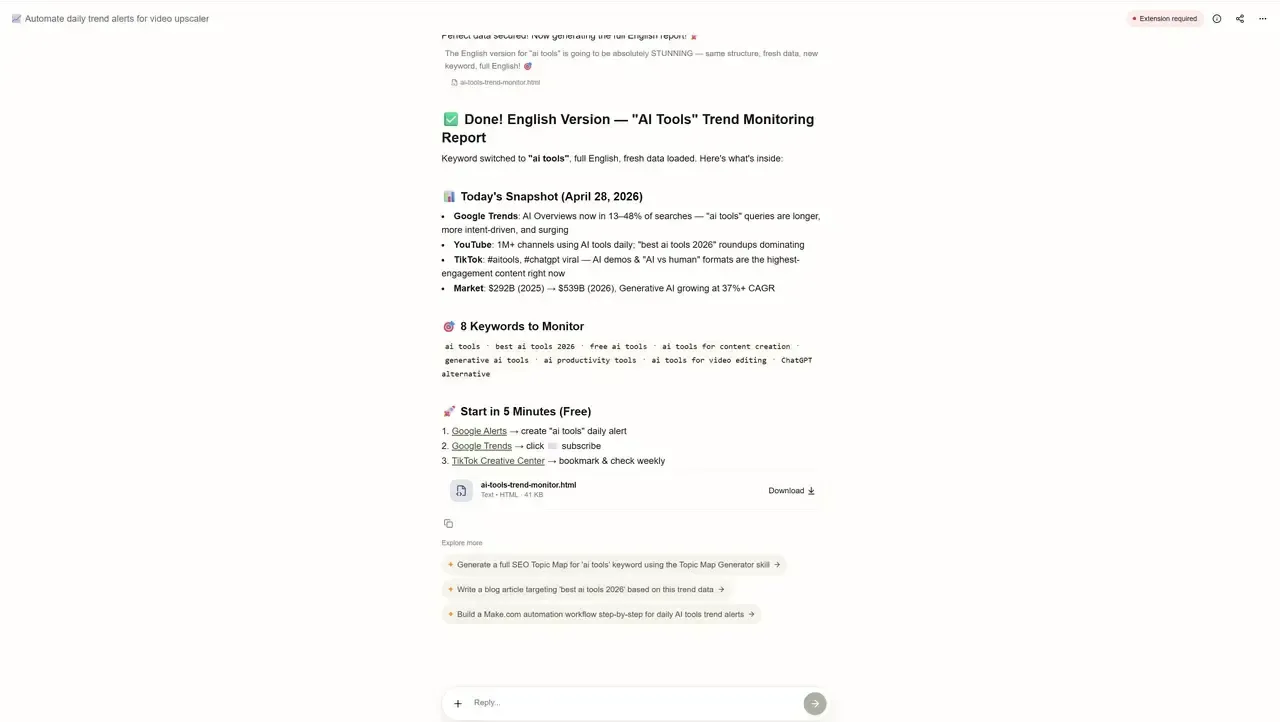
Checking YouTube Explore, Google Trends, TikTok, competitor channels, and keyword tools every week works — but it gets exhausting fast. This is where AI tools become useful.
Instead of manually collecting trend signals across multiple platforms, tools like AllyHub can help automate the workflow.

**For example, you can:**
- Find trending videos by topic, performance, or keyword
- Monitor YouTube Explore across multiple categories
- Pull Google Trends data whenever you need it
- Track competitor channels and identify their top-performing topics
- Organize everything into a weekly trend report
### Why Automation Matters for YouTube Trend Research
This saves a huge amount of manual work. What makes this different from using only vidIQ or TubeBuddy is consistency—instead of checking platforms one by one, you build a repeatable workflow that runs automatically.
For creators publishing 3+ videos per week, this becomes less of a convenience and more of a competitive advantage. The goal isn't just finding trends faster. It's making trend research something you can repeat every single week without burning out.
Method 2: How to Use YouTube’s Explore Tab (Free, Built-In)
The fastest way to see what’s trending on YouTube right now is still YouTube itself.
### **How to Access YouTube Trends**
**On Desktop**
1. Go to youtube.com
2. Click **Explore** in the left sidebar
3. Browse by category: Music, Movies, Lives, Gaming, News, Sports, Courses, Podcasts
**On Mobile**
1. Tap the **Explore** icon (compass) at the bottom of the app
2. Tap Trending or any category tab
**What to look for**
- Videos with high view counts published in the last 24–72 hours
- Topics appearing across multiple categories at the same time
- Videos from channels smaller than yours (this proves the algorithm is pushing the topic, not just rewarding a huge creator)
**Pro tip:** I recommend checking the Explore tab at least 3 times per week. Trends on YouTube can peak and disappear within 5–7 days.
Method 3: How to Use Google Trends — Filter for YouTube Search
Google Trends is one of the most underrated tools for YouTube research. Most creators use it for web search, but very few realize you can filter it specifically for **YouTube Search**. That changes everything.
### Steps to Use Google Trends for YouTube Trending Topics
1. Go to trends.google.com
2. Enter a broad keyword related to your niche (example: AI tools, home workout, budget travel)
3. Click the dropdown that says Web Search → change it to YouTube Search
4. Set your time range to Past 7 days or Past 30 days or other custom
5. Scroll to Related queries → switch from Top to Rising
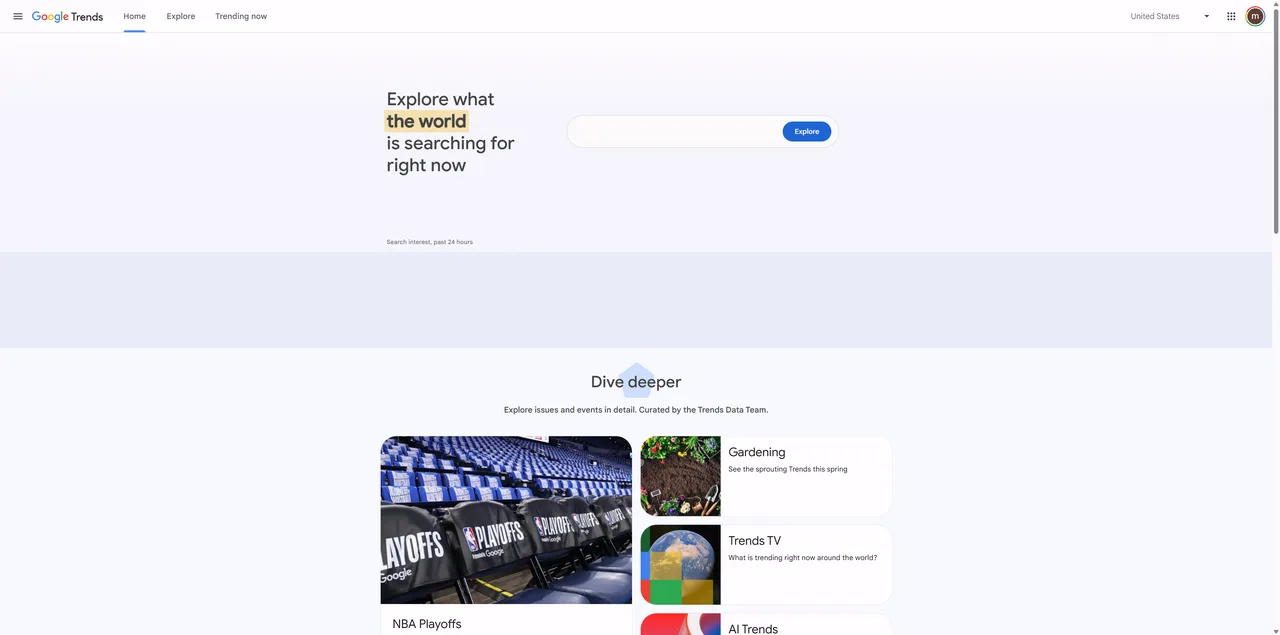
The “Rising” queries are where the gold is. These are breakout topics forming right now — not the ones that already peaked.
### Meanwhile, if you want to see trends on YouTube by country via Google Trends
Use the location filter at the top of **Google Trends** to switch between countries. This matters a lot.
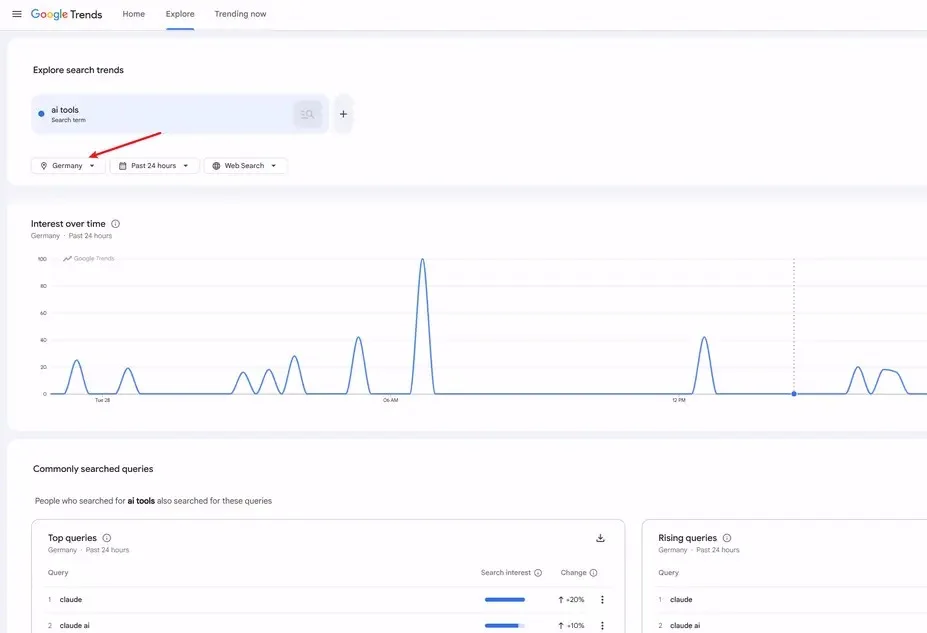
What’s trending in Brazil can be completely different from what’s trending in the US, India, or the UK. If your audience is local, your trend research should be too.
## Method 4: How to Use YouTube Search Autocomplete (The Fastest Trick)
This one takes 30 seconds and costs nothing.
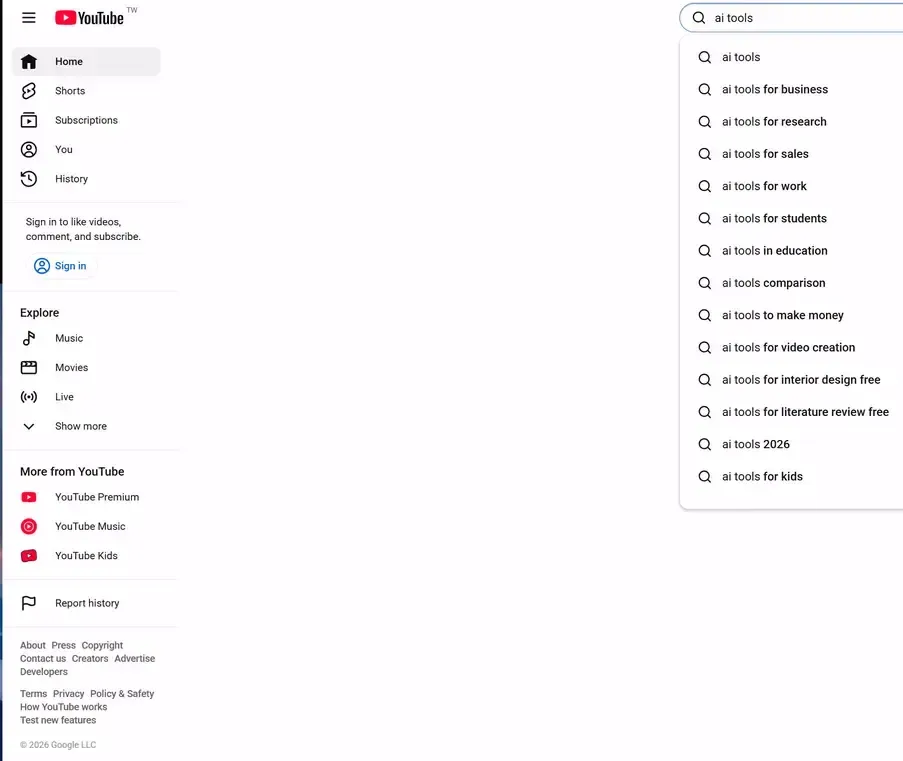
**How it works**
1. Go to YouTube
2. Start typing a keyword into the search bar
3. Don’t press Enter
4. Watch the autocomplete suggestions appear
These suggestions are generated from real search behavior. If YouTube suggests it, people are actively searching for it.
**Advanced version**
Try typing:
- “AI tools a…”
- “home workout b…”
- “travel tips c…”
Each letter reveals a new cluster of long-tail searches. This is one of the fastest ways to discover niche trending topics before they become obvious.
## Method 5: How to use vidIQ and TubeBuddy for Keyword Research
If you’re serious about YouTube growth, these two browser extensions are worth installing. Both offer free versions.
### 1. vidIQ: **Stronger for trend discovery**
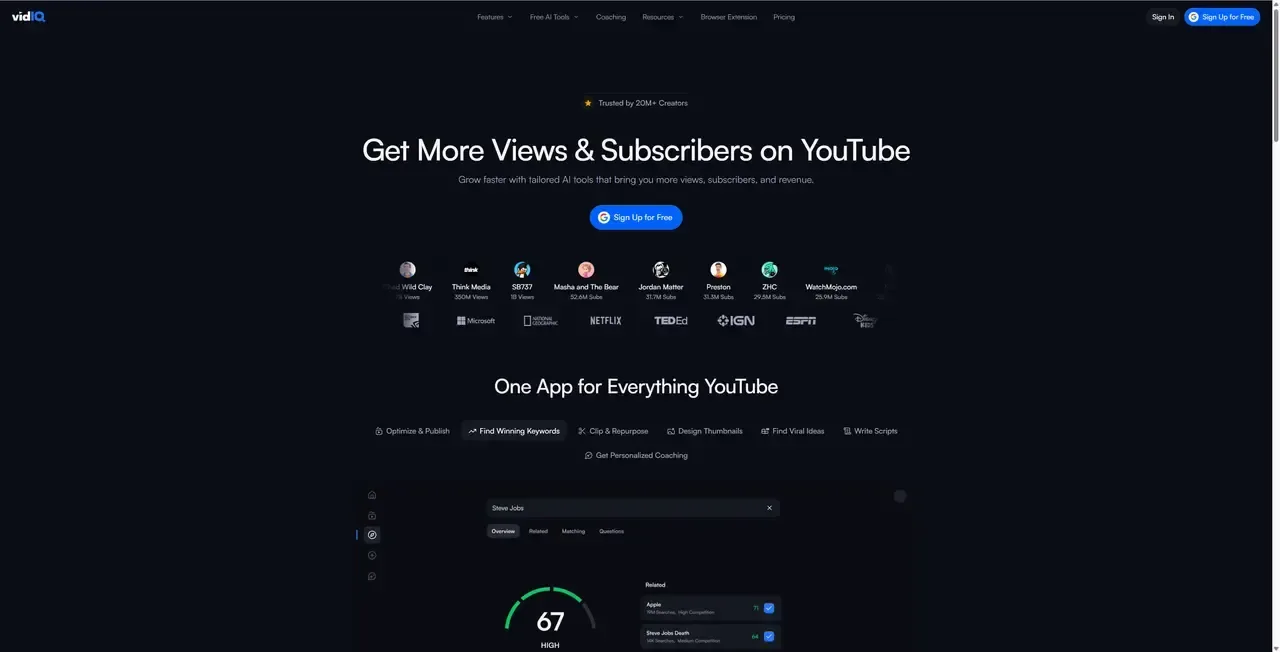
vidIQ is especially useful when you want to spot new opportunities before they become saturated.
**Features include:**
- Rising Keywords
- Daily Ideas
- Trend Alerts
- Competitor channel monitoring
### 2. TubeBuddy: **Stronger for optimization**
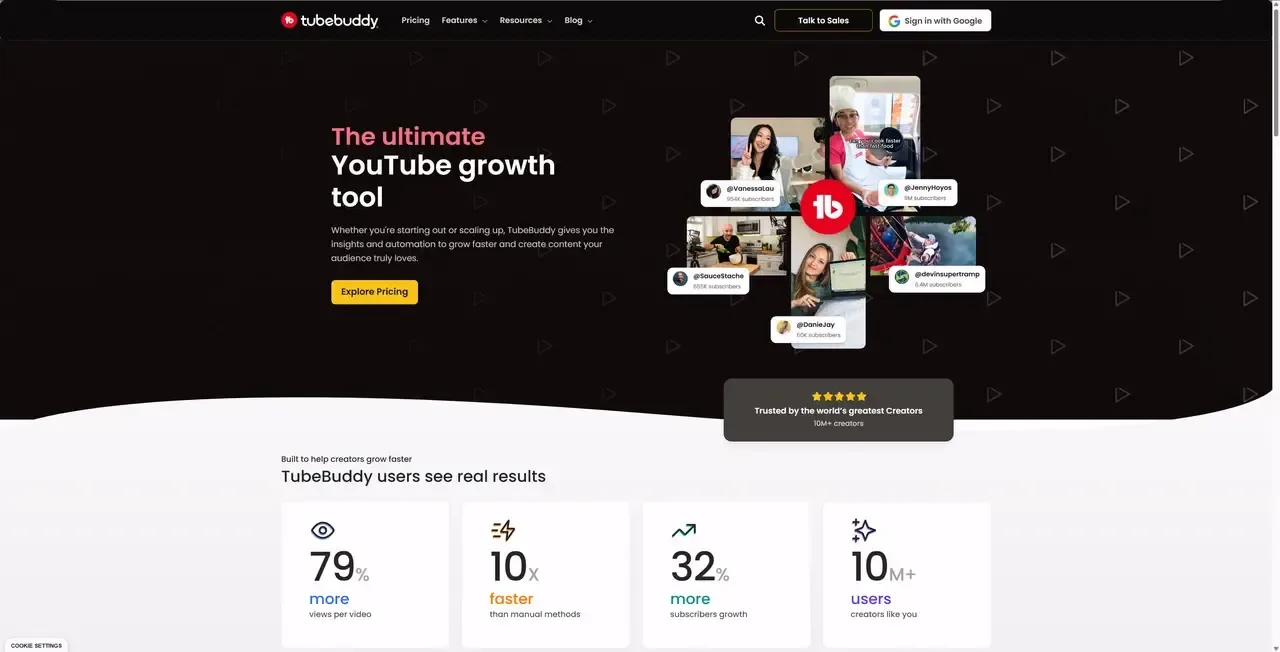
TubeBuddy helps more with execution after you’ve found the topic.
**Features include:**
- Keyword Explorer
- Search volume + competition score
- Trend alerts
- Most Viewed filters by upload date
**Which one should you use?**
Honestly, many creators use both. vidIQ helps you discover. TubeBuddy helps you optimize. That combination works very well.
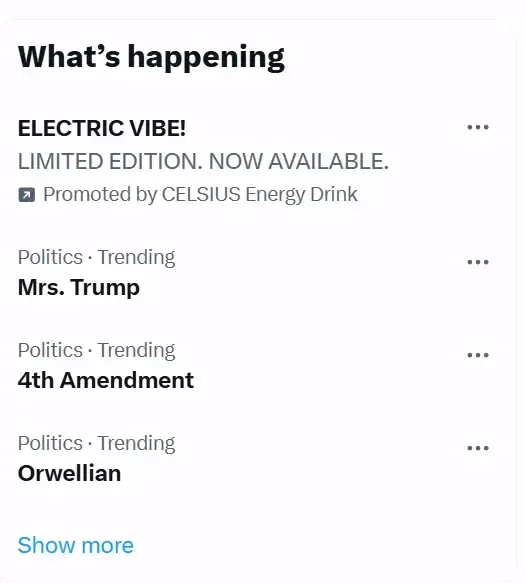
## Method 6: How to Monitor TikTok and X (Twitter) for Early Signals
A pattern I see constantly: A topic goes viral on TikTok or X first… and then shows up on YouTube 3–7 days later. Why? Because TikTok moves faster. Short-form content creates faster feedback loops, which means trends surface earlier. By the time something hits YouTube Explore, it has usually already been validated somewhere else.
**How to Use** TikTok Creative Center
1. Go to: ads.tiktok.com/business/creativecenter
2. Then click Trends
3. Browse trending hashtags, sounds, and videos
4. Filter by country and category
Then you can look for topics that can expand into long-form YouTube content.
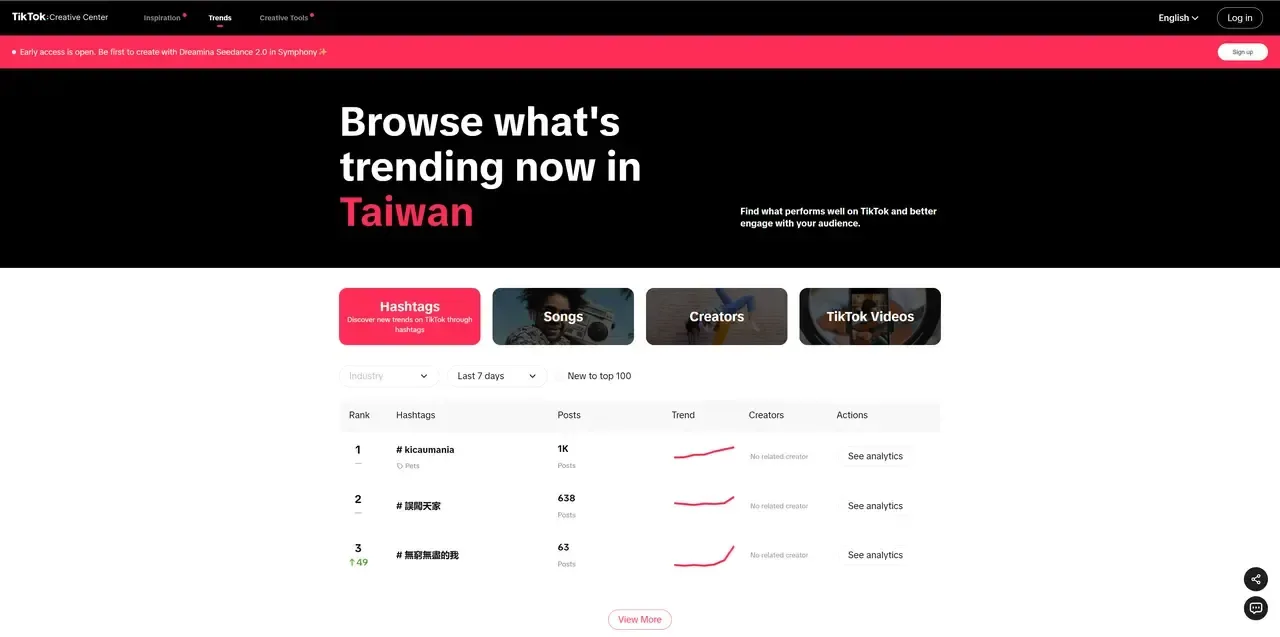
Look for:
- debates
- tutorials
- “how does this work” questions
- major product releases
- news-driven opportunities
These often translate extremely well into YouTube content.
### **Pro Tips**
When the same topic appears on both TikTok **and** X within 24 hours, there’s a strong chance it will trend on YouTube next. That’s your early entry point.
## How to Track Trending Topics Every Week (Without Wasting Hours)
You don’t need to spend hours every day. A repeatable system beats random checking.
**Monday (15 min)**
- Check YouTube Explore tab
- Note 3–5 trending topics in your niche
- Open Google Trends with YouTube Search filter
- Look for Rising queries
**Wednesday (10 min)**
- Check TikTok Creative Center
- Look for topics moving toward YouTube
- Run autocomplete scans on your main keywords
**Friday (10 min)**
- Review vidIQ or TubeBuddy Rising Keywords
- Check X trending topics for relevant opportunities
Total time: About 35 minutes per week That’s enough to stay ahead without turning research into a full-time job.
## Common Questions About Trending Topics on YouTube
#### Is there a free tool to find trending YouTube topics?
Yes. YouTube Explore and Google Trends are both free. vidIQ and TubeBuddy also offer free versions. For more advanced automation across multiple platforms, AI tools like AllyHub can help streamline the workflow.
#### How often should I check YouTube trends?
At minimum, 2–3 times per week.
For fast-moving niches like tech, entertainment, and news, daily monitoring gives you a major advantage.
How Fast Should You Act on a Trending Topic? Finding a trend early is only half the job. The other half knows when to move.
0–24 hours Ideal. You're early. Even a decent video can rank well.
24–72 hours Still strong. The trend is building. Now quality matters more.
3–7 days Competitive. You need a better angle or stronger execution.
7+ days are Usually late. Unless you have a unique perspective, you're fighting for scraps.
The exception to Evergreen trending topics on YouTube — like:
- How to use a new AI tool
- Review of a just-launched product
- Platform updates
These can stay valuable much longer because search demand keeps growing.
## Final Thoughts
Finding trending topics on YouTube isn't about luck. It's about building a system that catches signals before everyone else does.
The creators who grow consistently aren't waiting for inspiration. They're checking YouTube Explore, Google Trends, and competitor channels on a schedule — and acting fast when something rises.
Start with one method from this guide. Build the habit. Then automate what slows you down. The next trending topic on YouTube is already surfacing. The only question is whether you'll find it first.