

If you’re comparing AllyHub and Dify, you’re probably stuck on a practical decision: "Do I have the time and engineering skills to build an AI system, or do I just need an AI to do my browser tasks right now?"
Most software comparisons will just list features side-by-side. That won't help you here. The real points are:
- Time spent setting up models and APIs
- Unpredictable costs from usage-based billing
- The gap between “building an agent” and “getting real output”
Here’s the reality:
- Dify is a builder’s platform — you create, configure, and deploy AI apps before they do anything useful
- AllyHub is a ready-to-use operator tool — it runs in your browser and starts doing work immediately
So this isn’t a feature comparison. It’s a workflow decision.
This guide breaks down exactly where each tool fits — so you can decide in minutes, not hours, which one actually gets your job done.
Key Takeaways
- The core difference: Dify is a development platform you build on. AllyHub is a ready-made digital worker you use.
- Choose Dify if: You are a developer or technical team wanting to build, deploy, and self-host custom LLM applications, RAG pipelines, or chatbots for other people to use.
- Choose AllyHub if: You are a non-technical operator (marketer, researcher) who wants an AI agent to execute tasks directly inside your active Chrome browser immediately, with zero setup.
- Pricing: AllyHub starts at $19.99/mo Pro (year-billed); Dify is free self-hosted or $59/mo per workspace (cloud).
What Is AllyHub?
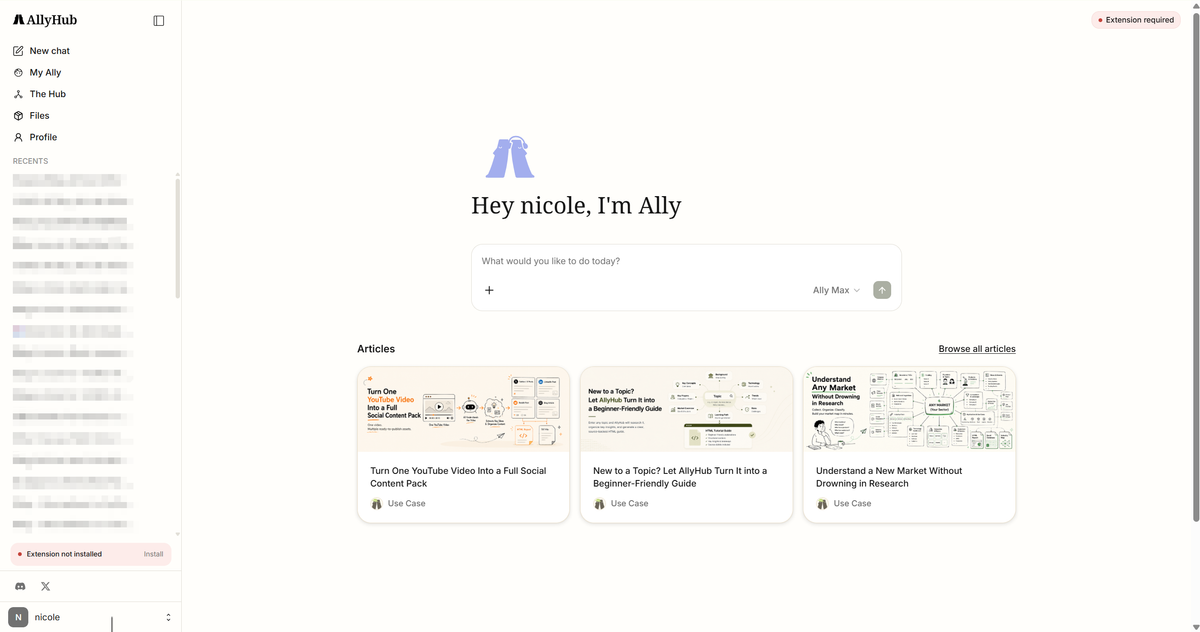
AllyHub is a browser-native AI copilot that executes real work for you. Instead of building agents or workflows, you use AllyHub directly to automate research, data collection, and content tasks inside your own browser. It’s designed for operators who want results, not setup.
Key Features
- Real Browser Automation: Operates live websites using your logged-in sessions (click, extract, navigate).
- Reusable Workflows (Services): Turn repeated tasks into one-click actions without rebuilding logic.
- System That Improves Over Time: Each task generates reusable knowledge and assets, reducing future effort.
- ROTI-Driven Efficiency: Work compounds—future tasks become faster and require fewer tokens.
- Instant Start, No Build Required: No coding, no workflow design—install and use immediately.
What Is Dify?
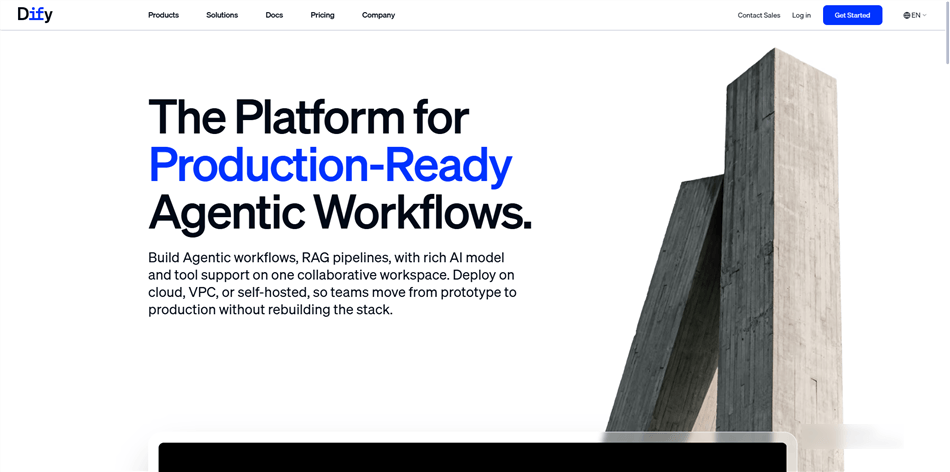
Dify is an open-source LLM application development platform for building and deploying AI-powered apps. Instead of being an agent you use directly, Dify provides the infrastructure and tools to create chatbots, RAG systems, and multi-agent workflows for teams or end users.
Key Features
- Visual AI App Builder: Design workflows, prompts, and logic through a visual interface.
- RAG & Data Integration: Build knowledge-based apps with document ingestion and retrieval.
- Multi-Agent Orchestration: Create and manage complex agent workflows and interactions.
- Deployment & Observability: Monitor usage, debug workflows, and deploy apps to production.
- Open-Source & Flexible Hosting: Self-host for full control or use managed cloud for convenience.
AllyHub vs Dify: Feature-by-Feature Breakdown
Feature | AllyHub | Dify | Winner |
Product type | Ready-made browser agent (use directly) | AI app development platform (build on) | Different goals |
Where Each Tool Outperforms (and Why)
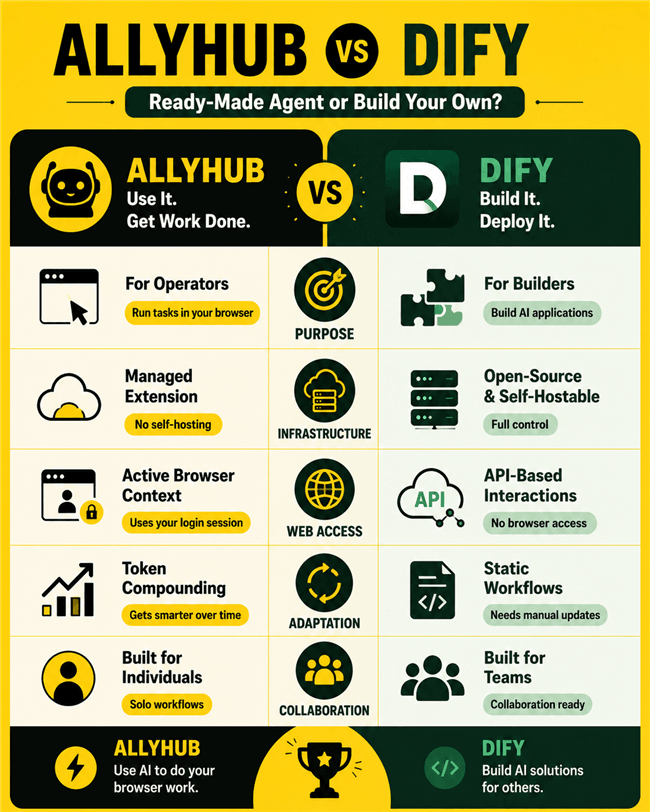
Core Purpose: Building AI Apps vs. Executing Browser Work
- Dify (For Builders): A visual orchestrator for creating multi-step AI pipelines, RAG document systems, and multi-agent workflows. You build applications and deploy them as APIs, chatbots, or web widgets for others to use.
- AllyHub (For Operators): A ready-made browser extension. You describe tasks in natural language, and the agent directly navigates pages, fills forms, and extracts data—with zero workflow design or API setup required.
Infrastructure: Open-Source Freedom vs. Managed Extension
- Dify: Fully open-source and self-hostable via Docker. Connect your own LLM API keys (OpenAI, Anthropic, or local models). Your data stays entirely on your infrastructure, making it mandatory for privacy-sensitive or regulated environments.
- AllyHub: A proprietary, cloud-dependent Chrome extension. All tasks process through AllyHub’s servers with no option for self-hosting or code auditing.
Web Access: Active Browser Context vs. API Interfaces
- AllyHub: Operates directly inside your active Chrome session. It inherits logged-in cookies to scrape auth-gated pages, extract data from CRM/Stripe dashboards, and interact with web apps seamlessly.
- Dify: Built for API and text-based interactions. It cannot interact with your active local browser session or navigate auth-gated web pages directly.
Workflow Adaptation: Token Compounding vs. Static Logic
- AllyHub: Powered by ROTI (Return on Token Investment). Completed tasks generate reusable Skills and Service cards, progressively lowering token costs and execution time on repeated workflows.
- Dify: Deployed applications remain static. Workflows and prompts execute identically every time until a developer manually iterates on them using observability tools.
Collaboration: Team Infrastructure vs. Solo Workflows
- Dify: Designed for multi-developer workflows with workspace collaboration, prompt evaluation, logging, and infrastructure controls.
- AllyHub: Built exclusively for individual operators, currently lacking team plans, SSO, or shared workspaces.
AllyHub vs Dify: Pricing Compared
Category | AllyHub | Dify | Best For |
Entry Price | $19.99/month (all-in-one) | Free (self-hosted) | Developers self-hosting / Operators trying AllyHub |
Cloud Plan |
Dify is open-source. You can self-host the Community Edition for free. But free software isn't free to run. You have to pay for your server infrastructure, and you are 100% responsible for your own LLM API bills (OpenAI, Anthropic). If you want the managed Cloud version to skip the DevOps headache, Dify starts at $59/month per workspace.
AllyHub abstracts all of this away. For $19.99/month (Pro), you get the platform, the agent capabilities, and the underlying AI compute tokens all bundled together.
AllyHub vs Dify: Performance & User Experience
Setup & Time-to-Value
- AllyHub: Installs as a Chrome extension in under two minutes. You describe tasks in natural language with zero infrastructure setup or model configuration required.
- Dify: Takes 30 to 60+ minutes to set up. Requires choosing a deployment method (Docker self-hosting or Cloud), connecting LLM API keys, and designing workflows in the visual builder.
Model Control & Customization
- Dify: Offers complete Bring-Your-Own-Key (BYOK) model choice (OpenAI, Anthropic, local models via Ollama) with granular control over prompts, temperature, retrieval strategies, and system logic.
- AllyHub: Fully abstracts LLM selection away. You define the objective, and AllyHub's internal architecture handles routing and execution automatically.
Scalability & Distribution
- Dify: Designed for high-scale distribution. Deployed apps function as standalone APIs, web widgets, or multi-tenant chatbots serving thousands of external users.
- AllyHub: Built purely for personal browser productivity, capped at 3 concurrent tasks within a single active browser session.
Final Verdict: Should you Build or Buy?
AllyHub and Dify don't actually compete—they serve completely different ends of the AI spectrum.
You should choose Dify if:
- You are an engineer, CTO, or product manager.
- You want to build a custom RAG (Retrieval-Augmented Generation) knowledge base for your company.
- You need to deploy AI apps via API or embed a chatbot on your website for customers to use.
- You require strict open-source, self-hosted data sovereignty.
You should choose AllyHub if:
- You are a marketer, researcher, or e-commerce operator.
- You are tired of switching between tabs and want an AI to execute web tasks directly inside your Chrome browser.
- You need to scrape or interact with websites behind a login (like a CRM or competitor dashboard).
- You want to start automating immediately, without drawing a single line in a workflow builder.
FAQ: AllyHub vs Dify
Can I build a browser automation agent in Dify to replace AllyHub?
Technically yes, but practically no for local session workflows. While Dify supports agentic workflows and tool integrations, it operates as a server-side backend via APIs. It cannot natively control your local Chrome browser or inherit active session cookies (like your logged-in CRM or paid tools). Building custom browser automation in Dify requires significant engineering effort and lacks AllyHub’s login-state access and ROTI compounding.
Does AllyHub support RAG or local document search?
No. AllyHub is strictly a browser-native execution agent. If your primary use case involves querying document stores, building knowledge bases, or running vector search via Retrieval-Augmented Generation (RAG) pipelines, Dify is the dedicated tool for that architecture.
What is the real cost difference between Dify and AllyHub?
- Dify: Free to self-host under the open-source Community Edition, but you cover server infrastructure and your own LLM API bills (Bring-Your-Own-Key). Managed Dify Cloud starts at $59/mo per workspace.
- AllyHub: All-inclusive flat pricing where model usage is bundled into platform credits. Starts at $19.99/month, alongside a limited free tier.
Can a team use both AllyHub and Dify together?
Yes. They address completely non-overlapping parts of an organization:
- Engineering teams use Dify to build, deploy, and maintain customer-facing chatbots, internal knowledge bases, and API integrations.
- Operators and marketers use AllyHub inside their active Chrome browsers to handle individual web research, scraping, and content execution.


