

Repurposing content for social media means turning what you already made into more posts — without copy-pasting the same asset onto every platform.
The hard part is deciding what to reuse, what to change, and how far to adapt it. A strong blog post can become an X thread, Instagram carousel, LinkedIn post, or short video, but each version needs its own hook, pacing, and reason to exist on that platform.
This 7-step workflow shows you how to choose the right source content, extract reusable ideas, rebuild them for different platforms, and turn one strong asset into a week of social content.
Key Takeaways
- Start with proven content: Choose an asset that already performed well, answered a recurring question, or contains useful evergreen ideas.
- Extract ideas, not paragraphs: Break the original into standalone insights, examples, data points, or steps that can work as separate posts.
- Adapt the format to the platform: Change the hook, structure, pacing, visuals, and CTA instead of publishing the same asset everywhere.
- Repurposing is not reposting: Reposting reshares the original; repurposing rebuilds its underlying idea for a different format or audience.
- Build a content chain: One strong source can become several platform-specific posts instead of a single social update.
- Measure what earns another version: Use performance data to decide which repurposed formats or ideas deserve another iteration.
Repurposing vs. crossposting vs. reposting
The three approaches are easy to confuse, but they serve different purposes:
Approach | What you do | Example |
Repurposing | Rebuild an existing idea for a new format or platform | Turn a blog post into an X thread, carousel, and short video |
Crossposting | Publish the same content on multiple platforms |
Repurposing changes the format, hook, or angle so the content fits the new platform and audience. Simply re-exporting the same video with a different watermark, or stitching a few clips together, tends to look like recycled content — and platforms like TikTok have started actively deprioritizing what they call "unoriginal content." The safer bet is to genuinely rebuild the piece for its new home.
How to Repurpose Content for Social Media
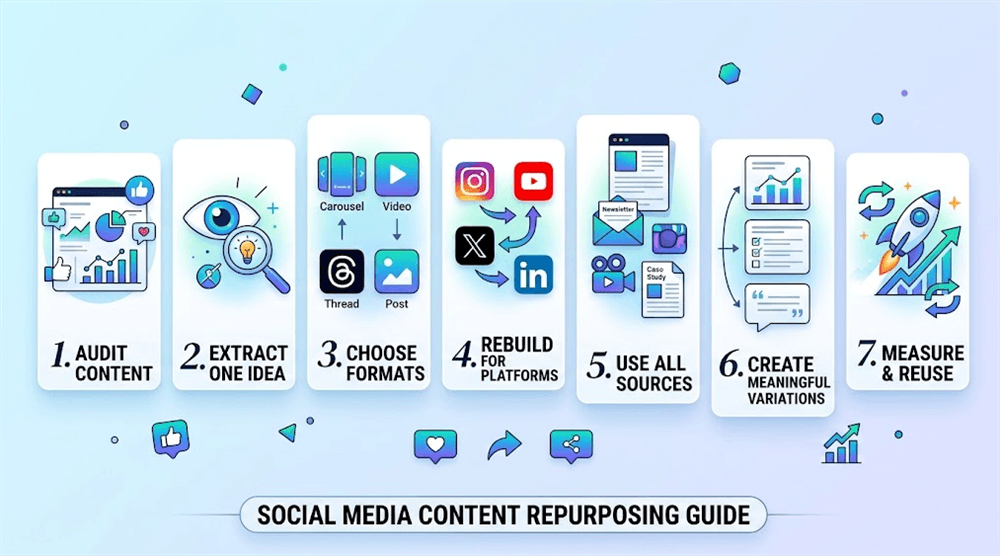
Step 1: Audit your existing content
Start with content that has already proved useful. Review your last 60–90 days and shortlist posts with strong views, saves, comments, clicks, or conversions.
Prioritize content that:
- has a reusable idea, not a one-time trend
- still solves a relevant problem
- performed well for a reason you can explain
Quick test: Write one sentence explaining why each shortlisted post worked. That becomes your rebuild brief.
A related habit worth building: when you plan a long-form asset — a blog post, video, or newsletter — think about the two or three social pieces you'd extract from it before you start writing. Repurposing is much easier when the source is designed with reuse in mind.
Step 2: Extract one idea
Reduce the source to one clear claim, lesson, example, or framework.
Don't try to carry the entire original into every new format. A 2,000-word article might contain five standalone ideas; each can become its own social post.
For example:
Source: How to grow on TikTok
Idea: Faceless creators should show the process, not just the finished result.
If the idea still makes sense when you remove the original format, it is a strong repurposing candidate.
Step 3: Choose the right formats
Match the idea to formats that naturally fit it rather than forcing every idea onto every platform.
Source idea | Possible formats |
Framework | Carousel, thread, LinkedIn post |
How-to | Short video, carousel, tutorial post |
Strong opinion | X post, LinkedIn post, short video |
One source does not need to appear everywhere. Pick the formats where the idea has a reason to work.
Step 4: Rebuild for the platform
Repurposing means changing how the idea is delivered, not just where it is uploaded.
Adapt at least these four elements:
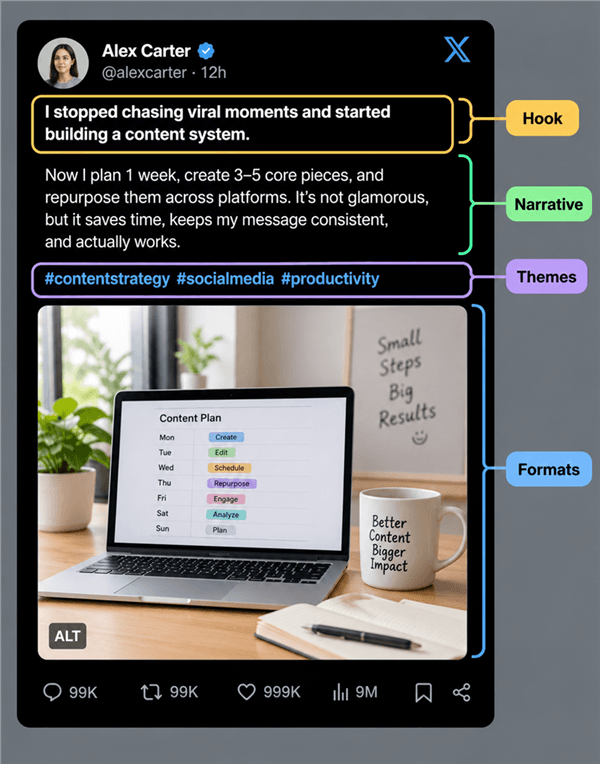
- Hook: Make the opening fit the platform and audience.
- Pacing: Compress or expand the explanation as needed.
- Format: Change the visual or structural treatment.
- CTA: Give the audience a platform-appropriate next action.
For example, a blog's five-step explanation could become a carousel with one step per slide, an X thread with one idea per post, or a 30-second video built around the strongest step.
The core idea stays consistent; the execution does not.
Step 5: Repurpose content you already have
Don't treat repurposing as a blog-only tactic. Any useful content you already own — from blog posts and newsletters to videos, webinars, case studies, or research — can become a source for new social posts.
For example, an evergreen blog article can provide a useful source library when it contains practical advice, data, examples, or frequently asked questions.
Before repurposing:
- Check the original: Update outdated facts and broken links.
- Extract sections: Turn useful H2s, examples, or arguments into standalone ideas.
- Change the entry point: Don't simply paste the original content into a social caption.
- Link back when useful: Let the social version stand on its own while giving readers a path to the full resource.
If the original article still ranks or drives traffic, refresh it rather than replacing it just to create a new version.
Step 6: Create variations without repeating yourself
A common mistake is calling something "repurposed" when only the headline changed. Real variation changes at least one of them: the angle, the example, the hook, or the format — while keeping the underlying insight intact.
For one idea, you might create:
- a quick tip for X
- a step-by-step carousel for Instagram
- a demonstration for TikTok or Reels
- a professional takeaway for LinkedIn
Each version should make sense without requiring the audience to see the original.
Step 7: Measure what deserves another version
Track each repurposed piece against the original using metrics that match your goal—such as saves, shares, comments, clicks, conversions, or watch time.
Then ask:
- Did the new format outperform the original? Test another variation.
- Did the idea work but the format fail? Try a different format.
- Did neither work? Move on and audit another source.
- Did an unexpected post do well? Add it to your repurposing shortlist — even if it wasn't in the original plan.
Keep a simple record of idea → format → result. Over time, it shows which ideas and formats are worth repeating.
Best Tools for Content Repurposing in 2026
Content repurposing usually breaks at one of three points: choosing what is worth reworking, turning it into the right format, or getting the finished piece published. Those are different jobs, so the tools that handle them are different too.
Tool | What it's actually for | What it won't do | Best for |
AllyHub | Using your own performance data and trend intelligence to decide what to make next, then creating long-form text in your voice | General social publishing, scheduling, or video editing | Content teams that want repurposing decisions tied to actual performance |
Where AllyHub fits social media content repurposing
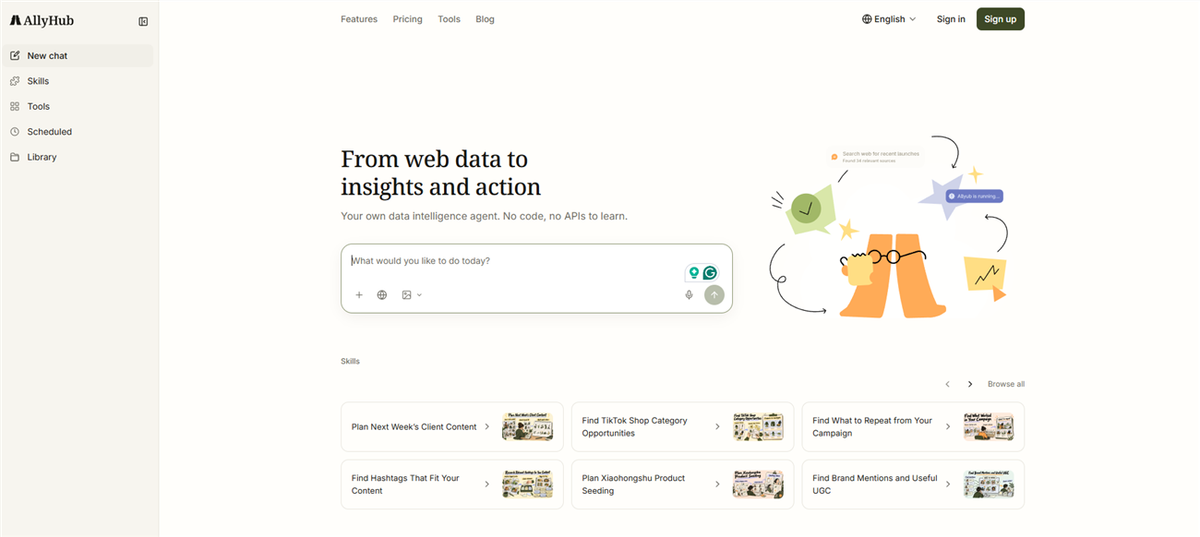
AllyHub is an AI-powered workspace for social content operations. It fits the upstream part of repurposing — deciding what to reuse and finding a stronger angle — through four connected modules:
- Social connects your TikTok and X accounts and turns performance data into winning content patterns, content gaps, next-topic ideas, and performance briefs. This is where you see which posts actually earned another life.
- Radars adds trend and creator intelligence — News & Trends for keywords and accounts, Viral Content for TikTok formats, Creator Watch for niche competitors — so you can also repurpose against what is currently gaining attention.
- Profiles keep brand or creator identity consistent across every rebuilt version.
- Studio turns the selected angle into long-form content such as blog posts or X long-form posts, which then feeds the next repurposing cycle.
It allows you to easily find performance data, winning patterns and gaps, new topics or angles, on-brand long-form content, and create new performance data.
Common repurposing mistakes to avoid
- Republishing the identical file across platforms. Same aspect ratio, same caption, same hook — algorithms and audiences both notice.
- Leaving the other platform's watermark on. It signals the post wasn't adapted, and some platforms actively deprioritize it.
- Trying to be on every platform. Pick the two or three where your audience actually is; ignore the rest.
- Never check if it worked. Without post-level metrics, you're guessing which repurposed formats deserve another round.
FAQ
How often should you repurpose content?
For most creators, one source asset per week producing two or three rebuilt pieces, plus one refresh of an older post, is a sustainable rhythm. The real limit isn't the platform's tolerance for repurposed content — it's your ability to keep each version's quality high.
Does repurposing content actually save time?
Only if you batch it. Rebuilding one asset into three formats in a single sitting usually takes less time than writing three posts from scratch, because the thinking is already done. Doing those same rebuilds one at a time, days apart, often costs more than it saves.
Is it okay to post the same video on TikTok, Reels, and Shorts?
Yes, and it's normal practice — but not as an identical export. The same 9:16 file physically fits all three, so the work is in the first three seconds, the pacing, and removing the other platform's watermark. Same footage, three different openings.
How long should you wait before reposting the same content?
Long enough that most of your current audience never saw it, and long enough that you have something new to say about it. For most accounts that's months, not weeks.
Can repurposing content hurt your SEO?
Repurposing your own content doesn't incur a penalty, but it can create duplicate pages that compete with each other. Update the original rather than deleting it, and when two pages cover the same intent, merge them and point a canonical tag at the version you want indexed.
How many posts can one long-form piece realistically become?
Budget by section, not by ambition. A 2,000-word guide with five clear subsections usually yields four or five social posts, one thread, and one newsletter section — around seven pieces — before the material starts repeating itself.


