Comments are the most honest feedback TikTok gives you. Viewers who take the time to comment tell you exactly what confused them, what they loved, and what they want next. If your latest TikTok has 300 comments, it is not enough to answer questions or complaints, but to mine comments to spot content ideas and uncover audience sentiment.
But TikTok won't let you export comments, and scrolling through them manually eats an hour you don't have. Dedicated TikTok comment analyzers solve this by extracting public comments and turning them into structured data — themes, sentiment, questions, and even audience demographics.
This guide compares the 7 best TikTok comment analyzers for content creators in 2026. We focused on tools built specifically for TikTok comments rather than general social suites, and flagged each one's real limitations.
Key Takeaways
- Best overall for content research: AllyHub turns TikTok comments into recurring themes, audience questions, and structured insights across one or multiple videos.
- Best free option: CommentGrid scores comment sentiment for free — no login, no credit card.
- Best for desktop analysis: Tik Analyzer combines comment topic and sentiment analysis with a broader TikTok research toolkit.
- What to look for: Decide whether you need themes and questions, sentiment, comment exports, competitor research, or large-scale social listening before choosing a tool.
How We Selected These Tools
Here are the five key criteria of choosing TikTok comment analyzers:
- Comment focus: Is TikTok comment analysis a core feature, not an afterthought in a general social suite?
- Export quality: Can you get comments out as CSV, Excel, or JSON with usernames and timestamps intact?
- Analysis depth: Does it go beyond positive/negative to themes, questions, and intent?
- Creator-friendly pricing: Is there a free tier or a plan a solo creator can justify?
- Review track record: Do real users on public platforms recommend it?
Quick Comparison Table
Tool | Best For | Free Plan | Paid From |
AllyHub | Themes, questions & content research | Free | $15.99/mo |
CommentGrid |
AllyHub — For Comment Research & Content Ideas
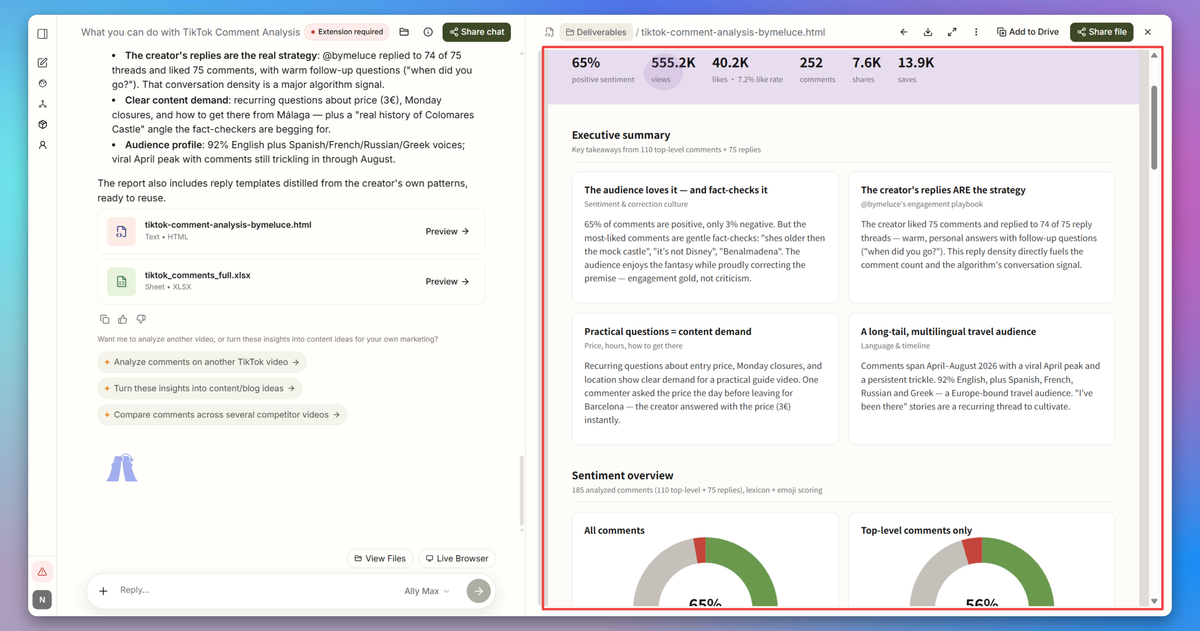
AllyHub is a browser-native AI autopilot that can collect and analyze publicly accessible TikTok comments, then turn them into structured research — theme reports, audience question logs, competitor comparisons, and content ideas.
It is especially useful when your goal isn't simply to measure sentiment, but to figure out what your audience wants, what they keep asking, and what you should create next.
Key features
- Identify recurring praise, complaints, questions, and emotional reactions in public comments
- Collect comments from your or competitors' product videos
- Organize recurring feedback into actionable categories
- Turn frequently asked questions and recurring requests into ideas
- Combine comment insights with competitor and market research to spot recurring topics and demand signals
Pricing: Free tier available; Pro plan at $15.99/month.
Best for: Creators, marketers, and e-commerce teams that need comment research compiled into structured insights without manually copying and sorting comments.
Limitations: AllyHub is an automation and research platform, not a dedicated TikTok comment sentiment analyzer. Use it when you need to collect, organize, analyze, and act on comment insights; use a specialized analyzer when you mainly need instant per-comment sentiment scores.
CommentGrid — Best Free Comment Sentiment Analyzer
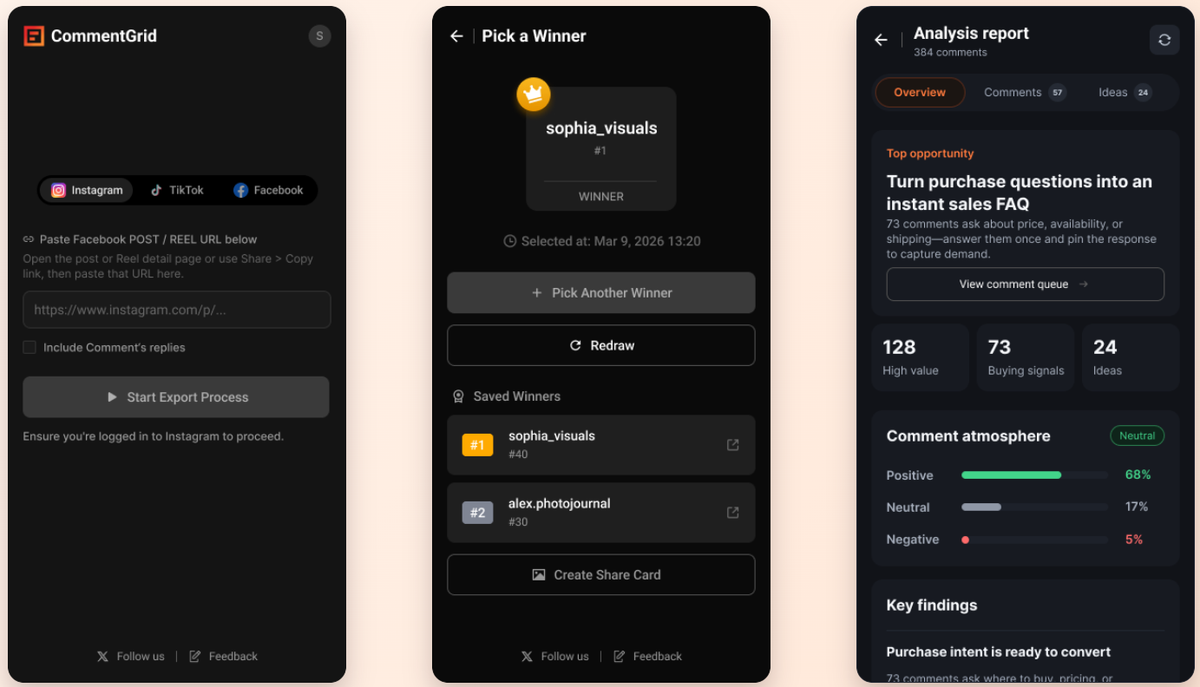
CommentGrid is the simplest free way to score audience reaction on TikTok. Paste comments (or upload a CSV from their extractor) and its free Audience Reaction Analyzer breaks them into positive, neutral, and negative — with a concise summary of what the audience is saying.
It also offers a TikTok Comment Extractor that pulls public comments (including replies) from any video URL into CSV, Excel, or JSON, plus a Chrome extension that analyzes comments right on TikTok, Instagram, and Facebook — all without asking for your TikTok login.
Key features:
- Free sentiment analyzer: positive, neutral, negative breakdown with a summary
- Comment extractor for any public TikTok video URL
- Chrome extension that flags buying intent, questions, and objections in comments
- Giveaway winner picker for comment-based contests
Pricing: The sentiment analyzer is free with no login. The extension is free to install with core export features.
Best for: Creators who want quick, free sentiment snapshots without signing up for anything.
Limitations: Like all AI sentiment tools, it can misread sarcasm, slang, and very short replies. It only works with public videos, and deep historical analysis isn't its strength.
ZocialComment — Best Overall for Export and AI Analysis
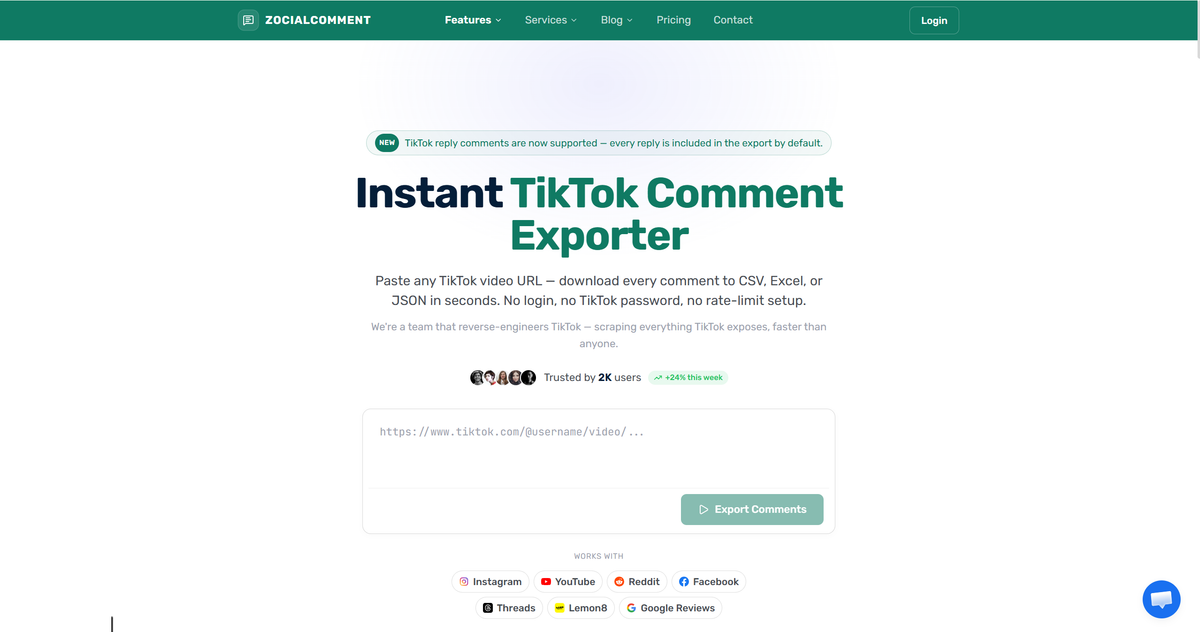
ZocialComment is the most complete TikTok comment tool on this list. It exports publicly visible comments from TikTok posts — with usernames, likes, and timestamps — to CSV, Excel, or JSON, then layers AI analysis on top: sentiment, purchase intent, audience demographics (age, gender, country), top commenters, and spam detection.
What sets it apart for creators is the pricing: a free tier (100 comments per post), then one-time passes instead of a subscription. It's also the best-reviewed tool we found in this niche, with a 4.9/5 rating across 2,100+ users.
Key features:
- Comment export to CSV, Excel, or JSON with usernames and timestamps
- AI analysis: sentiment, purchase intent, demographics, top commenters, spam flags
- Profile analysis with engagement rate and content performance
- Chrome extension for one-click export from TikTok video pages
Pricing: Free plan (100 comments per post, no account). $14 one-time pass: unlimited posts for 3 days, up to 10,000 comments each. $49 Pro pass: up to 100,000 comments per post. No subscription, no auto-renewal.
Best for: Creators and marketers who export and analyze comments regularly but hate monthly subscriptions.
Limitations: It only exports publicly visible comments, and exports are kept in your account for 30 days. Age and gender are AI estimates from names and comment text, not verified data — treat them as directional.
Tik Analyzer — Best One-Time Desktop Suite
Tik Analyzer is a desktop app (Windows and Mac) that treats comments as audience research. Its Comment Analyzer pulls all comments from a video and runs sentiment and topic analysis, summarizing main themes and common questions — then breaks down reply chains to show what sub-topics your audience actually discusses.
Key features:
- Comment sentiment and topic analysis with theme and question summaries
- Reply-chain breakdown for micro-topic audience research
- Video analyzer with 45+ data columns (watch time, traffic, shadowban indicators)
- 590+ AI prompts for content ideas and marketing summaries
Pricing: One-time payment — regularly $67, frequently discounted to around $37. No monthly fees, install on up to 10 computers.
Best for: Creators who want a permanent, no-subscription toolkit and don't mind desktop software.
Limitations: The AI is useful but simple — not comparable to a full language model, and it can stumble on TikTok slang. Heavy extraction can trigger TikTok's anti-scraping measures, and revenue estimates are rough guides only.
Exolyt — Best Deep Comment Sentiment and Listening
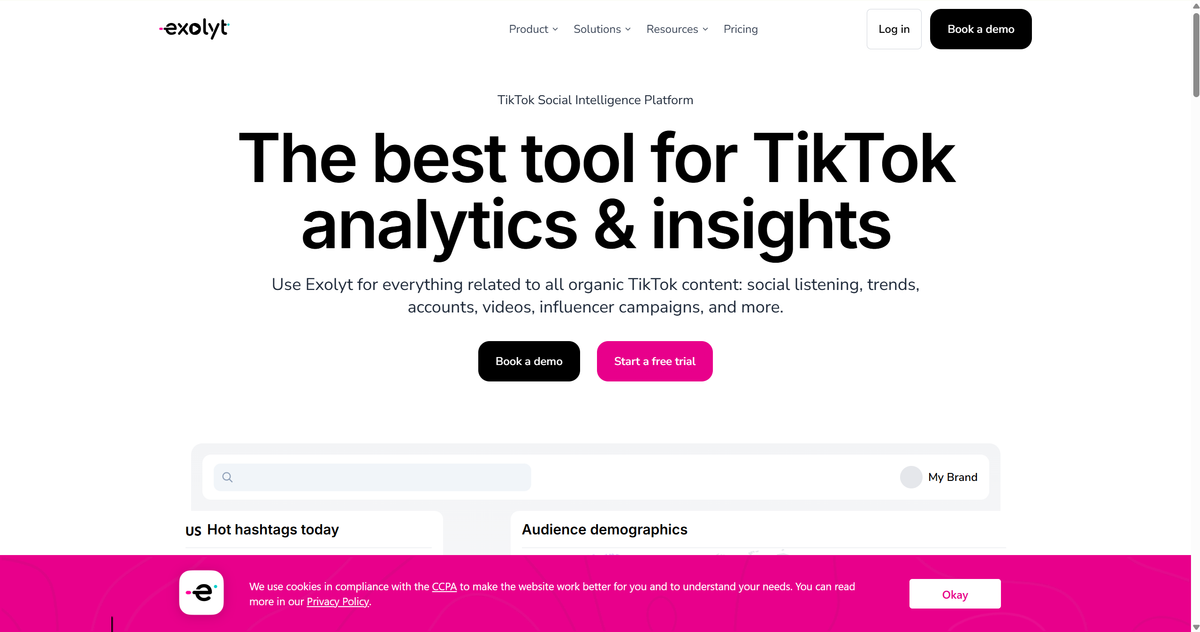
Exolyt is the enterprise-grade option. It's a TikTok-only social intelligence platform whose comment monitoring tracks what's said on topics and brands, with sentiment analysis, conversational theme discovery, and consumer opinion tracking across a massive TikTok database.
Users call it a "game-changer" for reviewing TikTok data — but honest note: comment sentiment analysis sits in the top pricing tier. For creators, it earns its price only when comment intelligence is directly tied to income.
Key features:
- Comment sentiment analysis and conversational theme discovery
- Social listening on any topic with consumer opinion tracking
- Industry engagement benchmarks and influencer campaign tracking
- Video transcription and AI-powered analytics on the Advanced plan
Pricing: Free Basic plan (1 tracked account, 1 hashtag). Essentials: $330/month billed annually. Advanced: $790/month billed annually — this tier includes sentiment analysis and video transcription.
Best for: Full-time creators, agencies, and brands where comment insights drive revenue and justify the price.
Limitations: Sentiment analysis requires the $790/month Advanced tier — steep for most creators. TikTok-only, so multi-platform teams still need another tool.
FAQ: Best TikTok Comment Analyzers
Is there a free TikTok comment analyzer?
AllyHub lets you analyze comments from a single TikTok video for free, while CommentGrid offers free sentiment analysis and ZocialComment provides a free export/analysis tier.
How do I export TikTok comments?
TikTok has no native export button. Third-party tools like ZocialComment and CommentGrid extract public comments from any video URL into CSV, Excel, or JSON — with usernames, likes, and timestamps included.
Can I analyze comments on other people's TikTok videos?
Yes, for public videos. Most analyzers only need the video URL — no login to the creator's account. Private accounts and logged-in-only content can't be accessed, which is a platform restriction every tool shares.
Why does my comment analyzer misread slang and sarcasm?
TikTok comment language is short, slang-heavy, and often ironic — the hardest input for AI sentiment models. Expect directional accuracy, not perfection. Tools that summarize themes tend to be more reliable than per-comment sentiment labels.
What's the best TikTok comment analyzer for brands and agencies?
For content research, AllyHub is useful for grouping recurring themes and questions across TikTok comments. For sentiment and purchase-intent analysis, ZocialComment or CommentGrid may be a better fit. For enterprise-level TikTok listening, Exolyt is designed for a broader social-intelligence workflow.
How can I analyze thousands of TikTok comments at once?
If your goal is to turn thousands of comments into themes, questions, and content ideas, AllyHub can process comments across multiple public TikTok videos and organize recurring topics into a structured report or spreadsheet.