

Can you build a workflow diagram — or do you need AI to figure out the steps for you? That single question separates n8n users from AllyHub users more cleanly than any feature table. n8n is a deterministic workflow builder: you connect API nodes, set triggers, define conditions, and it runs the same pipeline reliably, forever, on a server. AllyHub is an AI browser agent: you describe what you want in natural language, it figures out how to do it in your Chrome, and gets smarter over time. n8n gives you control over automation logic, while AllyHub focuses on letting users delegate browser-based tasks to an AI agent.
This isn't really a "which is better" comparison — it's a "which paradigm fits your brain and your team" comparison. This article maps each tool to the person it's built for, so you can pick in five minutes.
Key Takeaways
- Quick answer: n8n wins for technical builders who want deterministic, API-driven pipelines running server-side 24/7 with full data sovereignty. AllyHub wins for non-technical operators who want an AI agent that handles browser tasks in natural language and compounds value via ROTI.
- Pricing: n8n starts free (self-hosted) or $24/mo Starter (cloud); AllyHub starts at $15.99/mo Pro (year-billed).
- Key difference: n8n runs deterministic workflows via API integrations on a server; AllyHub runs AI-driven tasks in your real browser with inherited login state.
- Open source: n8n is Apache 2.0 — self-host, audit the code, own your data. AllyHub is a proprietary Chrome extension.
- Bottom line: if you can build an n8n workflow, you probably should — it's more reliable, more scalable, and cheaper at volume. If you can't or won't, AllyHub handles the messy browser part for you.
AllyHub vs n8n: Quick Verdict
n8n wins for technical builders who want deterministic, API-driven pipelines that run server-side 24/7 with full data sovereignty. AllyHub wins for non-technical operators who want an AI agent that figures out browser tasks in natural language and compounds value via ROTI.
What Is AllyHub?
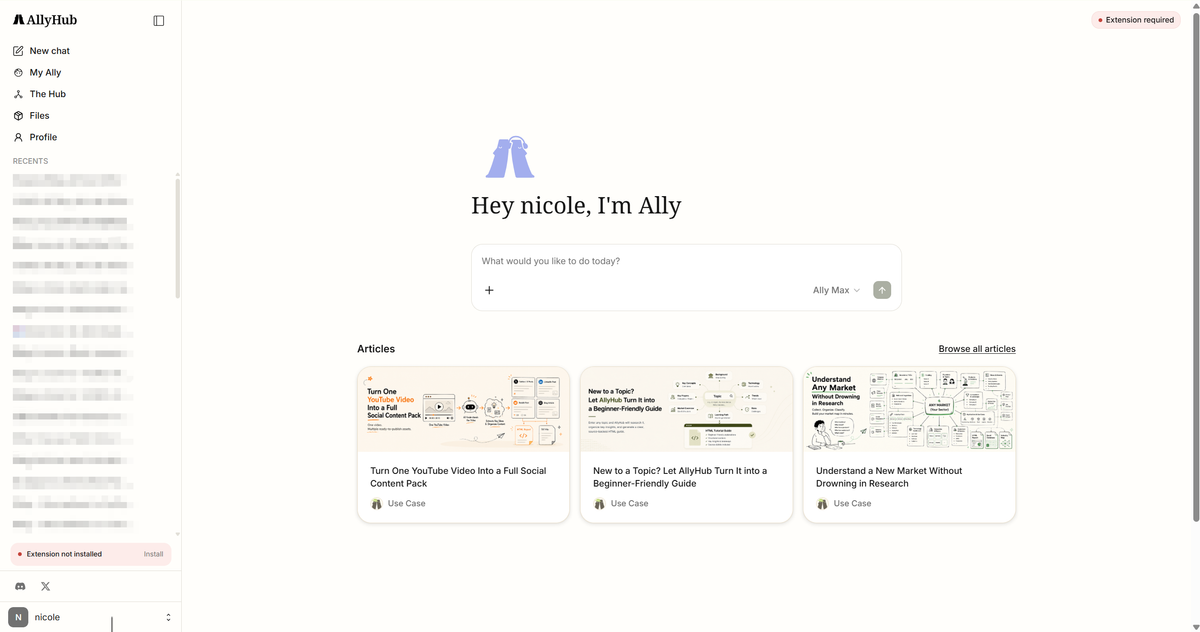
AllyHub is a browser-native AI agent platform distributed as a Chrome extension. It operates the browser you're already logged into — meaning it works inside your existing browser session, allowing it to interact with websites you are already logged into. — and executes multi-step tasks: scraping, form filling, report generation, research, data collection, browser-based workflows, and repetitive online tasks. Its core differentiator is ROTI (Return on Token Investment): every task generates reusable Skills and Service cards, so the next similar task costs fewer tokens. The Hub — a public marketplace of 50+ pre-built Services — lets you skip building workflows from scratch.
What Is n8n?
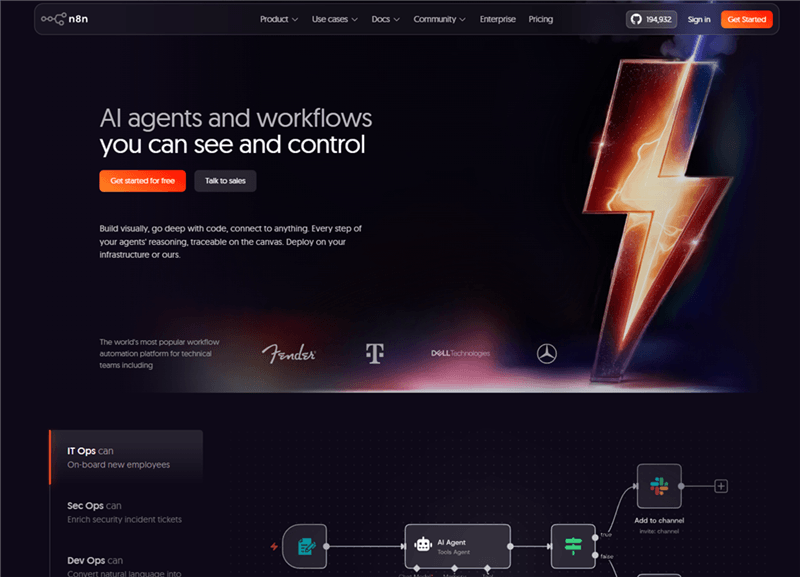
n8n is a self-hostable workflow automation platform built around visual, user-defined workflows. It provides hundreds of integrations with tools like Gmail, Slack, Salesforce, Postgres, OpenAI, and more. Rather than relying on an AI agent to decide every step dynamically, users design workflows by connecting triggers, conditions, and actions — for example, receiving a webhook, processing data, and sending results to another service. When deployed on n8n Cloud or a self-hosted server, n8n workflows can run continuously in the background without requiring your laptop to stay open. n8n also supports AI features such as AI Agent nodes and AI-assisted workflow building, but the core workflow logic remains controlled by the user.
AllyHub vs n8n: Feature-by-Feature Breakdown
Feature | AllyHub | n8n | Winner |
Paradigm | AI browser agent (natural language → browser actions) | Visual workflow automation platform (nodes → automated pipelines) | Different paradigms |
Execution model |
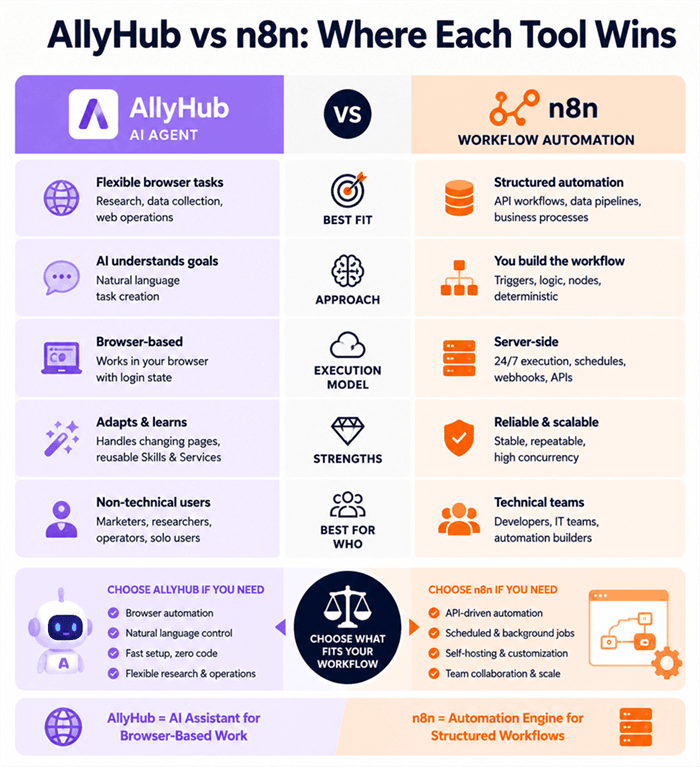
AllyHub vs n8n: Where Each Tool Wins
The feature table shows what each tool offers. The more important question is where each approach works best.
Workflow Reliability vs AI Adaptability
n8n is better suited for workflows that need predictable execution. You define the logic once — triggers, conditions, and actions — and the workflow runs consistently. This makes n8n a strong choice for API-based automation, scheduled processes, data pipelines, and repeatable business workflows.
AllyHub is better suited for flexible browser-based tasks. When websites change or tasks require judgment rather than fixed rules, an AI agent can be more adaptable than a traditional workflow. It is useful for research, browser operations, and tasks that are difficult to fully define upfront.
Best fit:
- n8n: stable, repeatable, API-driven automation
- AllyHub: adaptive browser tasks and exploratory workflows
Execution Model: Browser vs Server
n8n has the advantage for background automation. When deployed on n8n Cloud or a self-hosted server, workflows can run continuously with scheduled triggers, webhooks, and automated execution.
AllyHub focuses on interactive browser-based tasks. It works within the user's browser environment, making it useful for logged-in websites but less suitable for unattended, always-on automation.
Best fit:
- n8n: scheduled jobs, backend automation, high-volume workflows
- AllyHub: interactive browser workflows
Data Control and Extensibility
n8n offers stronger control for organizations that need self-hosting and customization. Teams can manage their own infrastructure, extend workflows with custom nodes, and maintain greater control over data handling.
AllyHub is a proprietary platform designed for ease of use rather than infrastructure ownership. It is better suited for users who value convenience over customization.
Best fit:
- n8n: organizations needing control, customization, and self-hosting
- AllyHub: users who want AI-powered automation without technical setup
Reusable Intelligence: Skills vs Static Workflows
AllyHub's advantage is its focus on reusable Skills and Services. These can help users avoid rebuilding similar browser workflows repeatedly.
n8n workflows are generally more explicit and user-defined. This makes them predictable and reliable, but improvements usually require manual workflow updates.
Best fit:
- AllyHub: repeated knowledge-work tasks that benefit from reuse
- n8n: stable processes where consistency matters most
Who Wins Where (Quick Summary)
- n8n wins for: deterministic production pipelines, server-side 24/7 execution, API-driven integrations (400+), self-hosted data sovereignty, team collaboration with SSO, high-concurrency scheduled tasks, open-source extensibility, MCP Server + Client
- AllyHub wins for: adaptive browser-based tasks, login-state web app operation, natural language task creation, ROTI-compounding repeat workflows, non-technical operators, zero-setup onboarding
- Tie / depends: AI capabilities (n8n has AI Workflow Builder nodes; AllyHub is AI-native), enterprise readiness (n8n has more but neither has SOC2 certification — n8n Enterprise has SSO/audit logs)
AllyHub vs n8n: Pricing Compared
Plan | AllyHub | n8n | Best For |
Free | Daily free credits | Community Edition (self-hosted) | Developers trying n8n / Operators trying AllyHub |
Entry paid |
Value judgment:
n8n's self-hosted Community Edition is free, making it a strong option for technical users who can manage their own infrastructure. Cloud plans add managed hosting and additional features.
AllyHub provides a simpler entry point for users who want AI-powered browser automation without designing workflows. However, it currently has fewer team features and lower execution limits compared with n8n.
In general, n8n offers better economics for high-volume, technical automation, while AllyHub provides better value for users prioritizing simplicity and browser-based AI assistance.
AllyHub vs n8n: Ecosystem & Integrations
Integration Landscape
n8n is built around API-based automation. It offers hundreds of integrations, custom nodes, REST API access, workflow templates, and MCP support, making it suitable for developers and technical teams building connected systems.
AllyHub takes a browser-first approach. Instead of relying mainly on APIs, it operates through browser workflows and provides pre-built Services through The Hub, making it useful for web tasks that involve logged-in platforms or changing interfaces.
Deliverable-Type Verdict
Deliverable Type | Winner | Why |
API-driven data pipelines (CRM → Sheets → Slack) | n8n | Native API integrations, custom workflows, and server-side execution |
Scheduled cron-based automations (hourly, daily) | n8n | Built-in scheduling, background execution, and reliable workflow runs |
For technical teams building production automation, n8n is the stronger choice. For non-technical operators who need browser tasks handled by AI, AllyHub is the stronger choice. Many small teams run both — n8n for API-driven backend pipelines, AllyHub for browser research and content.
When to Choose AllyHub
Choose AllyHub if you:
- Want to automate browser tasks using natural language instead of building workflows manually
- Need to work with logged-in websites where APIs are unavailable or inconvenient
- Handle research, data collection, or other flexible knowledge-work tasks
- Prefer fast setup over technical customization
- Want reusable Skills and Services to simplify repeated workflows
AllyHub may not be the best fit if you need:
- Server-side automation running continuously in the background
- High concurrency or enterprise workflow management
- Self-hosting and deeper infrastructure control
- Team collaboration features such as shared workspaces and advanced permissions
When to Choose n8n
Choose n8n if you:
- Need reliable, repeatable workflows for production use
- Want server-side execution with triggers, webhooks, and scheduled automation
- Need extensive API integrations and custom workflow logic
- Prefer self-hosted automation and greater control over your infrastructure
- Need team collaboration and enterprise workflow management
n8n may not be the best fit if you:
- Don't want to learn workflow design or technical setup
- Need browser-based automation for websites without APIs
- Want an AI agent to decide and adapt the workflow steps automatically
FAQ: AllyHub vs n8n
Is AllyHub better than n8n?
Not for every use case. n8n is better suited for technical teams that need structured, API-driven, server-side automation. AllyHub is better suited for users who want an AI agent to handle flexible browser tasks through natural language instructions.
The right choice depends on your workflow requirements.
Can n8n operate my logged-in browser?
Not in the same way as AllyHub. n8n is primarily designed around APIs, integrations, and workflow automation rather than controlling your personal browser session.
If a task requires interacting with a logged-in website without a convenient API, a browser-based AI agent like AllyHub may be a better fit.
Is n8n really free?
Yes, n8n offers a free self-hosted Community Edition. You only pay for managed cloud hosting or additional enterprise capabilities. AllyHub also provides a free tier, with paid plans available for users who need more features and higher usage limits.
Can AllyHub run deterministic workflows?
Not in the same way as n8n. AllyHub uses an AI-driven approach so that execution can be more flexible but may vary between runs.
If you need the same workflow to execute consistently every time, a traditional workflow automation platform like n8n is usually a better choice.
Which has better integrations?
It depends on the type of integration. n8n is stronger for API-based automation, with hundreds of integrations, custom nodes, and developer tools.
AllyHub focuses on browser-based automation, making it useful for websites that require user sessions or don't offer convenient APIs.
Can I self-host AllyHub?
No. AllyHub is a proprietary platform and does not currently offer self-hosting. n8n provides self-hosting options, giving organizations more control over deployment and data handling.
Does n8n support MCP?
Yes. n8n supports MCP capabilities, including exposing workflows as MCP tools and connecting with external MCP servers. AllyHub's MCP support is currently on its roadmap.


