

Waking up every morning and wondering, "What should I post on TikTok today?" is the fastest way to burn out. It leads to rushed videos, inconsistent posting, and a stagnant follower count.
The creators and brands dominating TikTok in 2026 don't rely on daily inspiration. They rely on a TikTok content calendar. A TikTok content calendar helps you plan your content, organize ideas around clear content pillars, and leave room for trend-driven posts.
This guide shows you how to create a TikTok content calendar in 6 steps, with a ready-to-use template and a 7-day example you can copy and adapt.
Key Takeaways
- A TikTok content calendar is a planning system, not a rigid script: it maps what you'll post, when, and why — with room for trend-reactive posts.
- Start with goals and 3–5 content pillars: pillars give your account a clear identity and make brainstorming much faster.
- Research before you plan: TikTok Creative Center, competitor analysis, and AI research tools surface the content ideas actually worth putting on your calendar.
- Consistency beats volume: 3–5 posts per week, every week, outperforms sporadic daily bursts.
- Every row needs more than a date: hook, format, audio, hashtags, and CTA belong in the template too.
- Close the loop with analytics: a weekly 15-minute review turns performance data into next week's plan.
What Is a TikTok Content Calendar?
A TikTok content calendar is a planning document — usually a spreadsheet, Notion board, or scheduler — that maps out upcoming posts in advance: what you'll post, when, what format it takes, and what goal it serves.
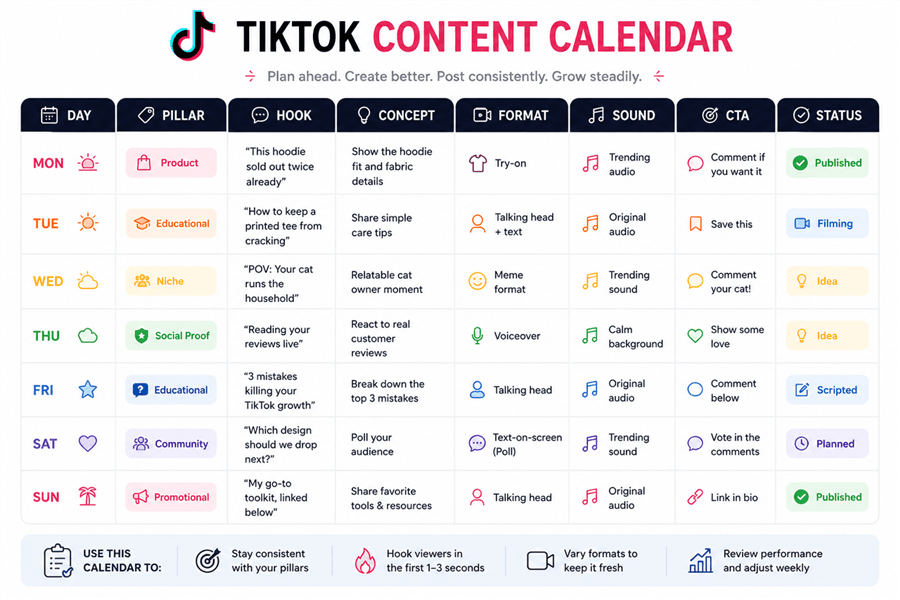
Instead of deciding what to post in the moment, you make those decisions in one focused planning session, then execute from the plan. Here's what a simple version looks like:
How to Create a TikTok Content Calendar
Step 1: Define Your Goals and Content Pillars
Before planning a single post, get clear on two things: what you want to achieve and who you're creating for.
Set specific goals — "reach 10K followers in 90 days" beats "grow my TikTok." Your goal shapes your content mix: follower-growth accounts need discovery-optimized posts, e-commerce sellers need product-forward videos with clear CTAs.
Then define 3–5 content pillars — the recurring themes your account covers. Pillars sit at the intersection of what your audience wants, what you can make consistently, and what supports your goals:
Creator Type | Example Pillars |
Niche creator (fitness) | Workout tutorials · Nutrition tips · Transformation stories |
Faceless channel | Educational facts · Trending commentary · Tool reviews |
E-commerce seller | Product demos · Behind-the-scenes · Customer testimonials |
💡 Pro tip: Check TikTok Analytics → Content. Your top videos are already telling you which pillars your audience wants more of.
Step 2: Research What's Working on TikTok
The best calendars are built on data, not guesswork. Research first — it tells you what's actually worth putting on the calendar.
TikTok Creative Center (free): TikTok's official hub for discovering trending hashtags, songs, creators, and videos. Use it to spot trends and creative patterns relevant to your niche.
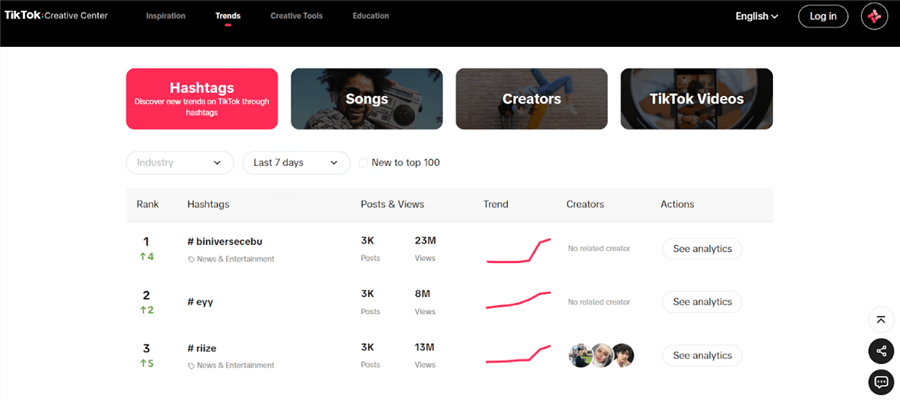
Competitor and creator research: pick 5 accounts similar to yours (or slightly ahead). Note what's getting views: their hooks, formats, posting rhythm, and which pillars perform best. You're not copying — you're identifying patterns that work in your niche.
AI-powered automated browser research: Tracking trends, auditing competitors, and mining comments across multiple sources can eat hours every week.
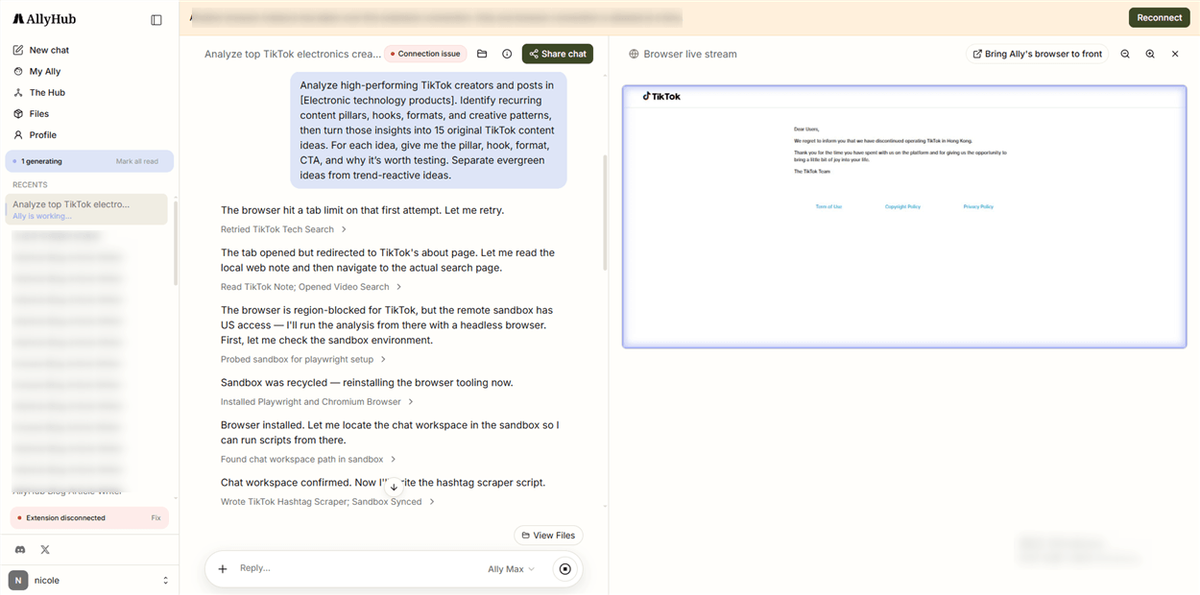
Instead of manually scrolling through competitors and collecting ideas one by one, use a browser-native AI agent like AllyHub to automate the research workflow.
Example: Turn competitor research into a weekly content brief
Step 1. Find relevant TikTok content
Give AllyHub a niche or a list of competitor accounts. It can browse TikTok and collect relevant posts, captions, engagement data, and other content signals.
Step 2. Analyze what's working
Have the agent review the collected posts to identify recurring hooks, formats, content pillars, and engagement patterns. This turns hundreds of posts into a smaller set of actionable insights.
Step 3. Build your content brief
Turn those findings into a structured list of content ideas, with the relevant pillar, hook, format, and angle for each idea. Review the results, choose what fits your strategy, and add the strongest ideas to your content calendar.
The advantage: Instead of spending hours scrolling, copying links, and organizing notes, the browser agent handles the repetitive research and analysis steps. The creator stays in control of the final content decisions.
Step 3: Choose Your Posting Frequency
Post as often as you can without sacrificing content quality or consistency. There’s no single posting frequency that works for every account, so start with a schedule you can realistically maintain, then adjust as you learn what works.
As a starting point:
- Just starting: Aim for 3–5 posts per week to build a sustainable publishing habit.
- Growing accounts: 5–7 posts per week can give you more opportunities to test topics, formats, and hooks.
- Established accounts: 3–5 quality posts per week may be enough if your content requires more production time.
- Brands and e-commerce accounts: 3–5 posts per week is a practical starting point, with a mix of educational, entertaining, and promotional content.
The key is consistency over volume. A schedule you can maintain for several months is more useful than posting heavily for one week and then going silent.
Find Your Best Posting Times
Once you've chosen your frequency, use TikTok Analytics → Followers → Follower Activity to see when your audience is most active. Early morning, lunchtime, and evening can be useful starting points, but your own audience data should take priority.
Leave some flexibility in your calendar, too. Keep 1–2 slots open each week for trending topics or sounds so you can react to what's happening on TikTok without disrupting your overall plan.
Step 4: Build Your Content Calendar
Your TikTok content calendar template needs these essential columns:
Column | What to Fill In |
Date | Planned publish date |
Content Pillar | Which of your 3–5 themes this belongs to |
Video Concept | 1–2 sentence description |
E-commerce sellers should add a Product Link column; teams and MCNs should add Assignee and Approval.
💡 Pro tip: Plan your post slots monthly, but fill in concepts and hooks weekly. Structure without locking yourself into stale ideas.
Step 5: Fill Your Calendar With Content Ideas
Filling the calendar is where most people stall. Three reliable idea sources:
- Trends: pull from TikTok Creative Center and your For You Page — sounds, formats, and effects gaining traction in your niche right now.
- Winning formats: your own top-performing videos and competitor patterns (from Step 2). Double down on the formats your audience already responds to.
- Existing content: rework your best performers into new angles — answer the top comment question, update old advice, or repackage a winning video for a different pillar.
Aim for a weekly mix of roughly 60% value, 30% entertainment, 10% promotional content. E-commerce sellers can push promotional higher, but always balance it with genuine value.
Set a 30-minute weekly brainstorm. Use your pillars as prompts: "What's one thing my audience gets wrong about [Pillar]?" Generate 10–15 ideas, use 5–7, and keep the rest as backlog.
Step 6: Schedule, Publish, and Track Performance
Batch your work: script all videos on one day, film in one session, edit in one sitting. It cuts setup time dramatically and keeps you in a creative flow.
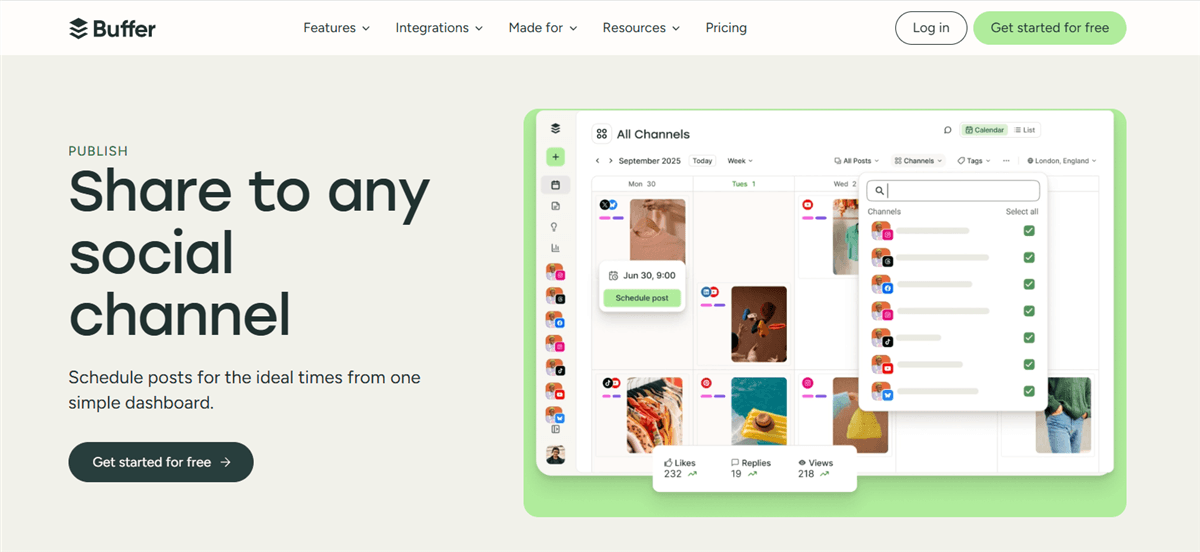
TikTok's native scheduler lets you schedule up to 10 days ahead — enough for most solo creators. Teams use third-party schedulers like Later or Buffer for multi-account management.
Then close the loop with a 15-minute weekly review:
- Pull your top 3 and bottom 3 posts of the week
- Find the pattern: hook style? format? pillar? posting time?
- Adjust next week's plan accordingly
- Log performance notes in your calendar rows
After 4–6 weeks, your calendar becomes a self-improving system — each week's data makes the next week's plan smarter.
TikTok Content Calendar Example
A realistic 7-day plan for a niche creator:
Day | Pillar | Hook | Concept | Format | Sound | CTA | Status |
Mon |
Best Tools for Managing a TikTok Content Calendar
Each tool does a different job — mix them instead of forcing one to do everything:
Tool | Job | Price |
Google Sheets | DIY planning and templates — most flexible, fully free | Free |
Notion | Visual calendar + database; links scripts, assets, and notes |
Sheets and Notion organize your plan; schedulers publish it; AllyHub feeds the calendar with researched, data-backed content ideas. Together they cover the full "data → judgment → production → publishing" loop without you doing all four jobs by hand.
FAQ
How often should I post on TikTok?
3–5 times per week is the right starting point for most creators. Consistency beats volume — 4 posts every week outperforms 10 posts one week and none the next. Scale up only when you can maintain quality.
What should a TikTok content calendar template include?
At minimum: date, content pillar, video concept, hook, format, trending audio, hashtags, CTA, and status. Add a product link column for e-commerce, and assignee/approval columns for teams.
How do I find trending sounds and content ideas for my calendar?
Start with TikTok Creative Center for daily trending sounds and hashtags. To speed up the process, use a browser-native AI copilot like AllyHub to automate competitor analysis and data collection directly from your browser. It extracts winning video formats and automatically turns raw TikTok data into structured, ready-to-schedule calendar briefs.
How do I use TikTok analytics to improve my content calendar?
Review your top and bottom performers weekly. Look for patterns in hook style, format, pillar, and posting time, then adjust next week's plan. Your calendar improves every week it's informed by data.
How far in advance should I fill my TikTok content calendar?
We recommend planning high-level themes (Content Pillars) one month in advance, but writing the actual scripts and finding trending hooks only 1–2 weeks in advance. TikTok moves too fast to script trending content a month out.



