

Most creators open their analytics, see a wall of numbers, and close it. The ones who grow do something different: they treat analytics as a diagnostic tool, not a report card. Every video analysis comes down to four questions: Did people watch? Where did they come from? Where did they leave? And what should you change next?
This guide walks you through turning TikTok Analytics on, reading a single video like a doctor, analyzing your account videos as a portfolio, and the honest answer to whether AI can do any of this for you.
Key Takeaways
- TikTok Studio gives creators free access to performance analytics, although the exact metrics and interface can vary by account, region, and product version.
- Retention and watch-time metrics are your best starting point for understanding whether a video holds attention.
- AI can speed up the process of analyzing — but general assistants can't watch videos directly; you feed them exports or transcripts.
How Do I Turn On Analytics on TikTok?
Analytics live in TikTok Studio, and you don't need to pay for anything.
On mobile:
- Go to your Profile and tap the menu in the top-right corner.
- Tap TikTok Studio under Creation & business tools.
- The a page will come up to show your analytics.
- Click a little arrow on the right to enter the whole metrics.
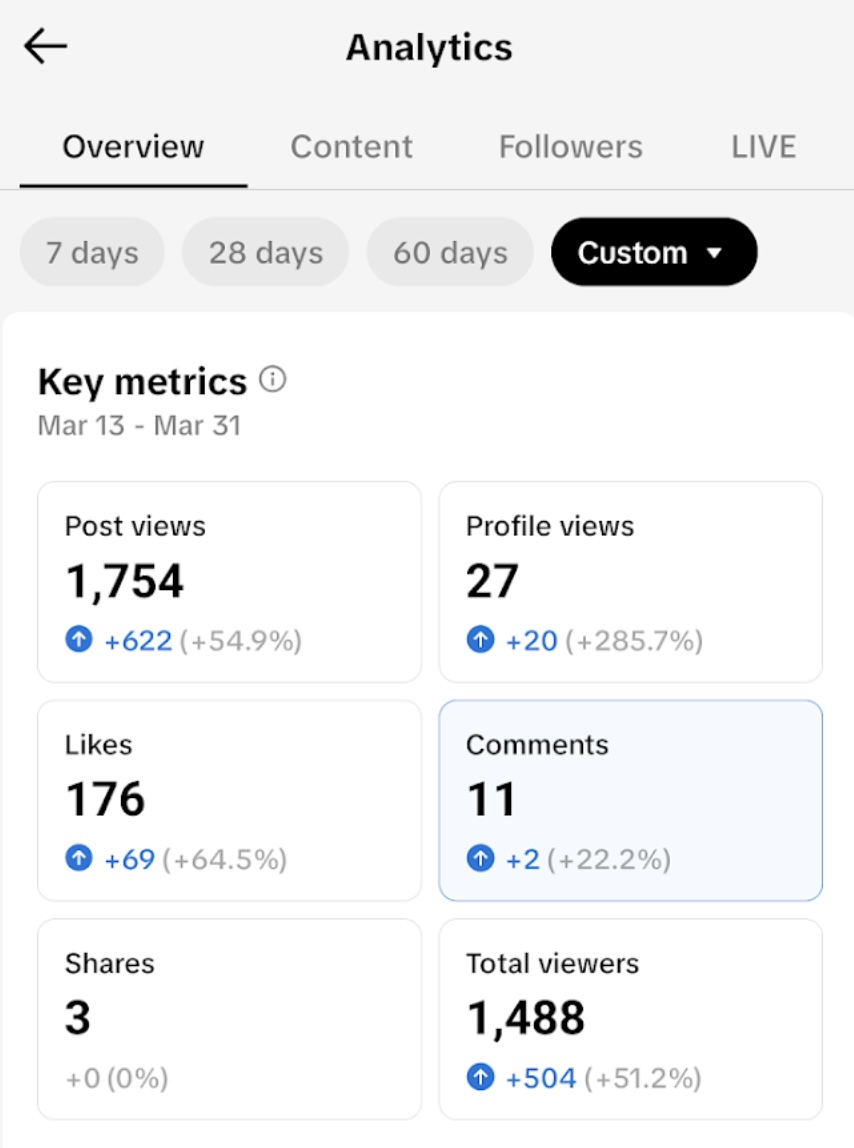
On desktop, skip straight to studio.tiktok.com and open Analytics from the left sidebar.
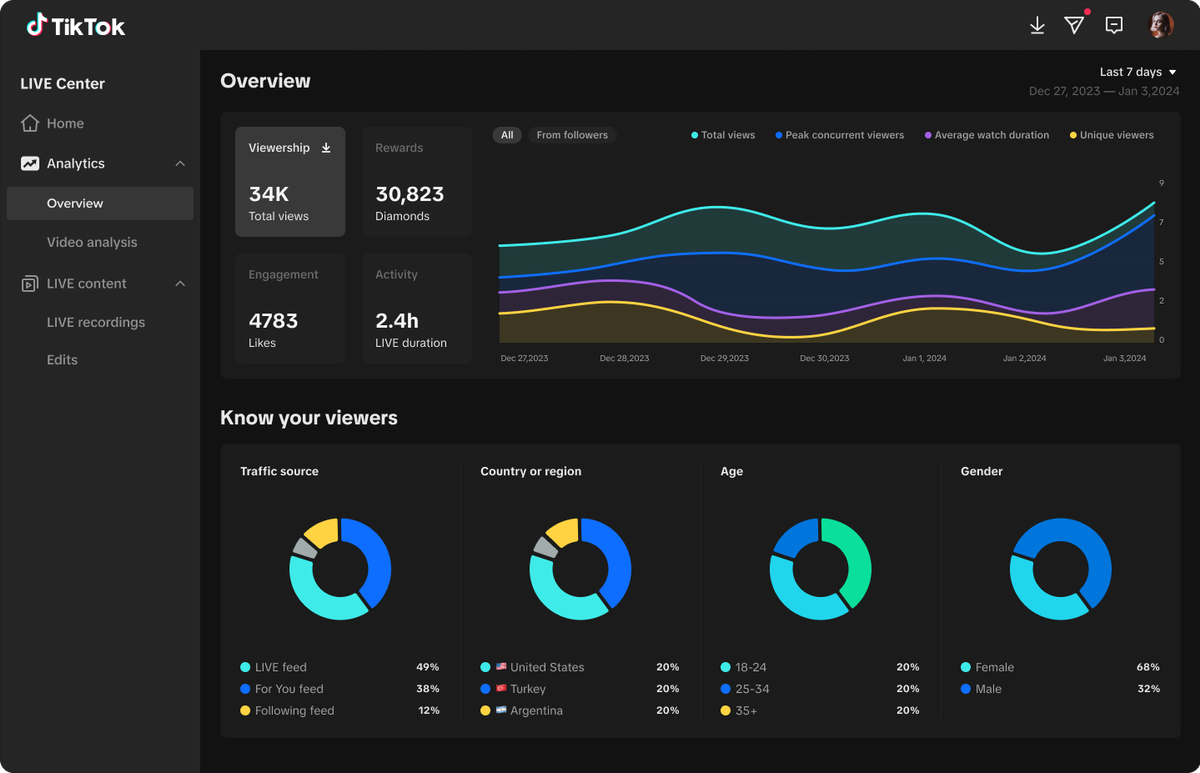
If you don't see much data yet, check the selected date range, whether you've posted recently, and which analytics section you're viewing. TikTok's available metrics can vary by account and interface.
How to Analyze a TikTok Video in 5 Minutes
Here's the repeatable diagnostic I run on every video after it's had about 48 hours:
Read a TikTok retention graph
A sharp drop in the first 1–3 seconds means the hook failed — the first frame didn't match the promise or didn't create curiosity. Check whether the opening frame, spoken line, and promised payoff are clear enough.
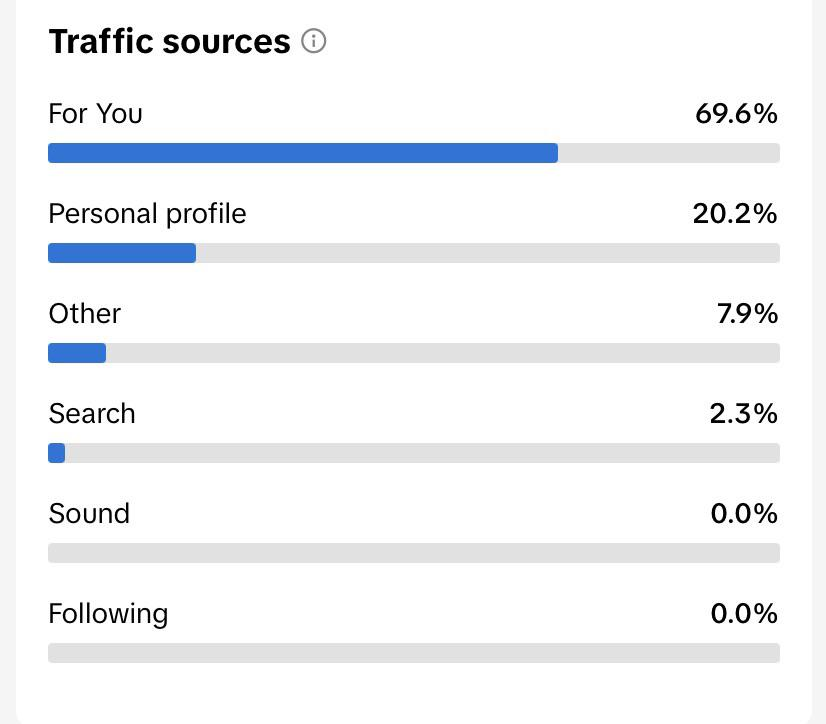
Read the traffic sources
- A high For You share means a large portion of your views came through TikTok's recommendation feed. Compare that with retention and engagement to understand whether the video reached beyond your existing audience and held that audience's attention.
- If Profile is a large traffic source, inspect whether the video generated profile visits or whether people were already browsing your account. Pair this with follower growth to understand what happened after discovery.
- A high search share means your video is an answer — and it will keep earning views for weeks.
Compare completion to your own baseline
Not to viral charts, and not to other creators — to your last ten videos. When a video beats your average completion by a clear margin, something structural worked: format, topic, or length.
Pick one interaction signal
Saves say reference value. Shares say it was worth forwarding. A comment section full of questions tells you what to film next.
Write down one decision
Every analysis ends in a single sentence — repeat this, fix that, or retire the other. If you close the dashboard without a decision, you don't analyze anything; you just look at numbers.
Can AI Analyze TikTok Videos and Accounts?
Short answer: yes — in two different layers, and it's worth knowing which is which.
General Assistants like ChatGPT, Claude, or Gemini
They can't open a TikTok link and watch the video — they work with text and images, not raw video. So you can export your analytics from TikTok Studio as a CSV, paste the data, and ask for patterns
"which of my last 15 videos recruited the most followers, and what did they have in common?"
For individual videos, extract the transcript or captions and let the AI analyze structure and hook language.
Browser AI Autopilot like AllyHub
AllyHub is an AI automation partner that can complement your analytics workflow. You can use it to research competitor content, gather audience questions, compare discussions across relevant pages, and turn the findings into structured reports. Those reports give you outside context to compare with your own TikTok performance data.
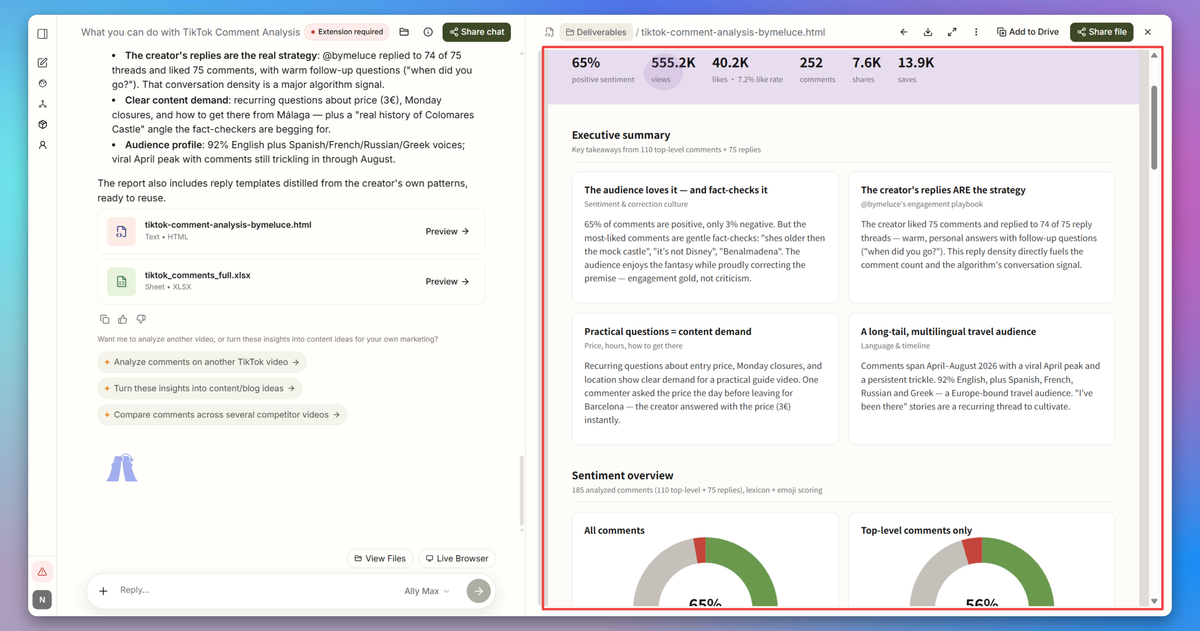
For example, if one of your videos has unusually high retention but low follower conversion, TikTok Analytics tells you what happened. AllyHub can help you research how similar creators position the same topic, what their audiences are asking, and which content angles keep appearing — useful context for deciding what to test next.
The TikTok Video Metrics That Matter
To analyze one video, locate it: open TikTok Studio → Analytics → Content → tap the video. Here's the metric list worth reading.
- Completion rate: the percentage of viewers who watched to the end.
- Average watch time: total time per view, in seconds. A 7-second video with 90% completion and a 60-second video with 40% completion are telling very different stories. the 60-second video is actually generating vastly more viewer engagement and value, so compare watch time alongside video length and completion.
- Retention graph: shows where viewers stayed and where they dropped off. Use the timestamp to inspect the actual video and form a hypothesis about what caused the drop.
- Traffic sources: show how viewers discovered the video — for example, through For You, Search, Profile, Following, or other surfaces. Use this to understand whether the video was mainly discovered through recommendations, search, or your existing audience.
- Territories: where viewers live. Useful when your niche should skew to a region and doesn't.
- Saves, shares, comments: the interaction layer. They matter more than likes, and comments matter more when they're conversations.
- Search queries: when available, check the terms people searched before finding your video. These can reveal the exact language your audience uses and give you ideas for future videos.
📌 Rule of thumb: Views are the last metric to look at, not the first. By the time the view count changes, the decisions were already made by completion, watch time, and traffic sources.
Table of Key Metrics
Metric | What it tells you | What to do |
Average watch time | How long people stayed | Compare with similar-length videos |
Watched full video | How many reached the end | Diagnose retention |
How to Analyze Multiple TikTok Videos
Once you're comfortable reading one video, you can build small comparison groups like:
- Videos of similar length
- The same format
- The same topic
- Similar posting periods
Then ask which combination consistently produces better retention, search traffic, shares, or followers. Treat the account like a portfolio for future creation.
FAQs
What's a good completion rate on TikTok?
There isn't one universal good completion rate. Completion varies heavily with video length, topic, format, and traffic source. Instead of comparing your number with a generic benchmark, compare videos of similar length and format against your own baseline.
Can I export my TikTok analytics data?
TikTok provides different data views and export options depending on the analytics surface, account, and current product version. If you need long-term comparisons, save important reports regularly rather than assuming every metric will remain available indefinitely.
Can I automate the analysis behind my TikTok growth?
You can automate parts of the research around your TikTok analysis. A browser AI autopilot like AllyHub can gather competitor content, audience questions, and niche discussions into structured reports. You still need TikTok Studio for your first-party performance data and your own judgment to decide what the numbers mean.



